
Program builder
The screens for creating and editing an affiliate program: the programs list, commissions, attribution and discounts, and advanced settings.
- Product design
- Affiliate programs
Social Snowball lets Shopify brands run affiliate programs. These screens cover the programs list and the editor behind each program, where a brand decides how affiliates are rewarded (cash, store credit or a discount code), whether that reward is a percentage or a fixed amount, and how attribution and discounts work.
The editor opens as a full-screen sheet over the dashboard, with one tab for each area: commissions, attribution and discounts, advanced settings, TikTok Shop collaboration and segmentation. The file designs the first three.
The screens show test data.
 View full size (opens in a new tab)
Programs
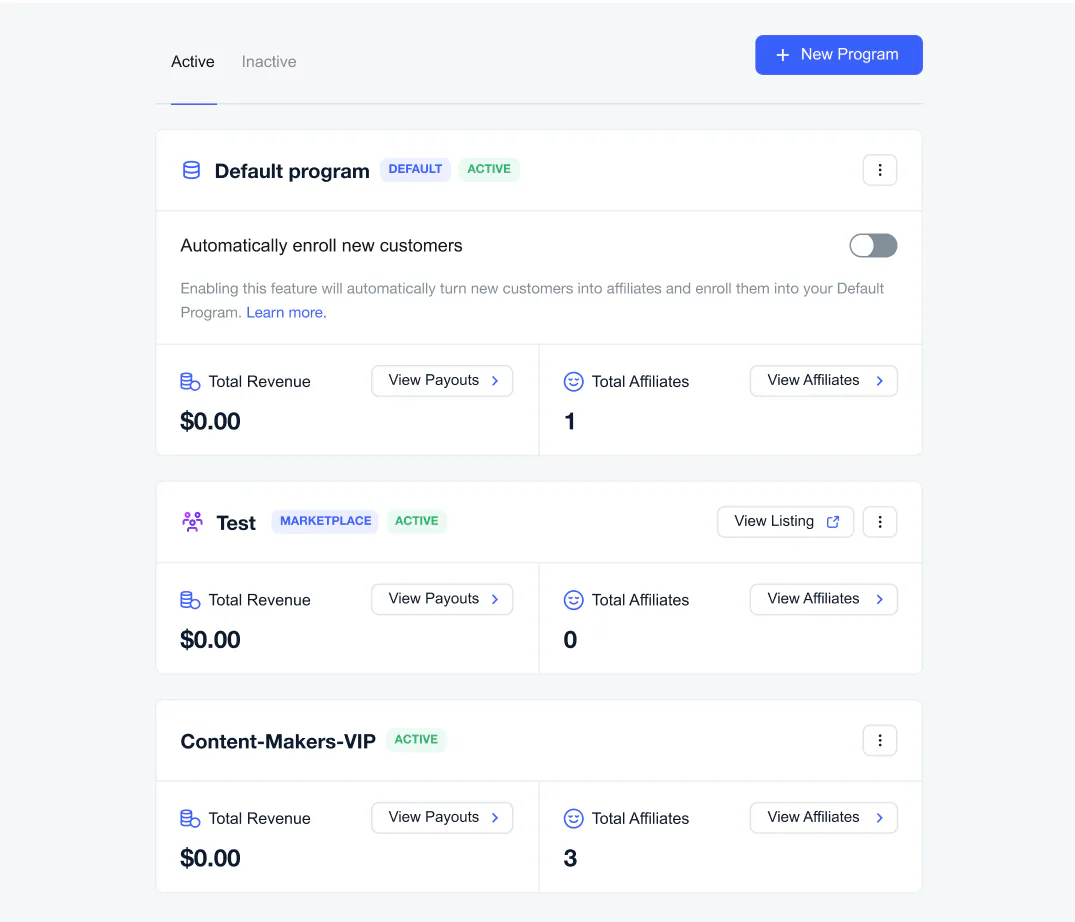
The programs list. Each program shows its total revenue and its number of affiliates, and whether it is the default or a marketplace program.
 View full size (opens in a new tab)
Commissions
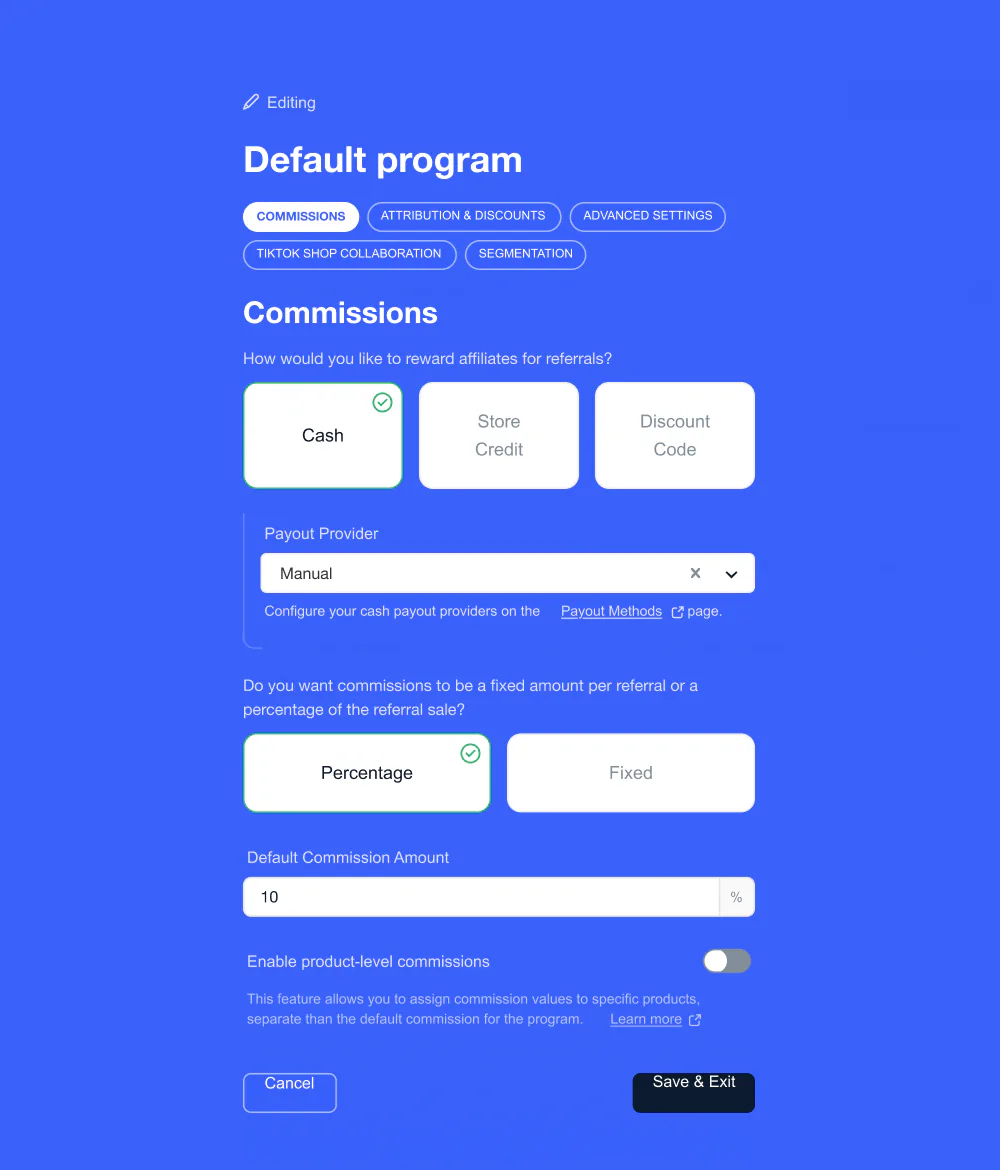
How affiliates are rewarded (cash, store credit or a discount code), the payout provider, and whether commissions are a percentage or a fixed amount.
 View full size (opens in a new tab)
Attribution & discounts
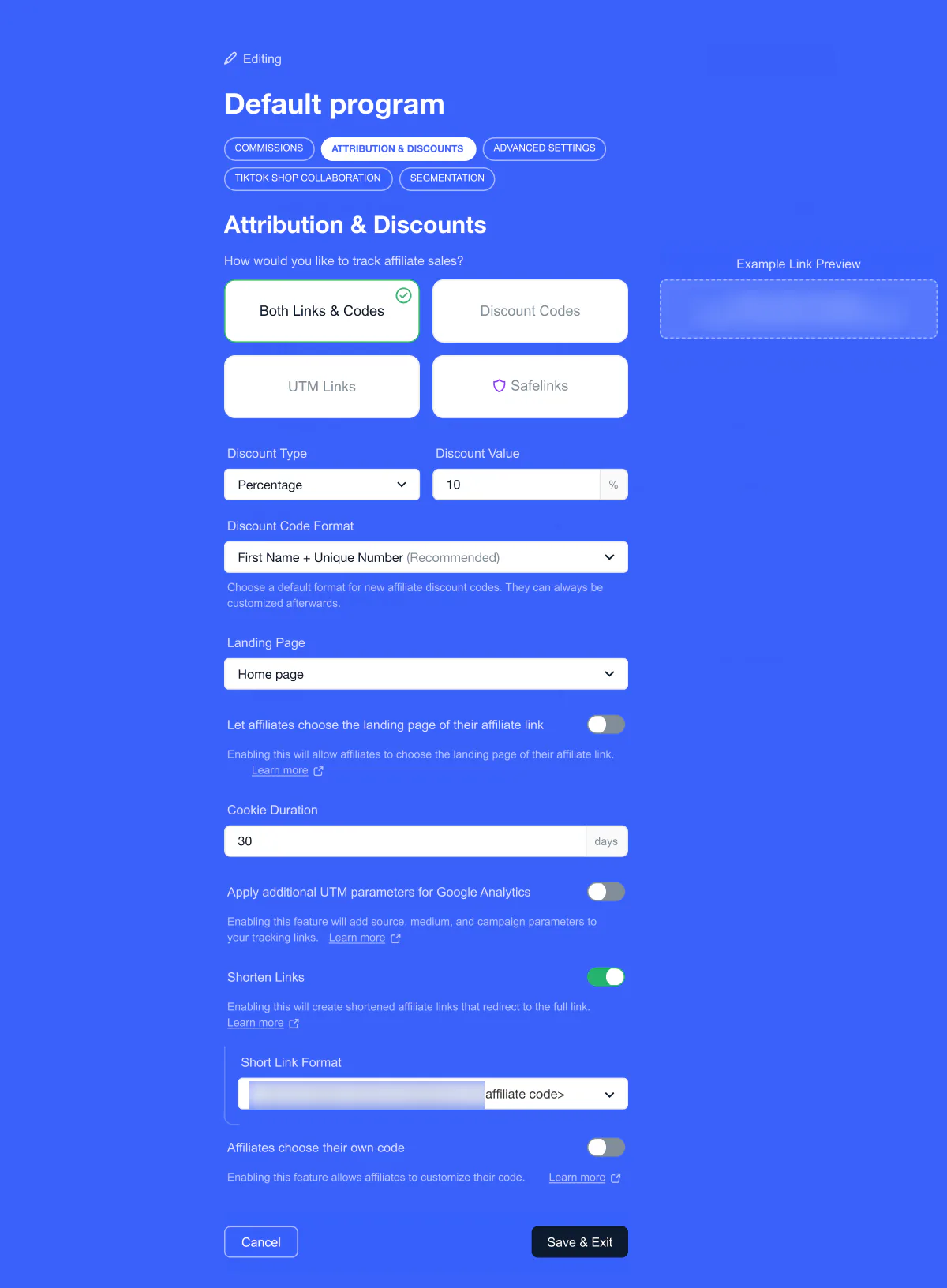
How a sale is tracked (links and codes, discount codes, UTM links or Safelinks), plus the discount type and value, the code format, the landing page and the cookie duration.
 View full size (opens in a new tab)
Advanced settings
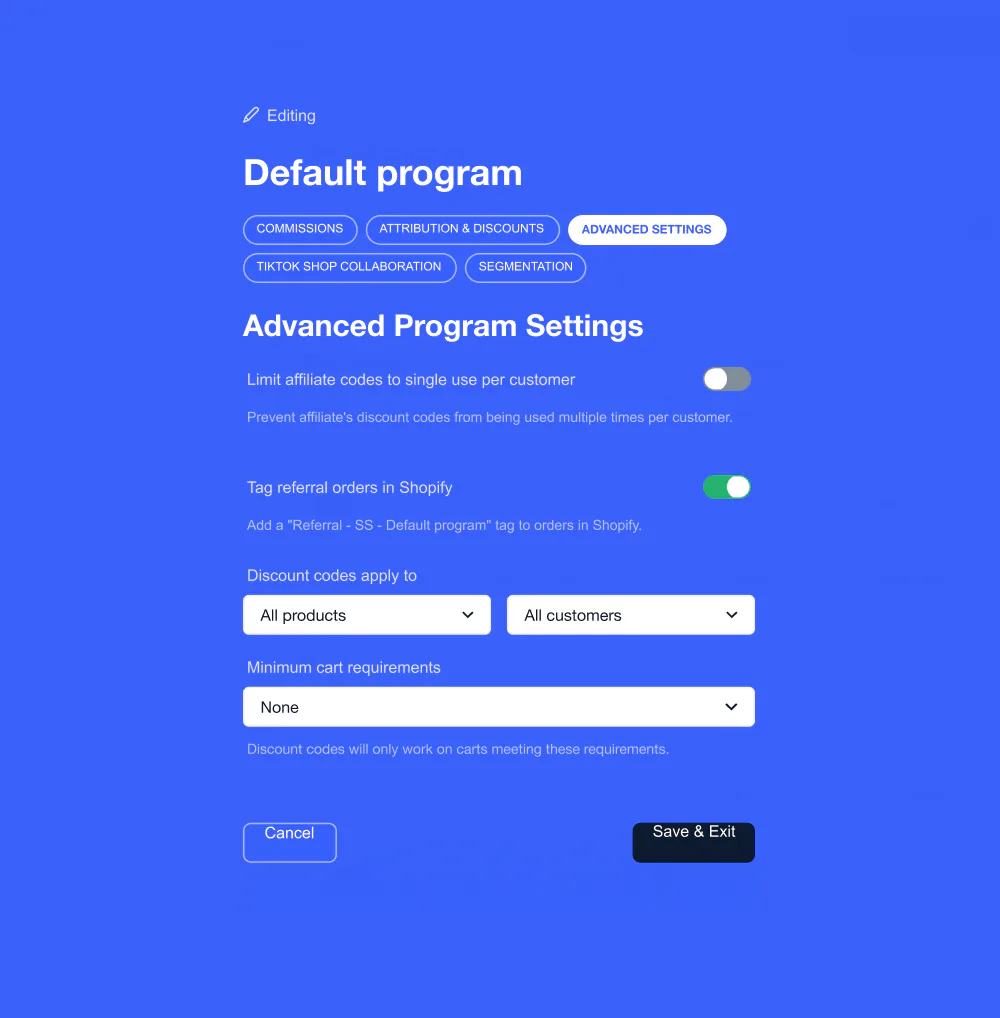
Limit codes to one use per customer, tag referral orders in Shopify, choose which products and customers a discount applies to, and set a minimum cart.