
Capture workflows and the purple rail
A map of Lil Labr’s capture workflows and a proposed purple-rail redesign of the Chrome sidebar.
- Workflow map
- Proposal
A current-state reference, dated 1 October 2026, for how a page gets from the browser into Figma: the website, the Chrome extension and the Figma plugin. The file lists 25 workflows, 105 steps and 63 UI states.
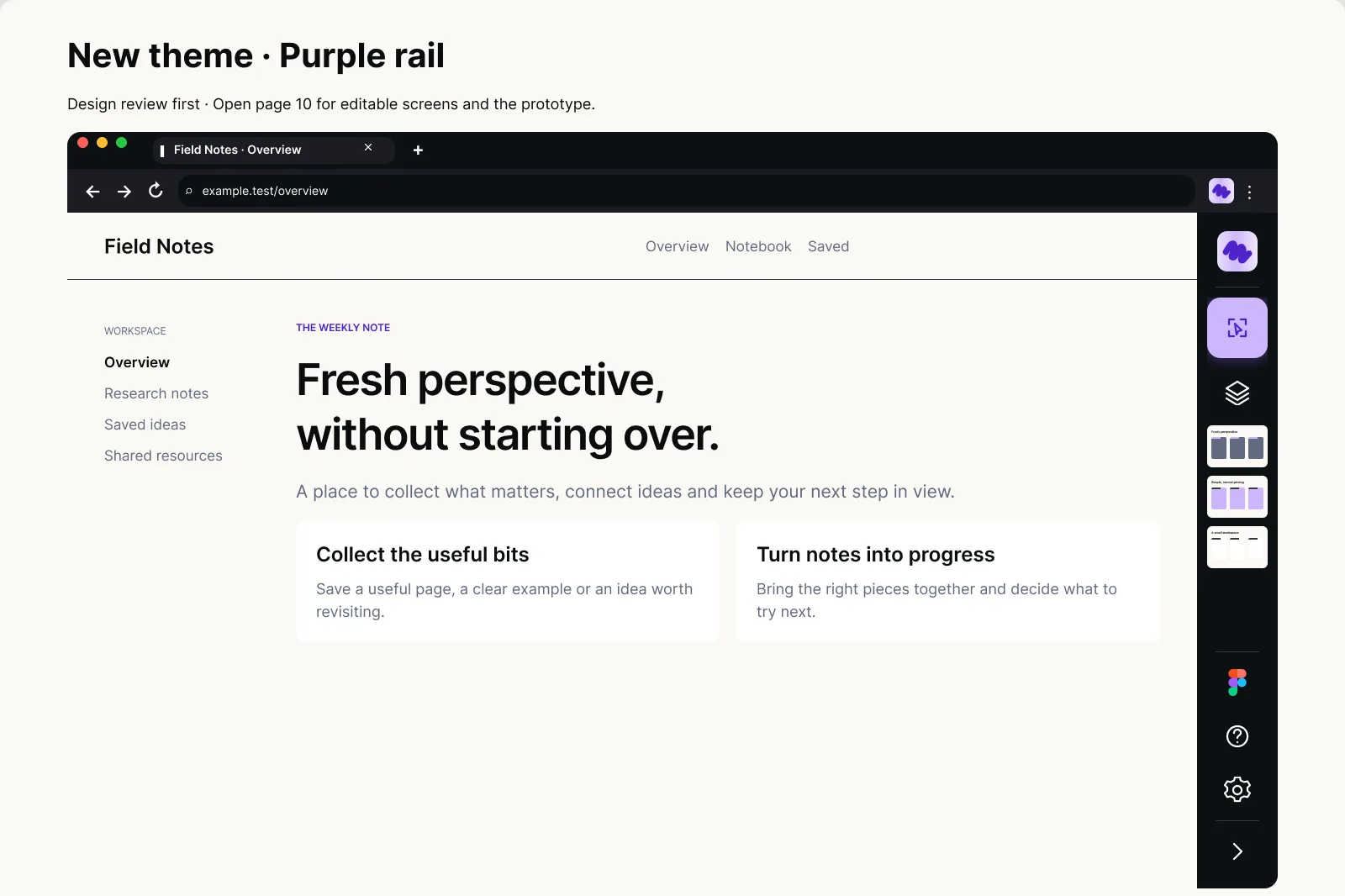
On top of that sits a design proposal: a compact rail for the Chrome extension in a new purple theme, with its own small design system. It is a design-review draft, pending approval.
The page behind the rail is a made-up example, not a real site.
 View full size (opens in a new tab)
The purple rail
A compact dark rail beside the page, with capture, layers, Figma and settings.
 View full size (opens in a new tab)
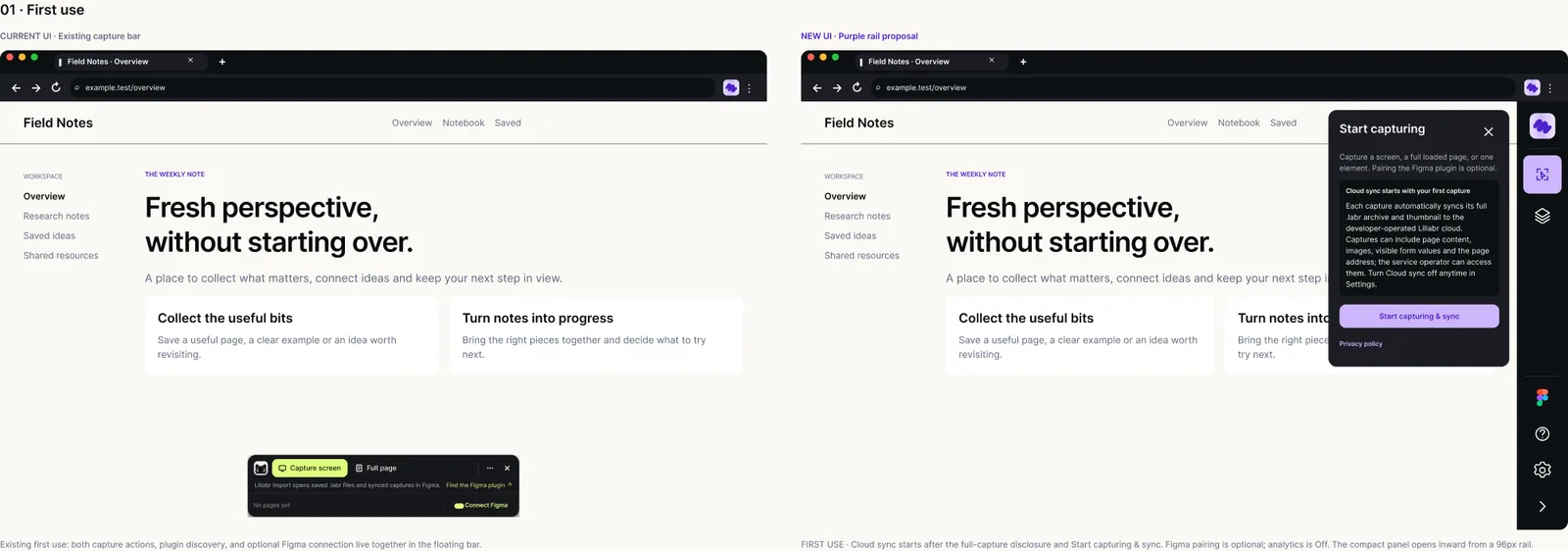
First use
The current capture bar (left) next to the proposed rail and its Start capturing panel (right).
 View full size (opens in a new tab)
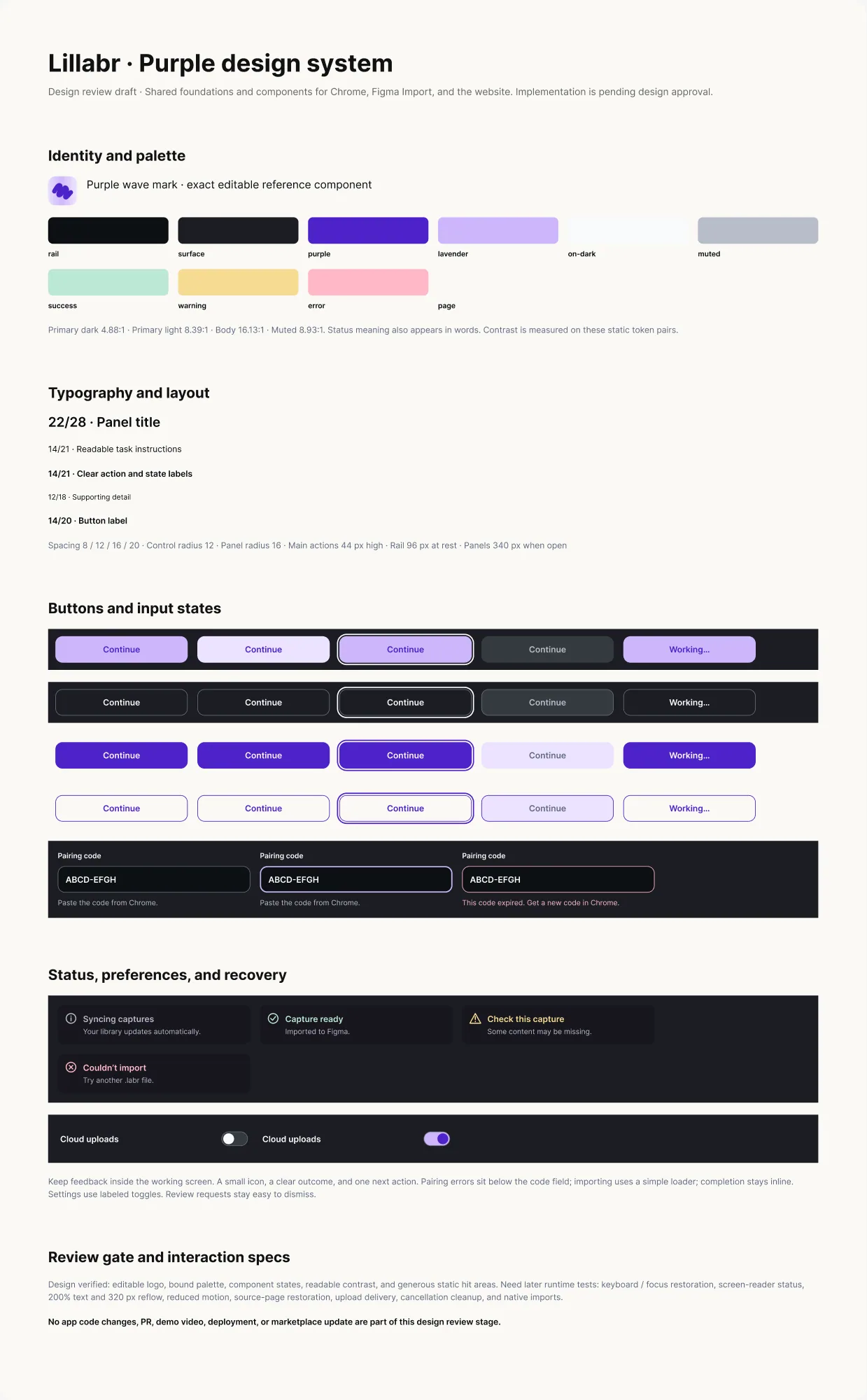
The purple design system
Palette, type, button and input states, and notices.