Payouts infrastructure
Paying affiliates: the Payouts table with its unpaid and rejected views and the confirm step, and the Payout Methods page for Snowpay, quick providers, manual payouts and store credit.
- Product design
- Payments
Once affiliates earn commissions, a brand has to pay them. These screens cover the Payouts page, where payouts are listed in tabs (Unpaid, Processing, Paid and Rejected), selected and sent, and the Payout Methods page, where a brand chooses how affiliates are paid.
A brand can pay through Snowpay (powered by Gigapay), through a quick-payout provider (Tremendous or Trolley), manually (PayPal, Venmo, Zelle or Cash App), or as store credit (gift cards or discount codes).
Affiliate names, the three total cards and the store name are blurred. The amounts in the tables are as they appear in the file.
Payouts
The list of what affiliates are owed, with a tab for each stage: Unpaid, Processing, Paid and Rejected.
 View full size (opens in a new tab)
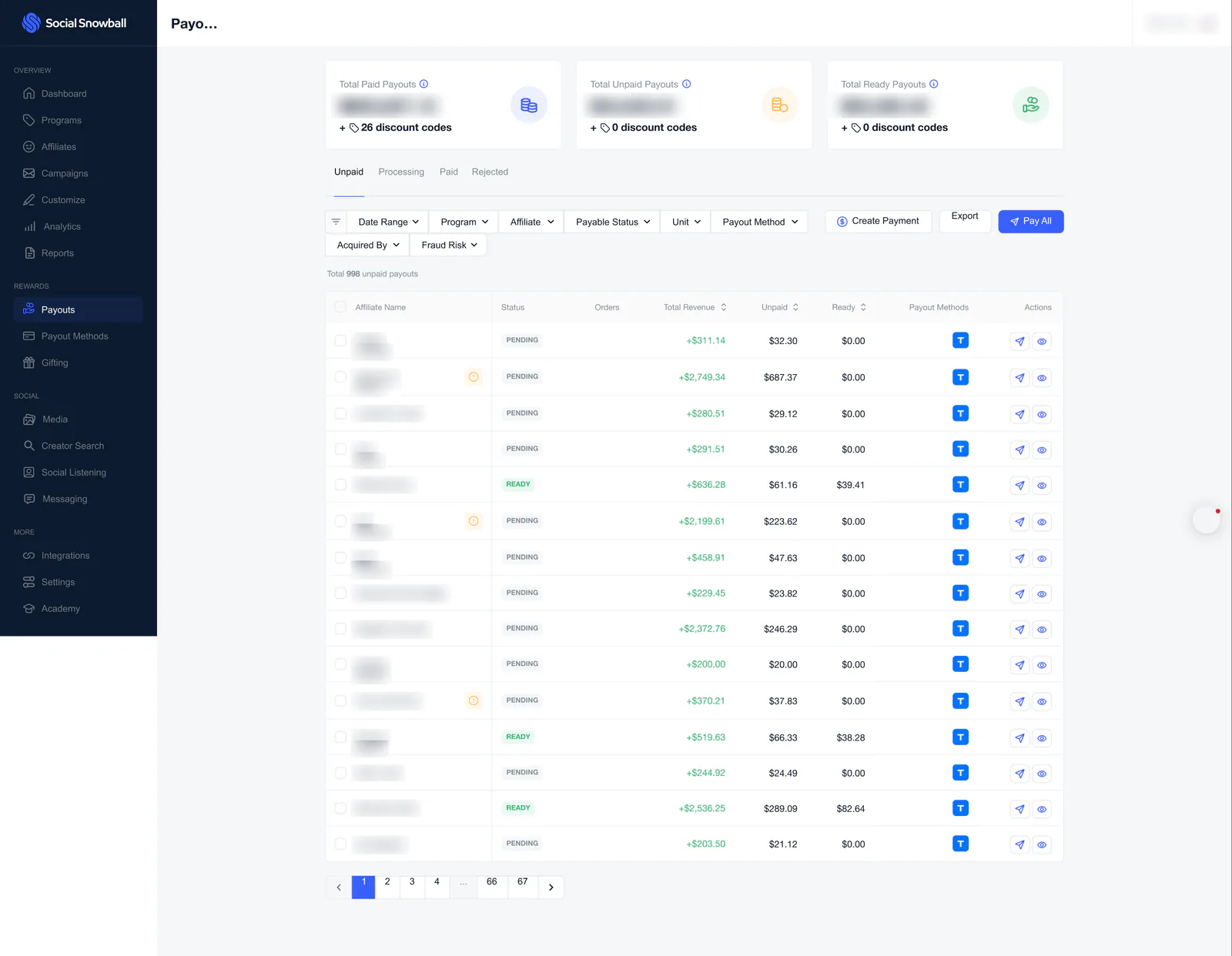
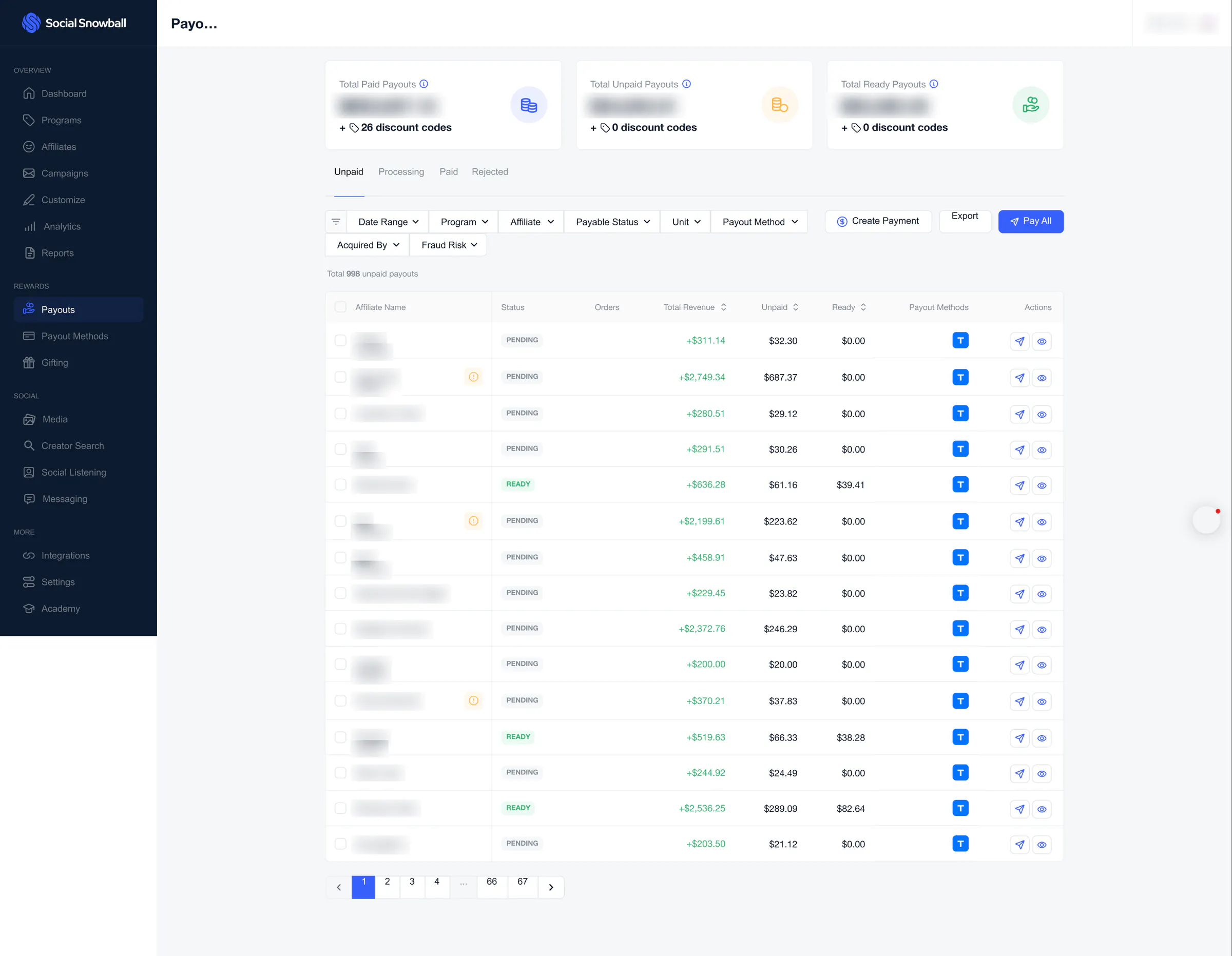
Unpaid payouts
The Unpaid tab: total cards, filters with Create Payment, Export and Pay All, and a table of payouts with a Pending or Ready status, revenue, unpaid and ready amounts, the payout method and send or view actions. It runs to 67 pages.
 View full size (opens in a new tab)
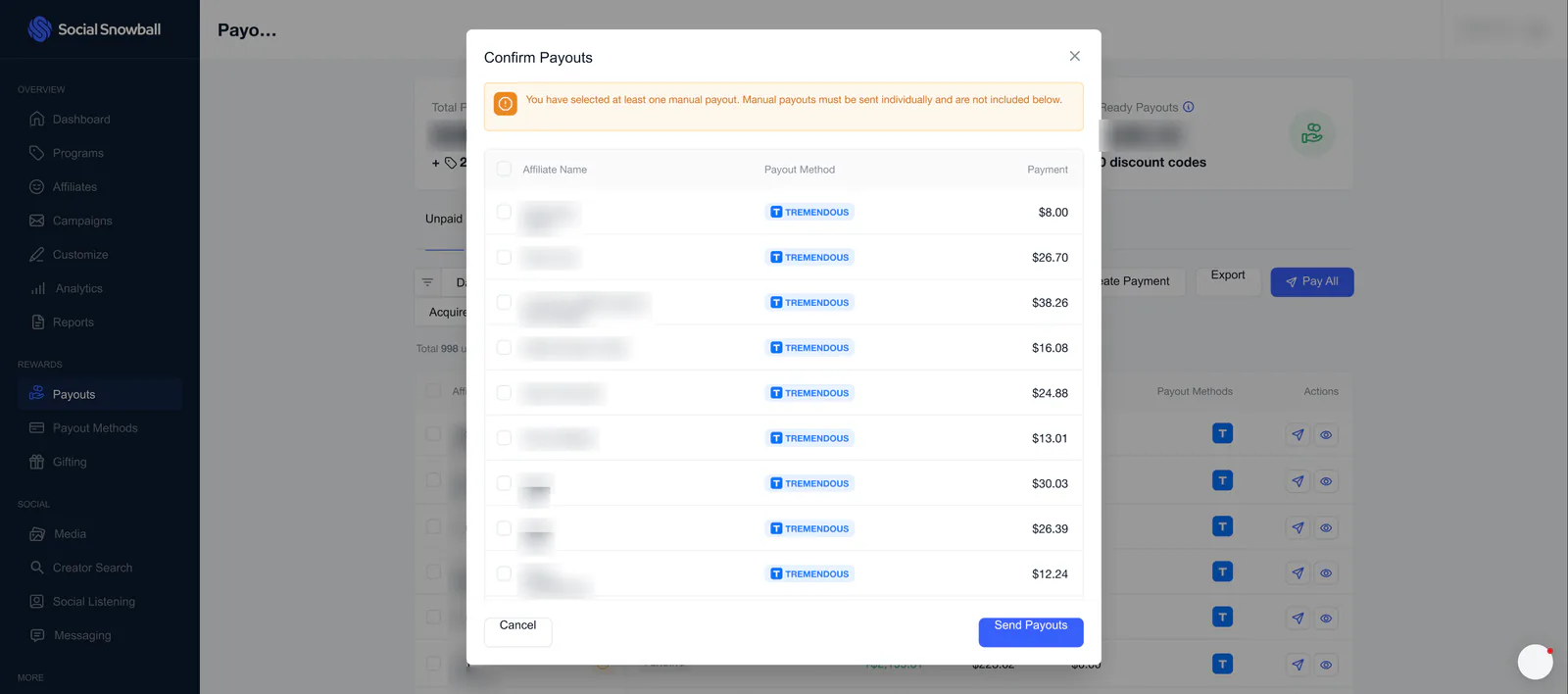
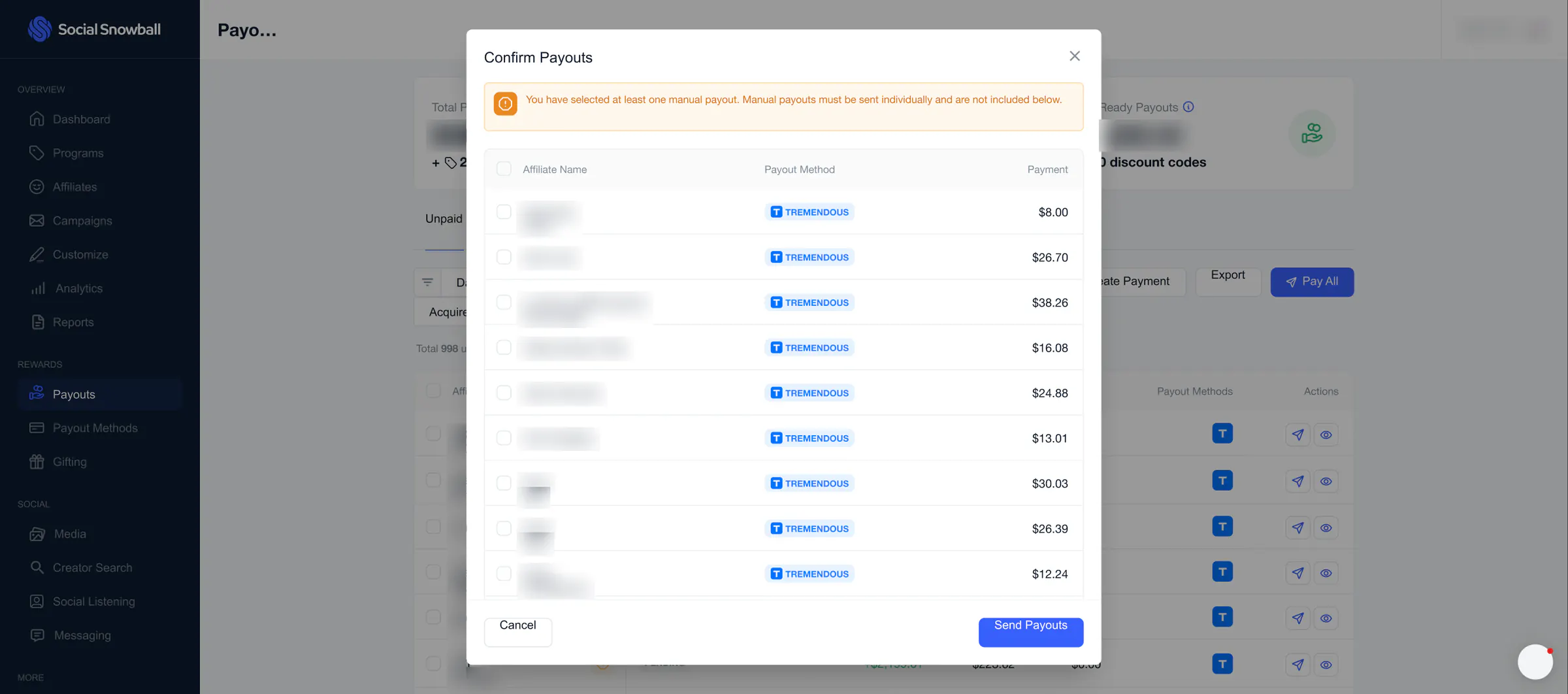
Confirm payouts
A dialog that lists each affiliate with their payout method (Tremendous) and payment amount, warns that manual payouts are not included, and ends with Cancel and Send Payouts.
 View full size (opens in a new tab)
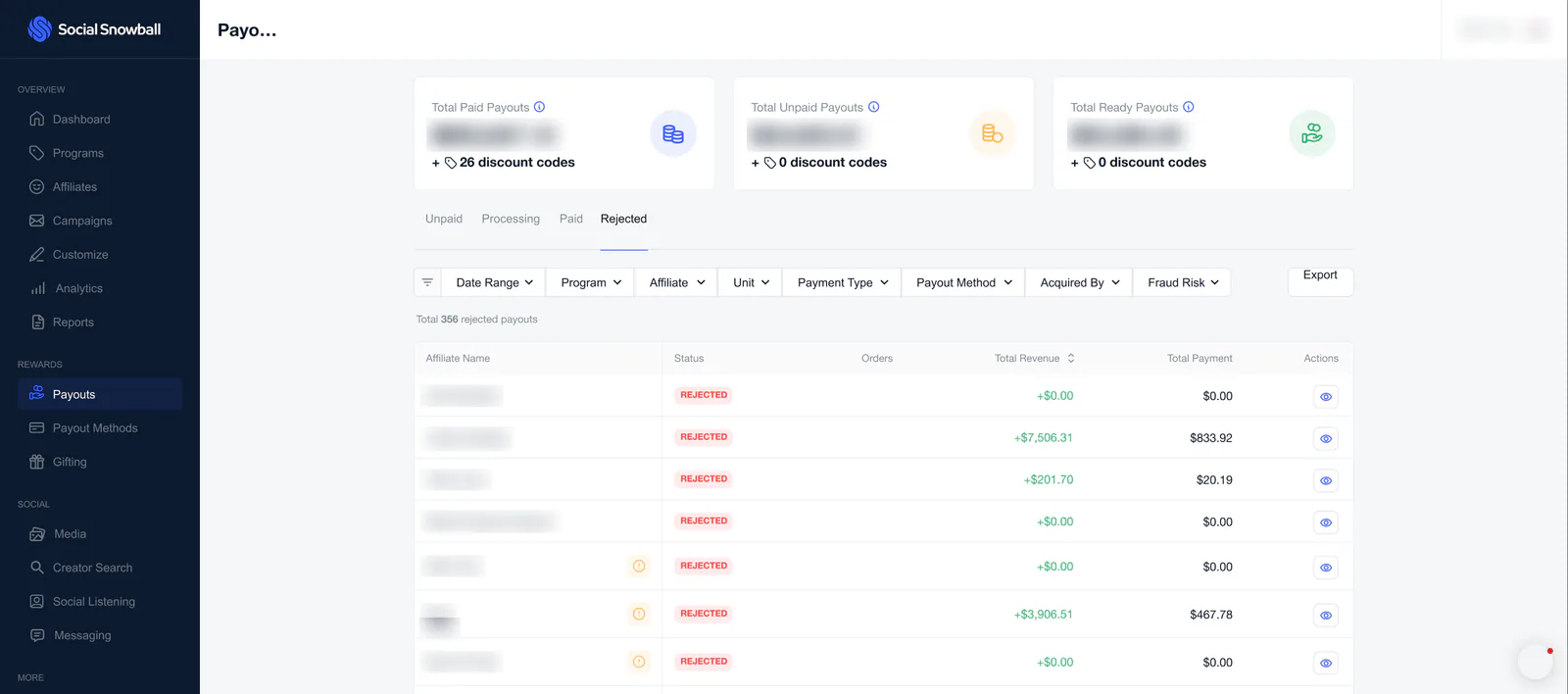
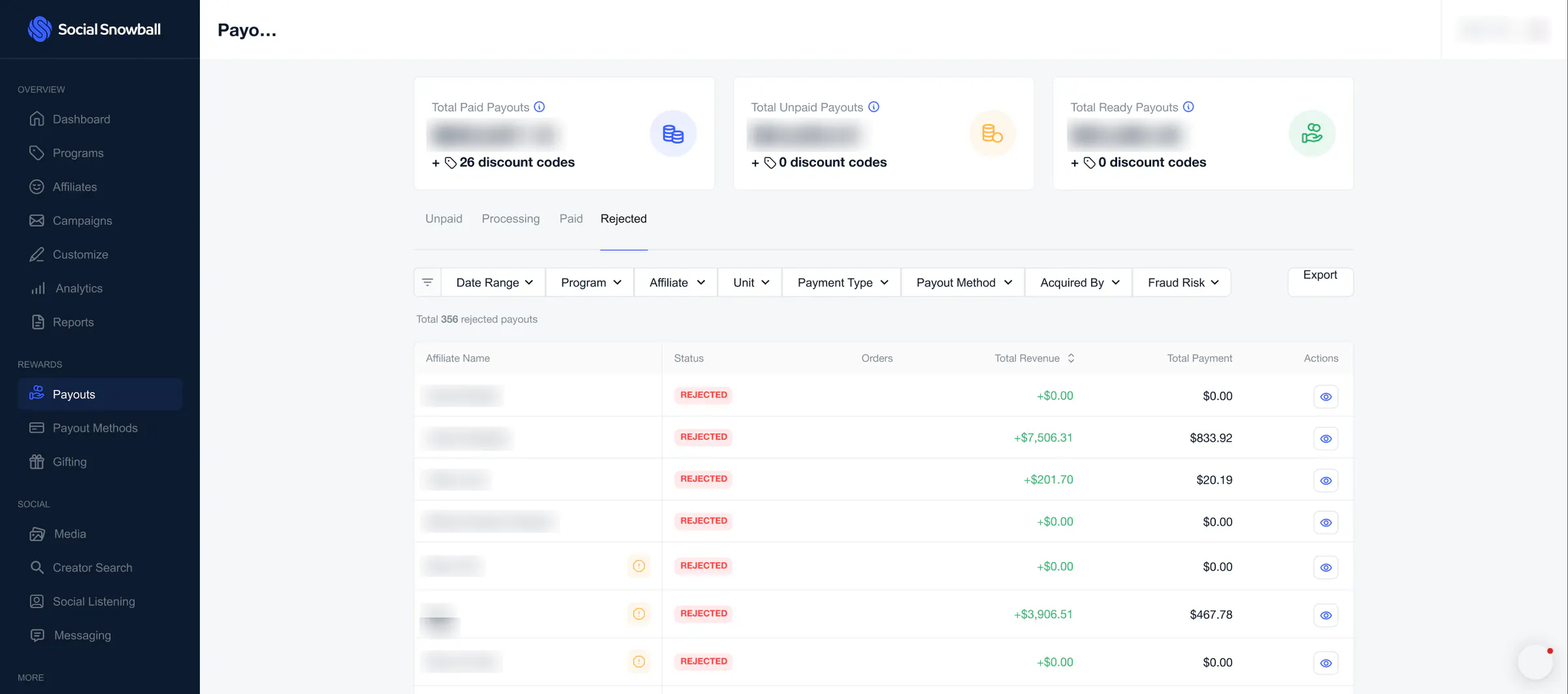
Rejected payouts
The Rejected tab: the same total cards and tabs, extra filters for Payment Type and Fraud Risk, and a table of rejected payouts with revenue, total payment and a view action.
Payout methods
Where a brand chooses how affiliates are paid, in four tabs: Snowpay, Quick Payouts, Manual Payouts and Store Credit.
 View full size (opens in a new tab)
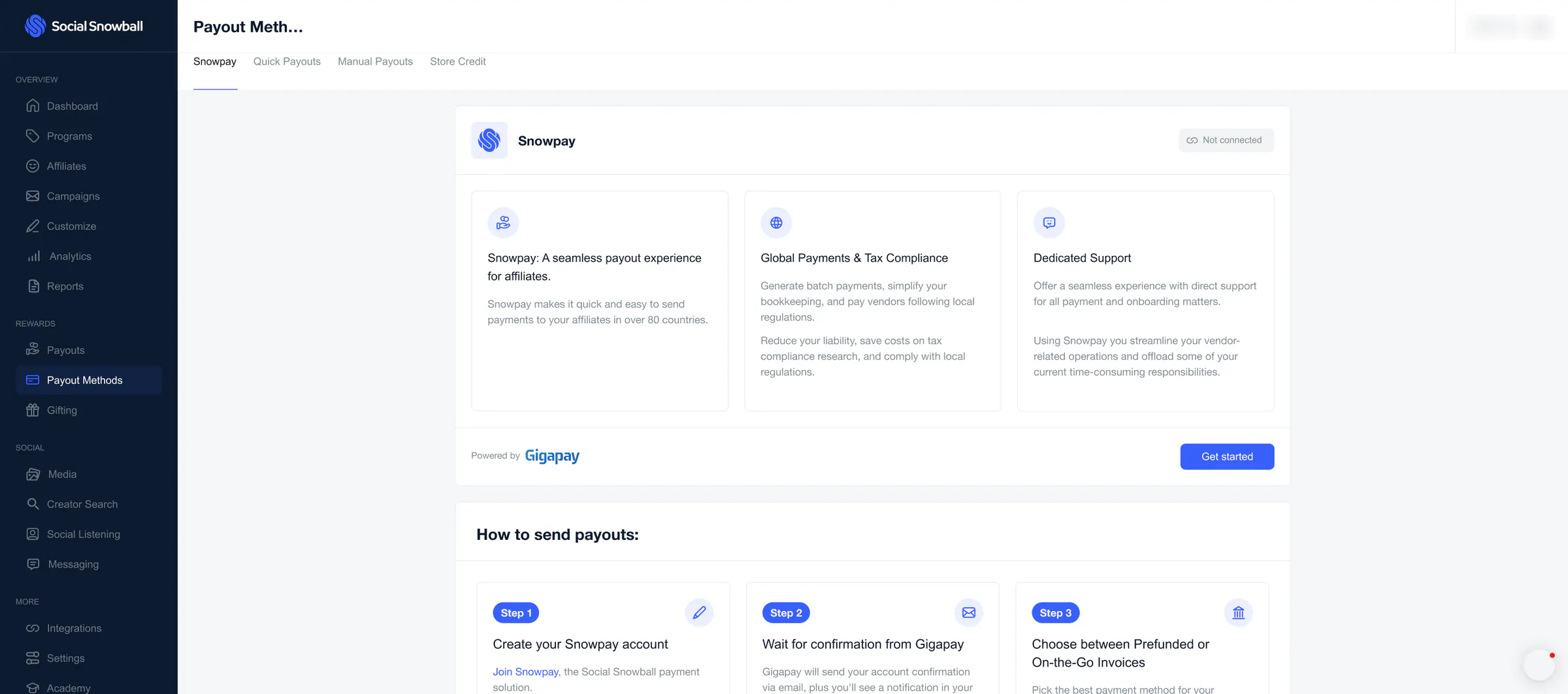
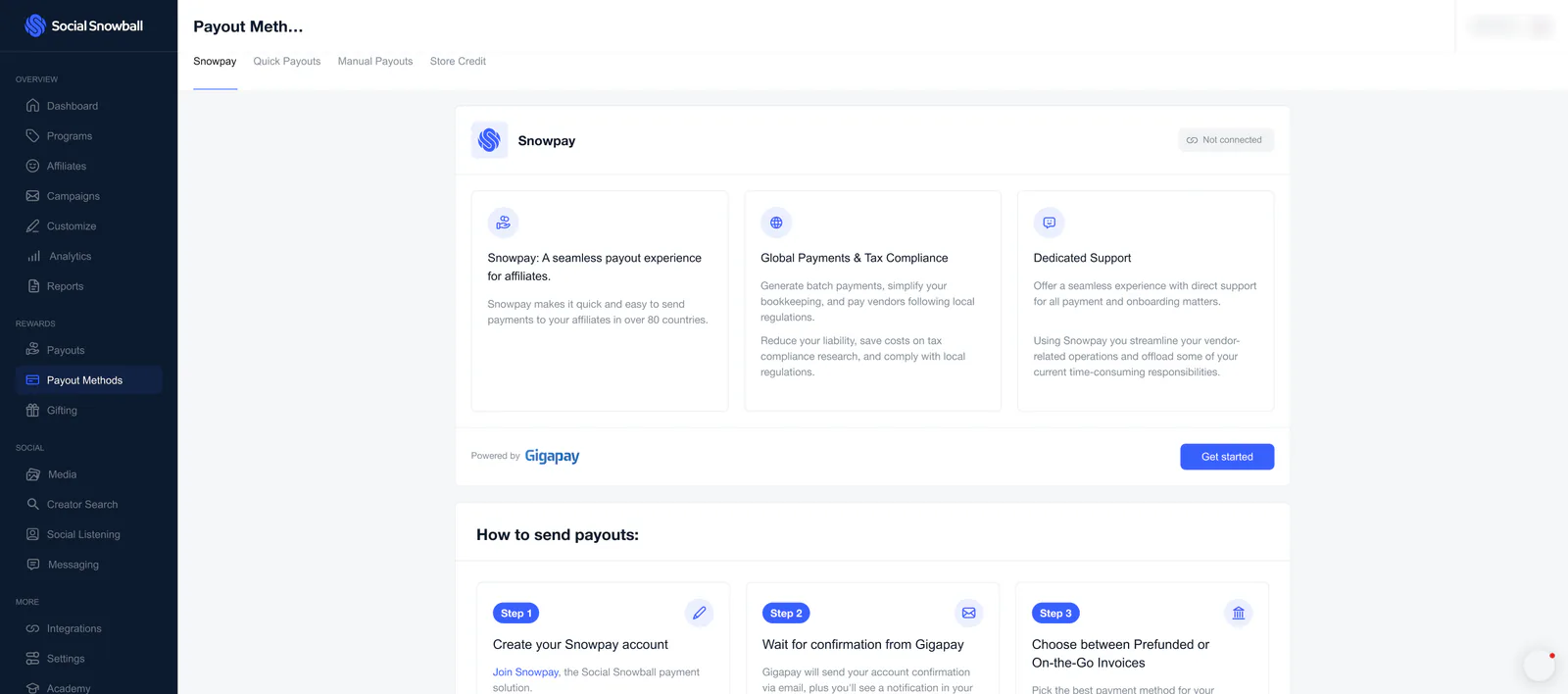
Snowpay
Snowpay, not yet connected: seamless payouts, global payments and tax compliance, and dedicated support, with a “Powered by Gigapay” footer, a Get started button and the start of a “How to send payouts” list.
 View full size (opens in a new tab)
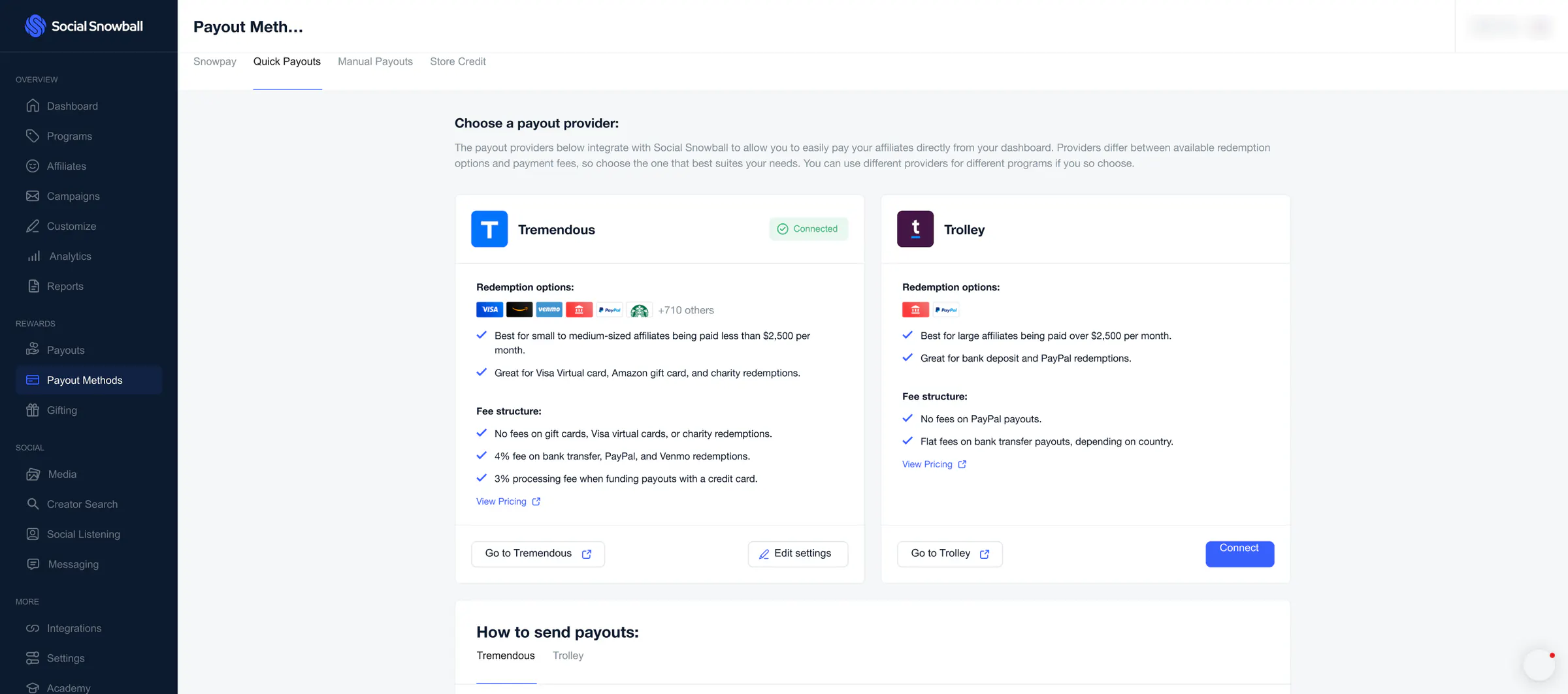
Quick payouts
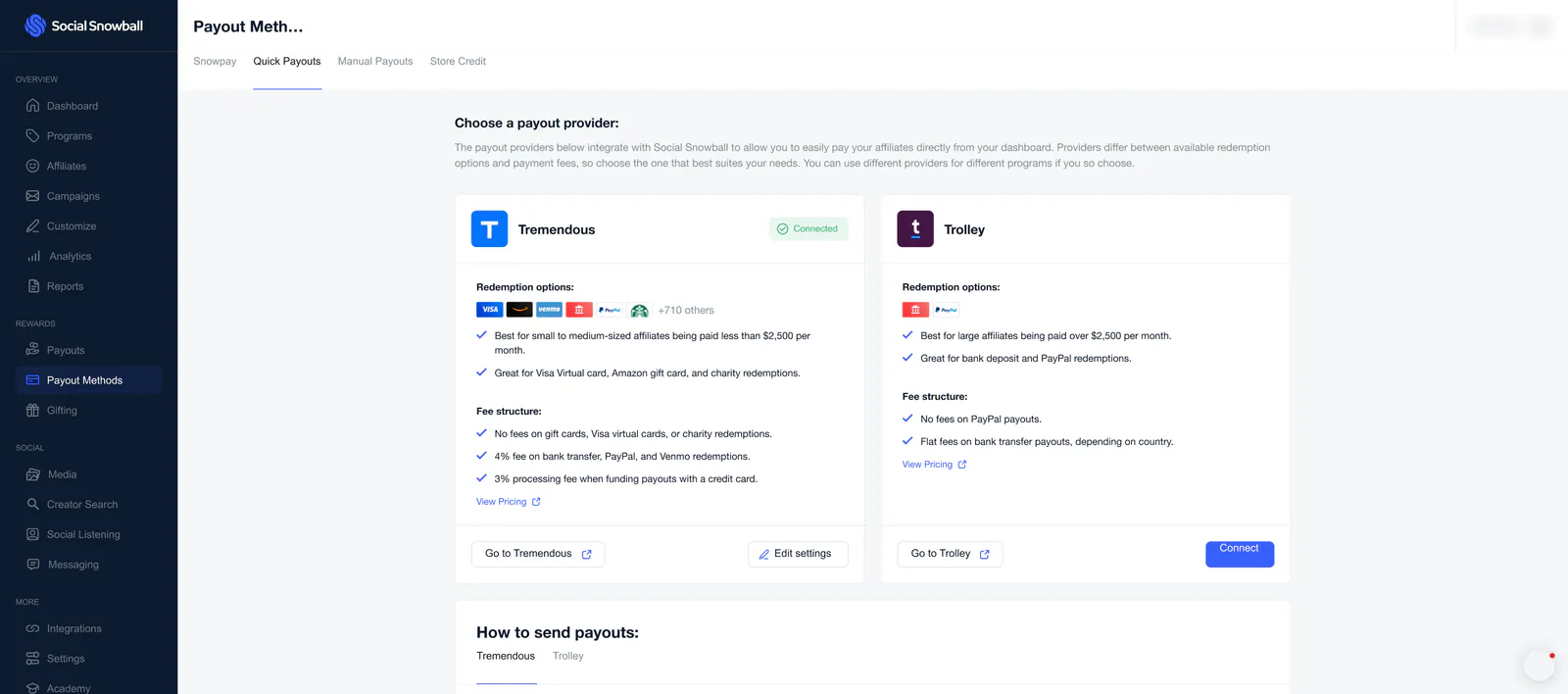
Two providers side by side: Tremendous (connected) and Trolley, each with its redemption options and fee structure, above a “How to send payouts” section with a tab for each.
 View full size (opens in a new tab)
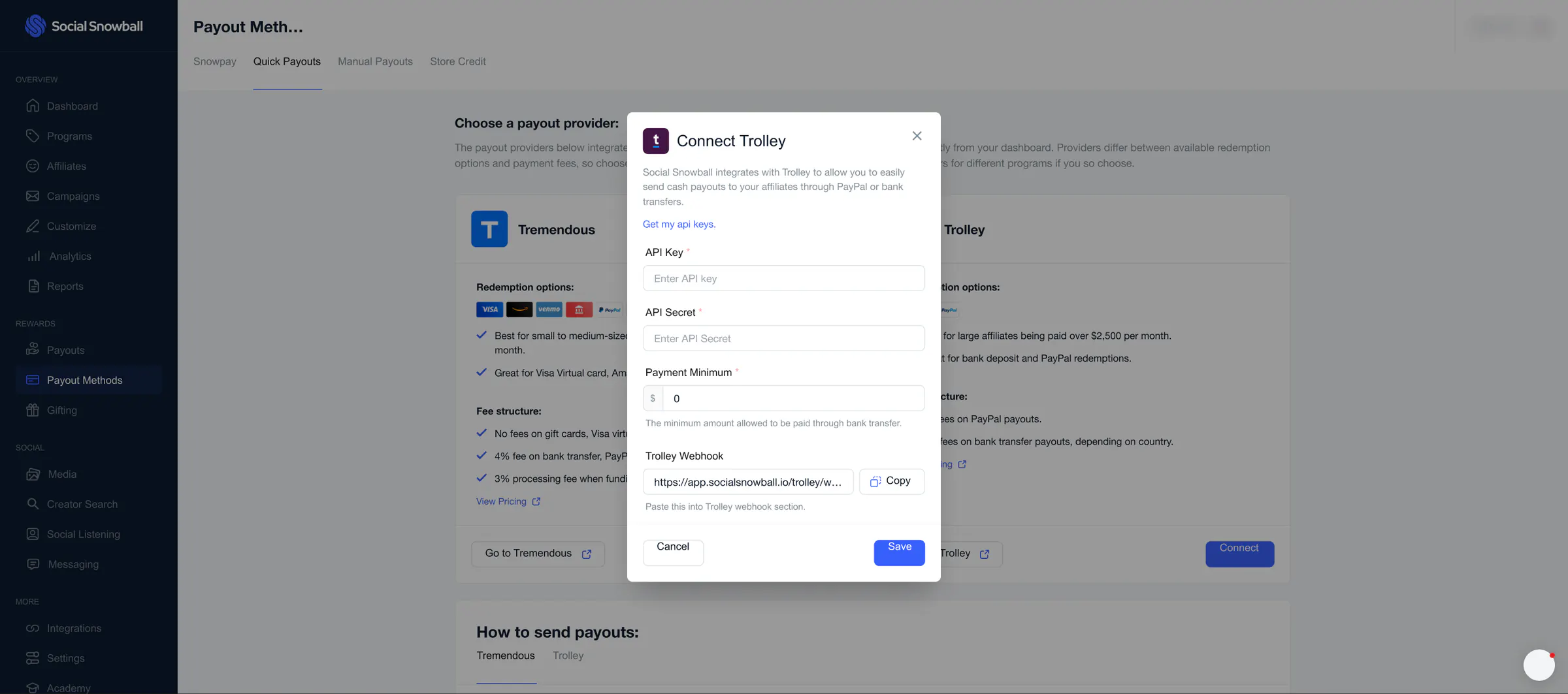
Connect Trolley
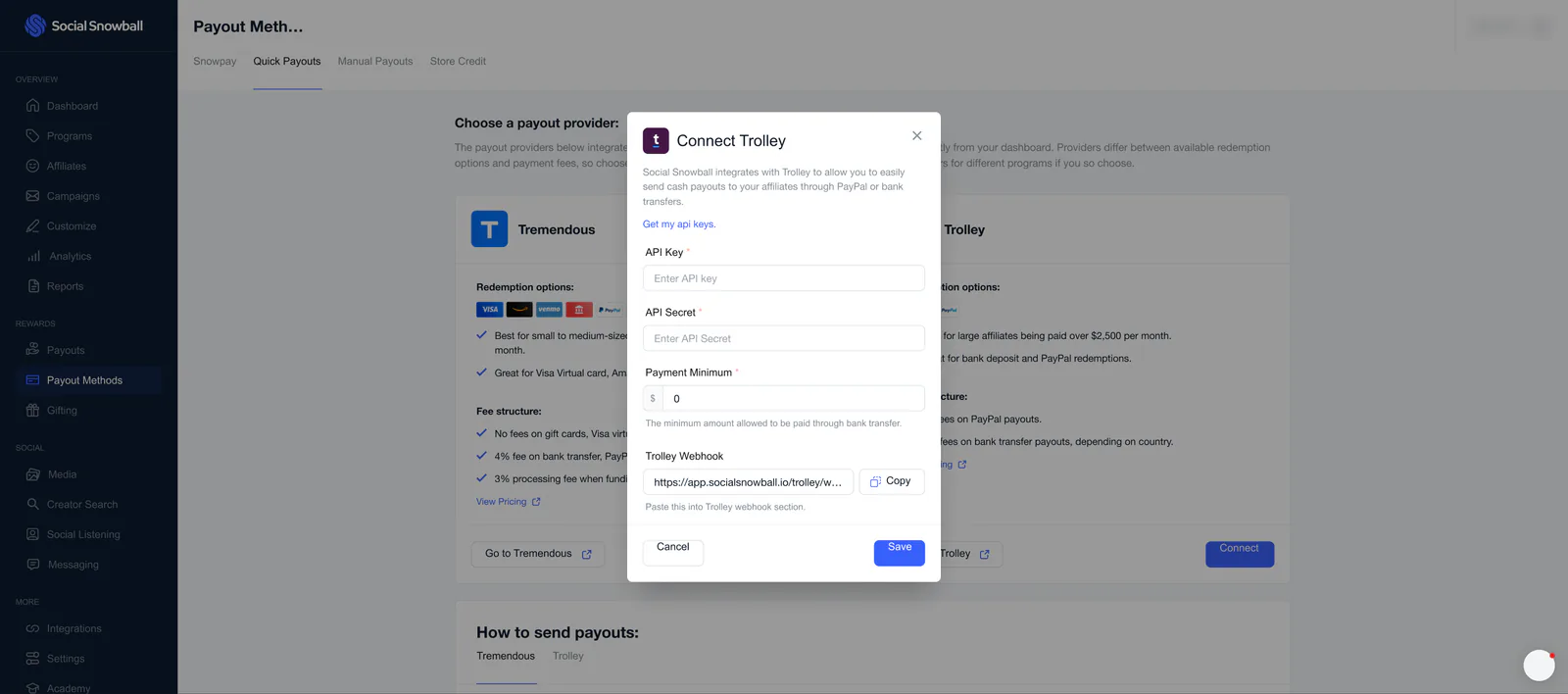
The dialog for connecting Trolley: an API key and secret, a payment minimum, and the webhook address to paste into Trolley, with Cancel and Save.
 View full size (opens in a new tab)
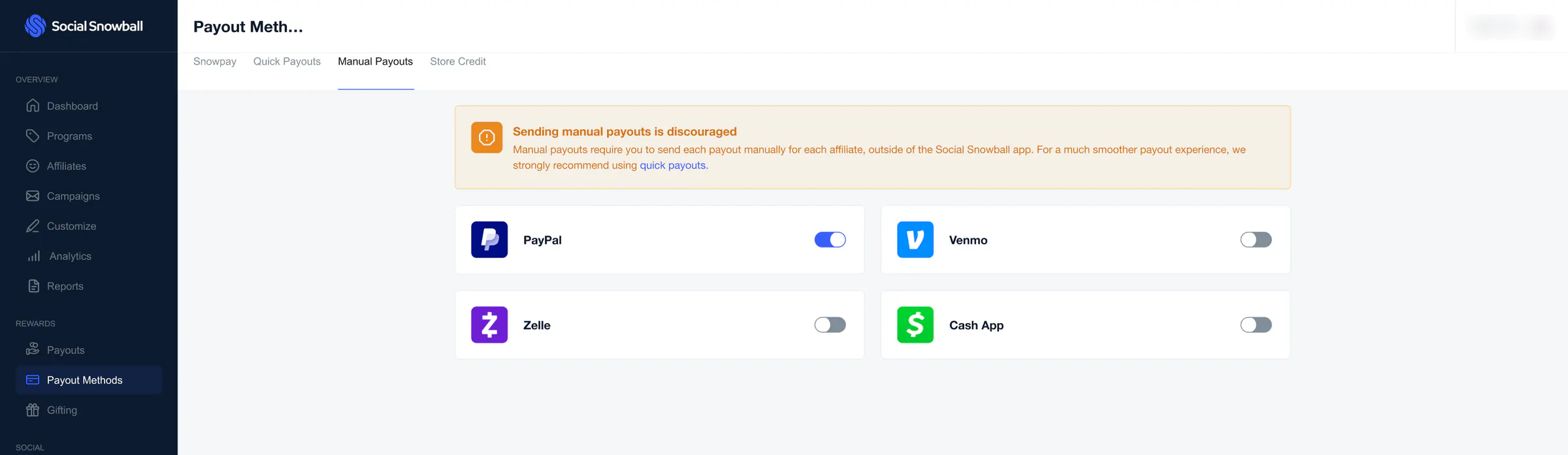
Manual payouts
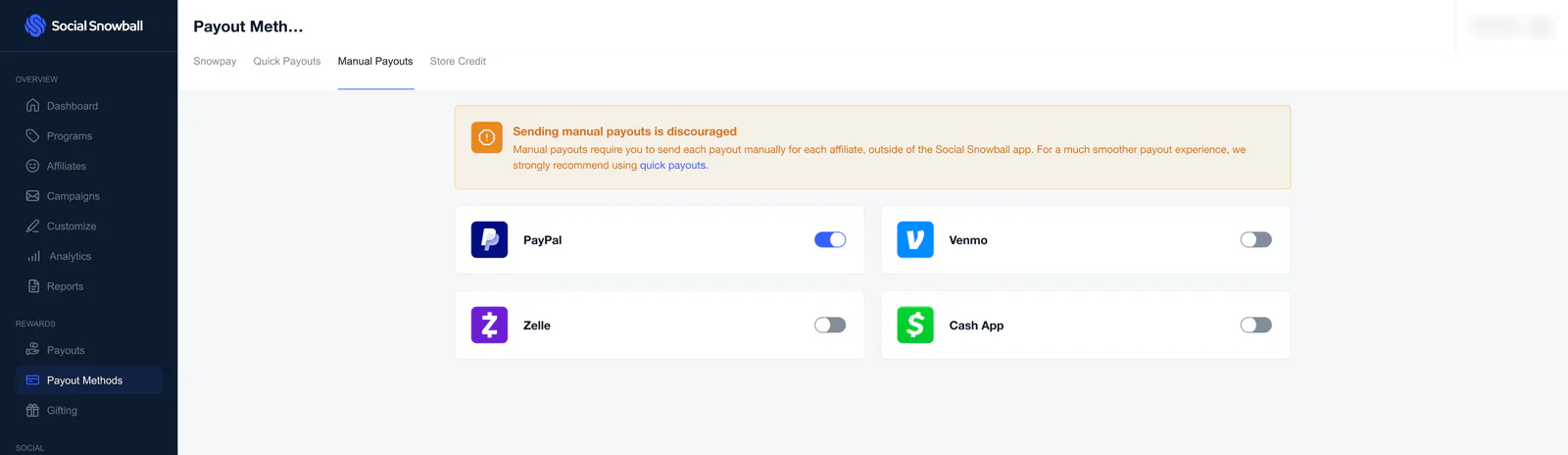
A warning that sending manual payouts is discouraged, and a switch for each method: PayPal, Venmo, Zelle and Cash App.
 View full size (opens in a new tab)
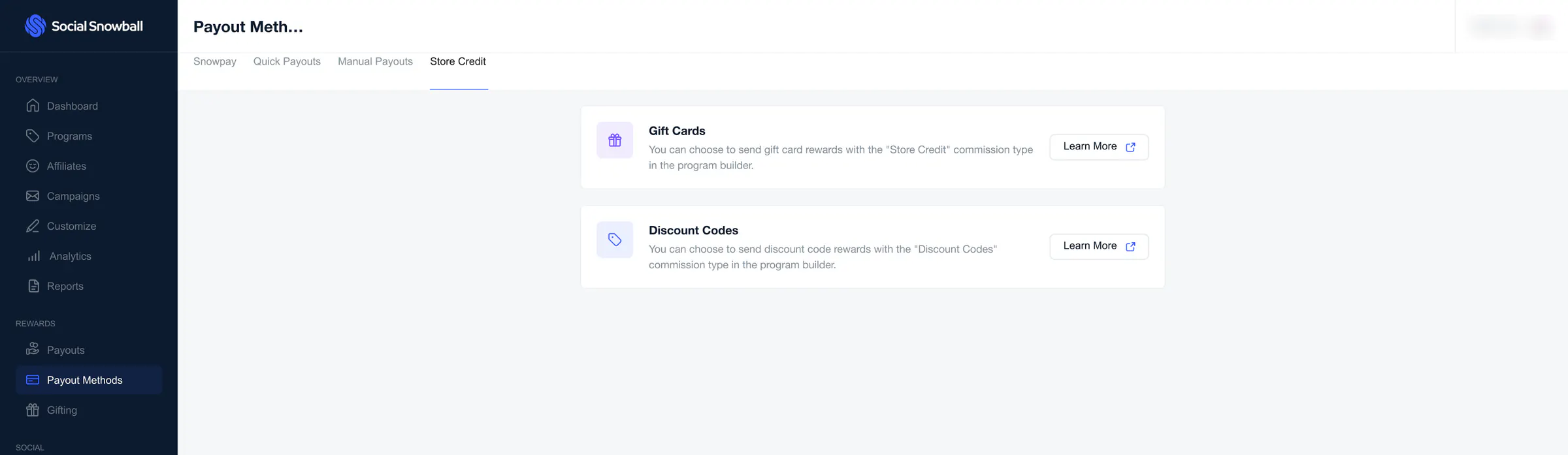
Store credit
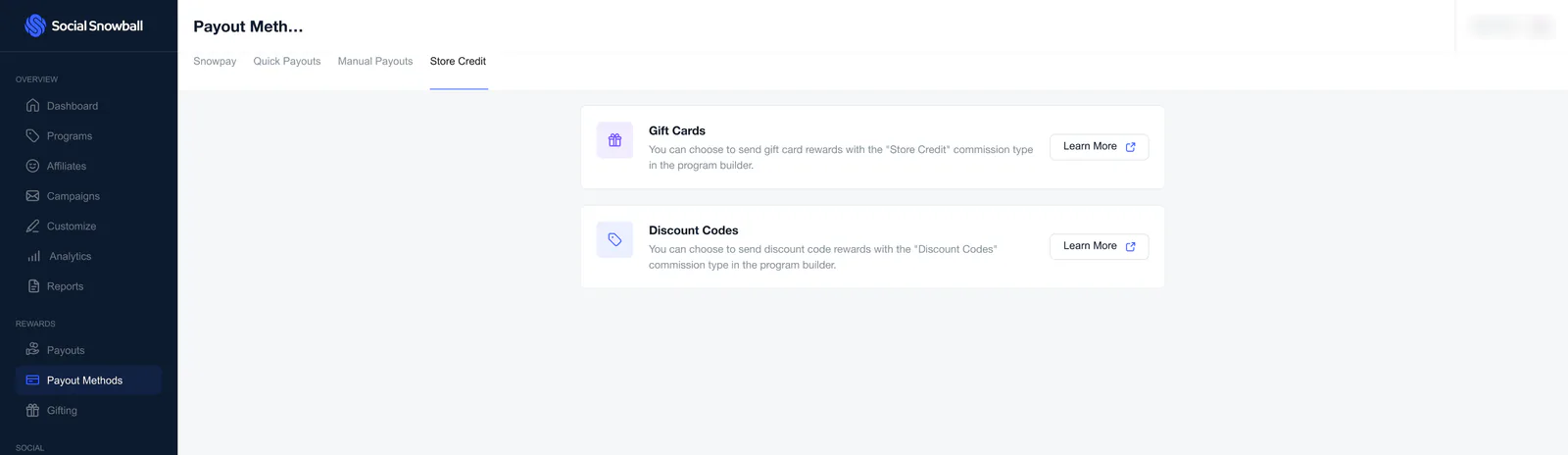
Two cards, Gift Cards and Discount Codes. Each says the reward is chosen with the “Store Credit” commission type in the program builder.