
Gifting
Sending free products to affiliates: the Gifting list and the New Gift steps, from naming a gift to choosing its products and who receives it.
- Product design
- Affiliate rewards
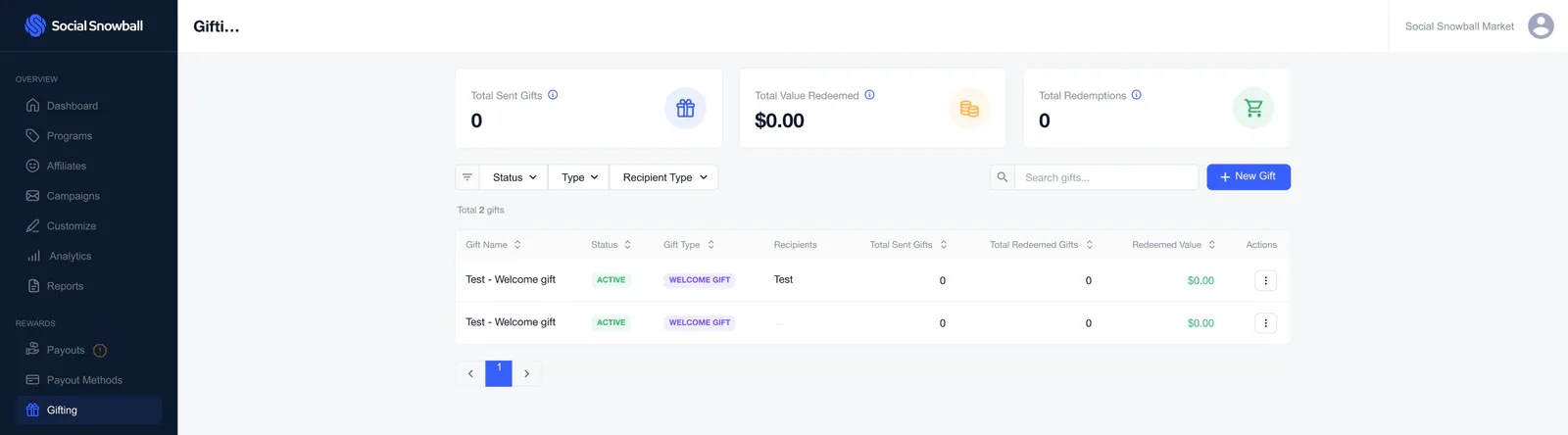
Gifting lets a brand decide which products its affiliates can receive for free. The Gifting page lists the gifts that exist, with the total sent, the value redeemed and the number of redemptions.
A new gift is made in a full-screen sheet: a name (for internal use only), the products to give, and the recipients, who can be individual affiliates, specific programs or all affiliates. The file shows the steps for creating a gift.
The screens show test data from a demo store. The email column in the affiliate picker is blurred.
The Gifting page
 View full size (opens in a new tab)
Gifting
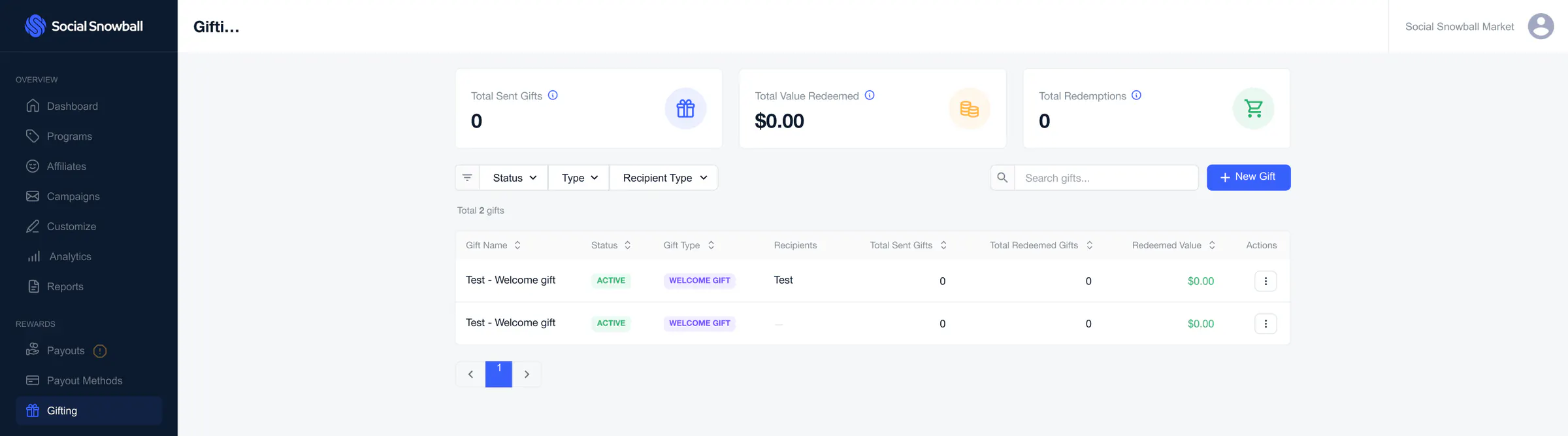
Three cards (total sent gifts, total value redeemed, total redemptions), filters for status, type and recipient type, a New Gift button and a table of the gifts.
Creating a gift
The New Gift sheet, step by step: a name, the products, then the recipients.
 View full size (opens in a new tab)
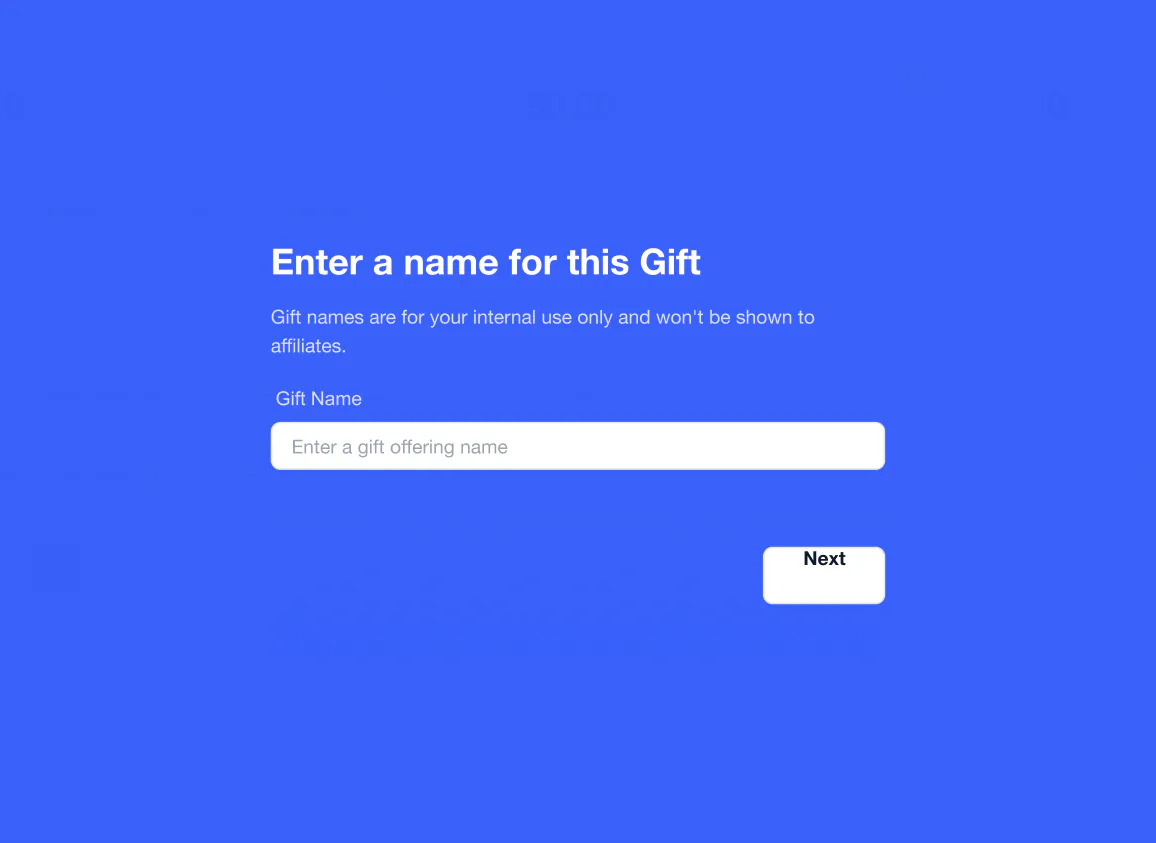
Name the gift
The first step: a name for the gift. It is for internal use only and is not shown to affiliates.
 View full size (opens in a new tab)
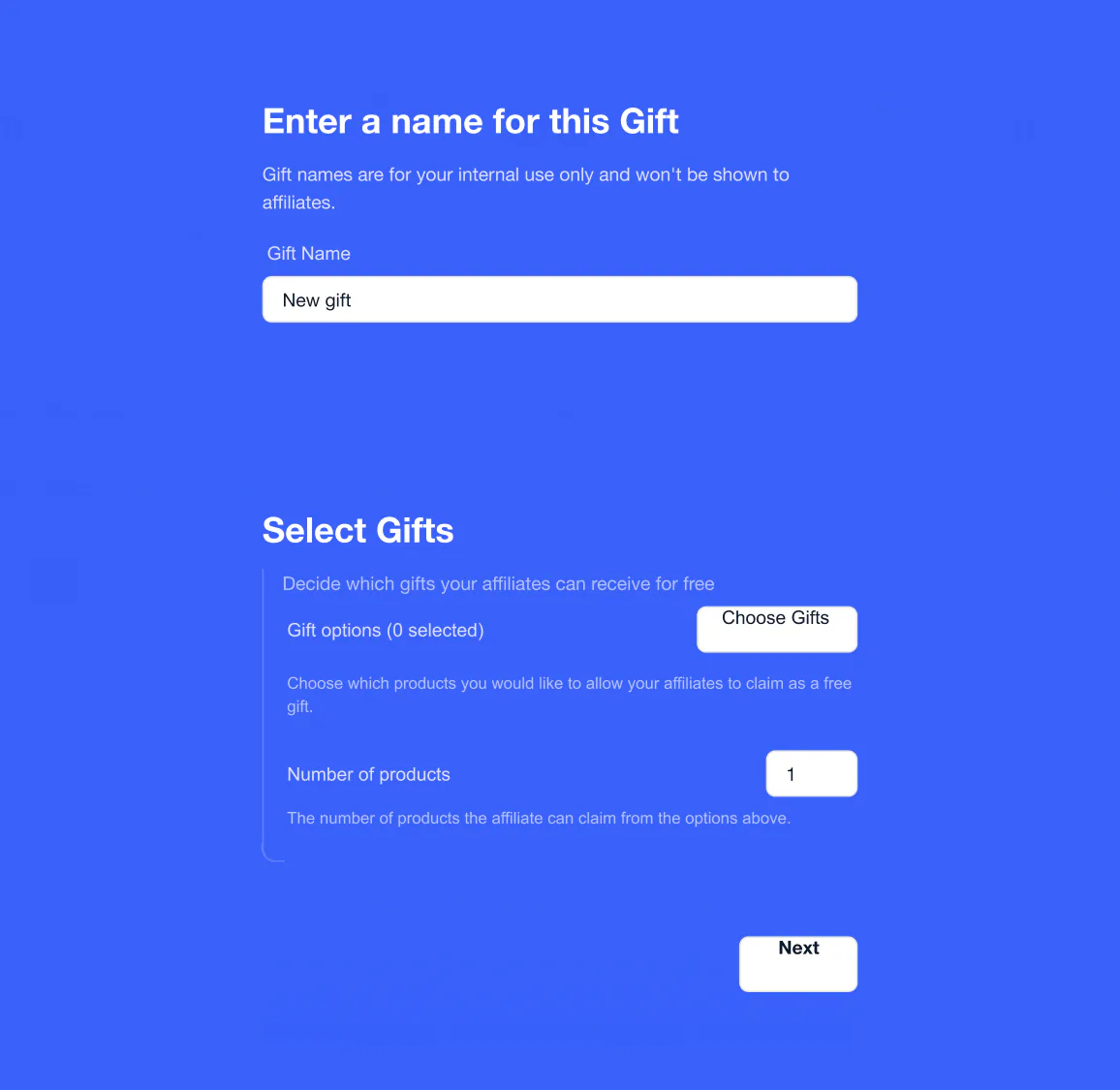
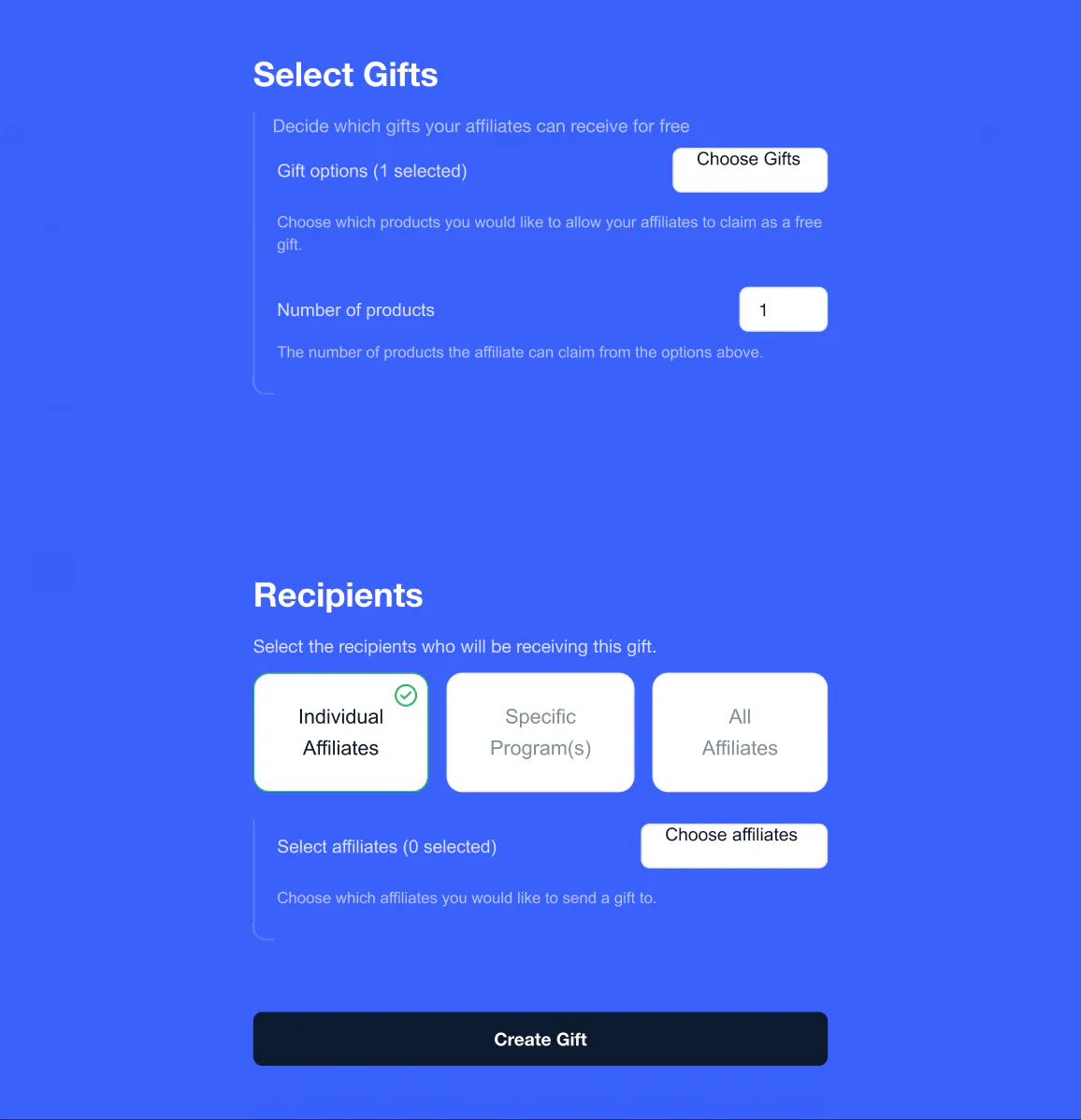
Select gifts
Once the gift has a name, Select Gifts appears: a Choose Gifts button with a count of the options chosen, and the number of products.
 View full size (opens in a new tab)
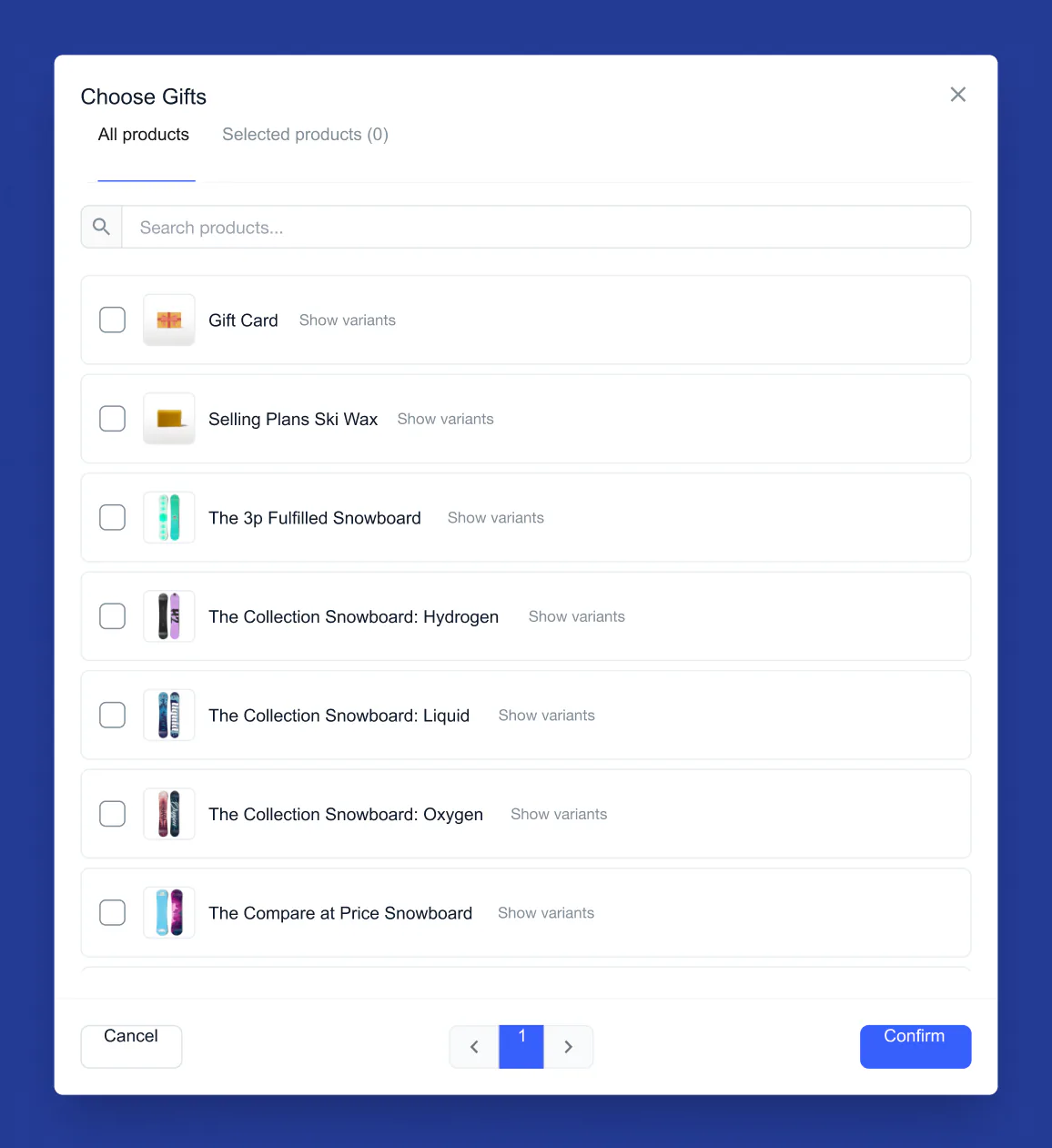
Choose the products
Choose Gifts opens a product picker: a search box, All products and Selected products tabs, and a Show variants link on each product.
 View full size (opens in a new tab)
Choose the recipients
With a gift chosen, Recipients opens: Individual Affiliates, Specific Program(s) or All Affiliates, then Create Gift.
 View full size (opens in a new tab)
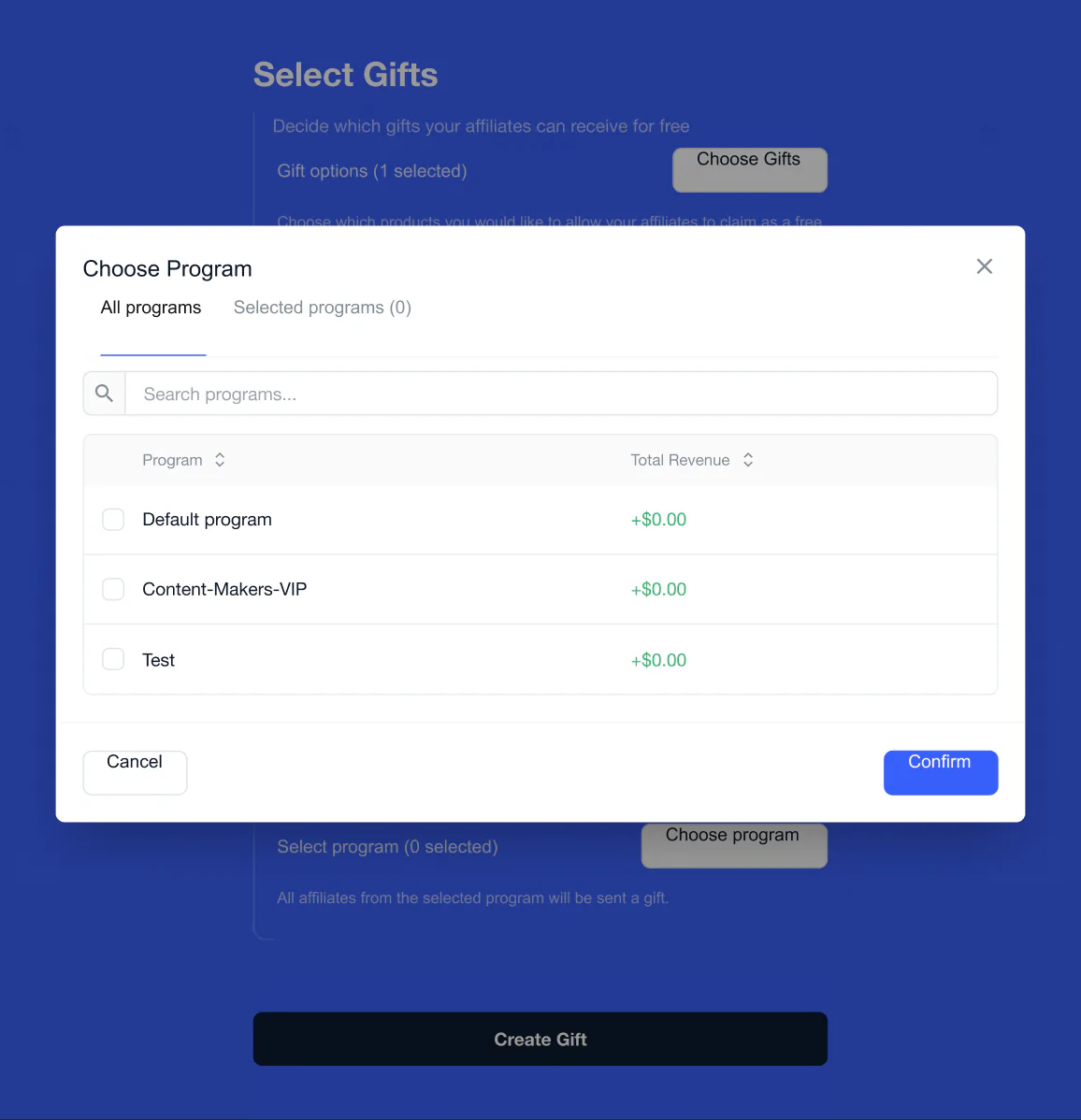
Choose programs
For specific programs: a picker that lists each program with its total revenue.
 View full size (opens in a new tab)
Choose affiliates
For individual affiliates: a picker with each affiliate's name, email, program and total revenue. The email column is blurred.