Helping more brands discover Pro features
- Current vs new
- Upgrade flows
Reacher today and the new version side by side: what an account with no plan sees on eight kinds of page, the components behind it, and four more pages in the same direction.
An account with no plan meets locked pages, blank states and dead ends. The file takes eight of those situations (Social Intelligence, Meta Ads, blank pages, ungated pages, the dashboard, automation limits, the plan modal and the purchase path) and shows each one as Reacher today and Reacher new.
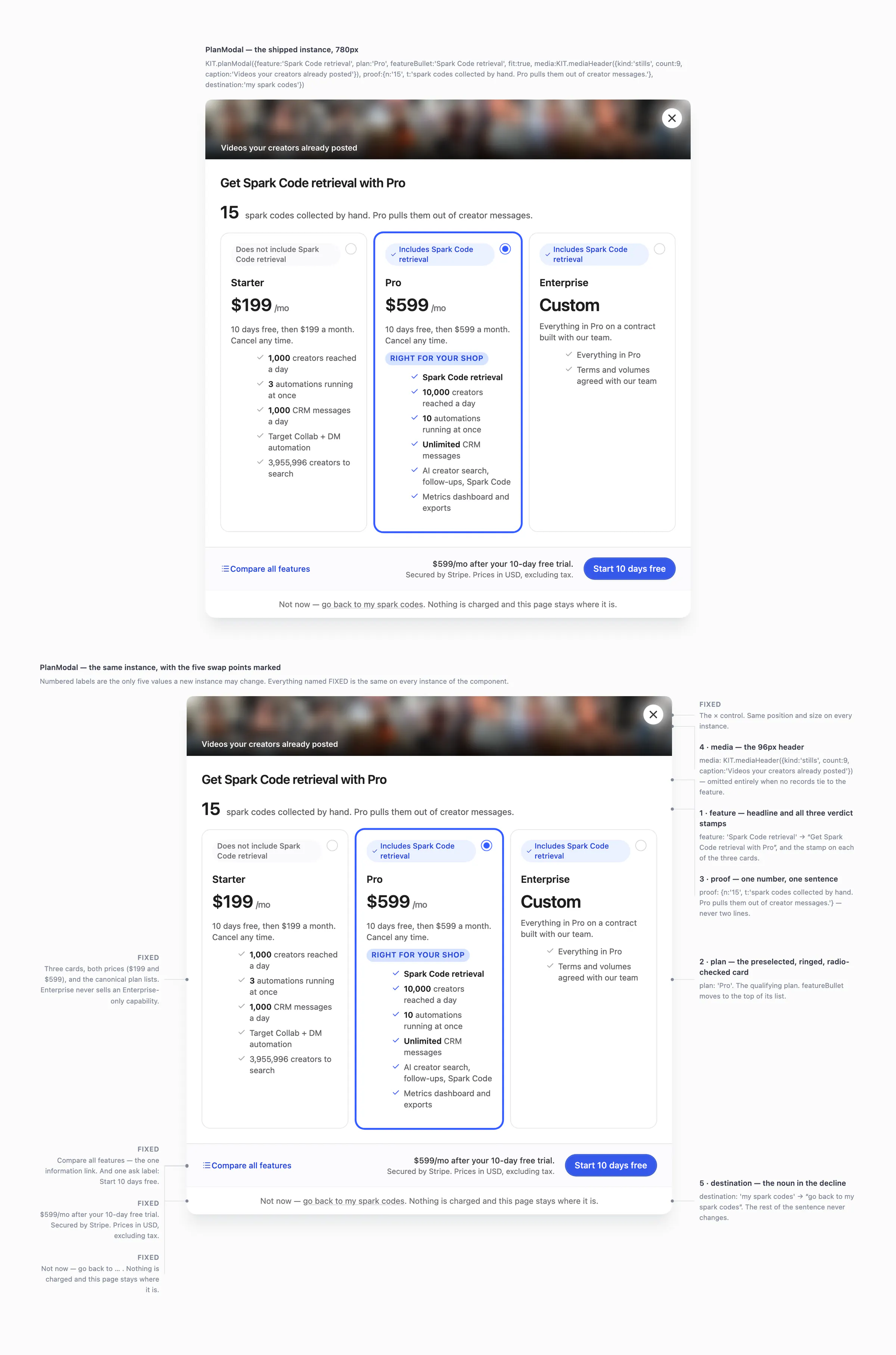
The new versions share one message: every plan starts with 10 days free. A small set of components (an upgrade bar, lock popovers, a page ribbon, one shared plan modal, limit meters and more) repeats it everywhere, so a page only changes its feature name, its plan stamps and its proof line.
The screens show real product pages with creators’ names, handles, avatars and thumbnails blurred. The account is a test account.
Eight situations, today and new
For each page, switch between the current version, the new one, or both side by side.
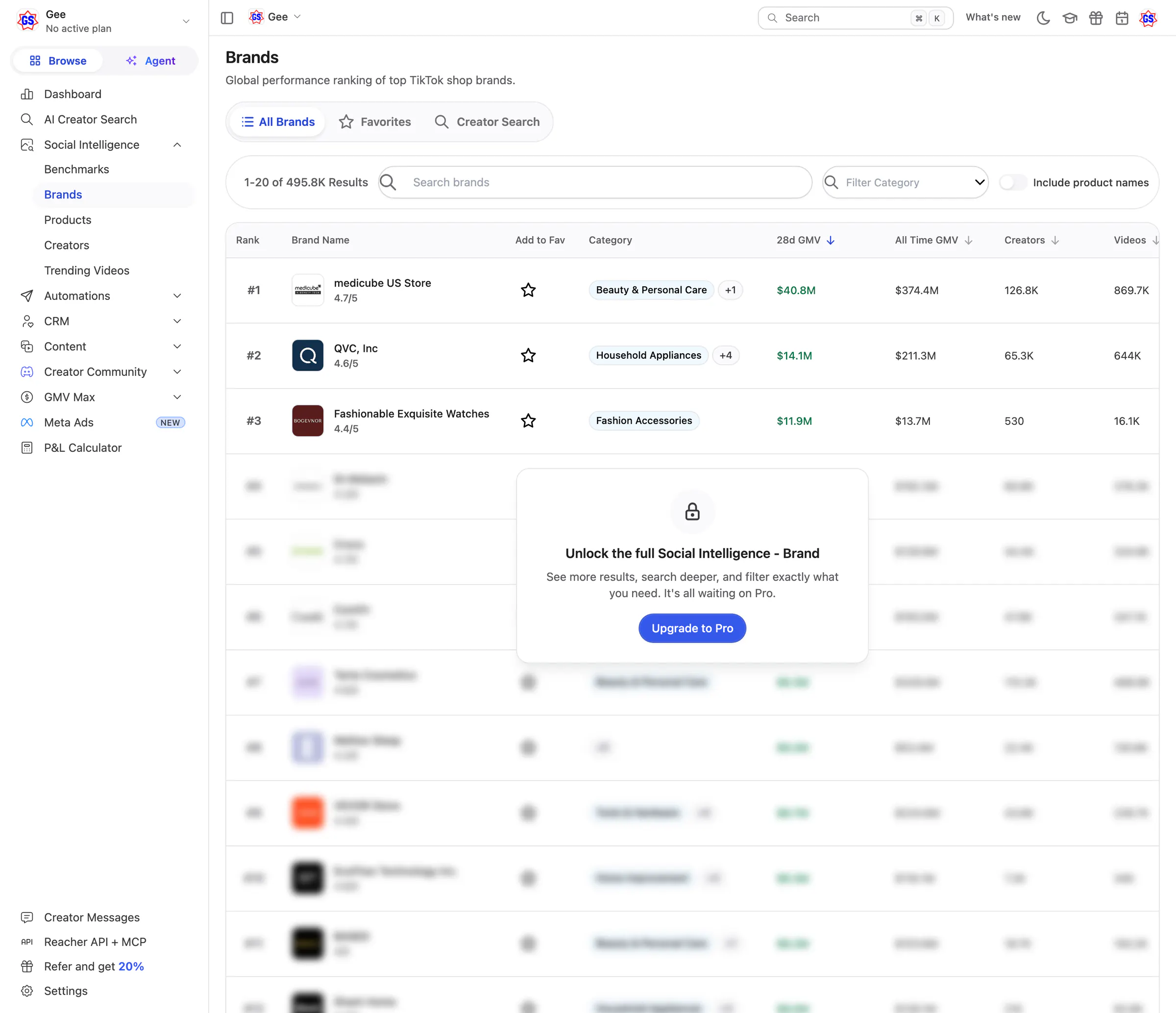
Social Intelligence · Brands
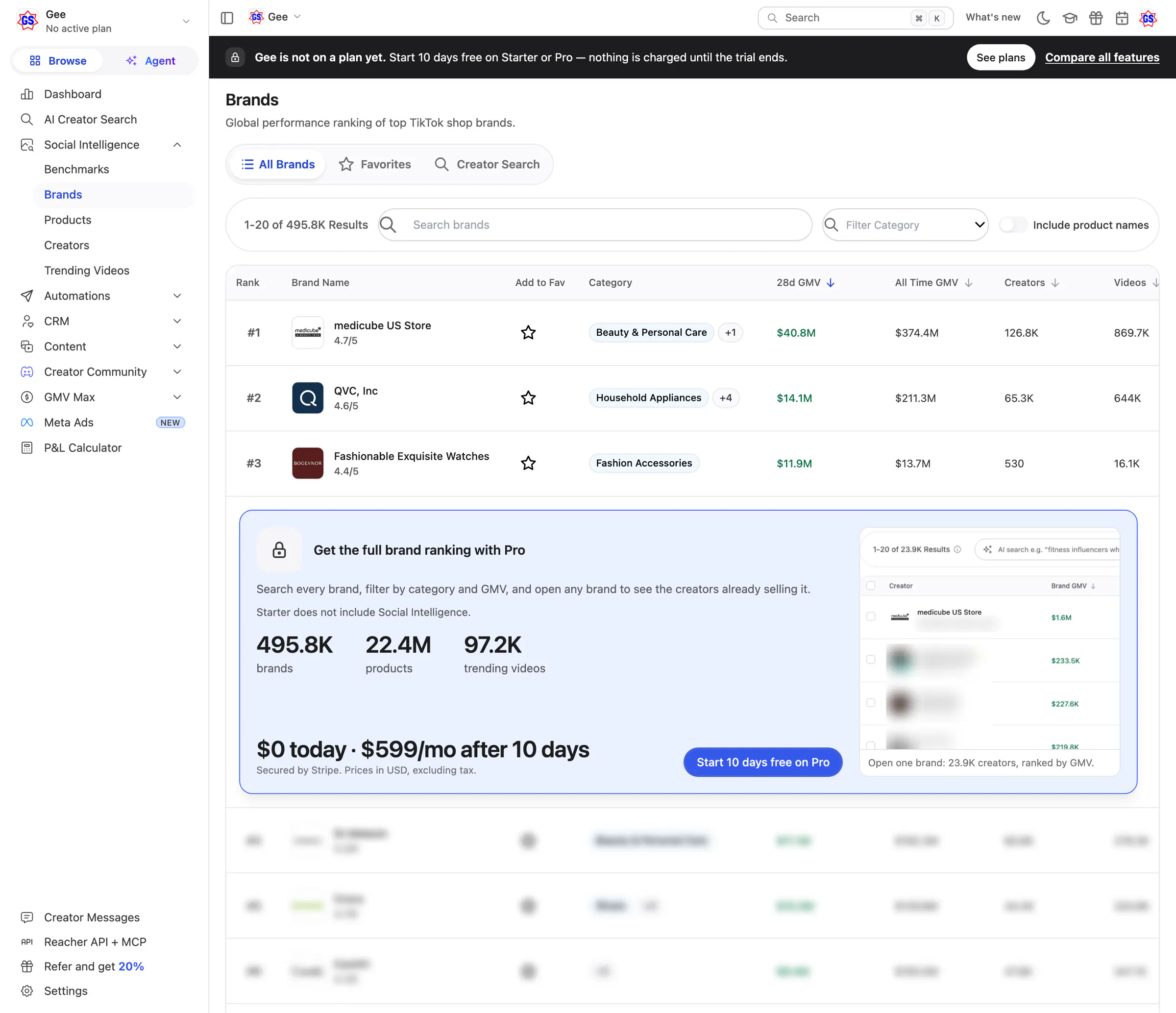
Today the brand ranking sits behind a blurred table and an Upgrade to Pro popover. In the new version the top three brands stay in view, and a card says what Pro opens up: 495.8K brands, 22.4M products and 97.2K trending videos, with $0 today and $599 a month after 10 days.
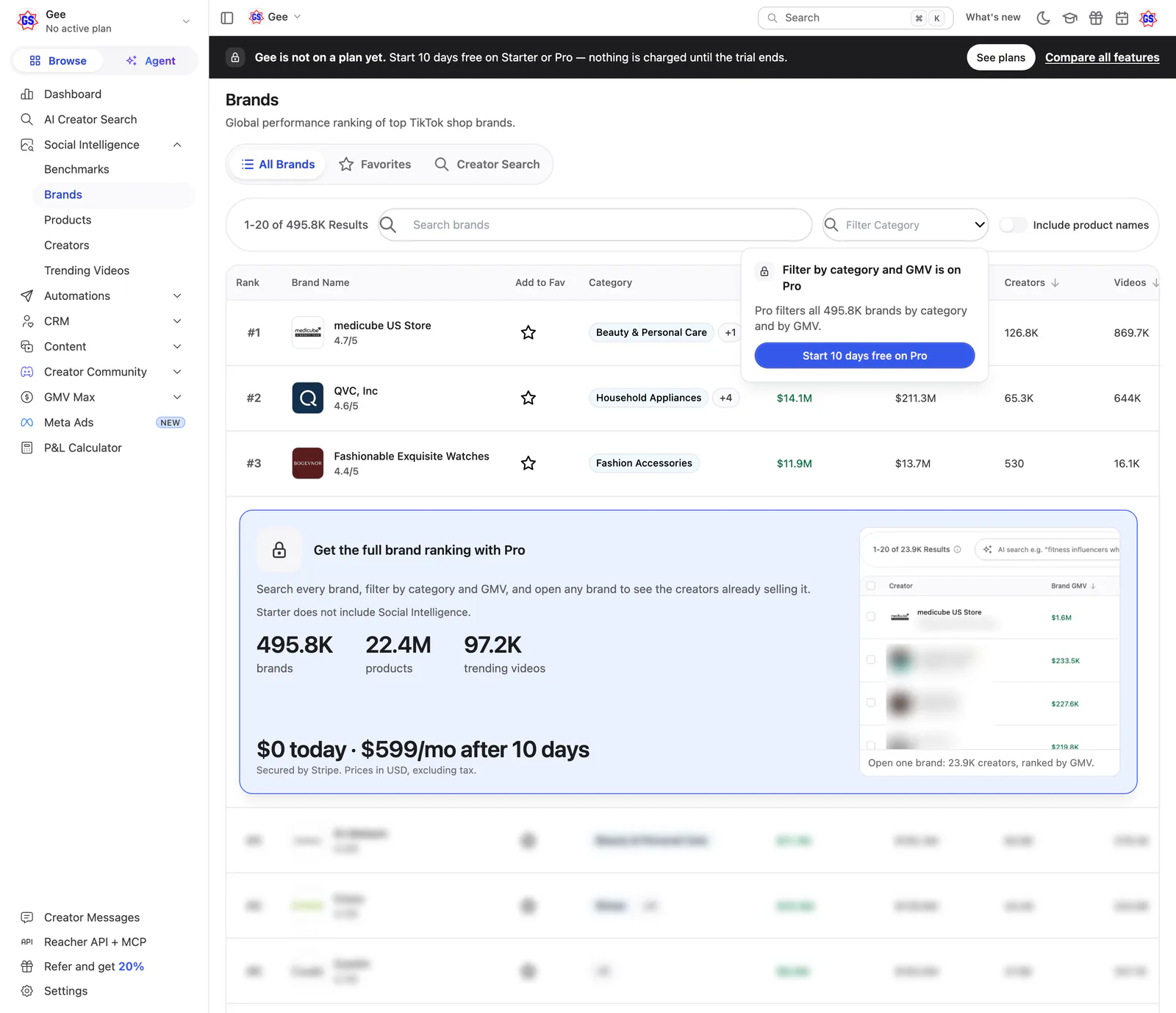
Brands: a locked filter
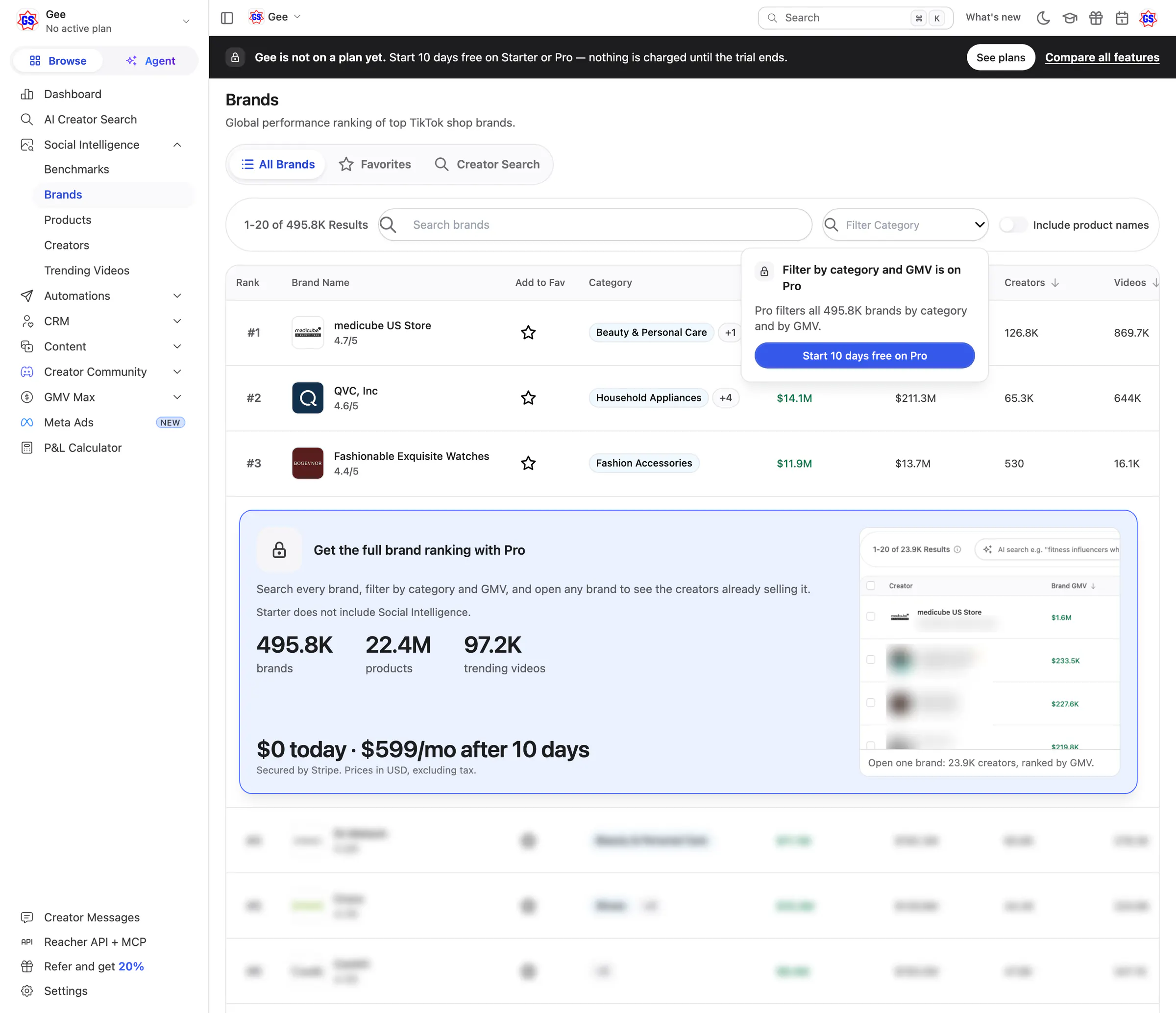
A second new state: opening the category filter shows a small popover that says filtering by category and GMV is on Pro, with a Start 10 days free on Pro button.
Meta Ads
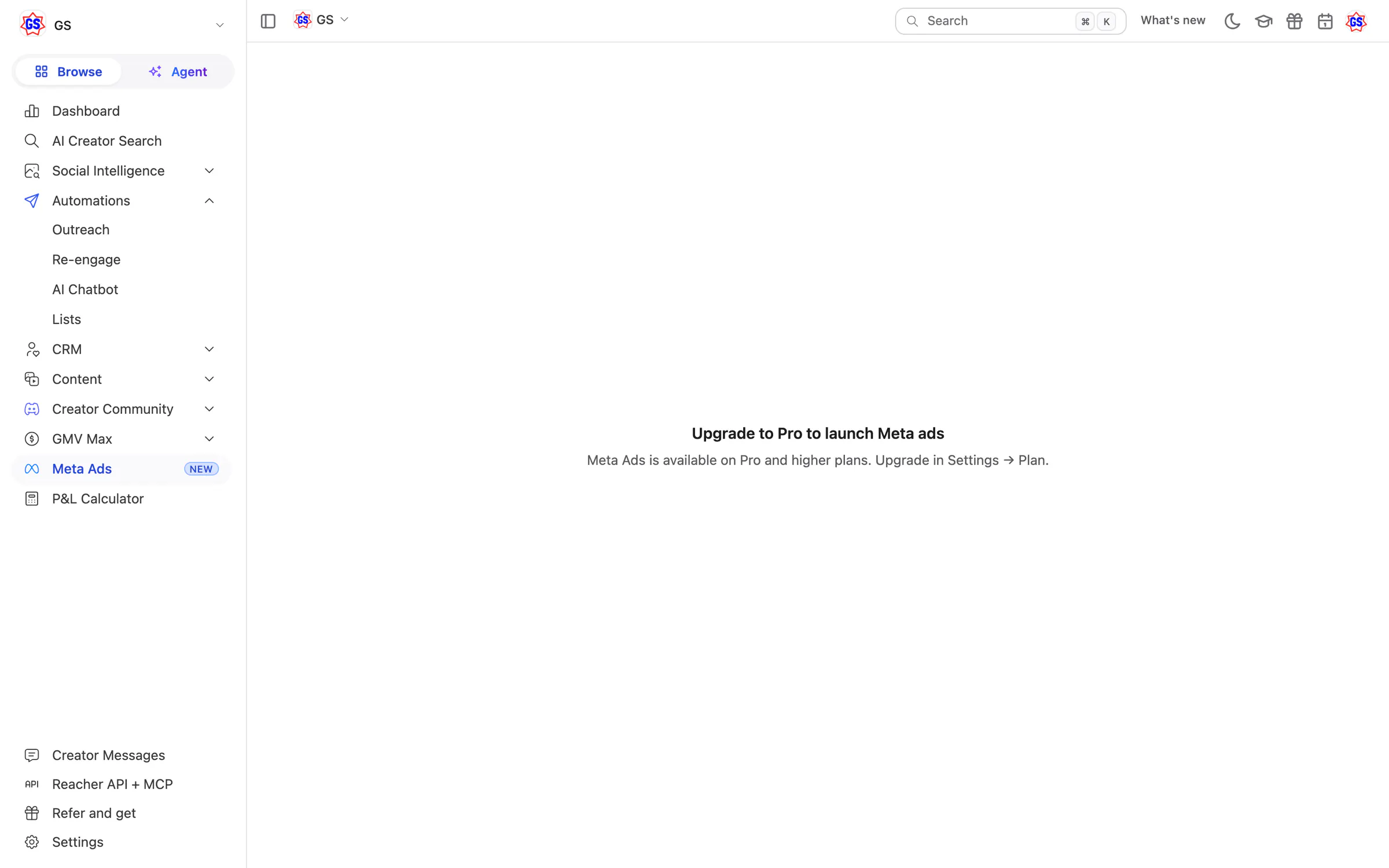
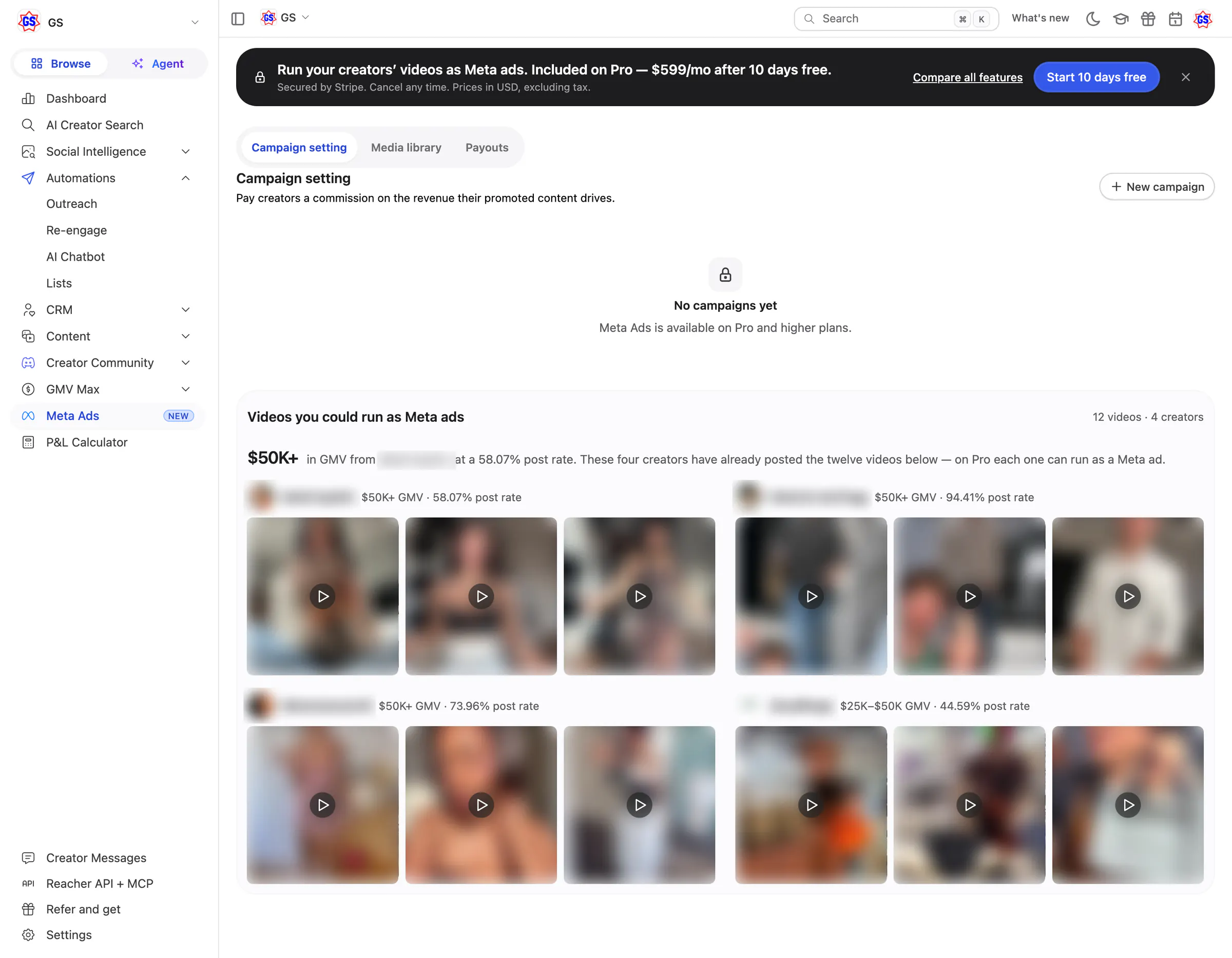
Today the page is one line: Upgrade to Pro to launch Meta ads. The new version shows what is waiting, twelve videos from four creators that could run as Meta ads, under a banner that says it is included on Pro with 10 days free.
LIVEs
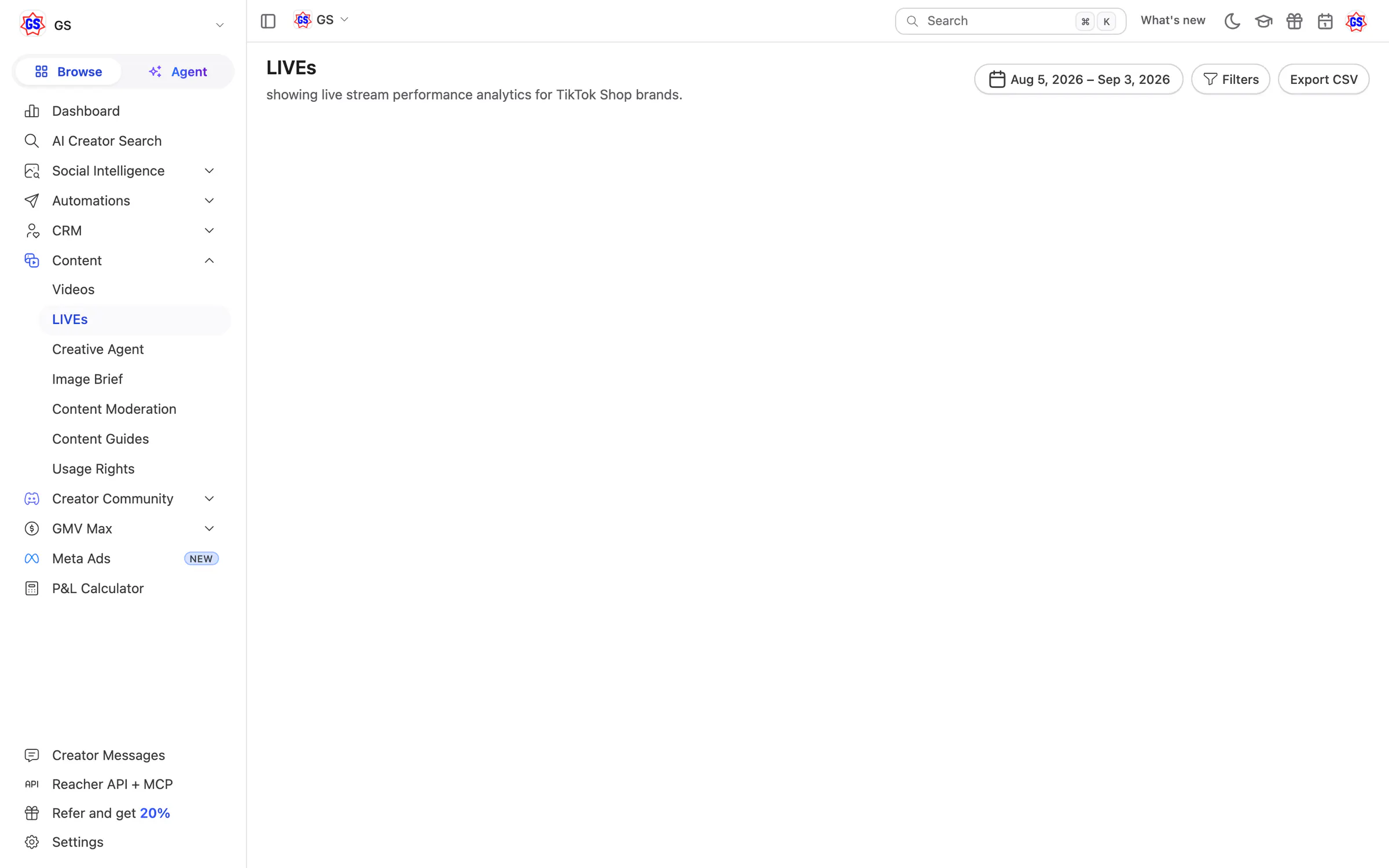
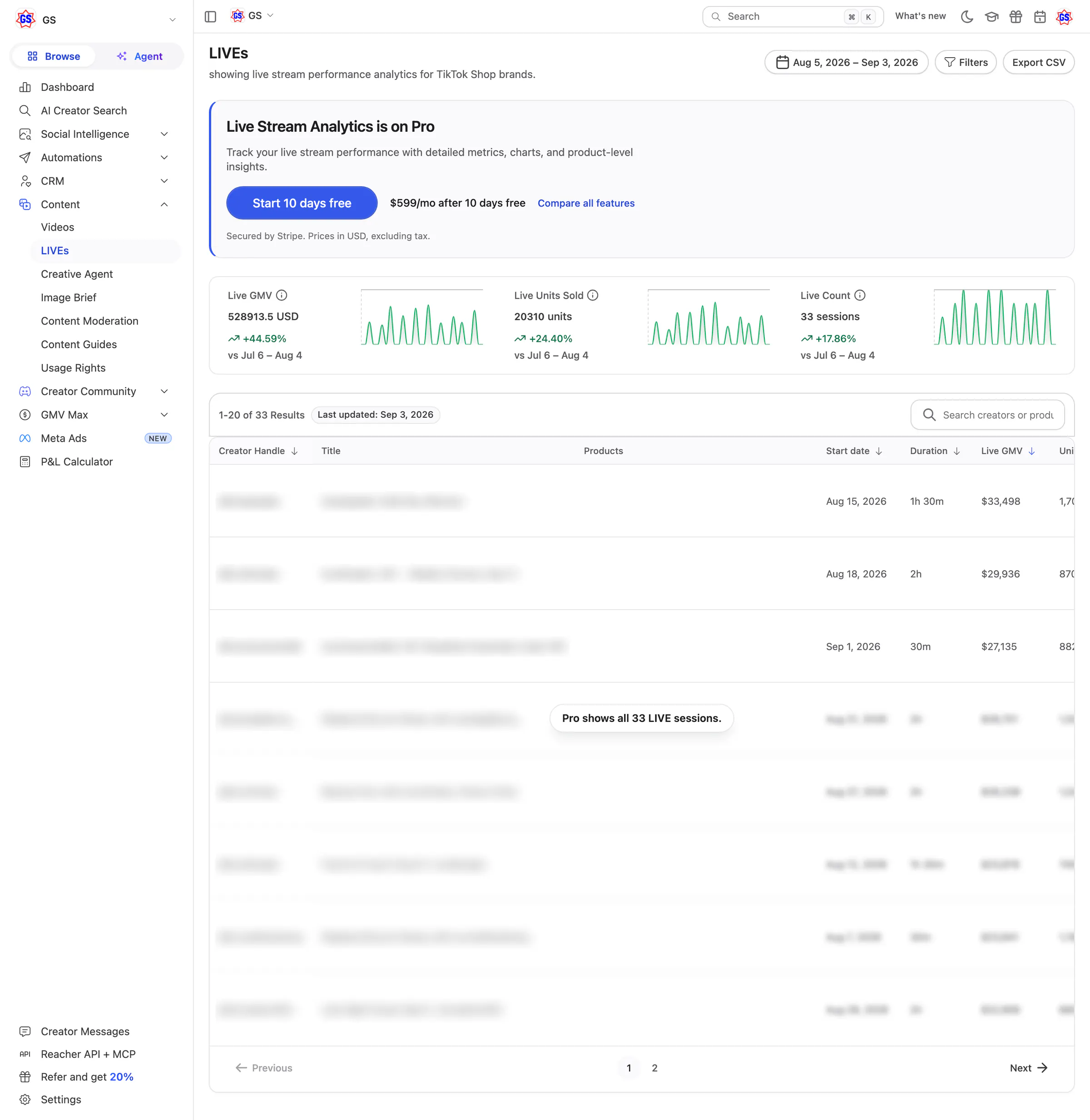
Today the page is blank. The new version explains that Live Stream Analytics is on Pro, shows sample metrics, and lets the first rows of the sessions table show while the rest blur under “Pro shows all 33 LIVE sessions.”
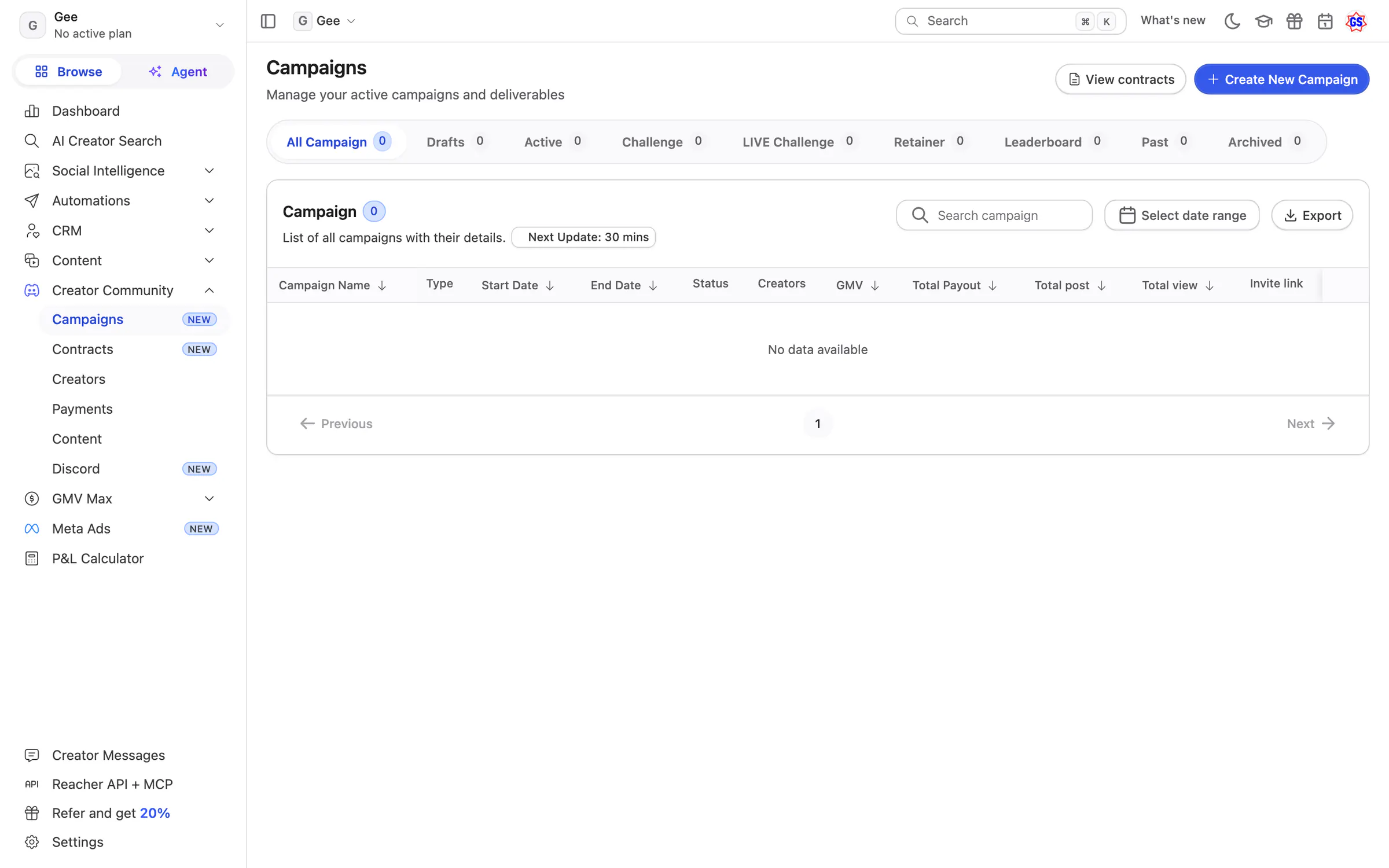
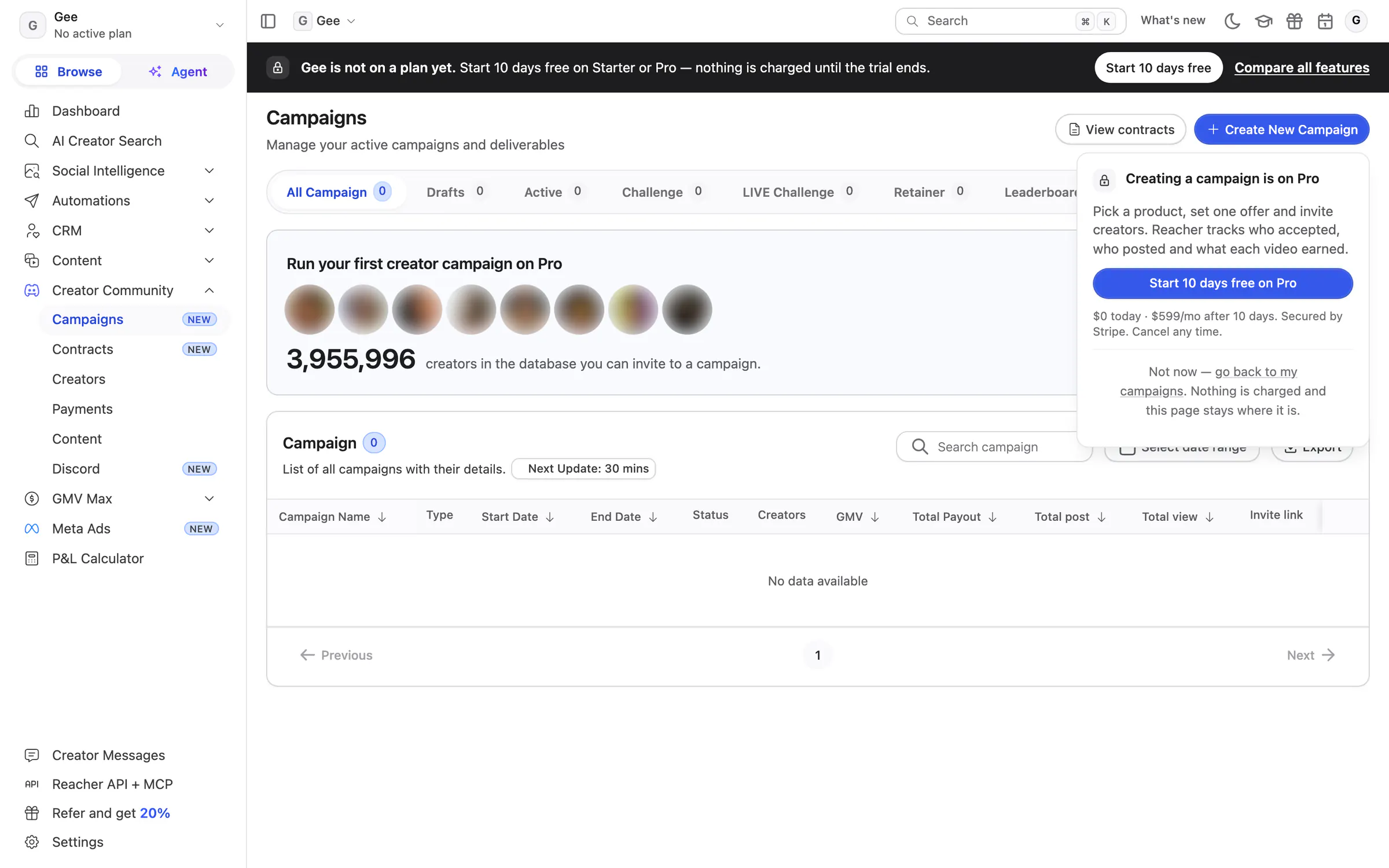
Campaigns
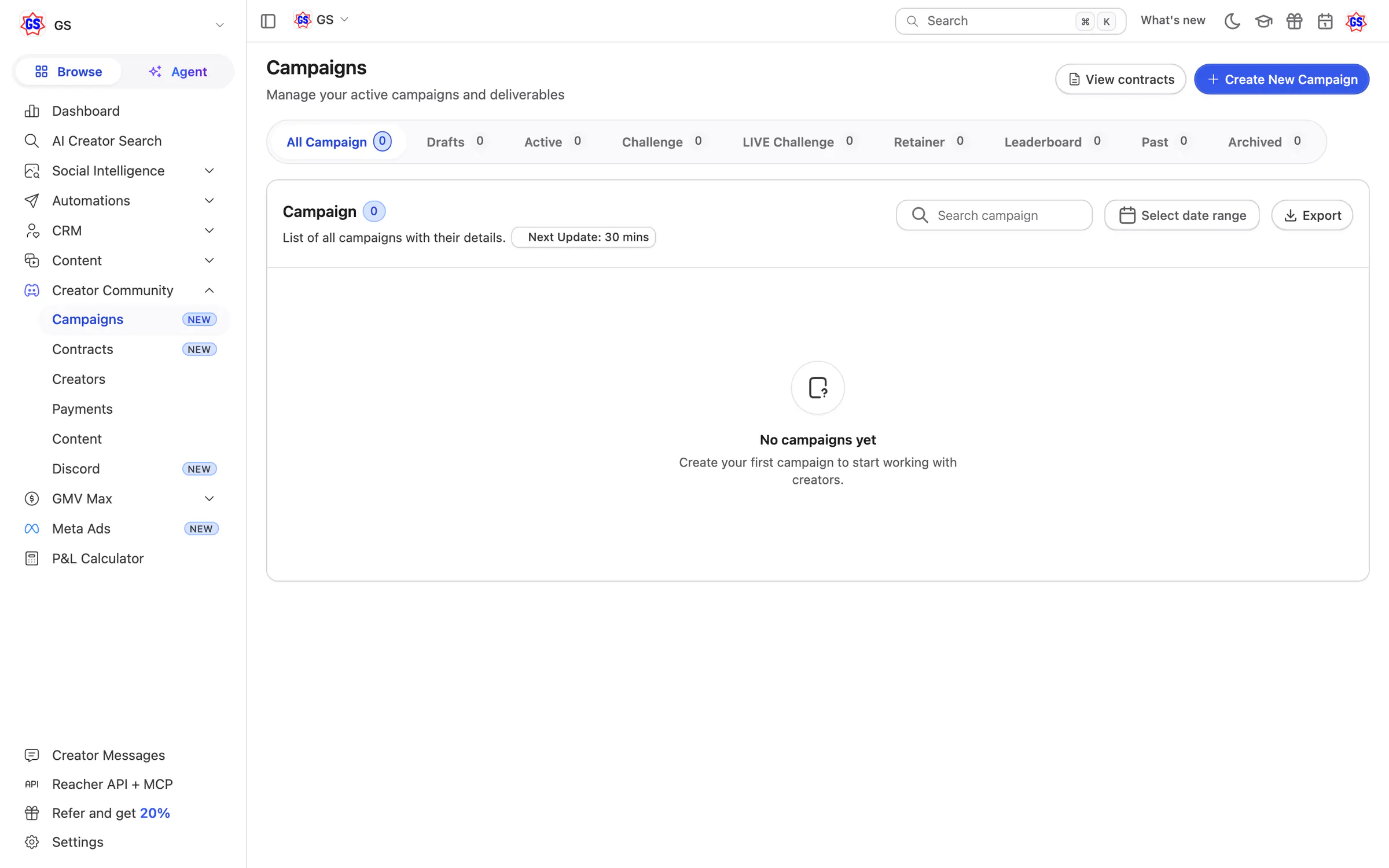
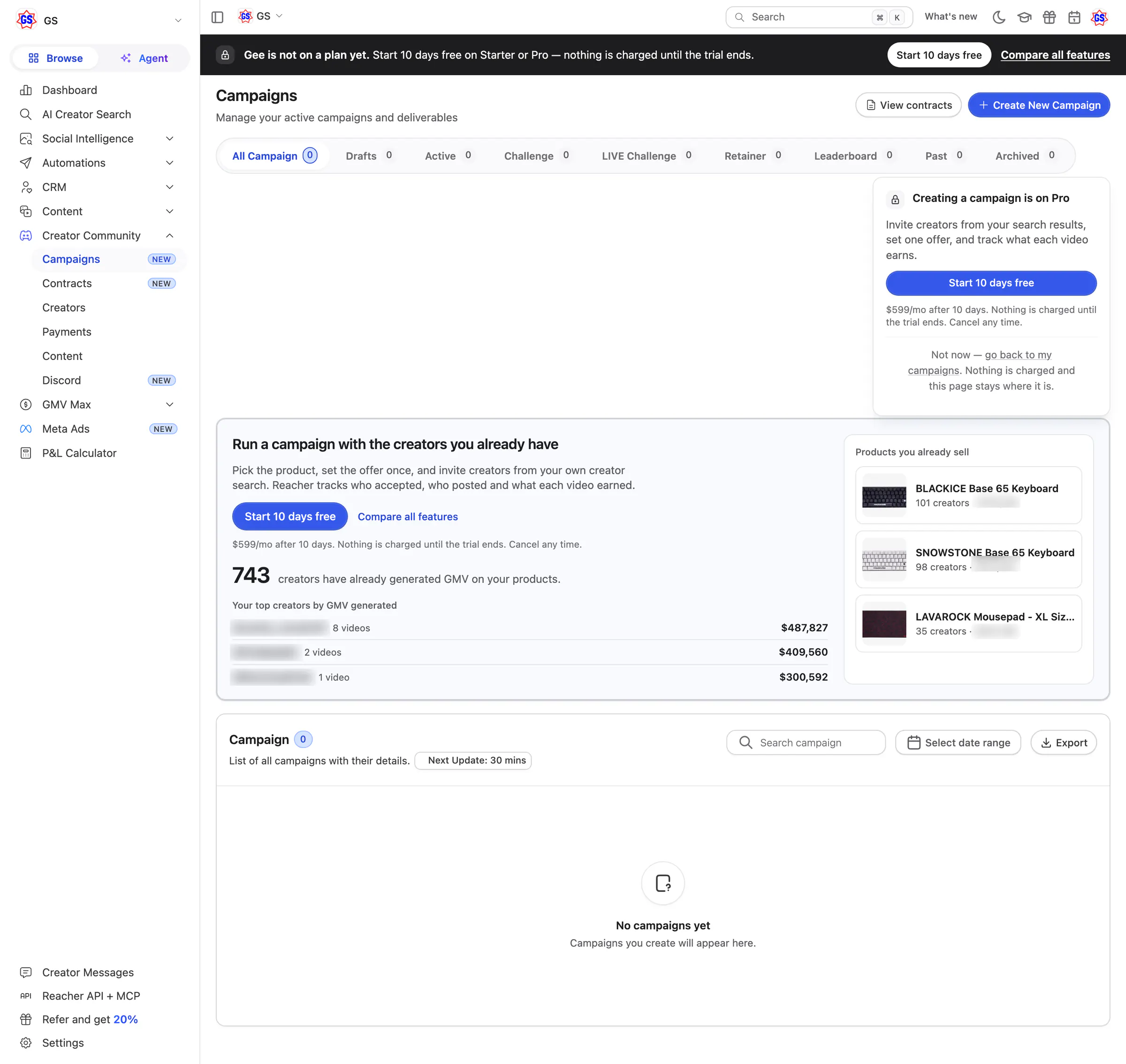
Today a no-plan account sees an empty campaigns list. The new version says creating a campaign is on Pro, and shows what the shop already has: its products and the creators who have generated GMV on them.
Dashboard
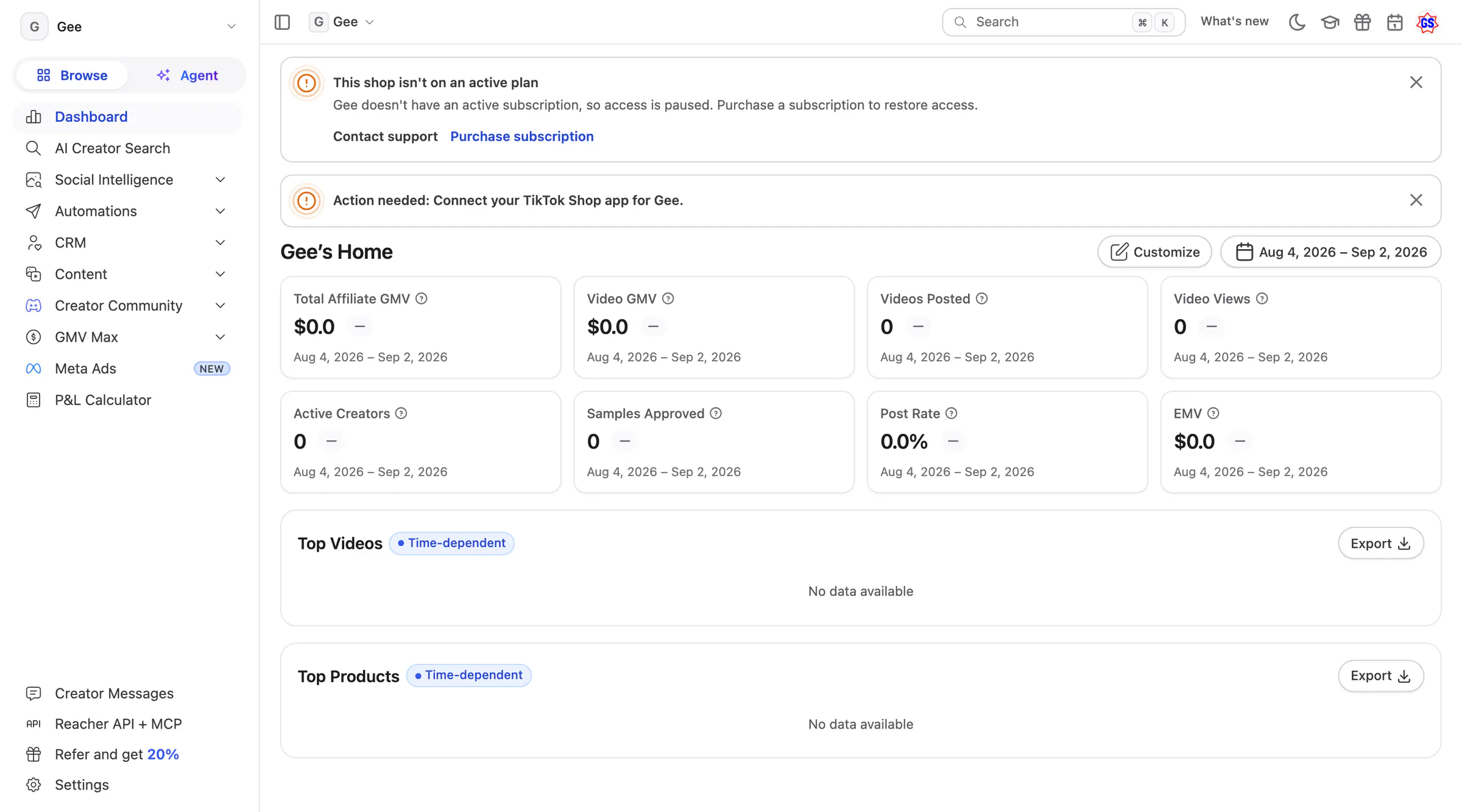
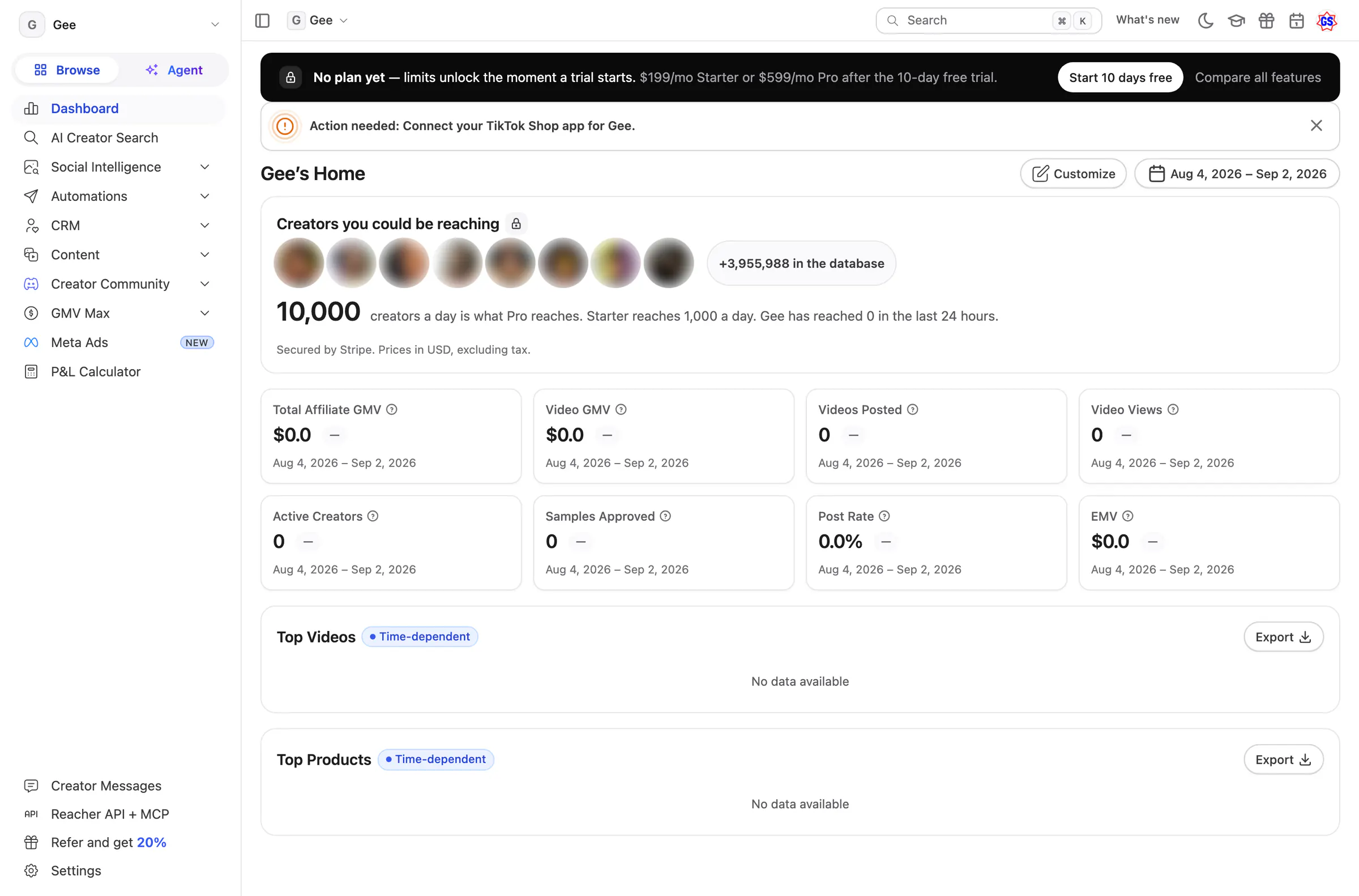
Today the dashboard opens on a warning that the shop is not on an active plan. The new version leads with a dark bar about the free trial and a “Creators you could be reaching” card: 10,000 creators a day with Pro, 1,000 with Starter.
Automations
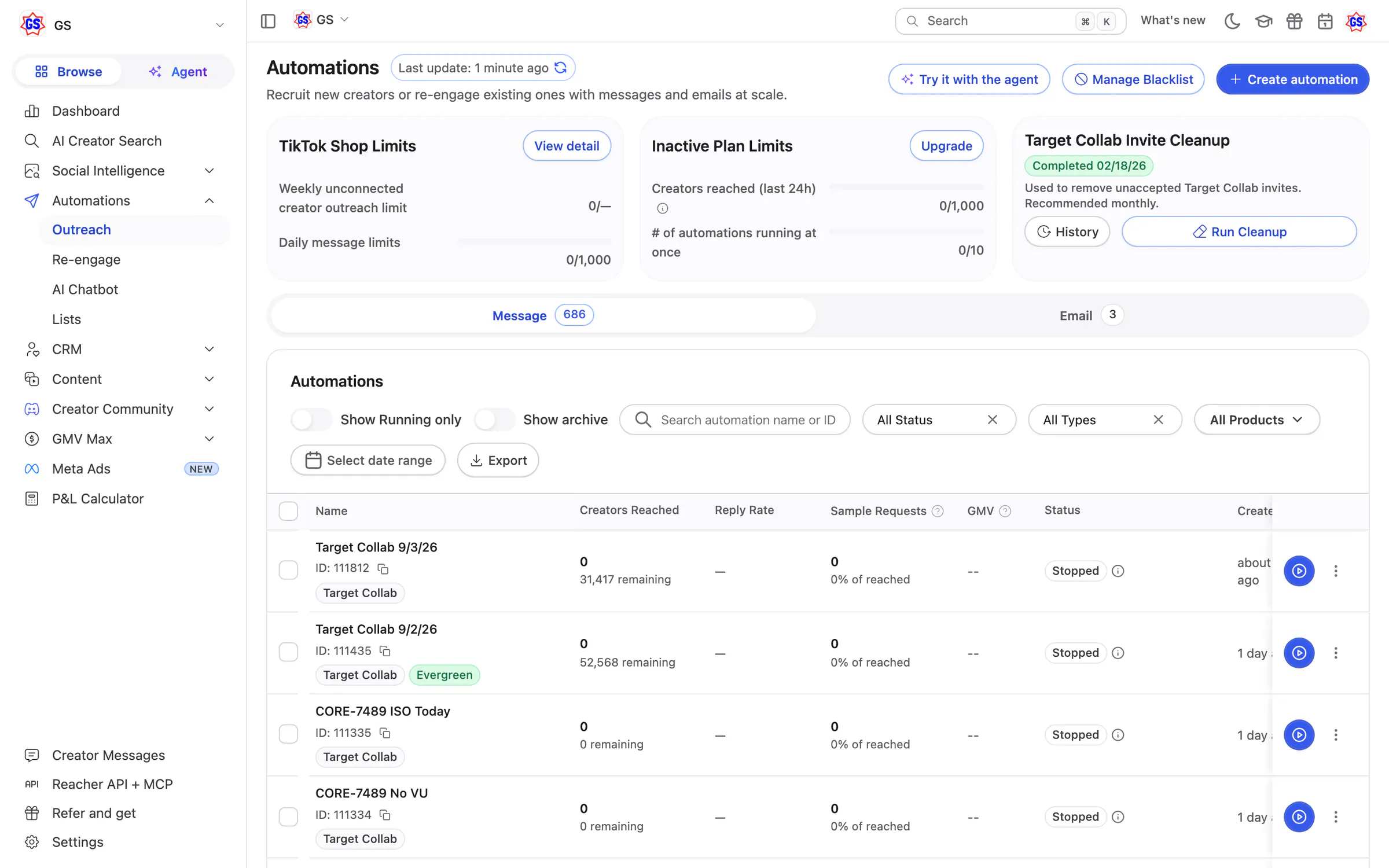
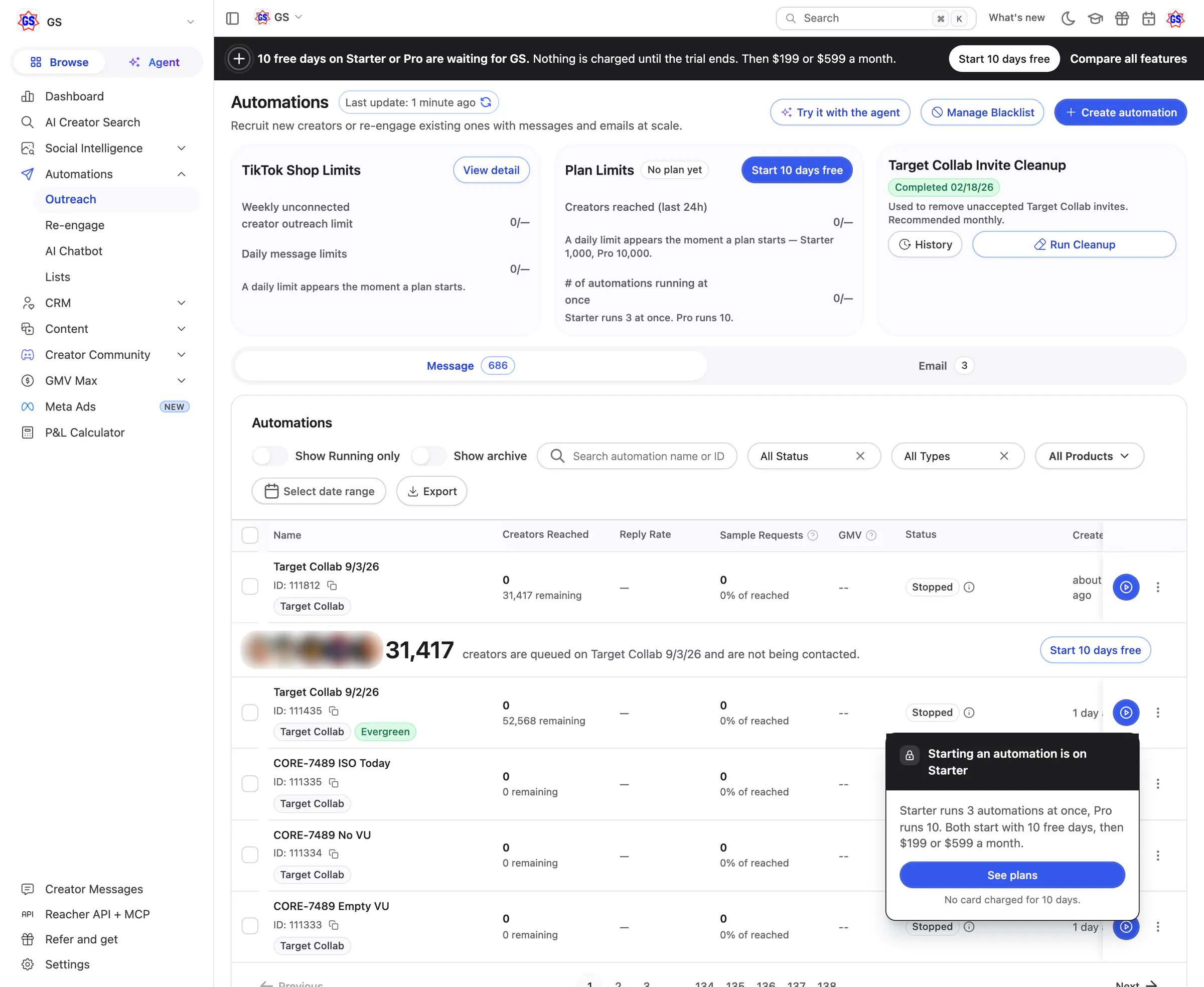
Today an Inactive Plan Limits card carries an Upgrade button. The new version explains that a daily limit appears the moment a plan starts, shows 31,417 creators queued and not being contacted, and opens a popover when a no-plan account tries to start an automation.
The plan modal
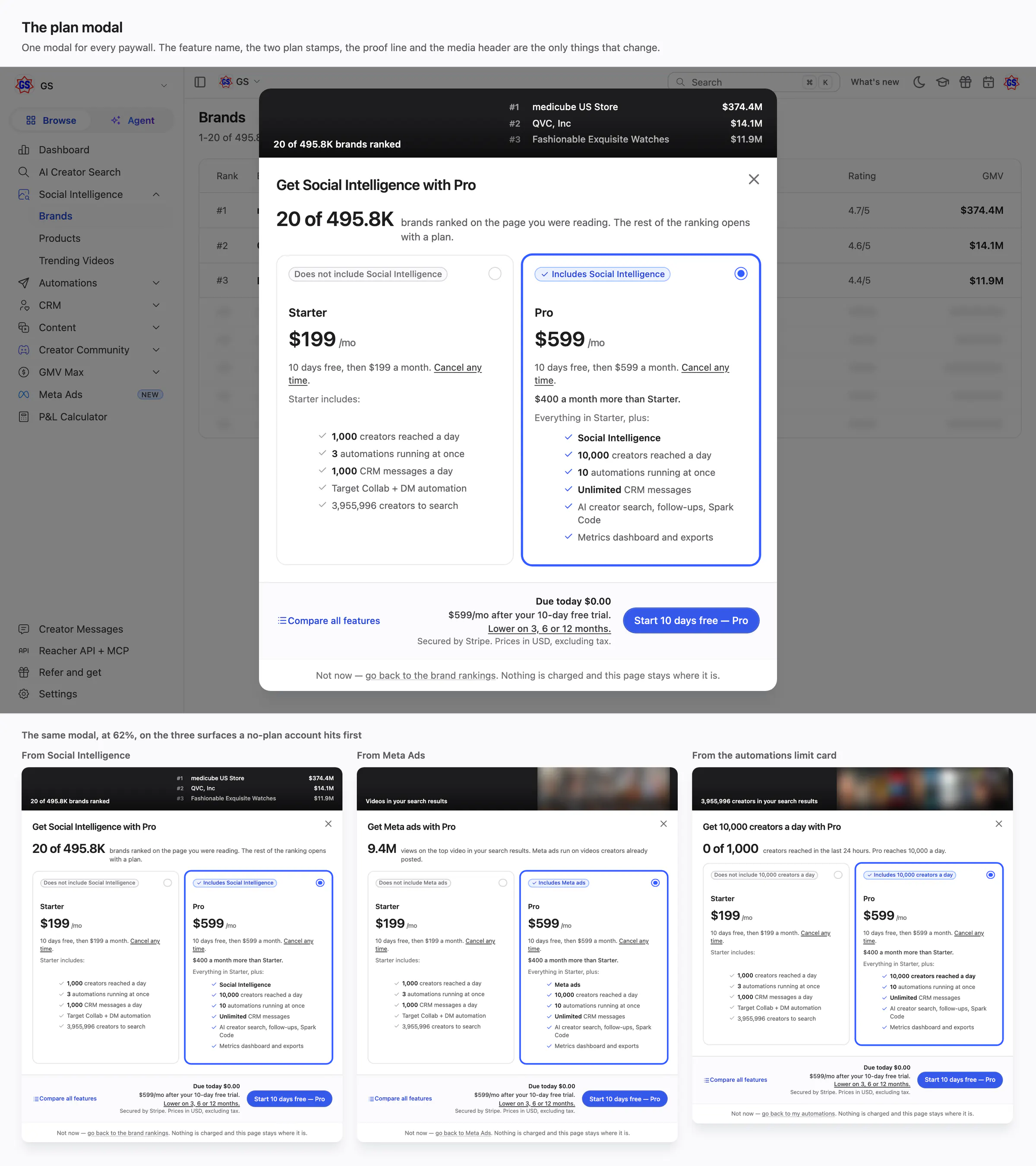
One modal for every paywall. The new frame is a spec board: the full-size modal, then three smaller instances opened from Social Intelligence, Meta Ads and the automations limit card. Only the feature name, the plan stamps, the proof line and the media header change.
Purchase path
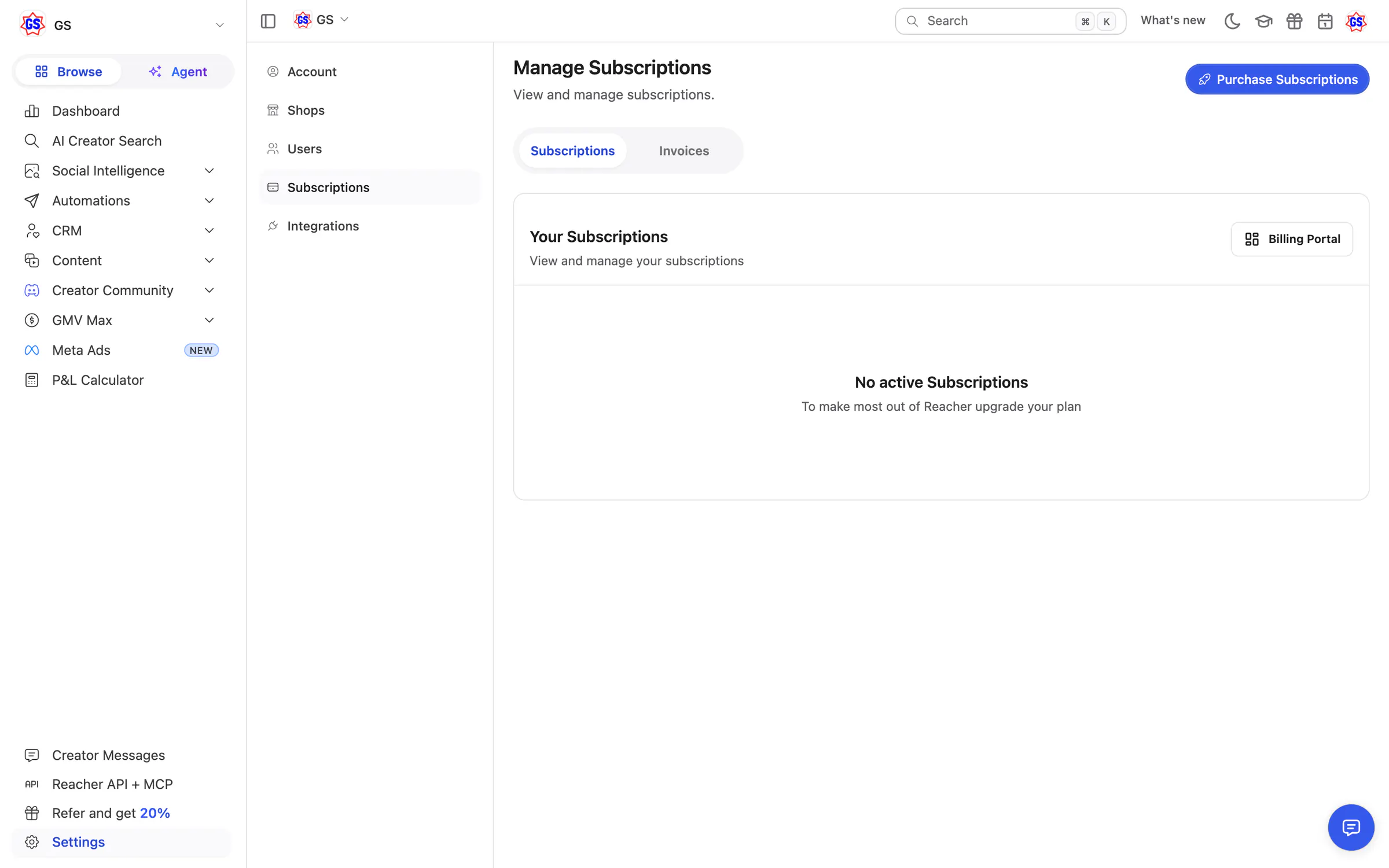
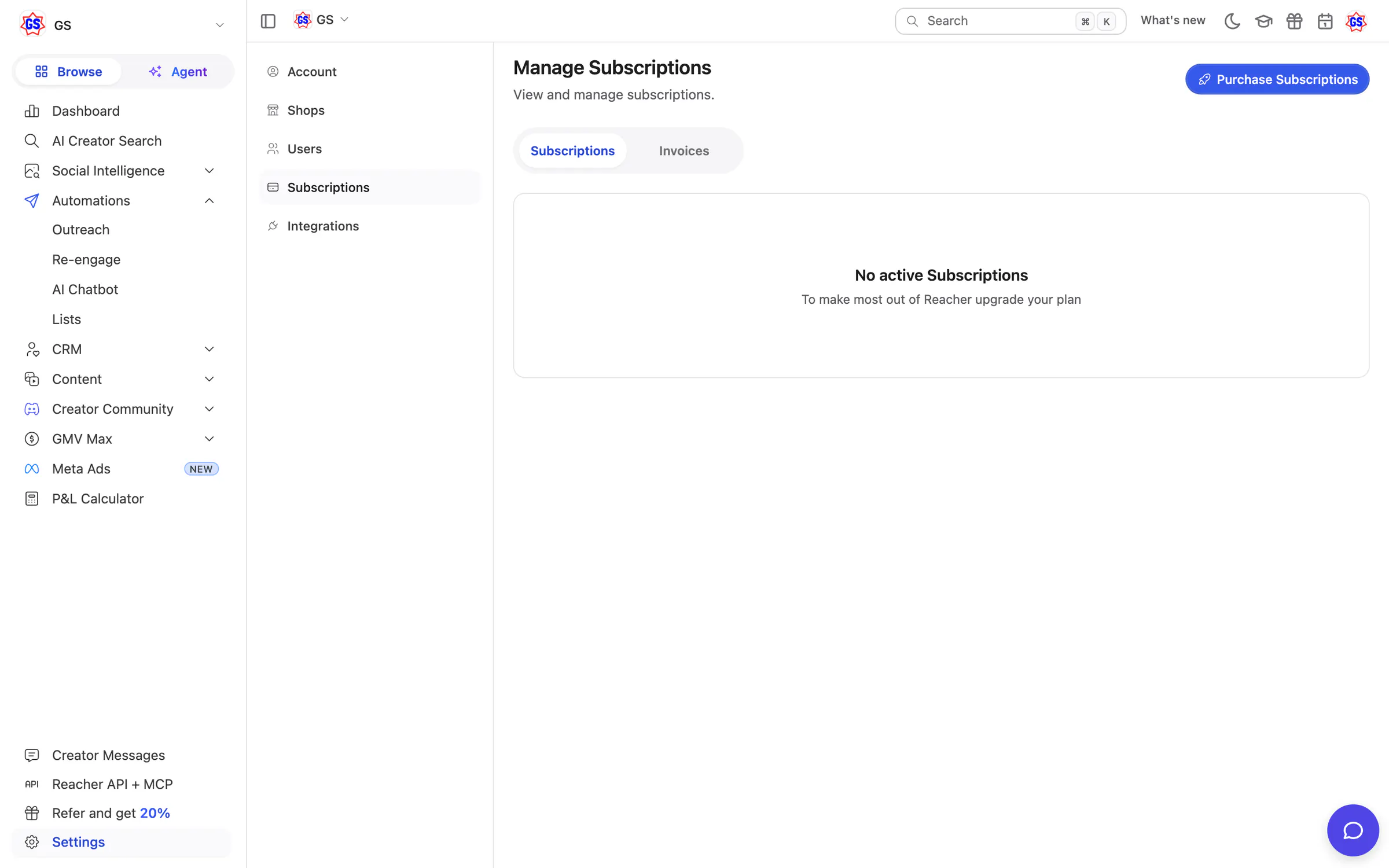
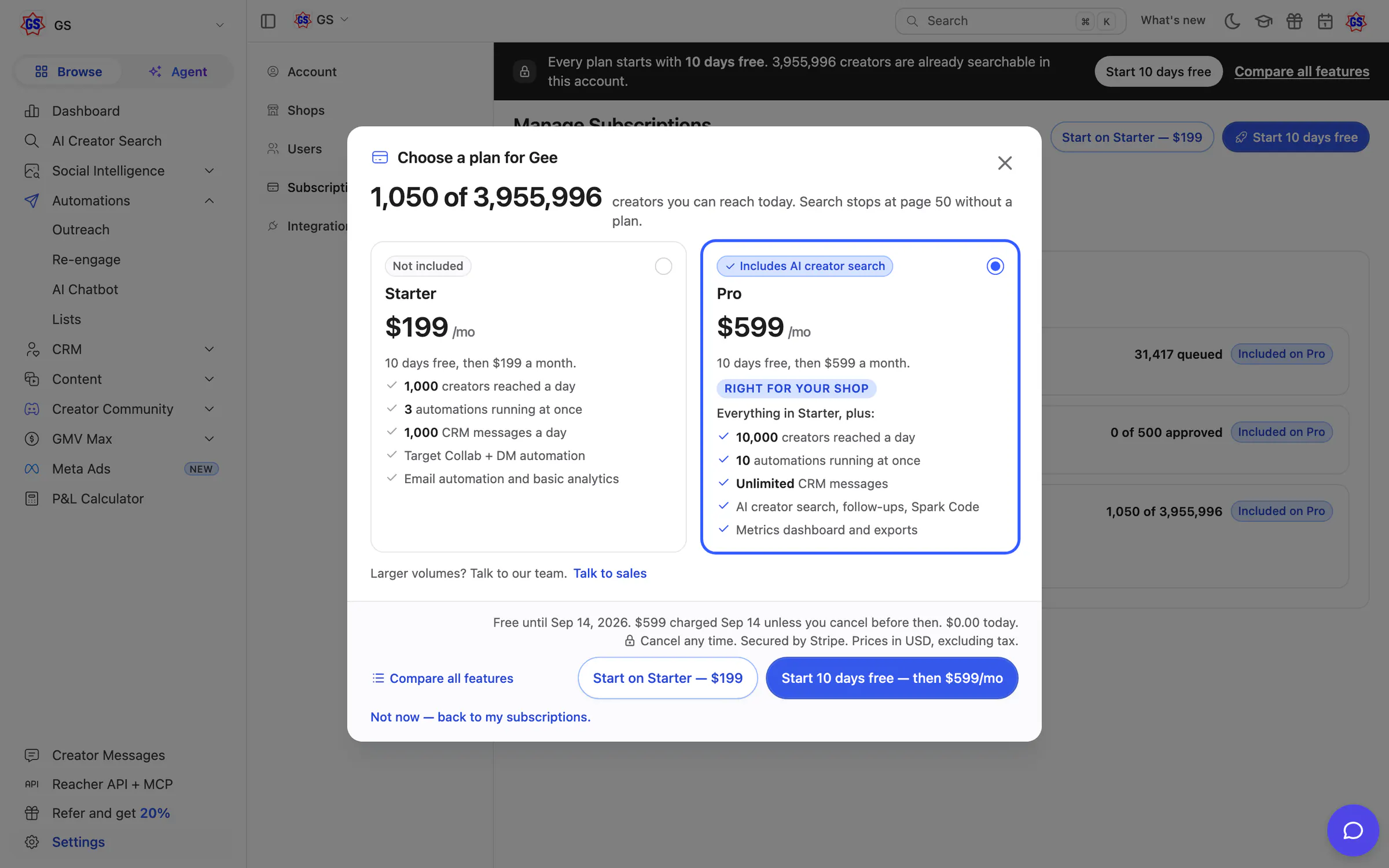
Today a no-plan account sees an empty subscriptions page. The new version opens a Choose a plan dialog: Starter at $199 and Pro at $599 a month, Pro preselected, with the trial terms next to the price.
Components
The pieces behind the new versions, from the bar and the popover to the plan modal and the atoms they are built from.
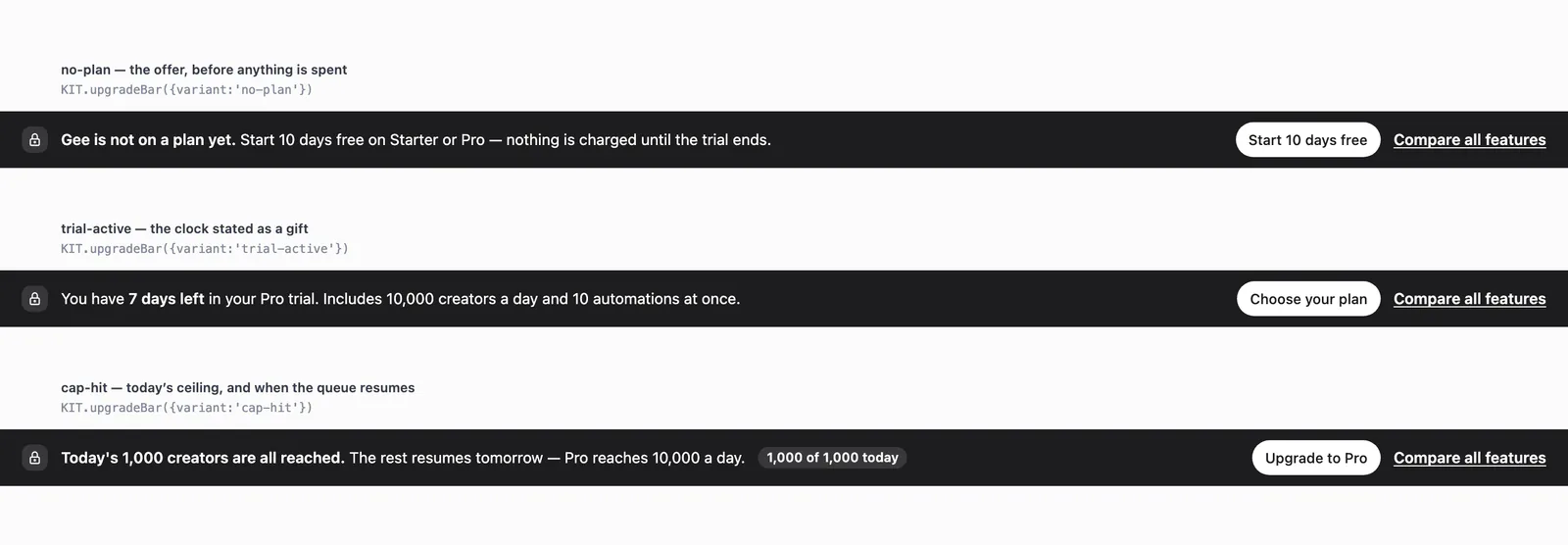
UpgradeBar
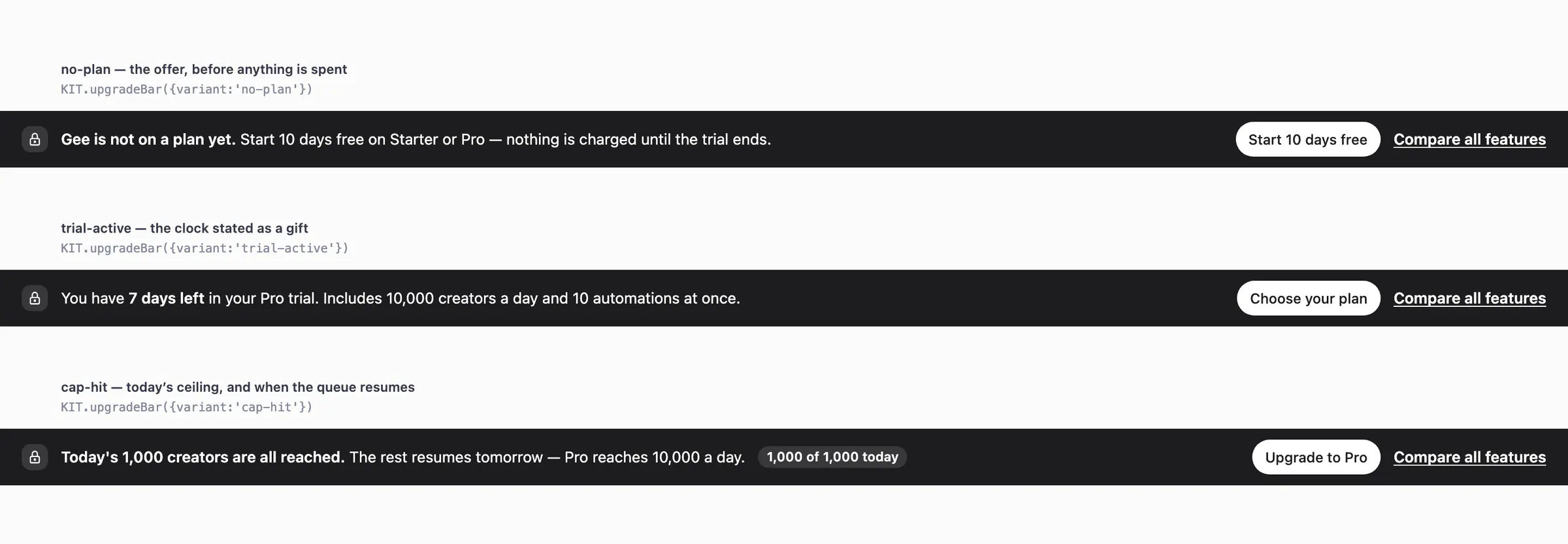
The dark bar at the top of a page, in three variants: no plan, trial active and cap hit.
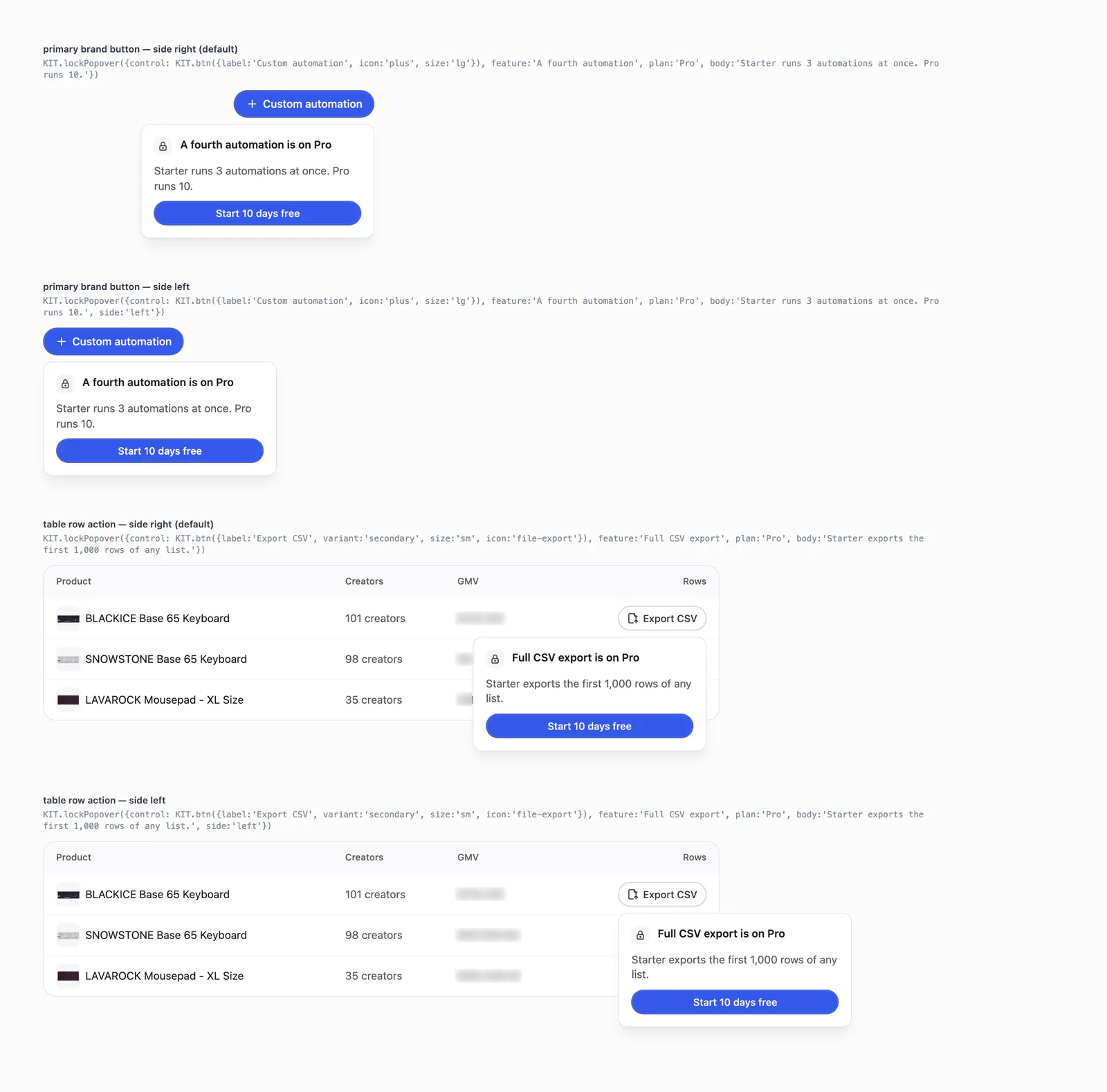
LockPopover
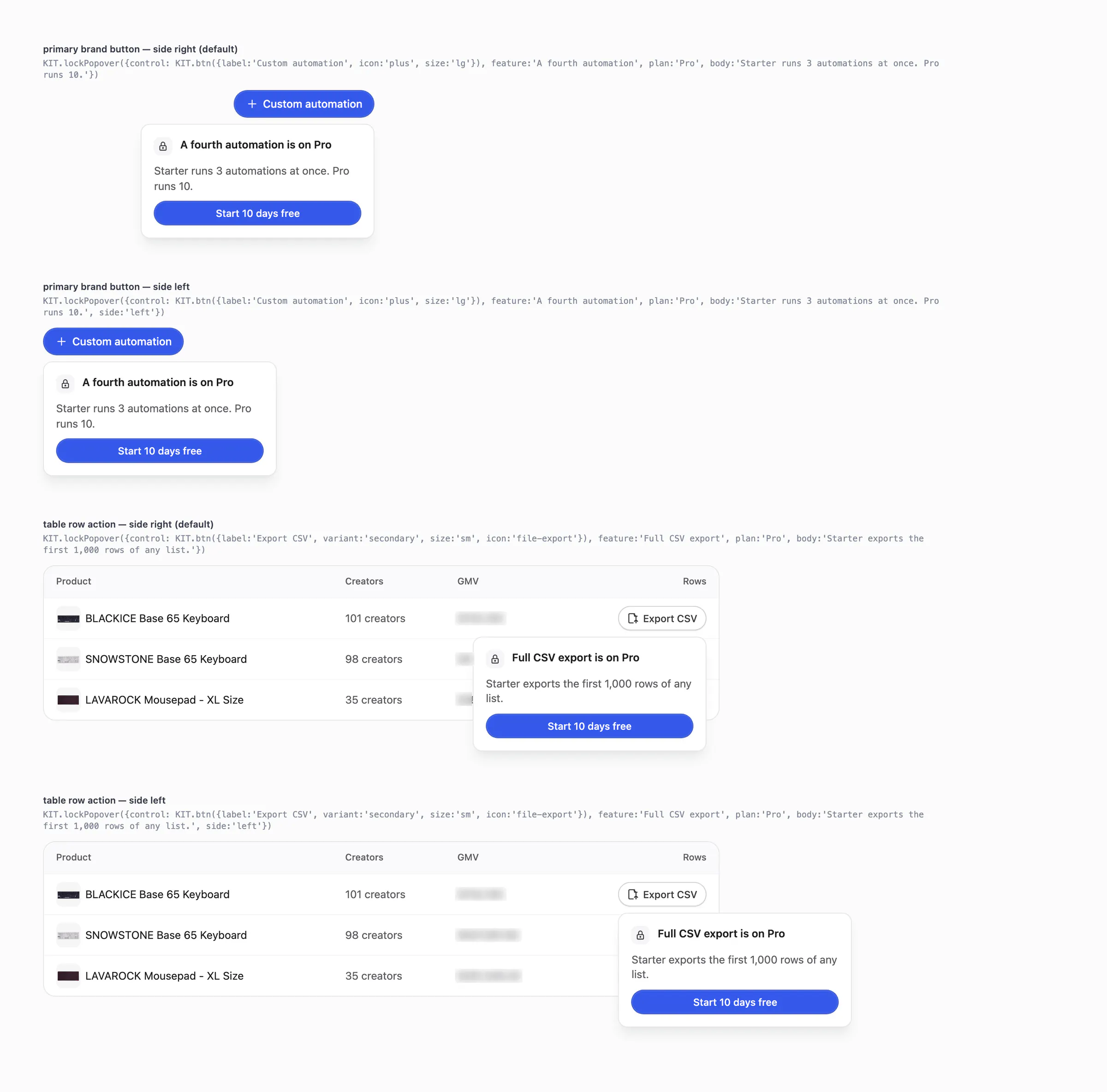
The small popover on a locked control, on a brand button and on a table row action, opening to the right or to the left, each with its Pro message and a Start 10 days free button.
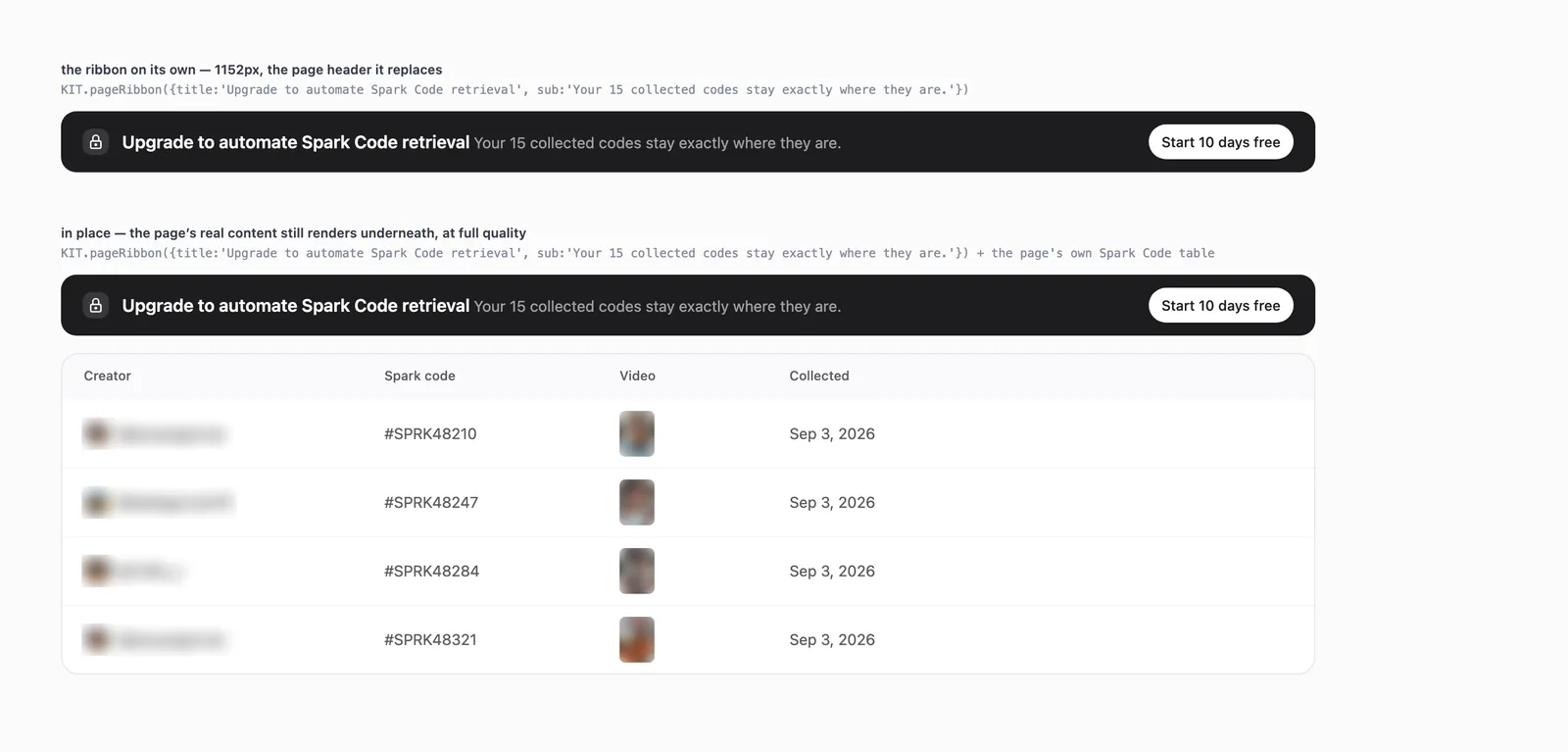
PageRibbon
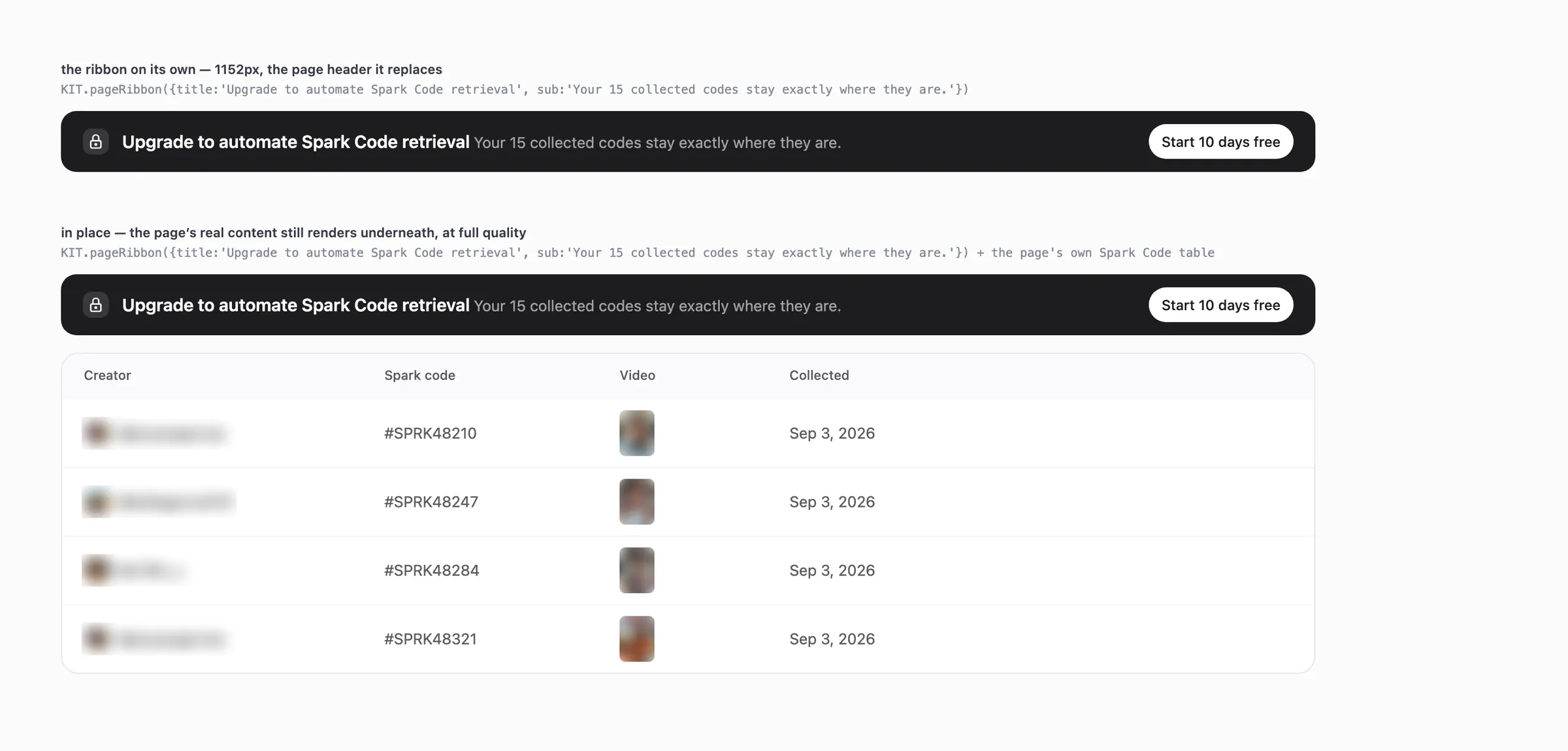
The dark ribbon on its own, and in place above a Spark Code table.
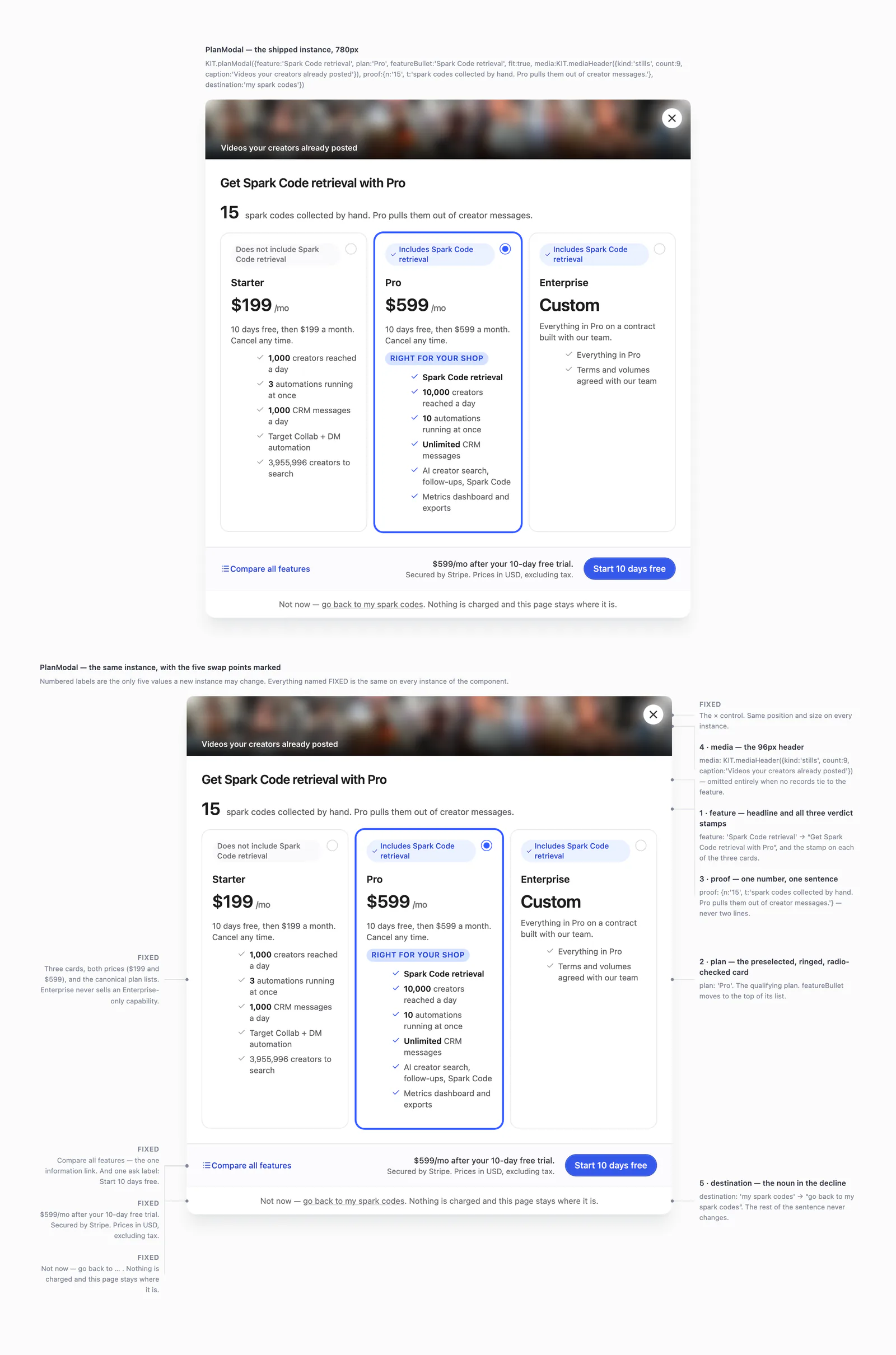
PlanModal
The plan modal with Starter, Pro and Enterprise cards: the shipped instance, and again with its five swap points marked.
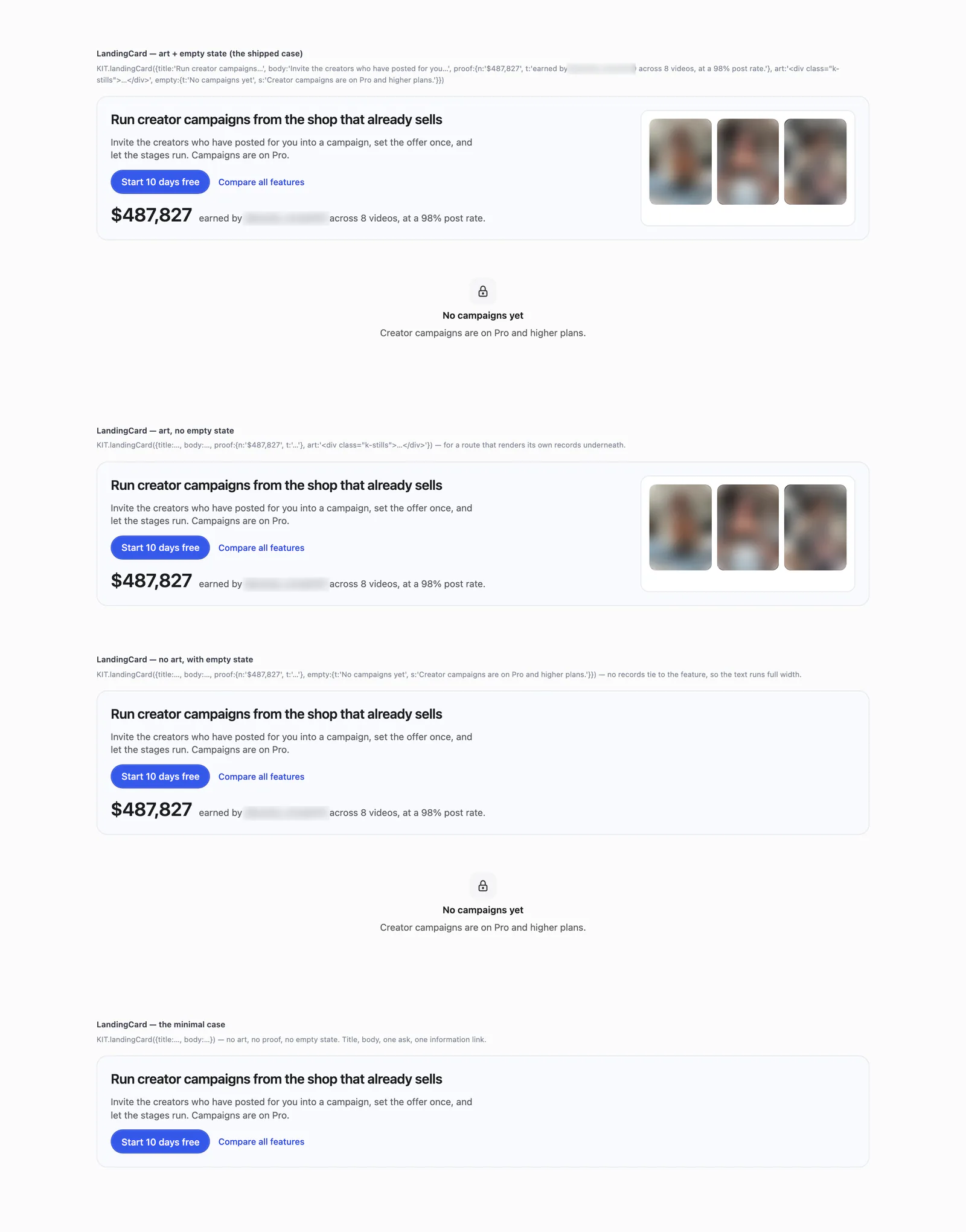
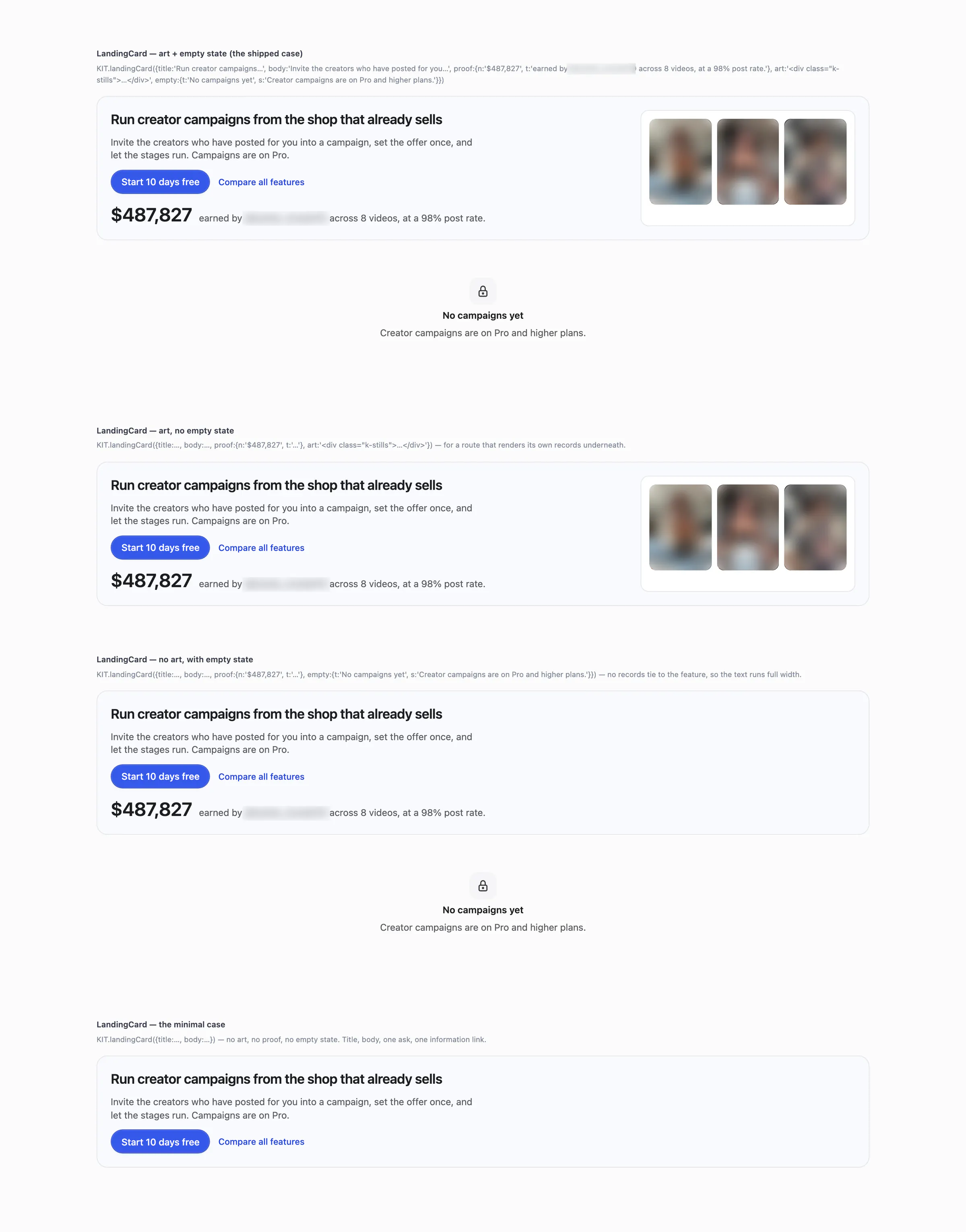
LandingCard
The landing card in four configurations: art with an empty state, art only, an empty state only, and the minimal title, body and ask.
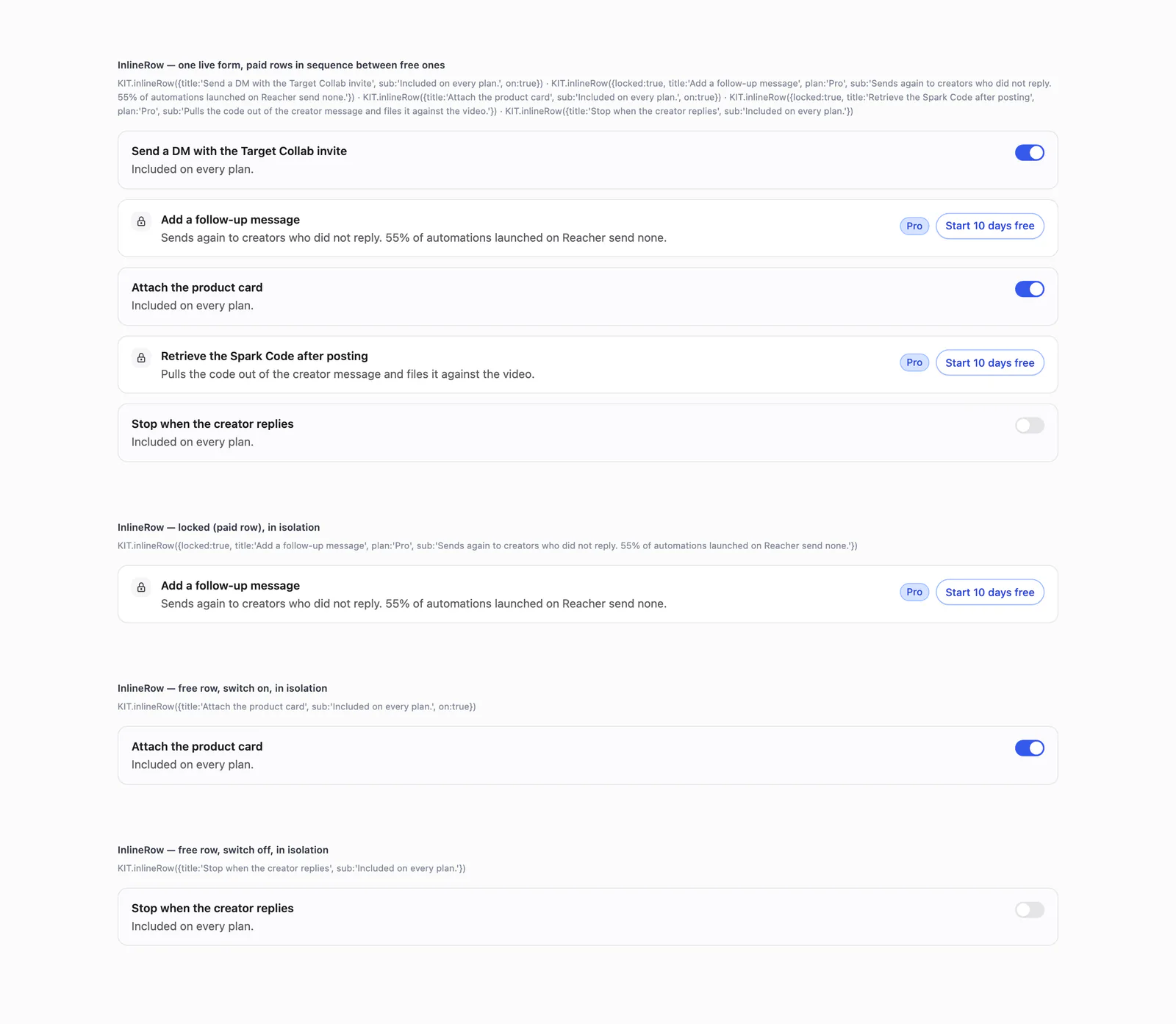
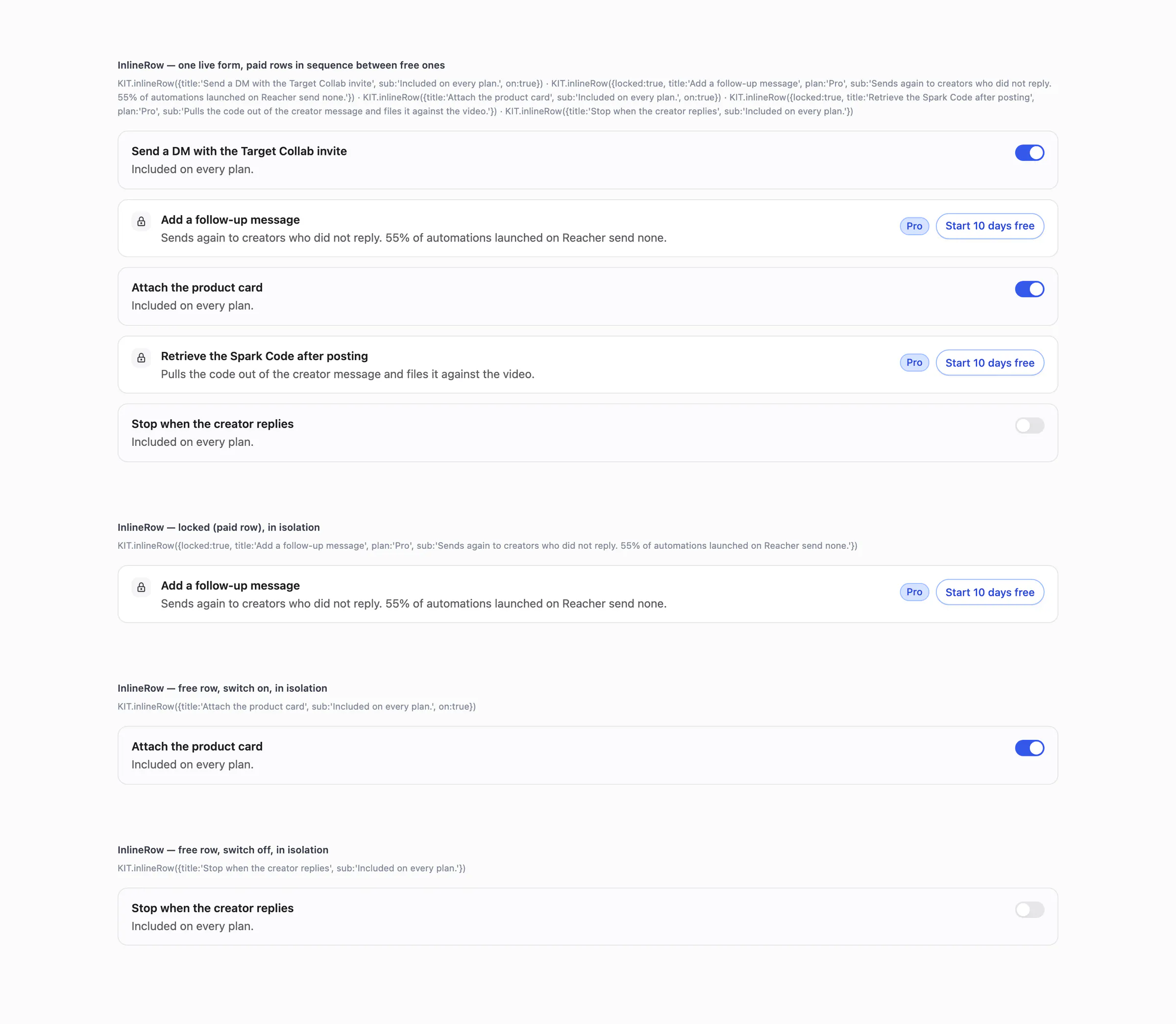
InlineRow
Rows in a form: free rows with an on/off switch, and paid rows with a lock, a Pro badge and a Start 10 days free button.
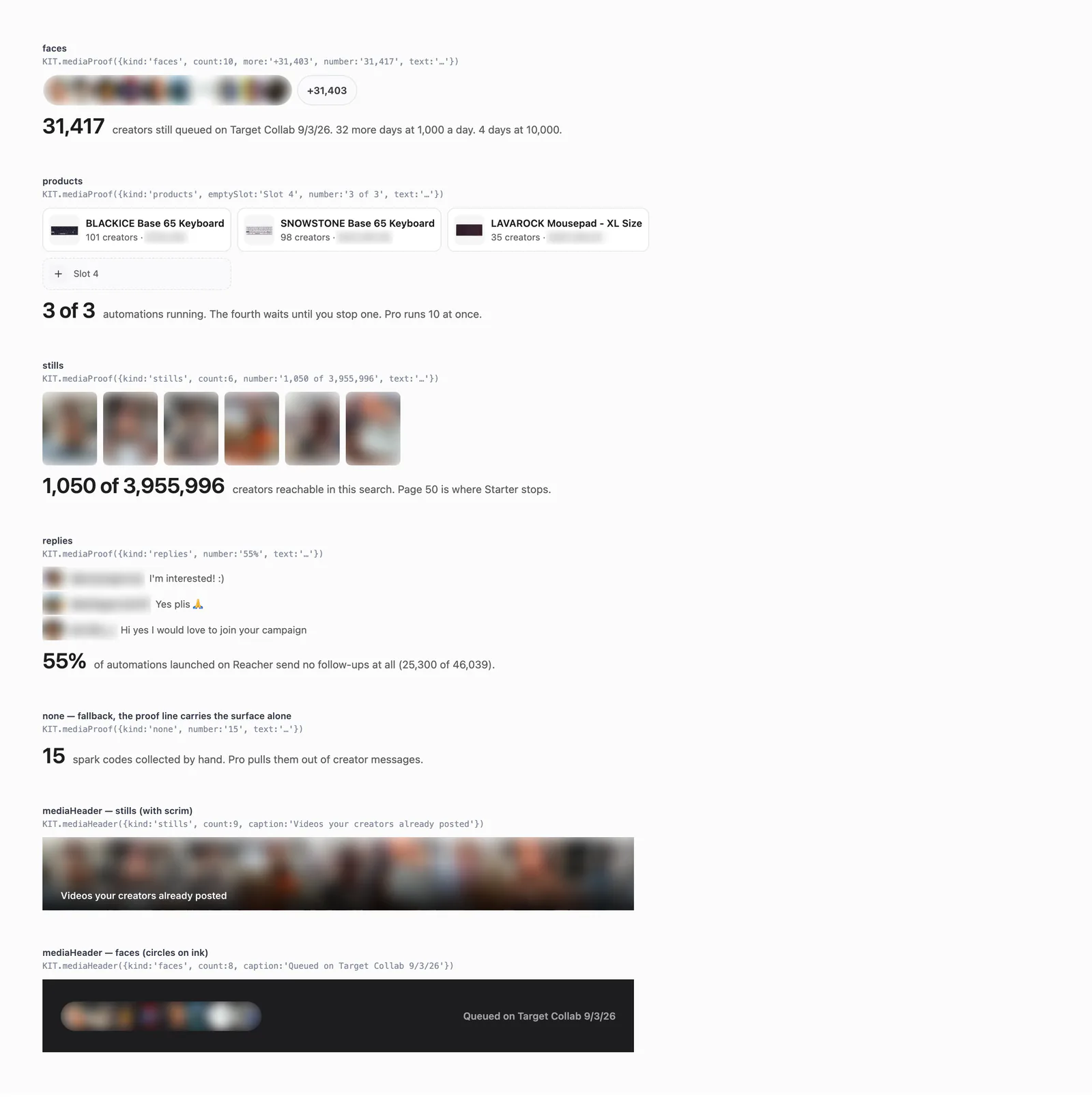
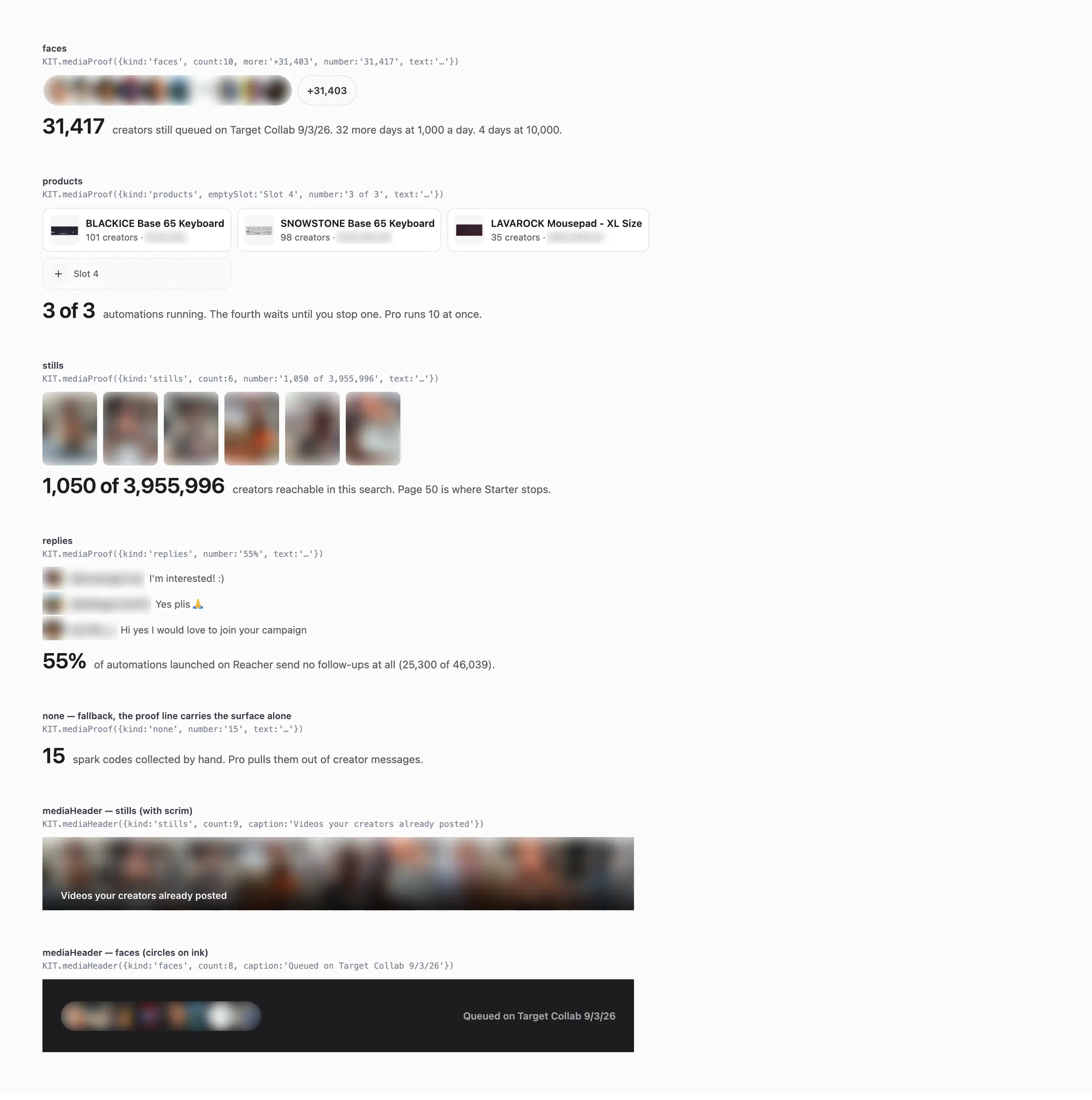
MediaProof and mediaHeader
The proof line in its kinds (faces, products, stills, replies, none) and the two header variants.
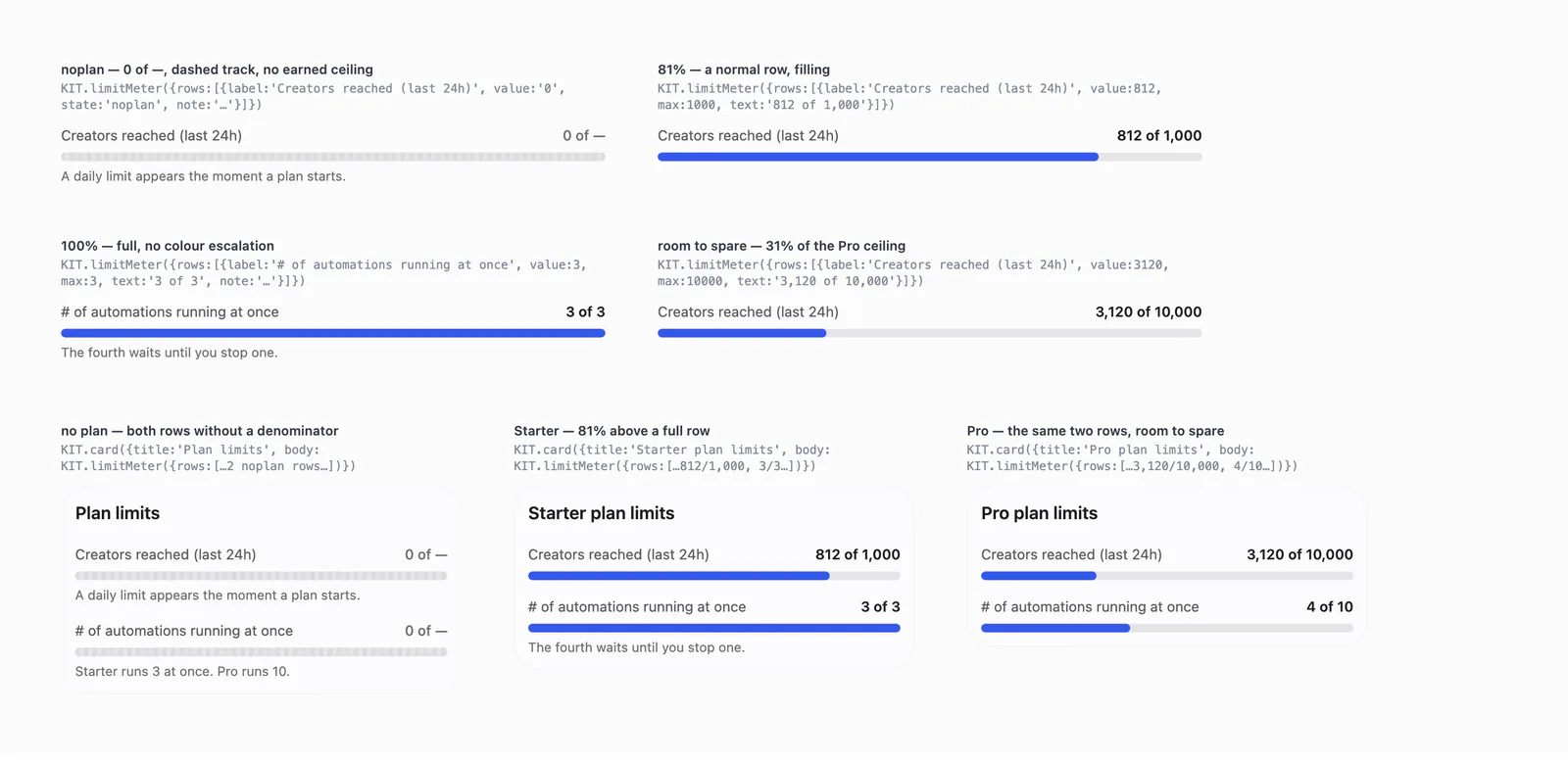
LimitMeter
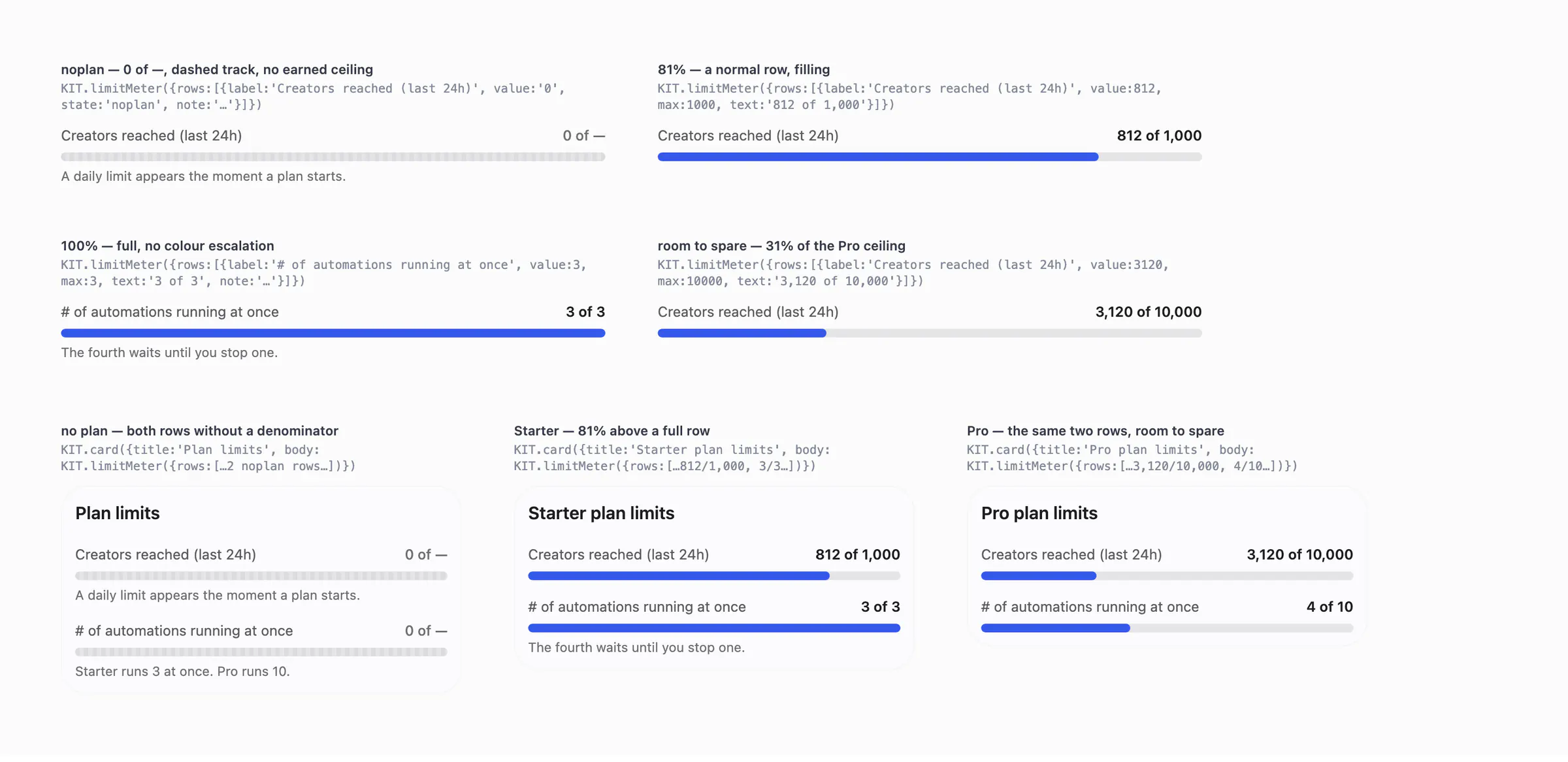
Progress rows for a limit (no plan, 81%, 100% and 31%), and the Plan limits card in its no-plan, Starter and Pro versions.
Atoms
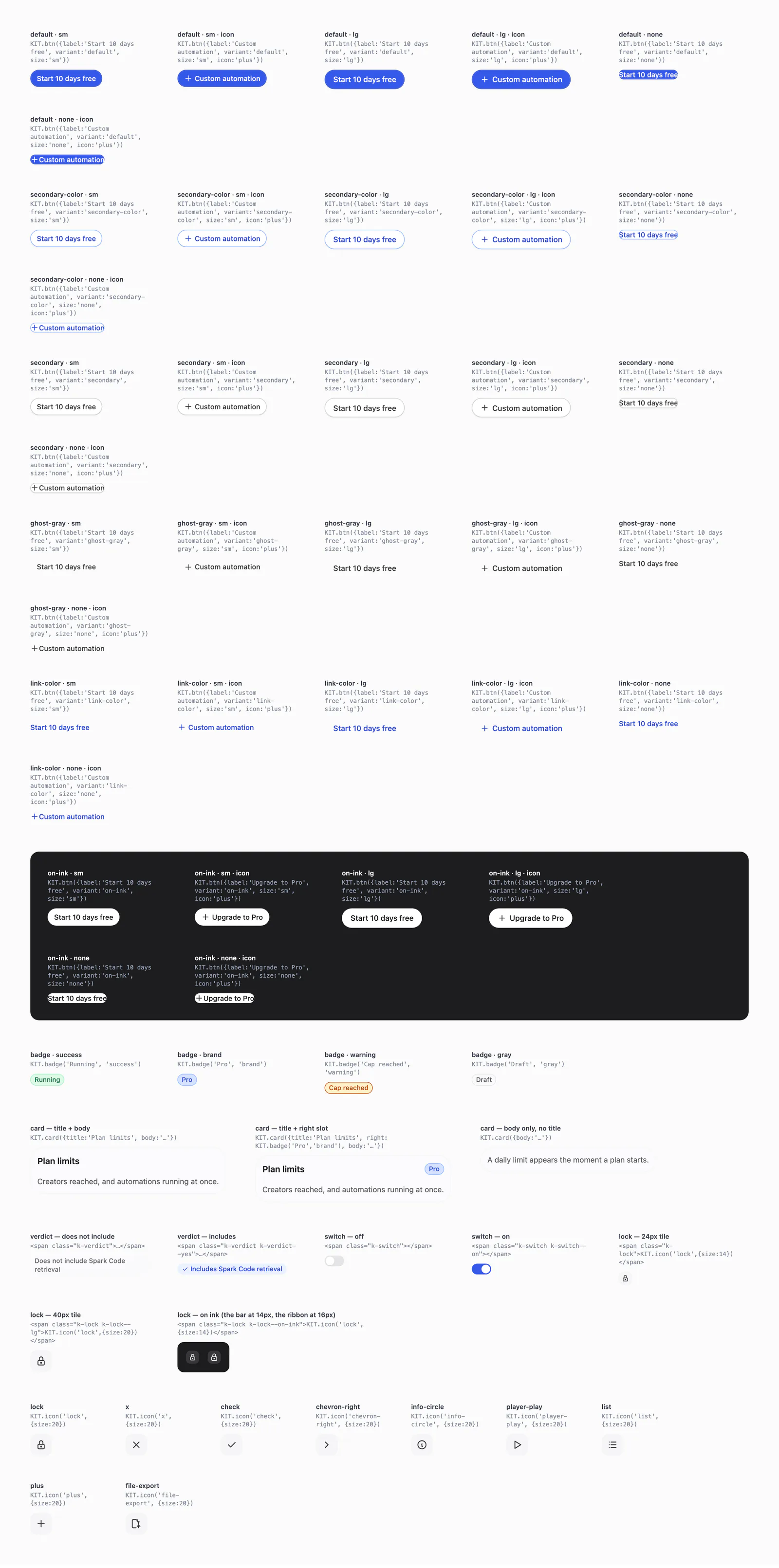
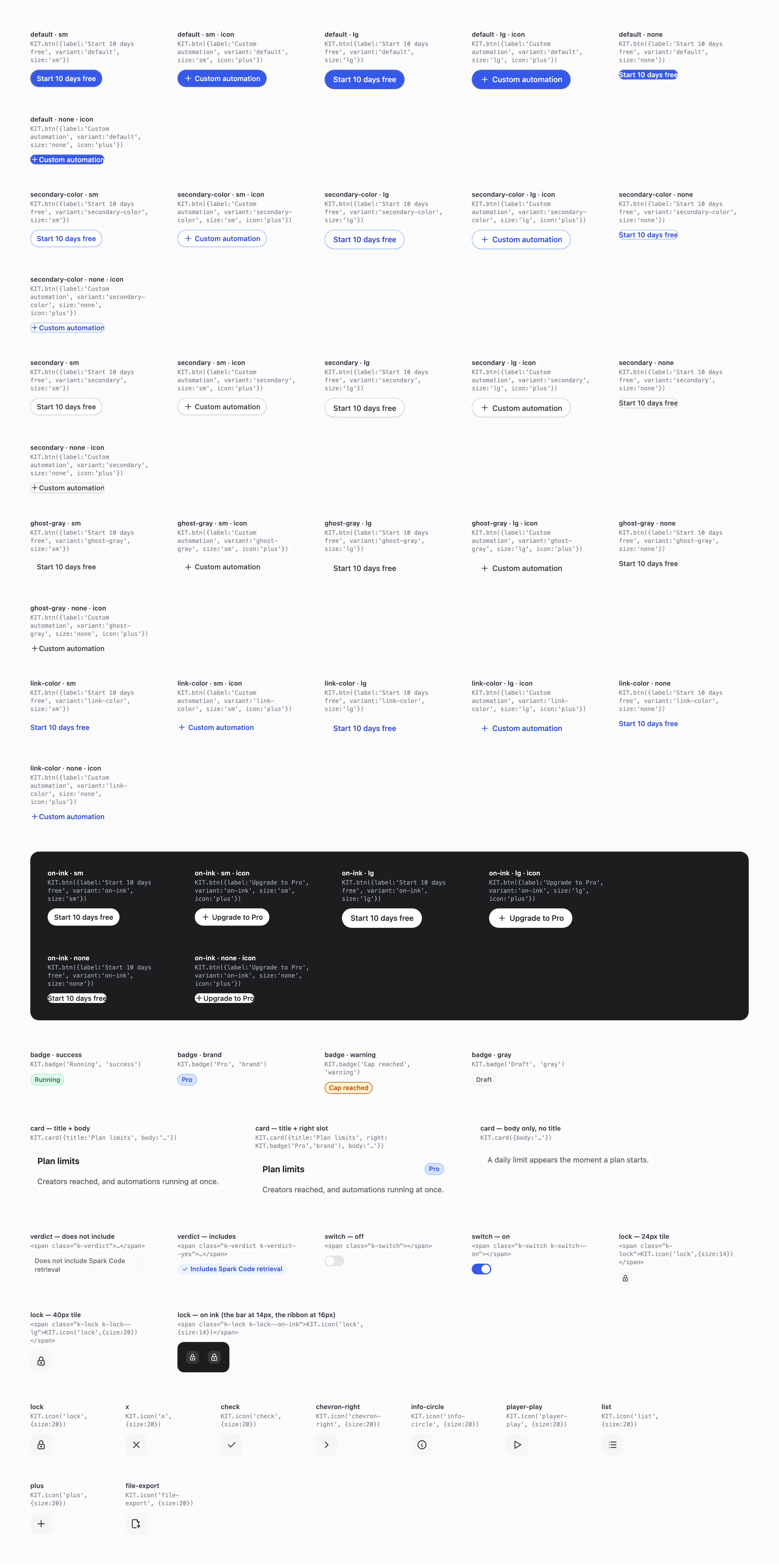
The smallest pieces: every button variant and size, badges, cards, verdict stamps, switches, lock tiles and the icons.
More in this direction
Three more pages given the same treatment.
Creator Messages
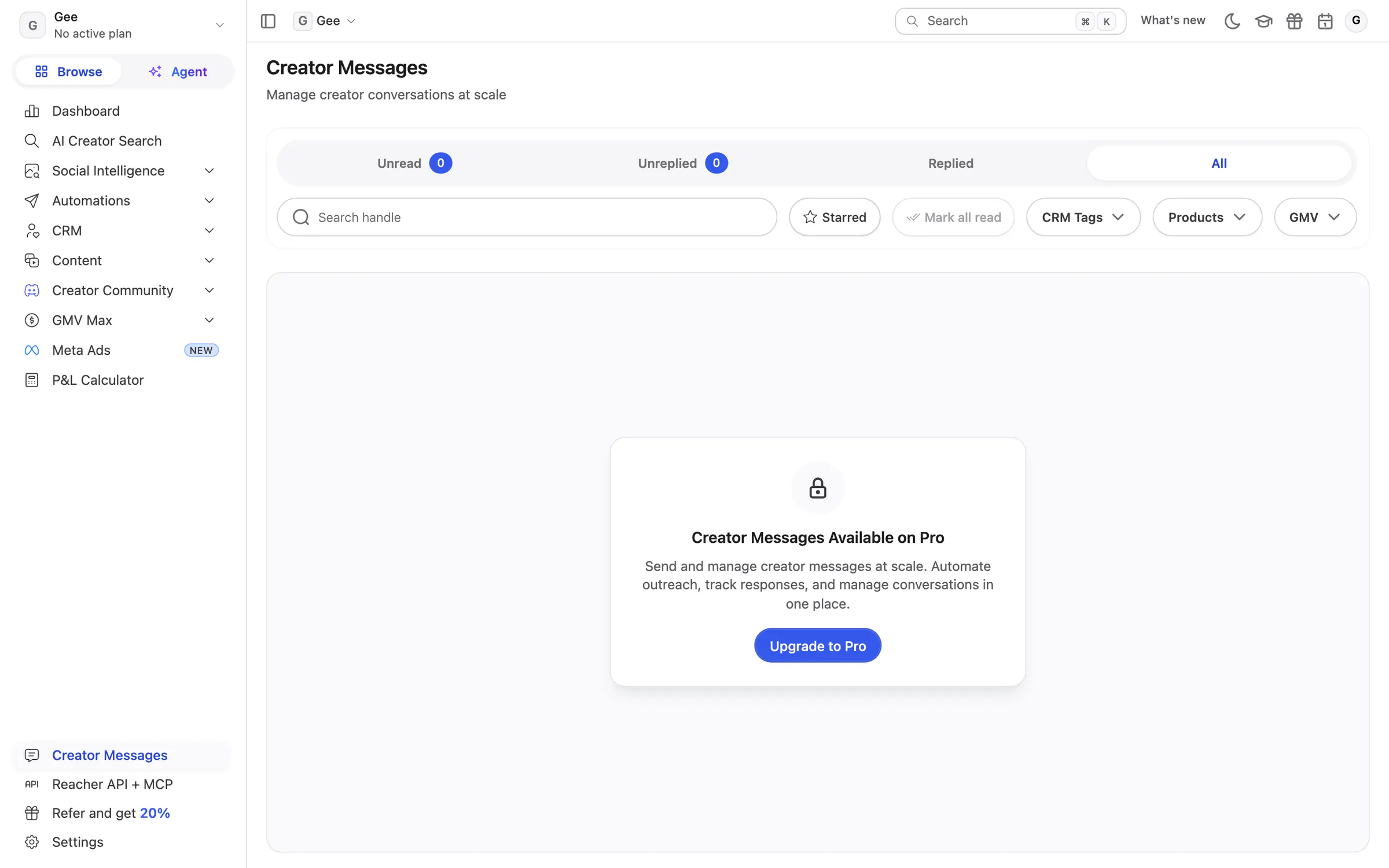
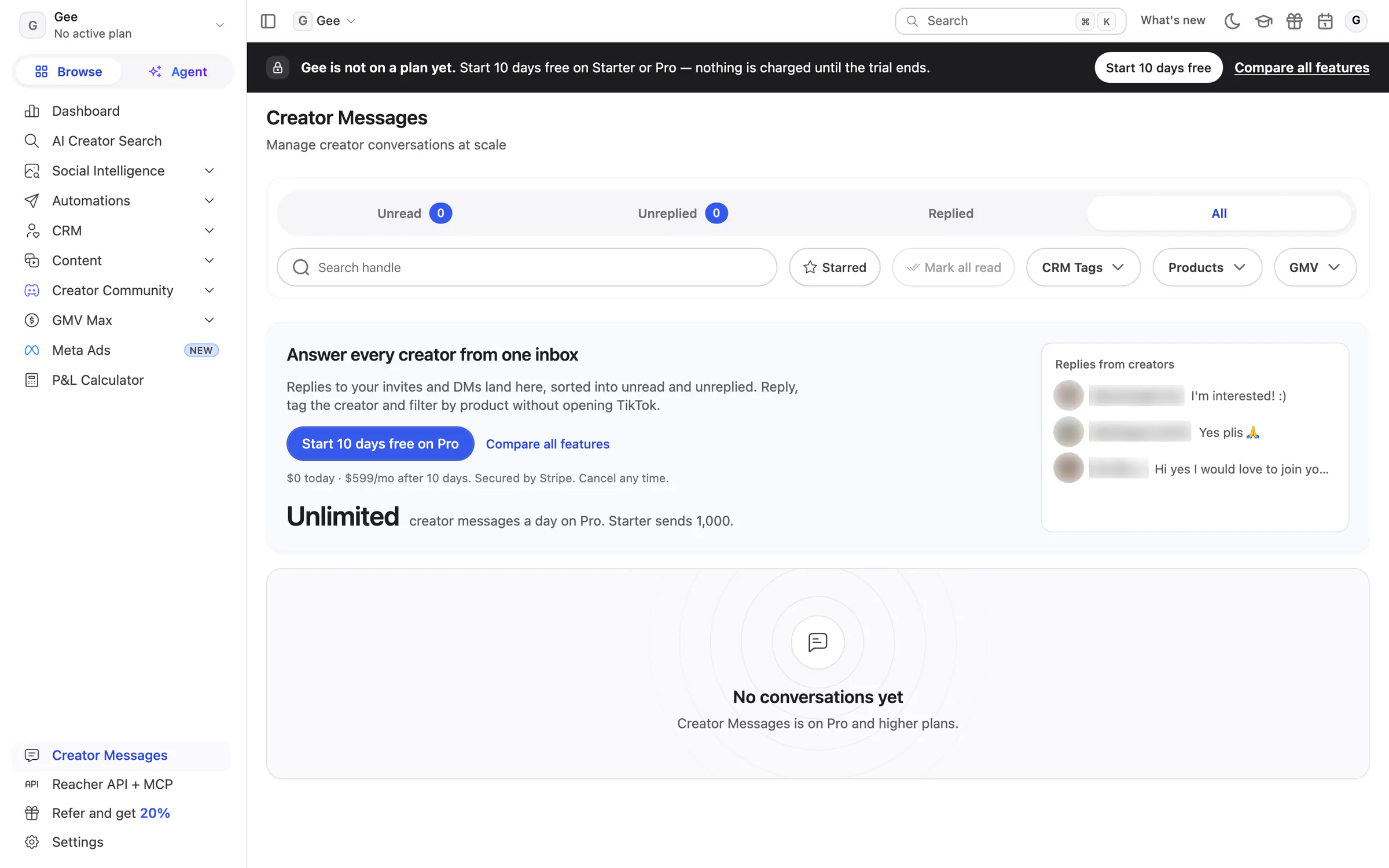
Today the page is a lock: Creator Messages Available on Pro. The new version opens with a dark bar, an “Answer every creator from one inbox” card with example replies, and a Start 10 days free on Pro button.
Content Moderation
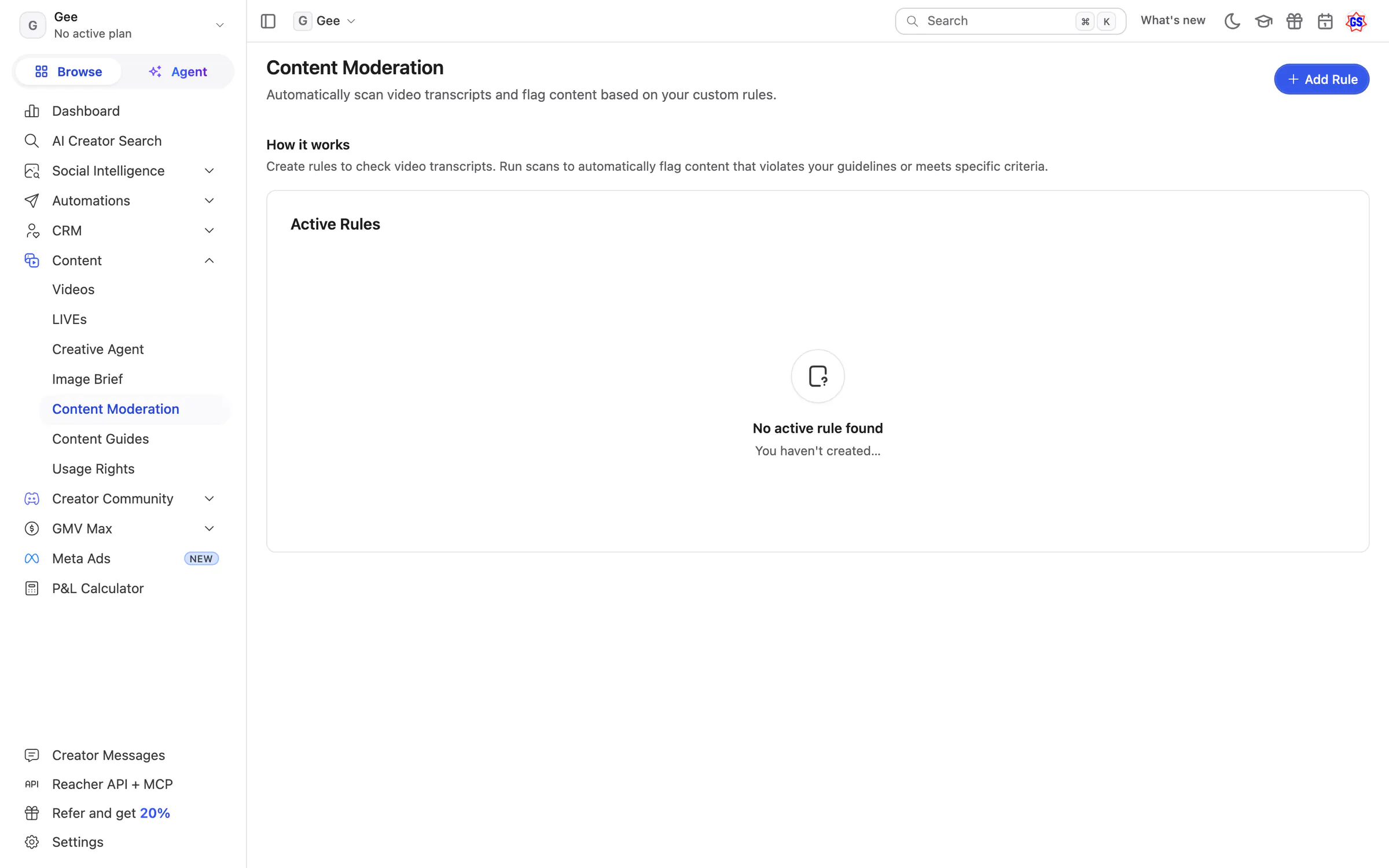
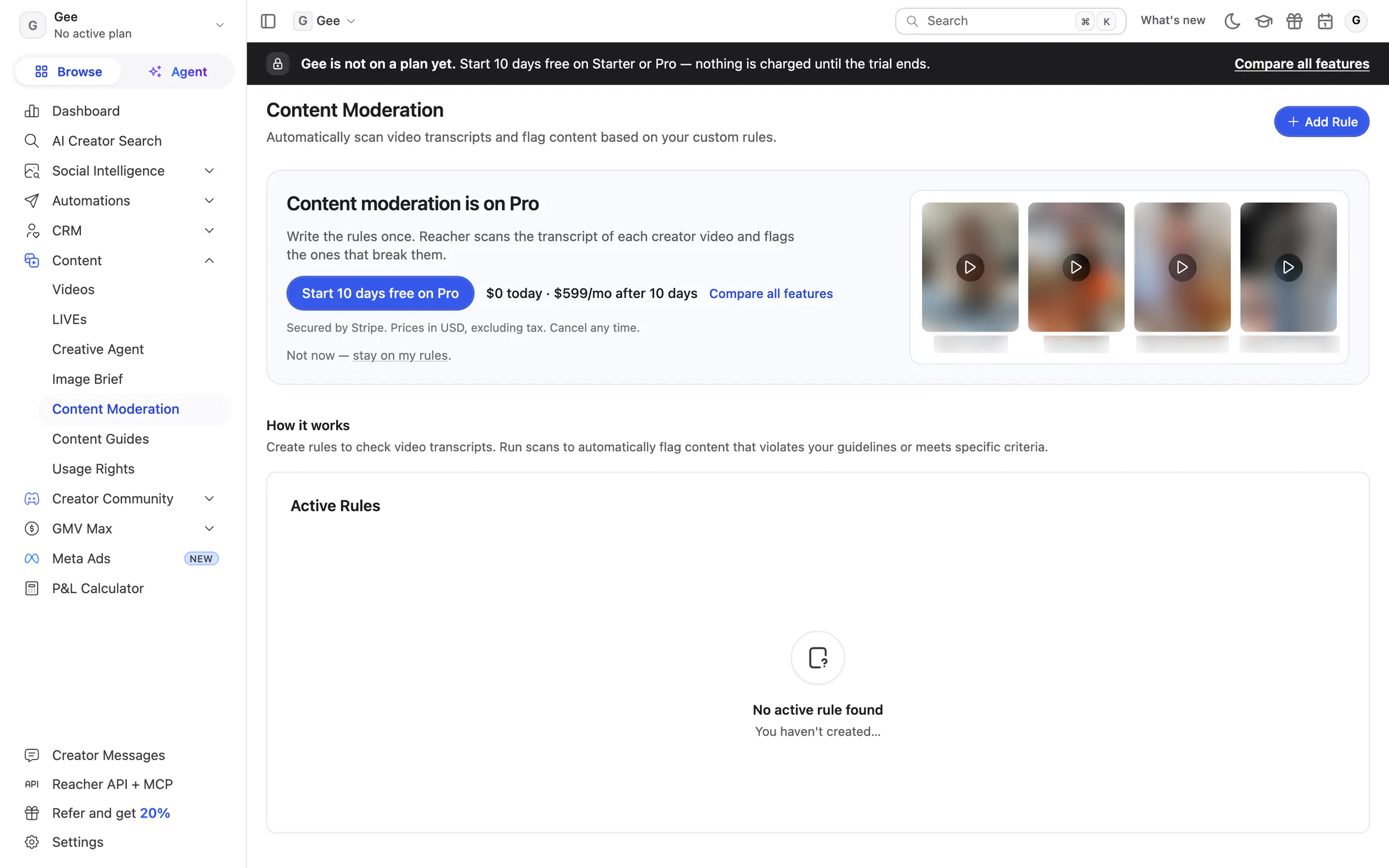
Today an empty Active Rules list. The new version adds a card that says content moderation is on Pro, with sample video tiles and the trial terms, above the same list.
Campaigns
Today an empty campaigns table. The new version adds a dark bar, a “Run your first creator campaign on Pro” card with the 3,955,996 creators in the database, and a popover that says creating a campaign is on Pro.