Agent-led onboarding
- Product design
- Onboarding
- AI agent
A working prototype of Reacher's sign-up and first session: six sign-up steps, then Reacher AI finds the shop, walks the merchant through access and a trial, and builds the first outreach automation.
A working prototype of Reacher's app, captured screen by screen from the running build into Figma: 29 sign-up states, 136 agent-chat states and 19 states of the Automations page. Sign-up asks for an account, a password, a six-digit email code, where the merchant heard about Reacher, a phone number and where they sell, then hands over to Reacher AI.
The agent works out which TikTok Shop is the merchant's from the sign-up email: it matches a brand to its shop, lists an agency's client shops, or asks for a name or a link when the email gives nothing away, and checks a match before using it. It then asks for the access the automation needs, Reacher as an Affiliate Manager in Seller Center, suggests a plan sized to the shop and starts a 14-day trial.
With the trial running, the agent builds the first outreach: it ranks the products, builds two creator lists, fills TikTok's target invitation, writes an opening message and three follow-ups, and shows a full review before turning it on. The Automations page shows the automation waiting on setup, then running.
The prototype runs on a real TikTok Shop's data. The shop's name and logo, creators' handles and faces, people's surnames and email addresses are blurred; the figures are as captured. Some agent messages show two lines of text printed over each other: a fault of the capture from the running app, not of the design.
Sign up
Six steps, each in several states: an account, a password, a six-digit code, two quick questions and the market, before the agent takes over.
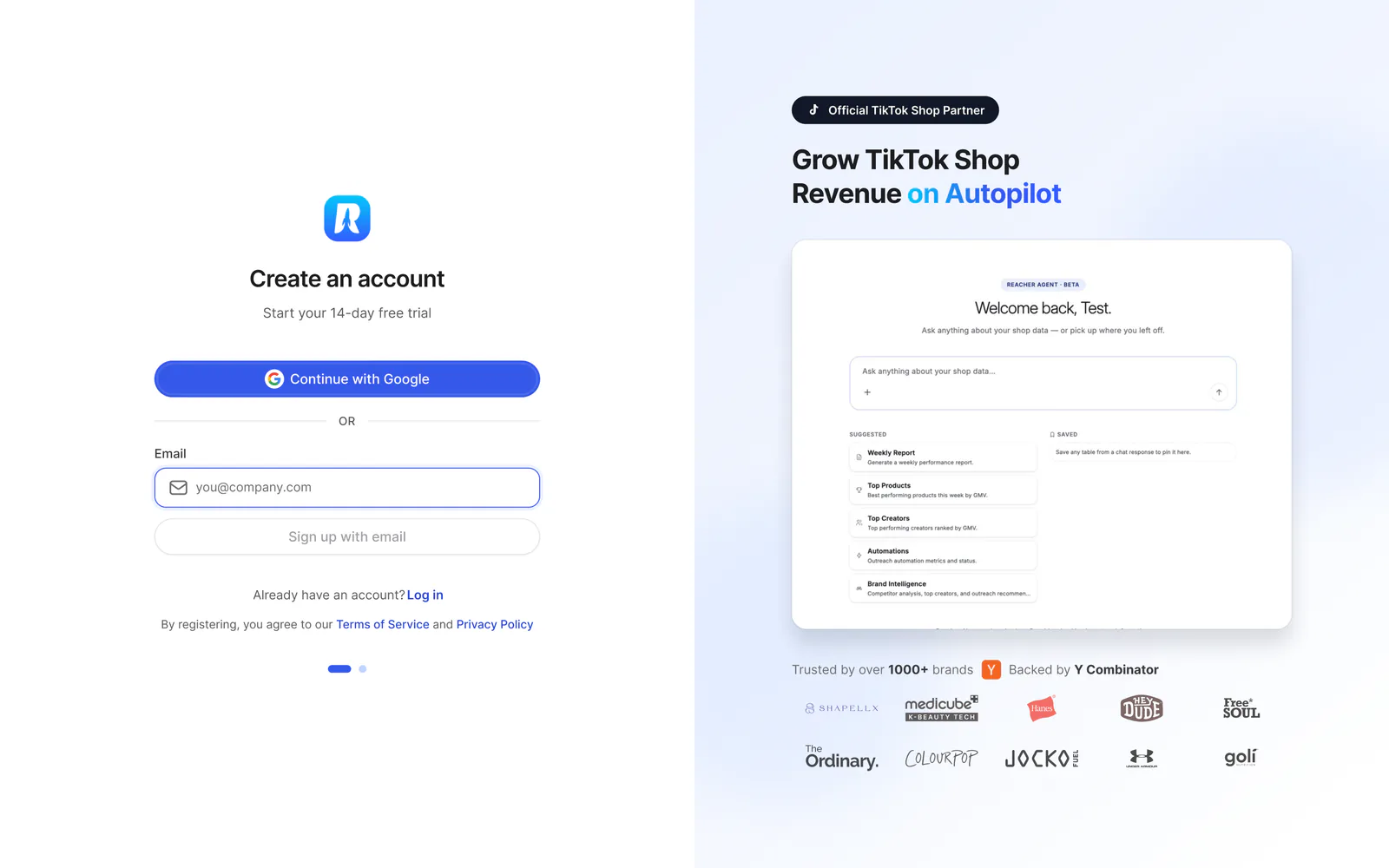
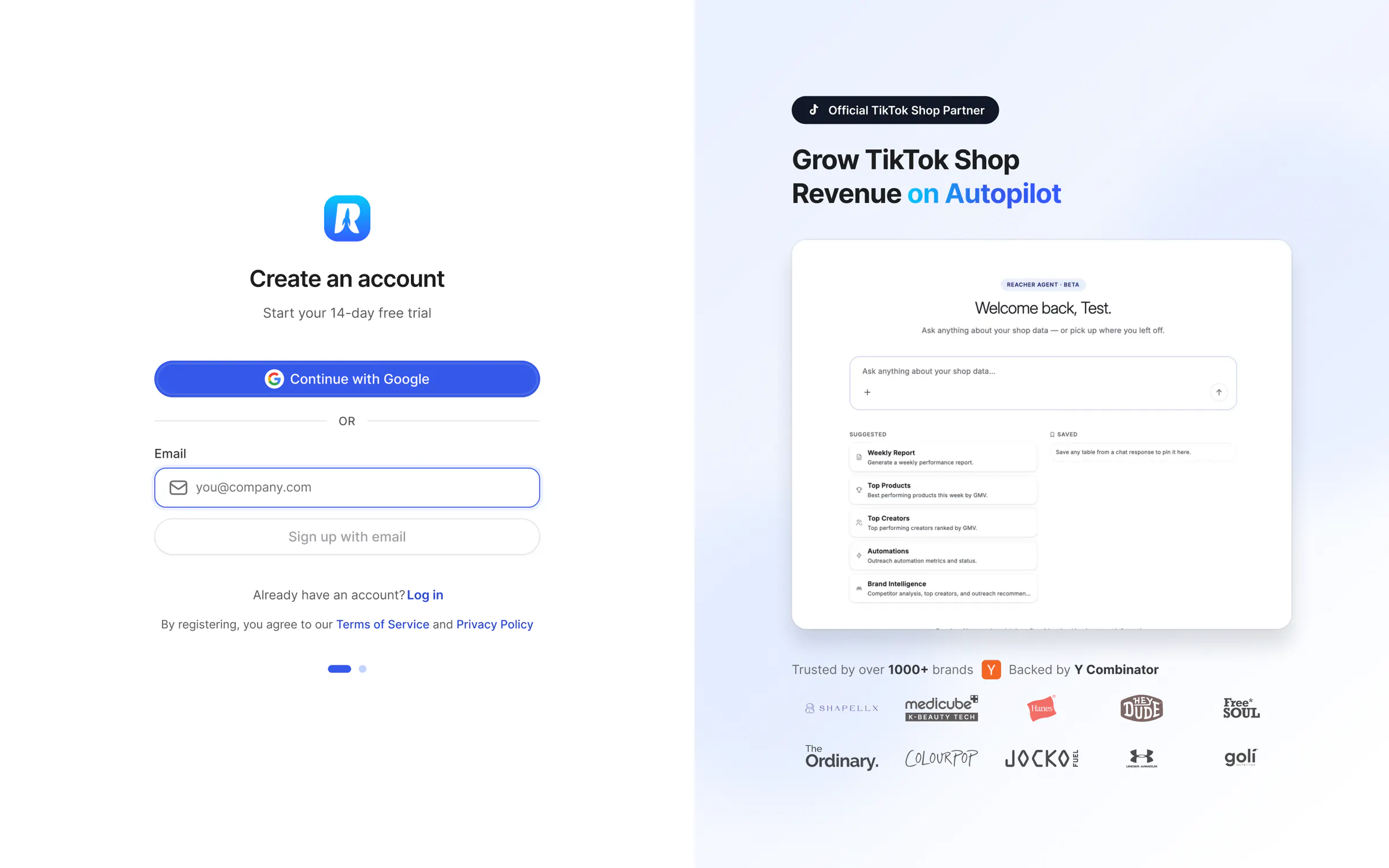
Create an account
The sign-up screen offers Continue with Google or an email field. The right half carries the 'Grow TikTok Shop Revenue on Autopilot' pitch, a preview of the agent and two rows of customer logos.
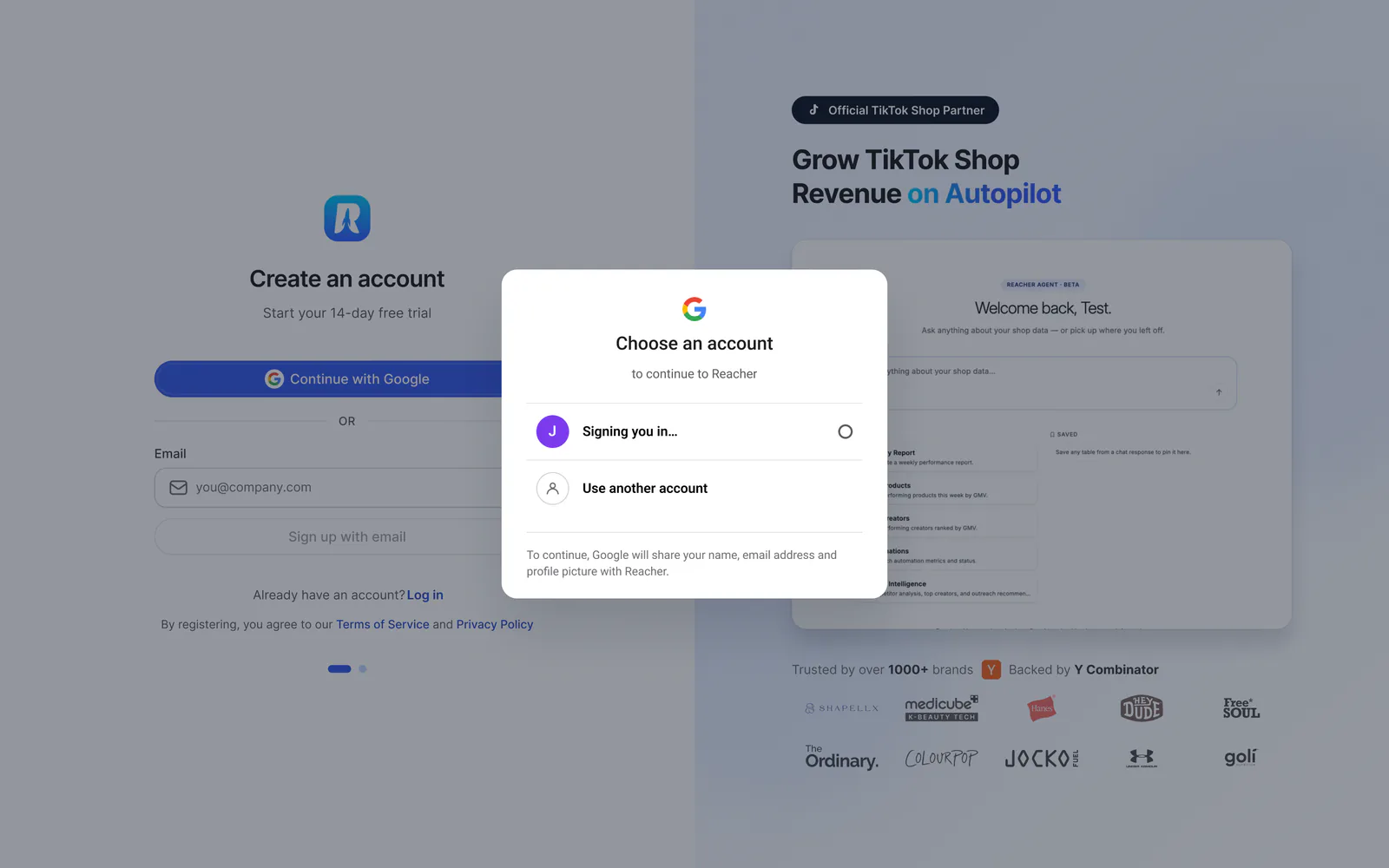
Signing in with Google
A Google account chooser sits over the dimmed sign-up page, and the account row reads “Signing you in…”.
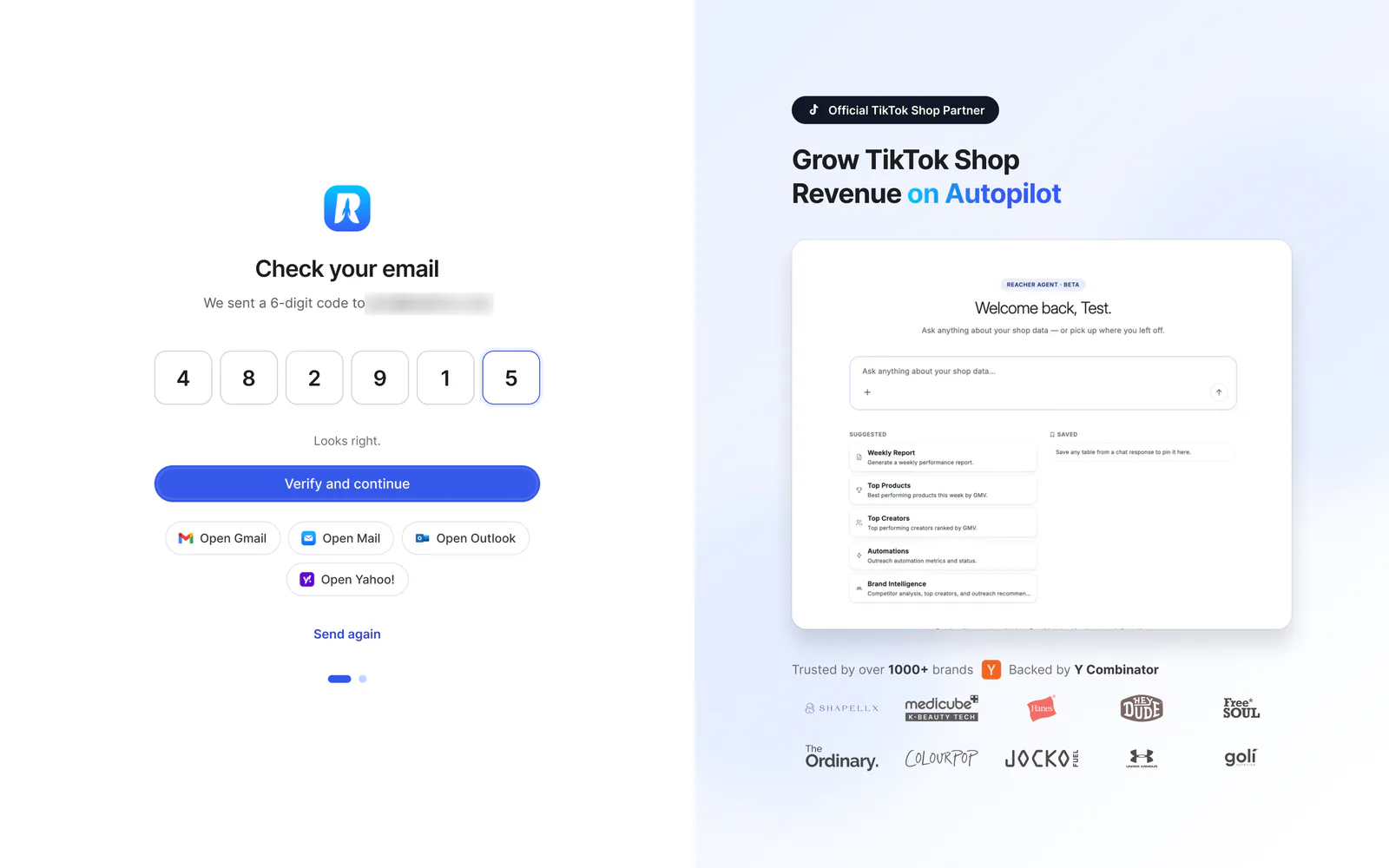
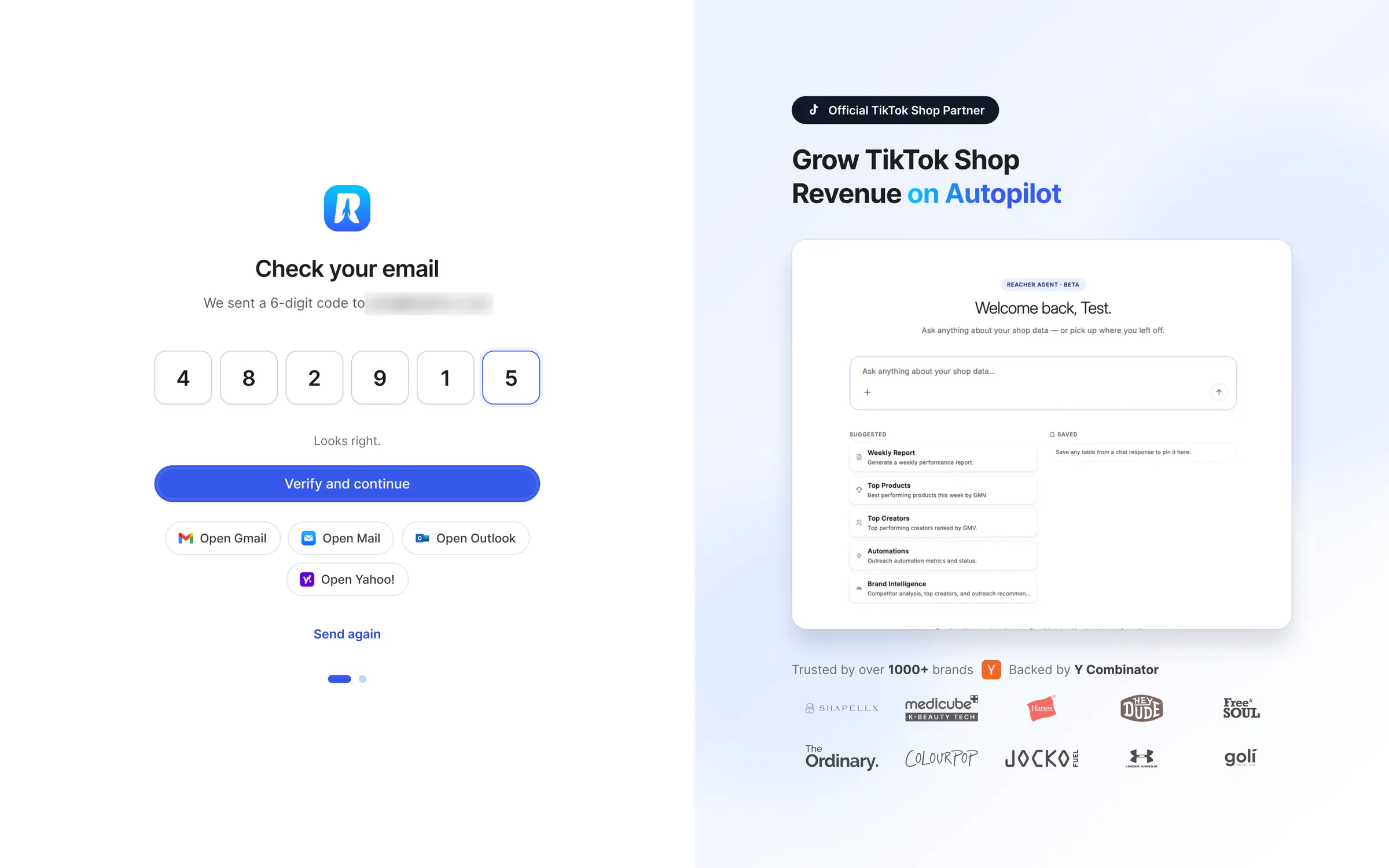
Six-digit code, filled in
All six code boxes are filled, a 'Looks right.' note appears and Verify and continue is enabled. Shortcuts open Gmail, Mail, Outlook or Yahoo!.
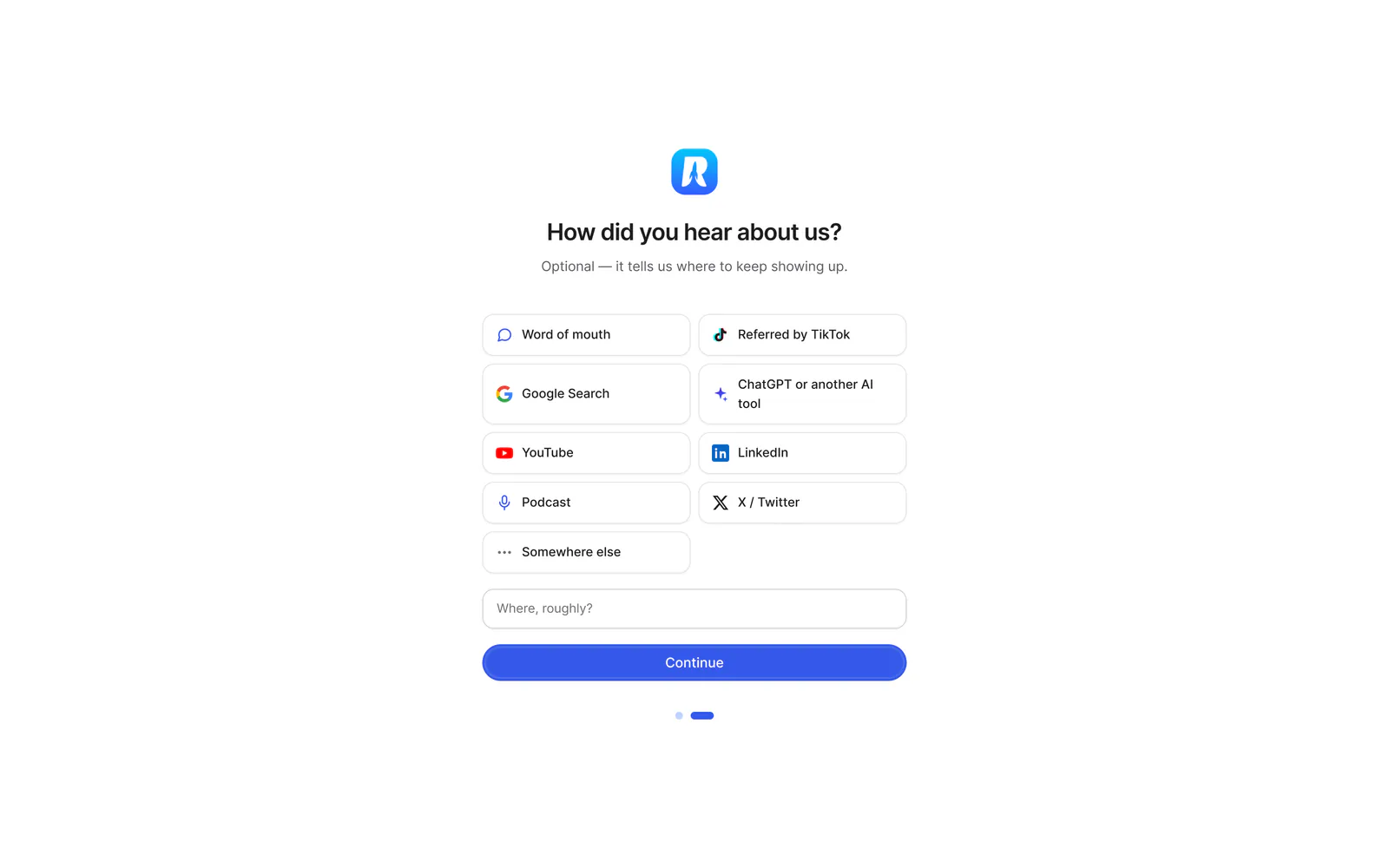
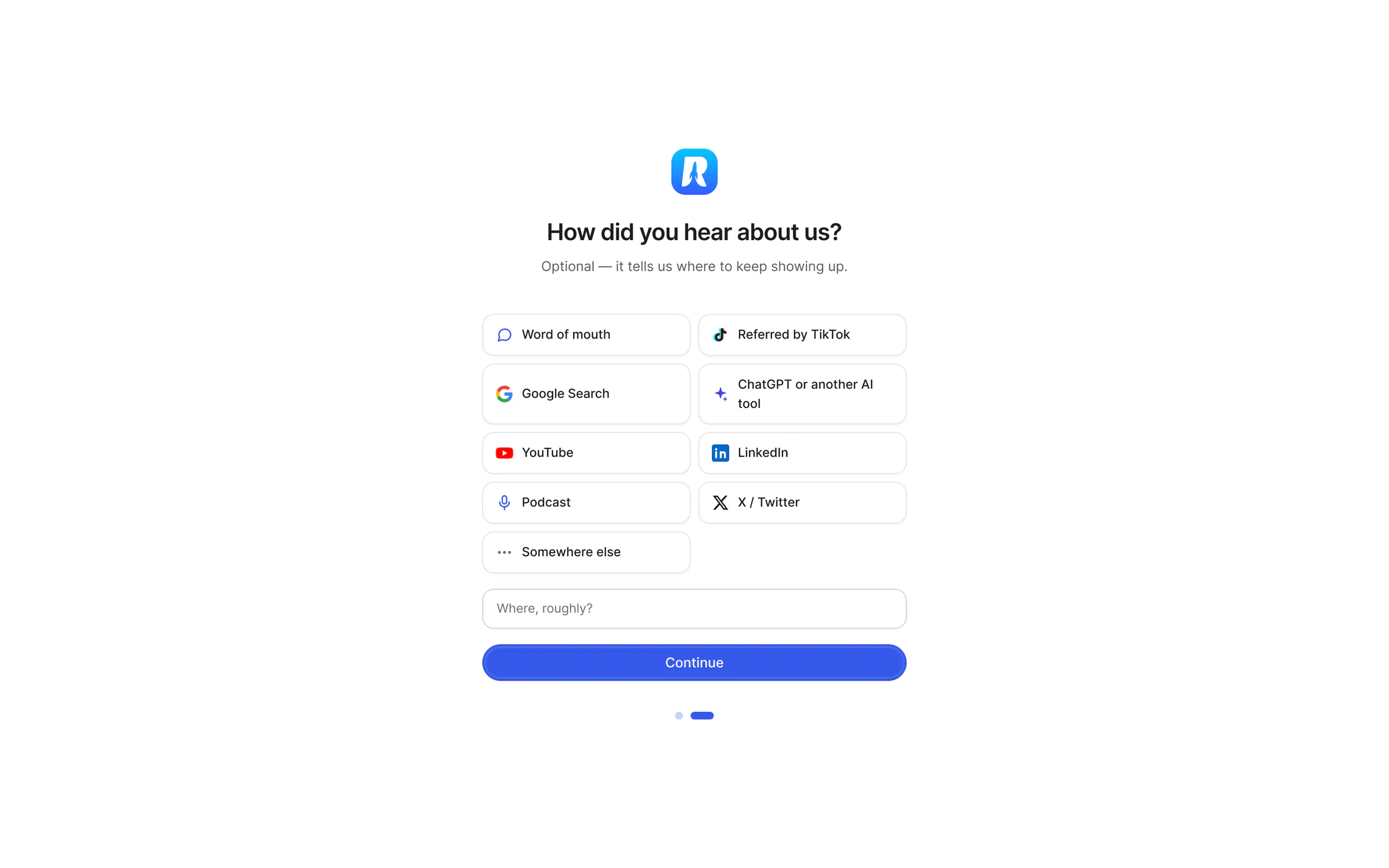
How did you hear about us?
An optional question offers nine source tiles with icons, a free-text field and a Continue button.
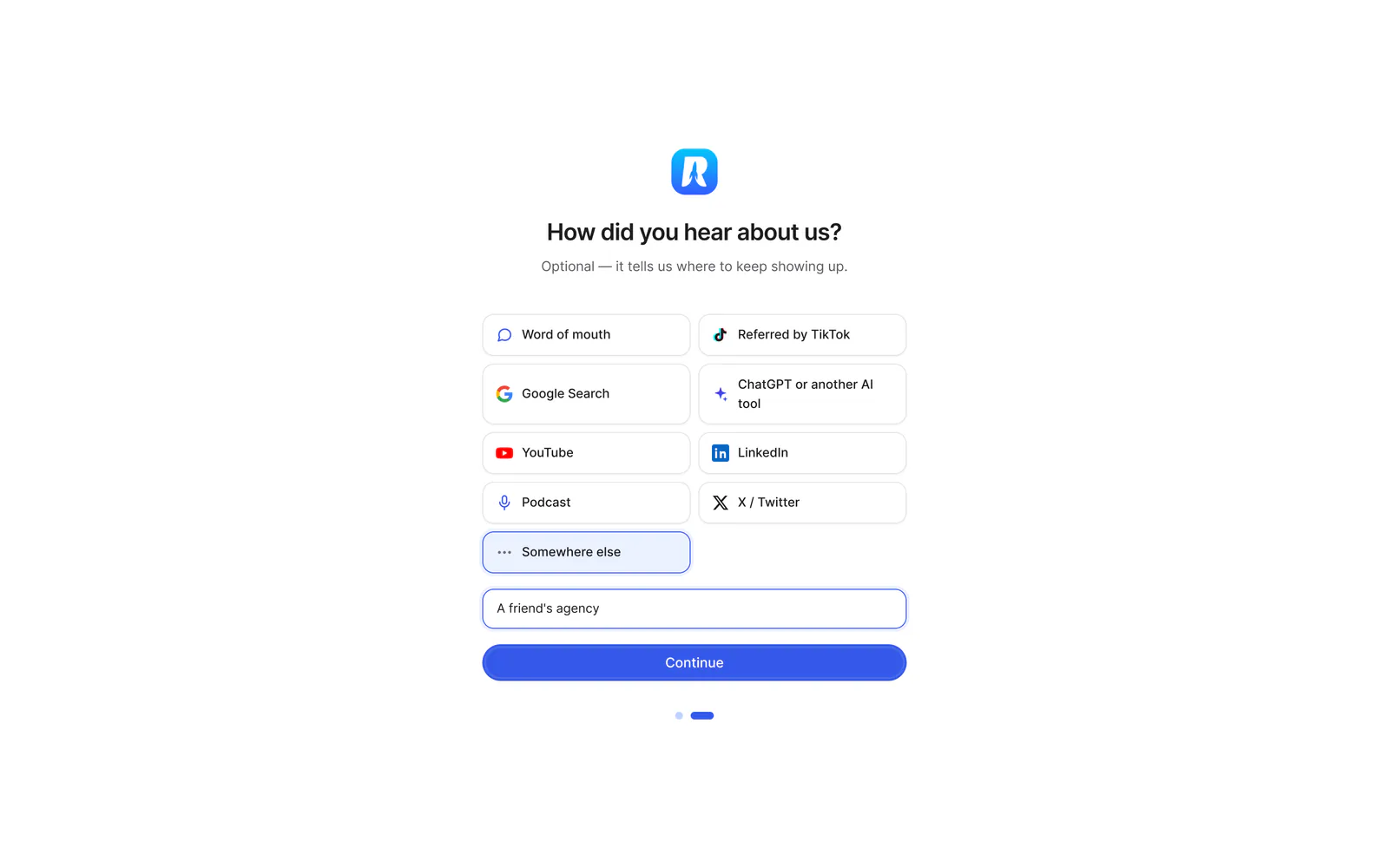
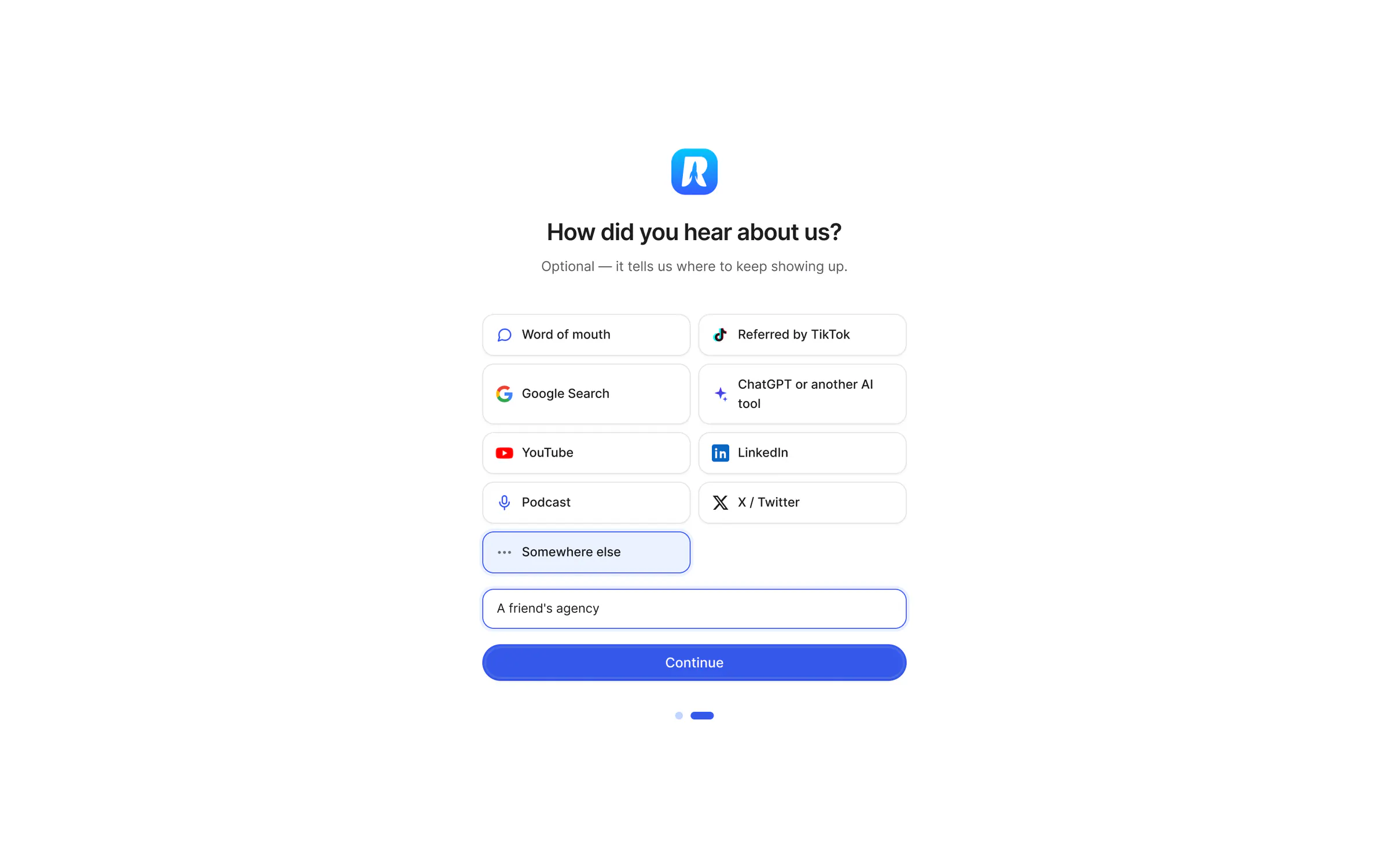
Somewhere else, in their words
Somewhere else is selected and the free-text field below it reads "A friend's agency".
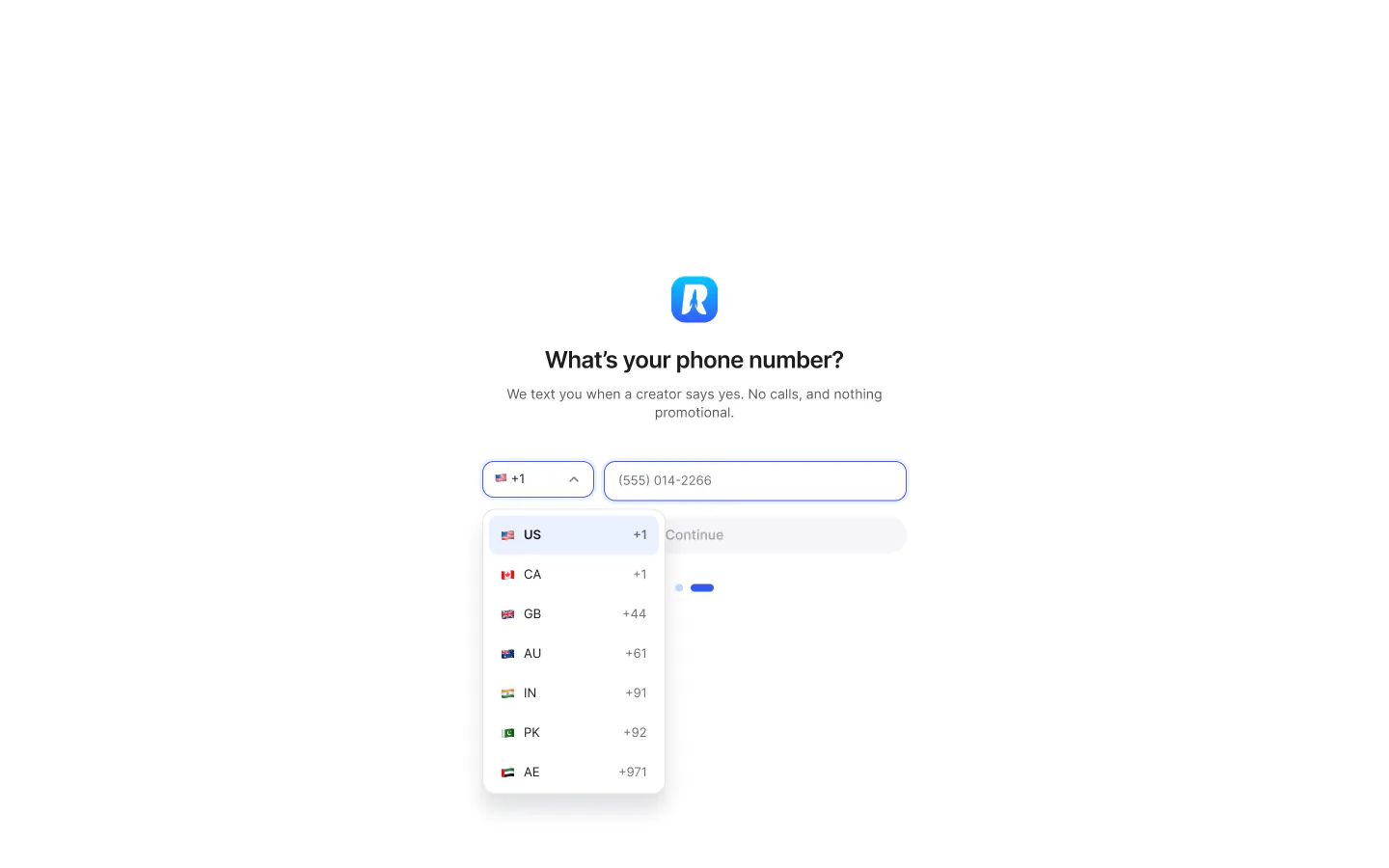
Picking a country code
The country-code menu is open under the +1 selector, listing US, CA, GB, AU, IN, PK and AE with flags and dialling codes.
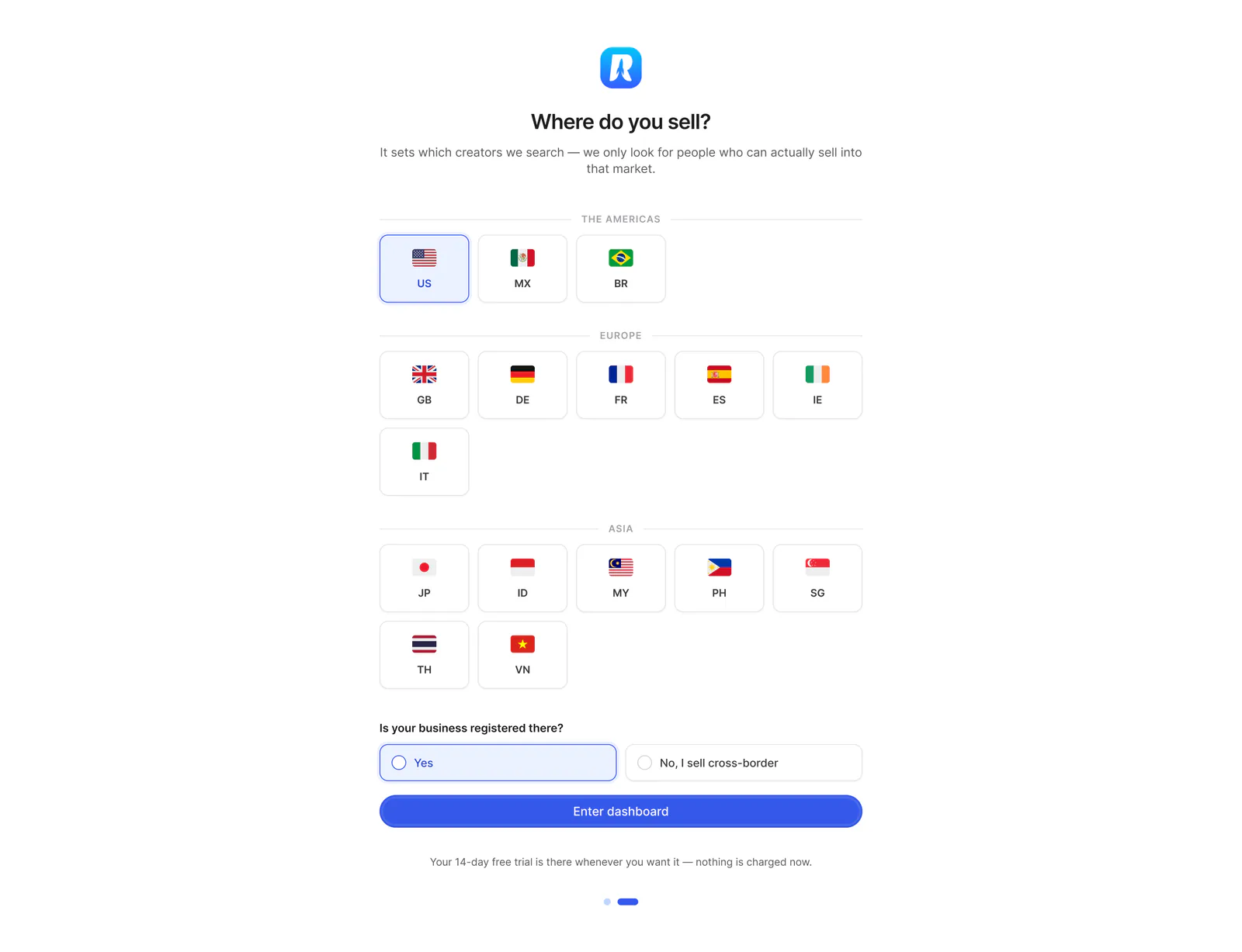
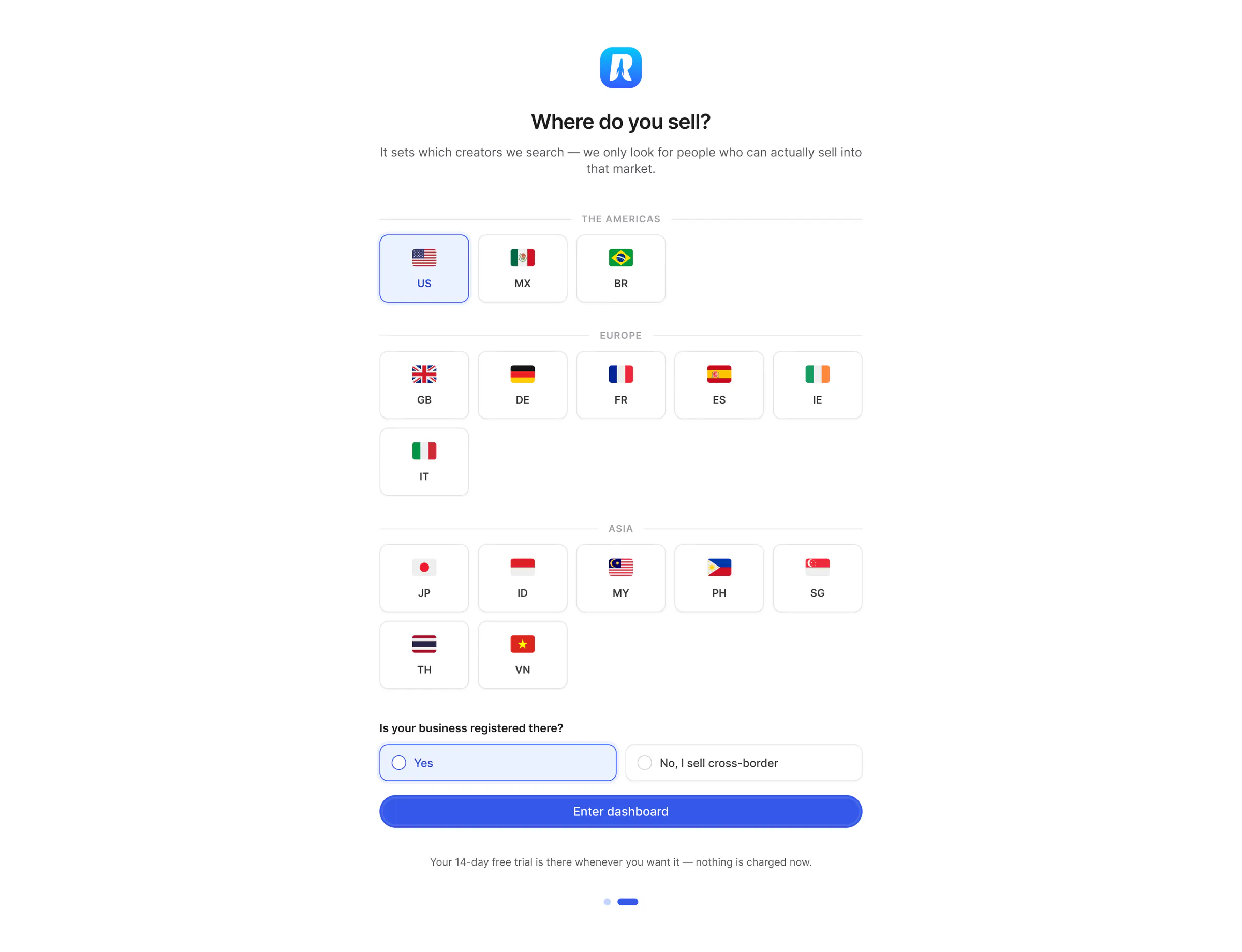
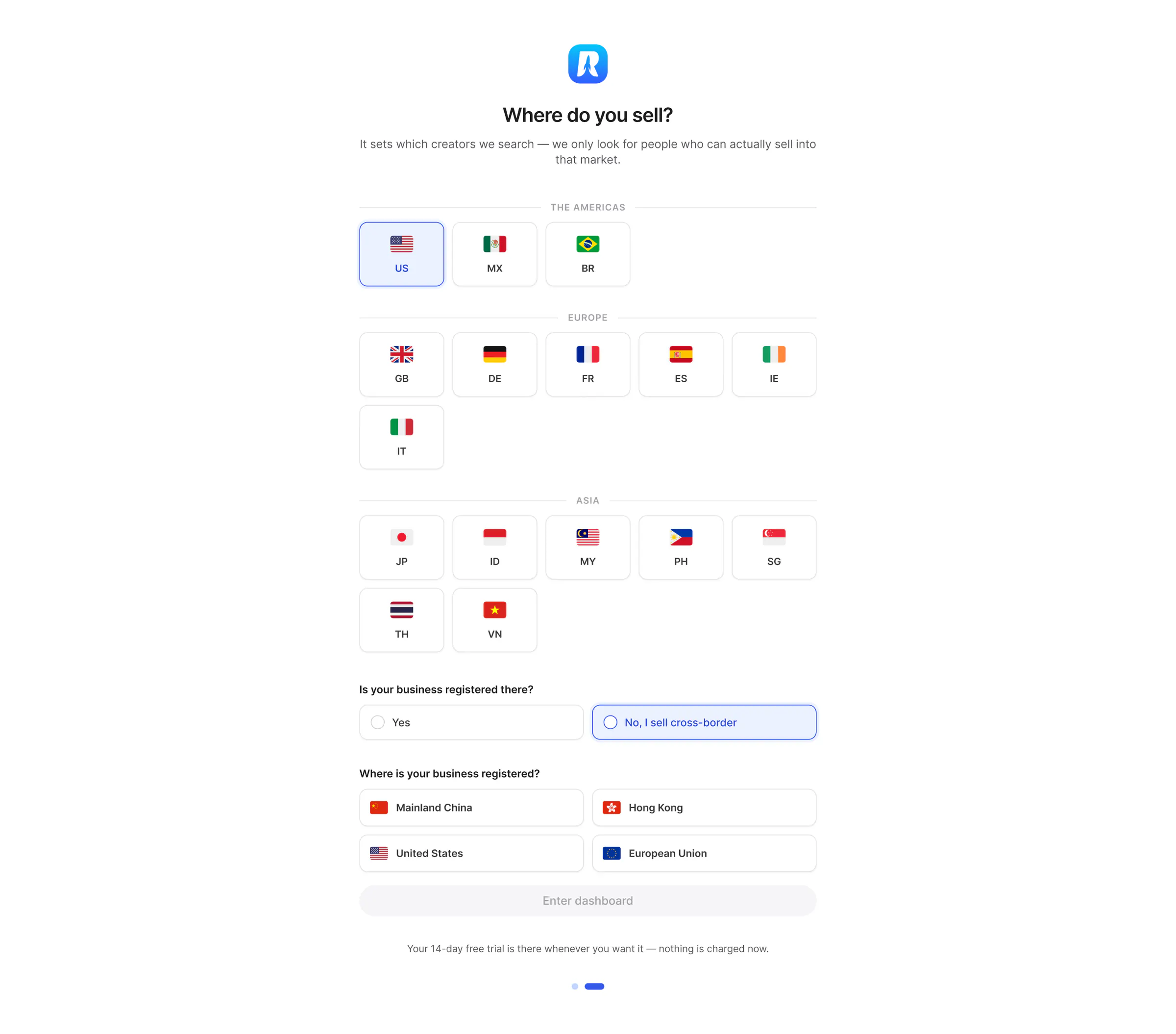
Where do you sell?
Markets appear as flag tiles grouped under The Americas, Europe and Asia, with US selected. Below, a yes/no question asks whether the business is registered there, above an Enter dashboard button.
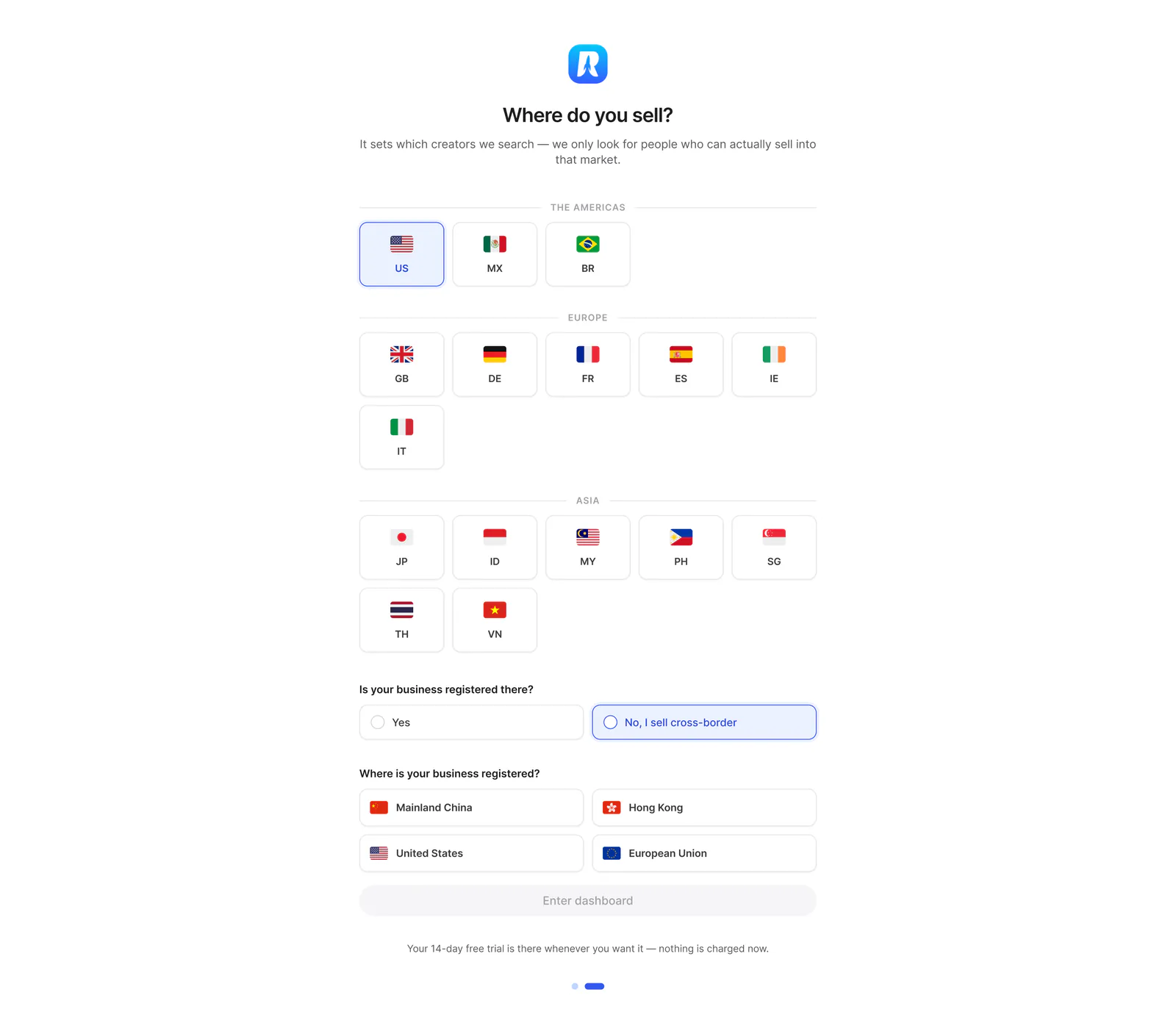
Selling cross-border
With 'No, I sell cross-border' chosen, a second question lists Mainland China, Hong Kong, United States and European Union, and Enter dashboard is greyed out.
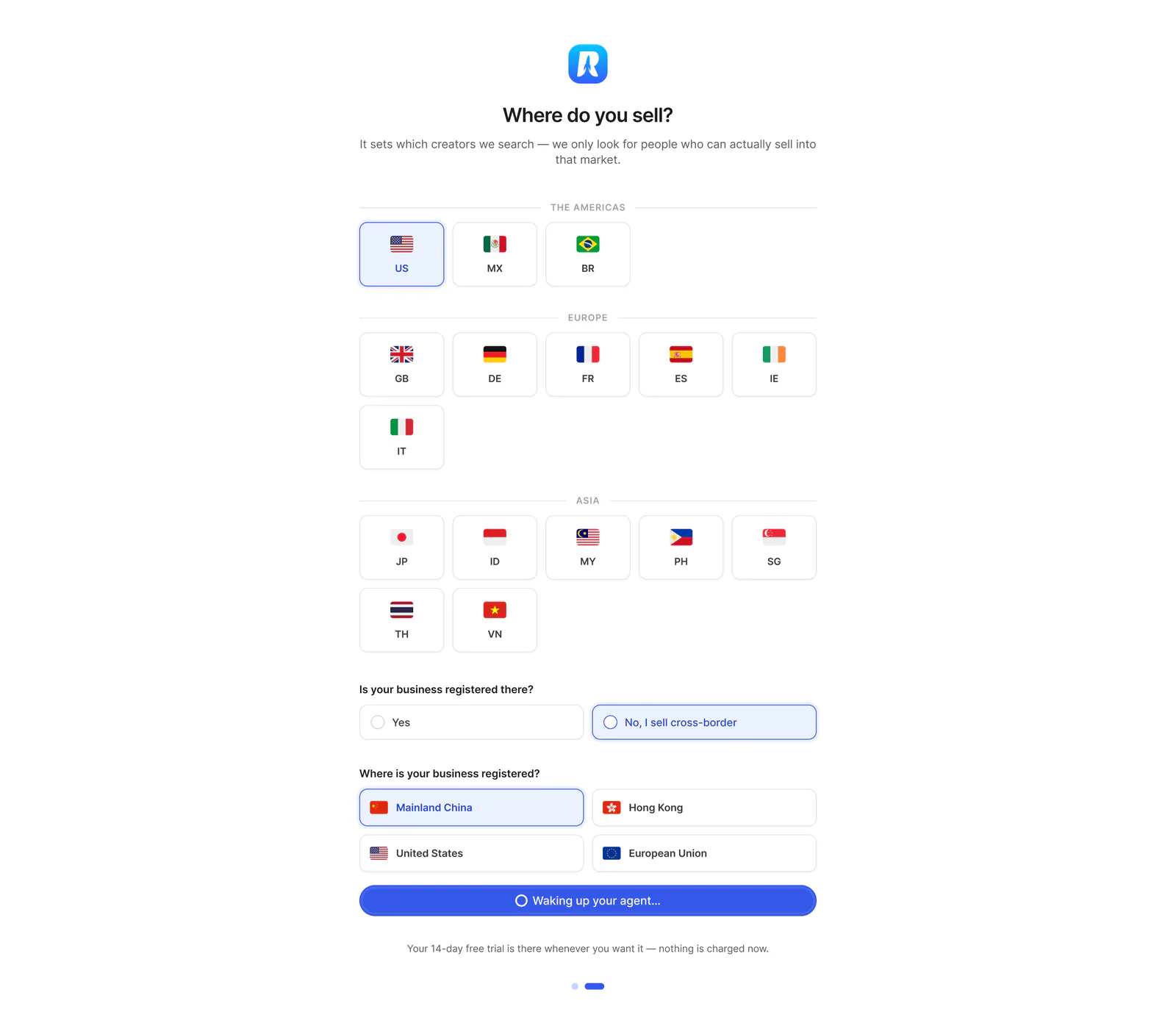
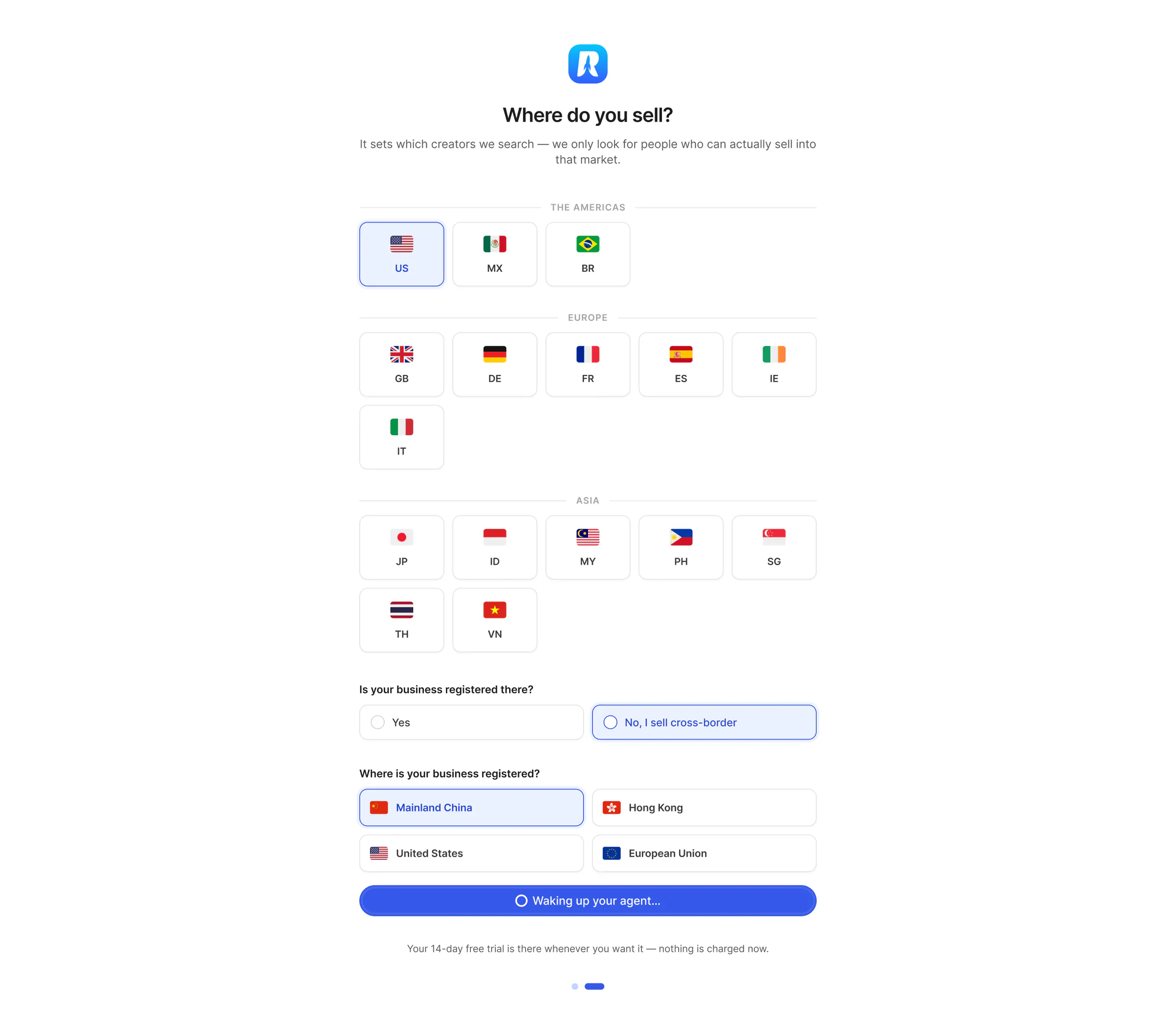
Waking up the agent
Mainland China is selected and the button now shows a spinner with 'Waking up your agent…'.

Finding the shop
The agent reads the sign-up email and finds the shop: a brand's own shop, an agency's client shops, or a search when the email says nothing. A wrong pick gets a warning.
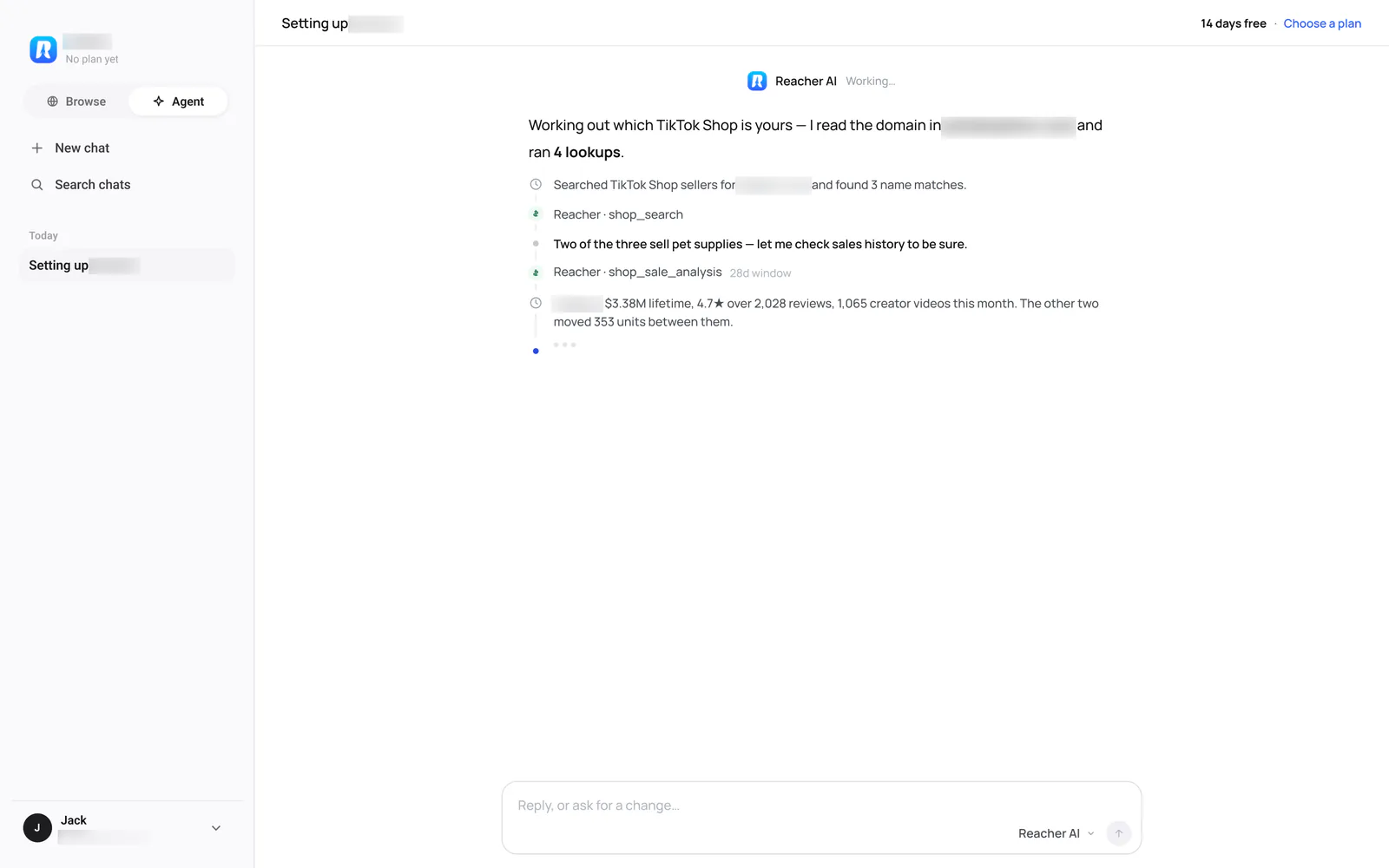
Agent works out the shop
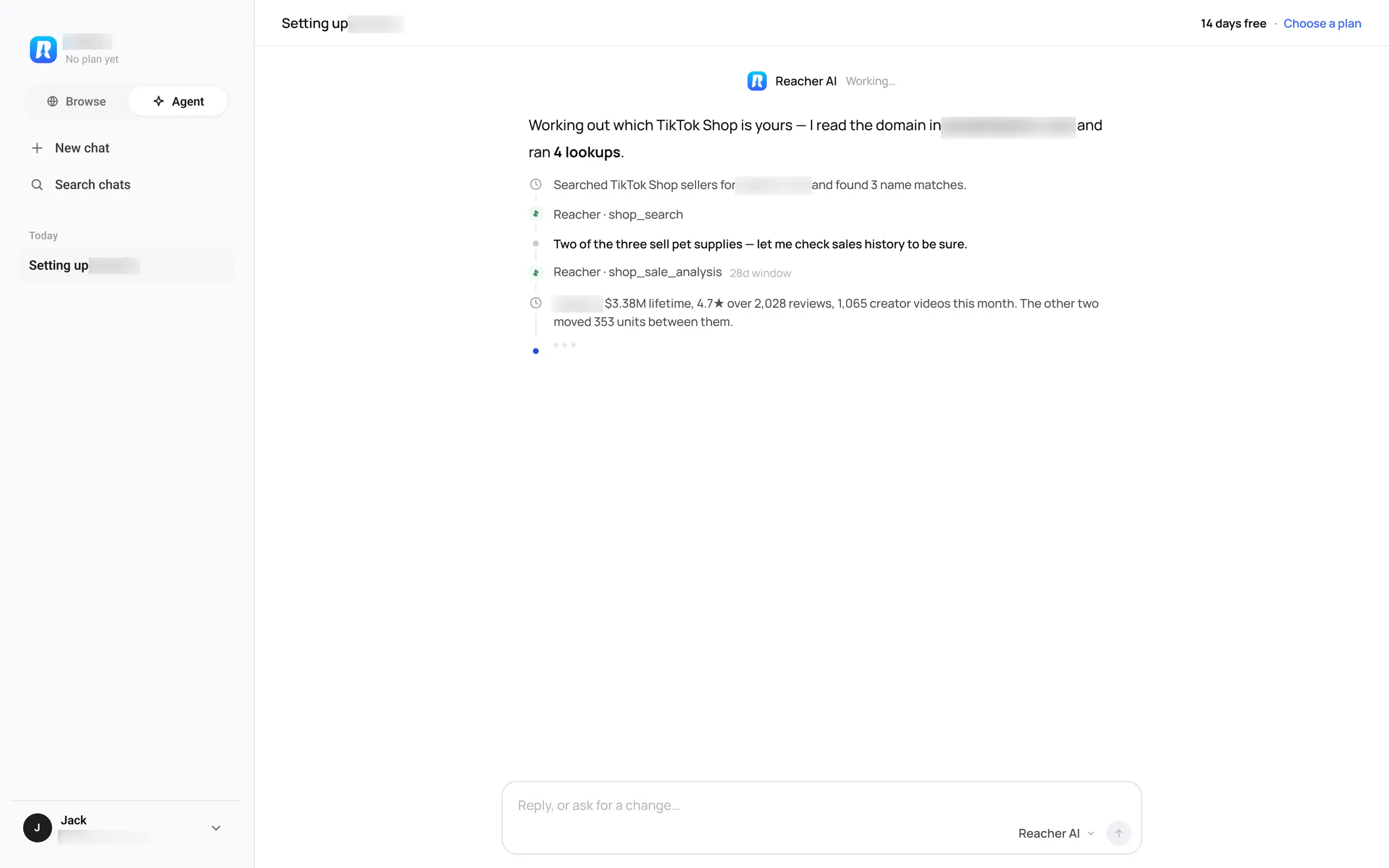
Reacher AI is still working: it read the domain in the sign-up email and ran shop lookups. The trace lists a shop search, a note that two of three matches sell pet supplies, and a sales check.
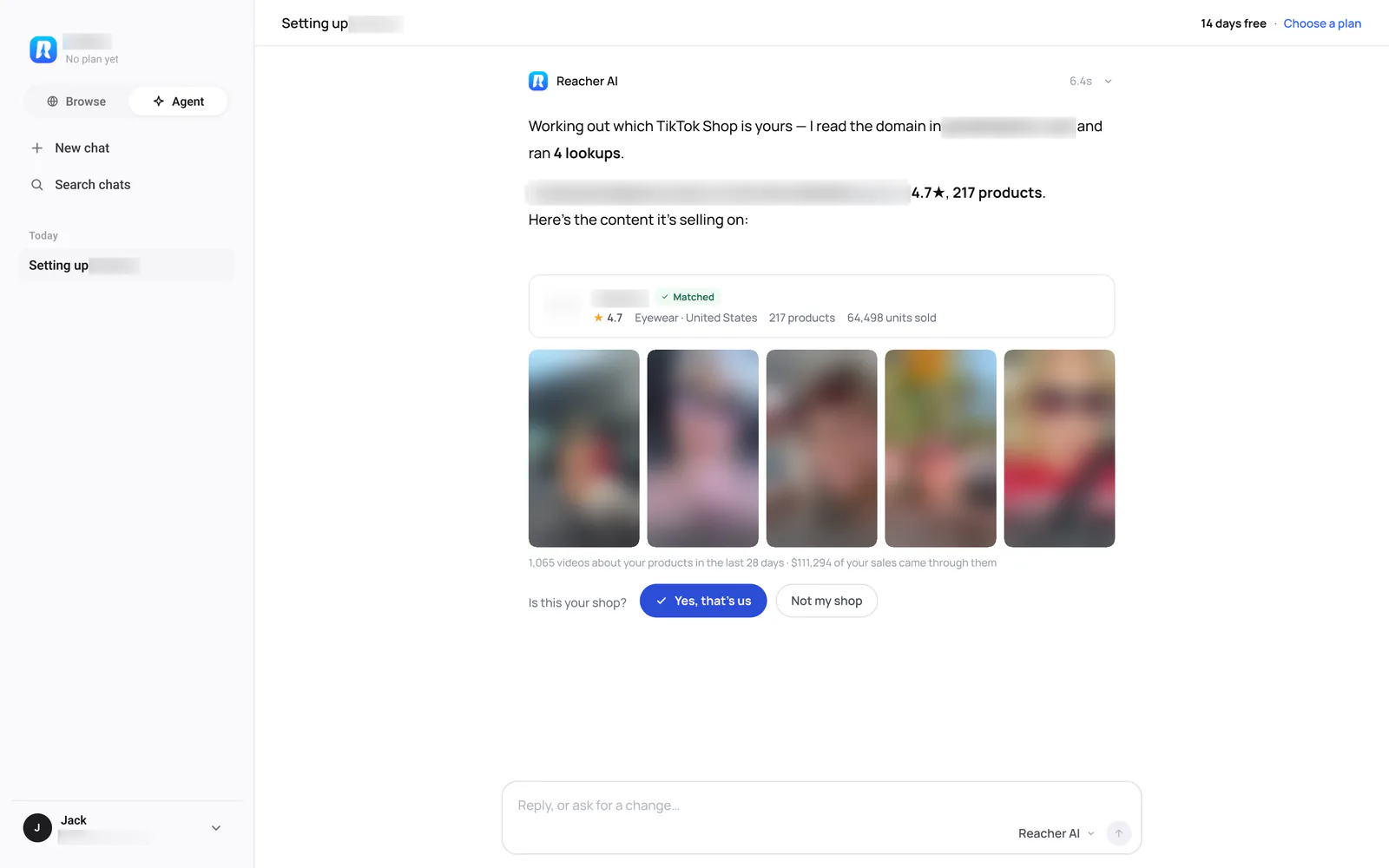
Shop matched from the email
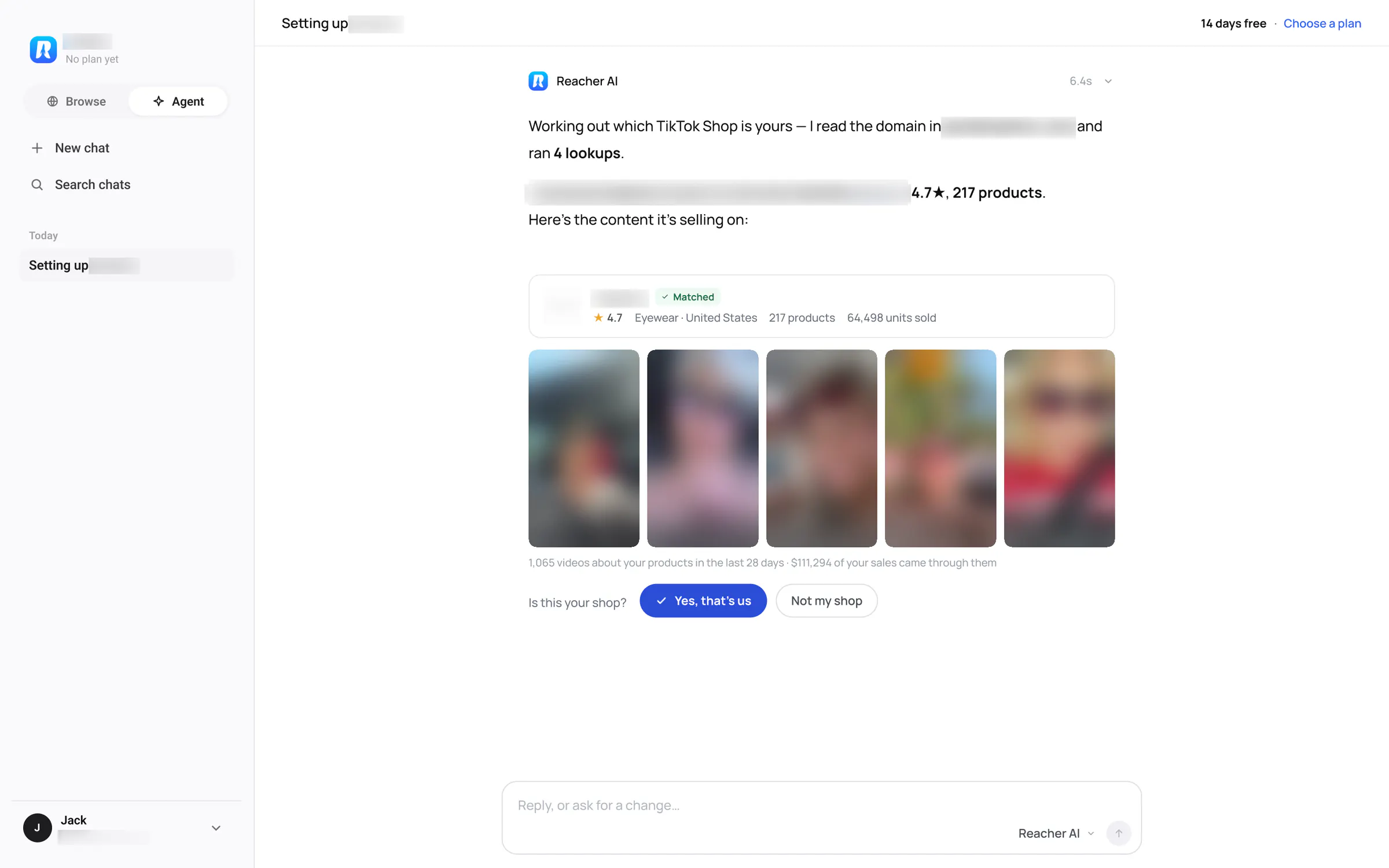
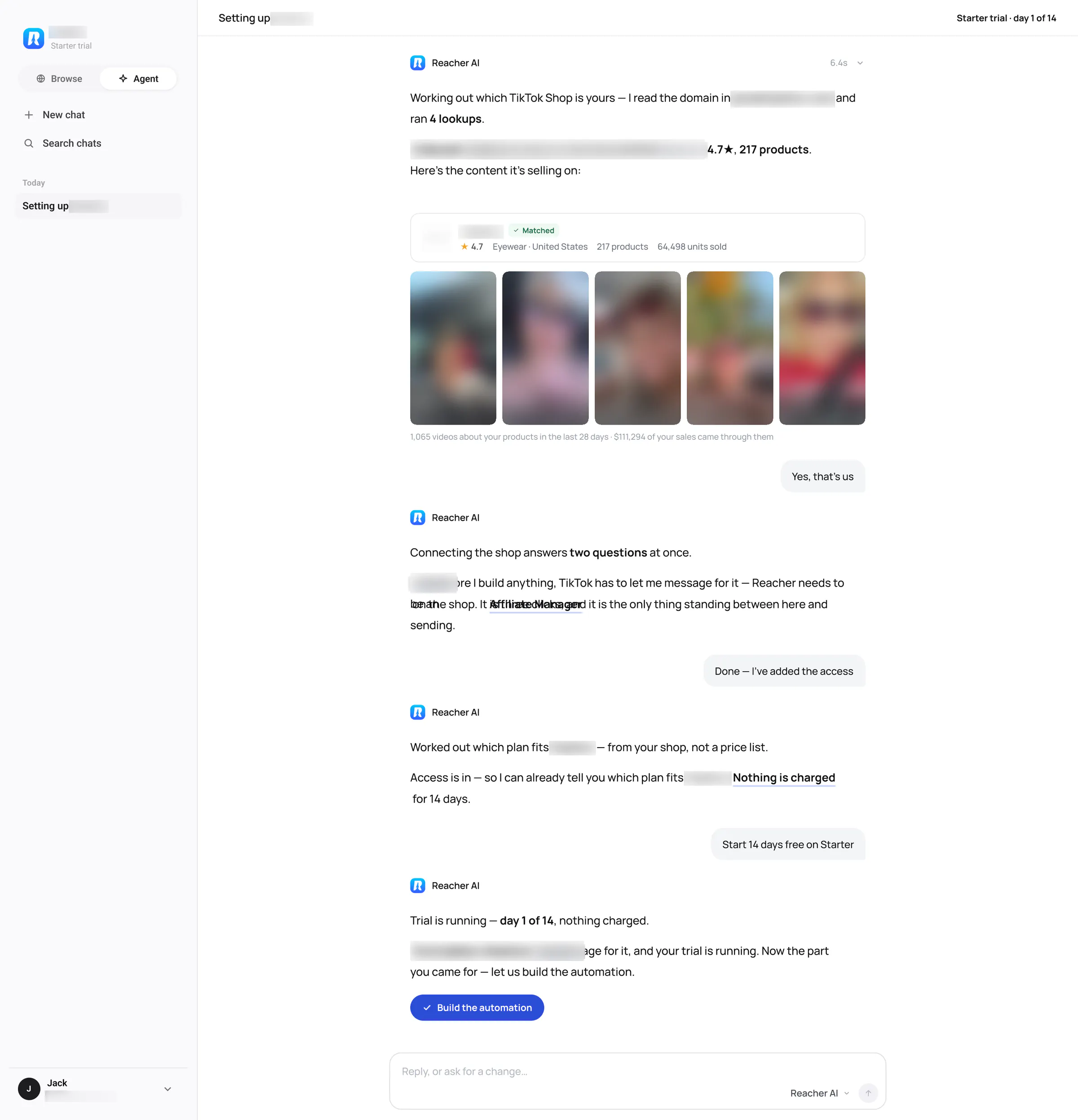
The agent shows the shop it matched, with rating, category, product count and units sold, a row of creator videos, and asks 'Is this your shop?' with Yes, that's us and Not my shop buttons.
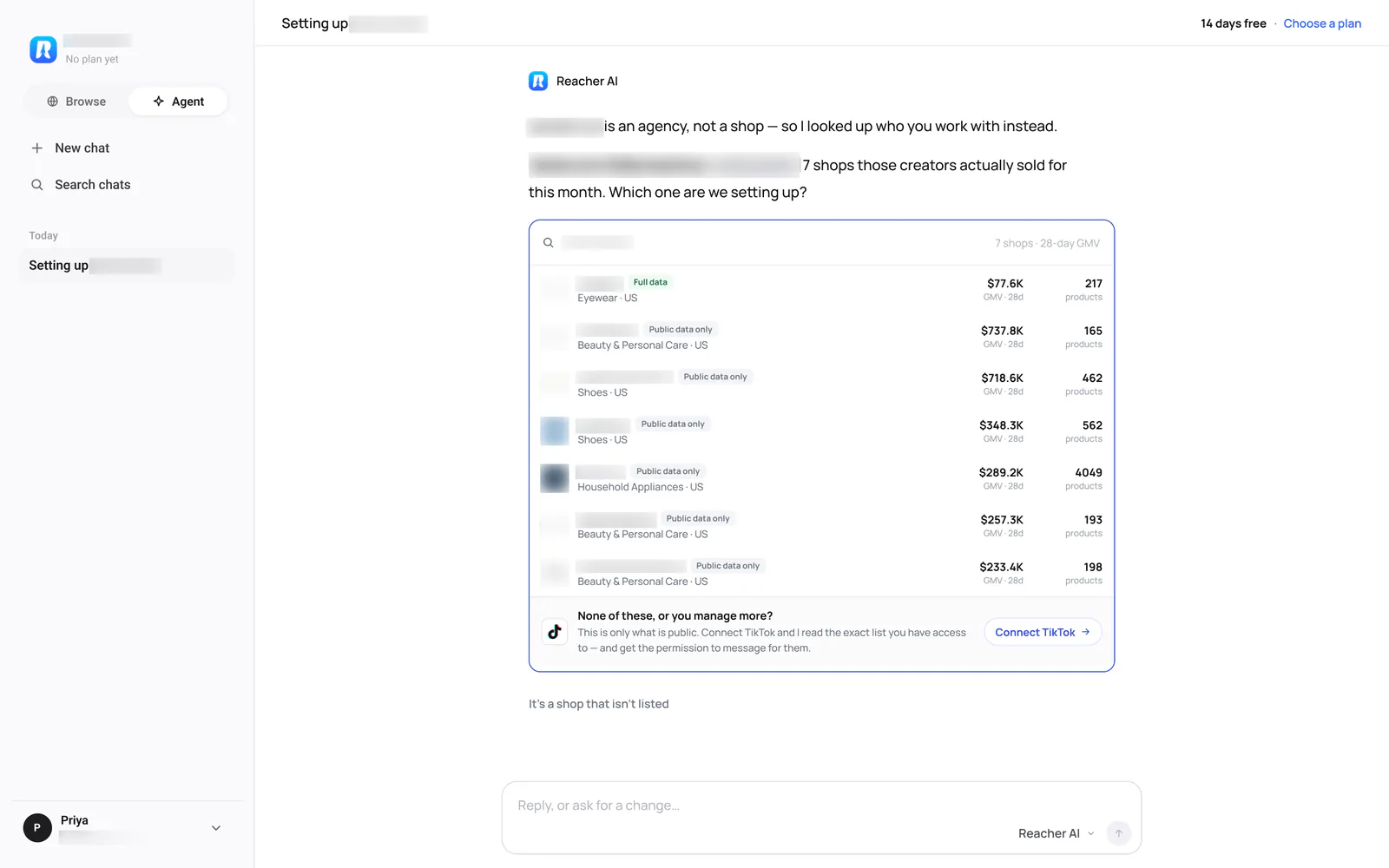
Agency sees its client shops
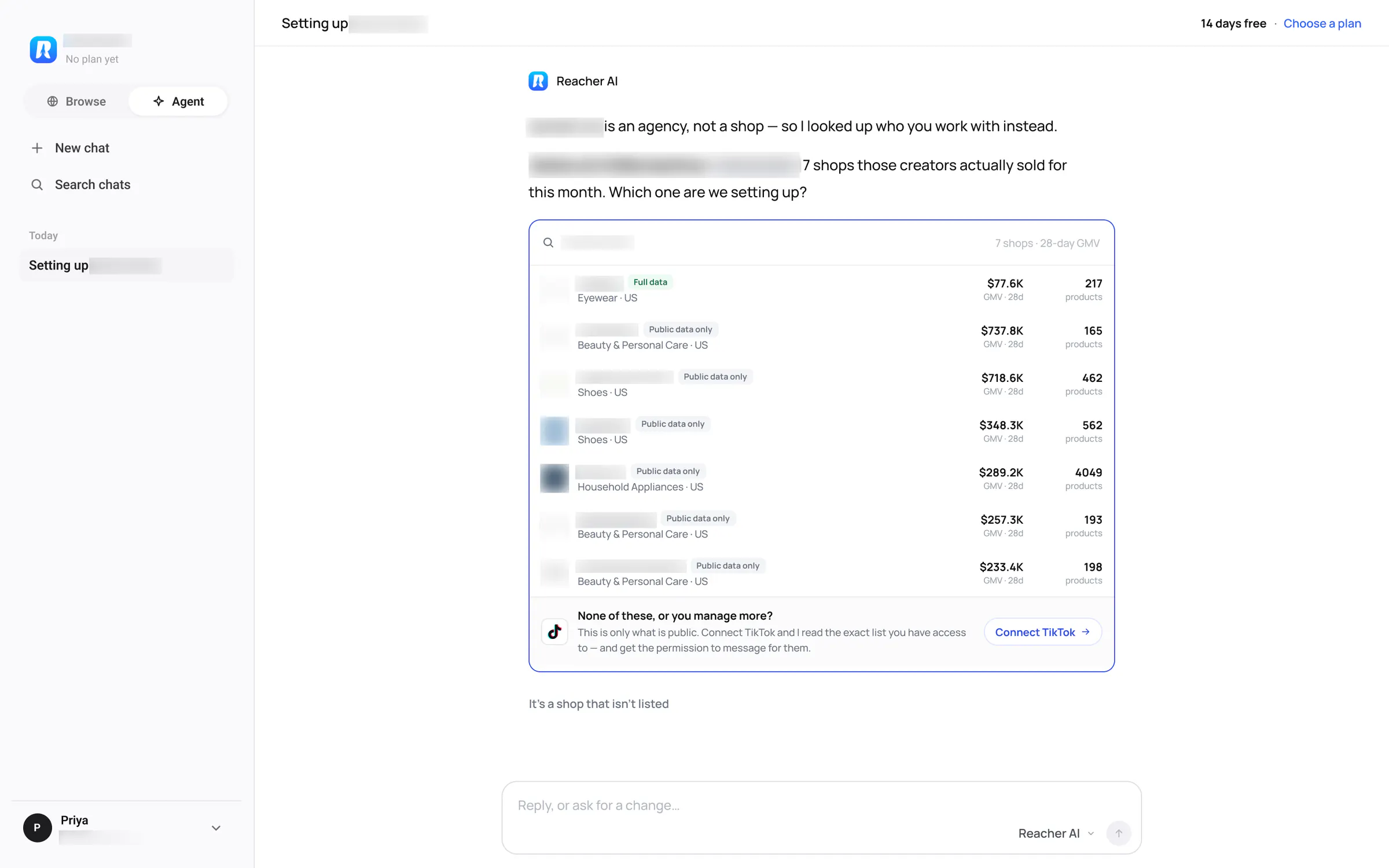
For an agency email the agent explains it is an agency, not a shop, and lists seven shops with category, 28-day GMV and product count, flagging which have full data and which only public data.
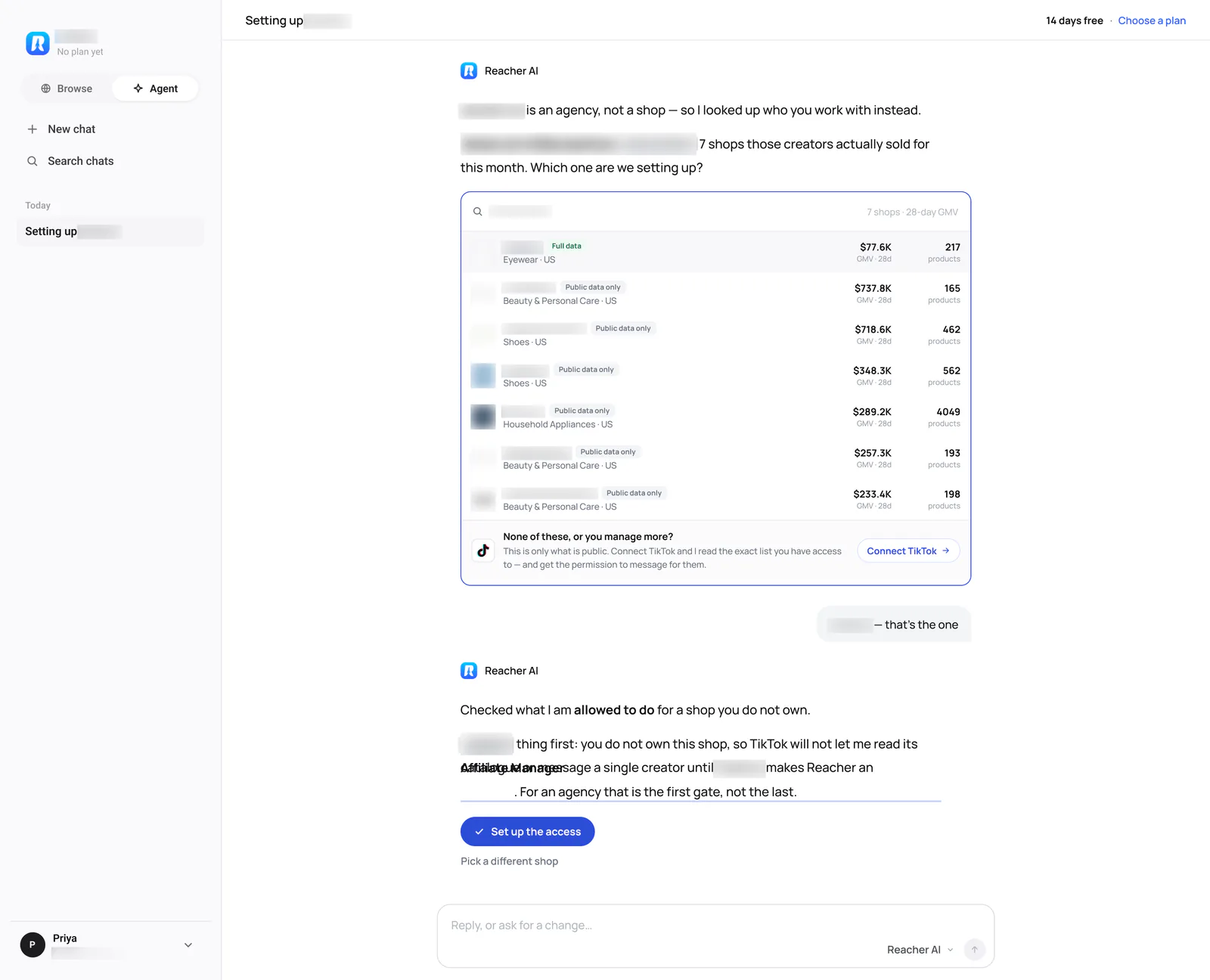
Access gate for a client shop
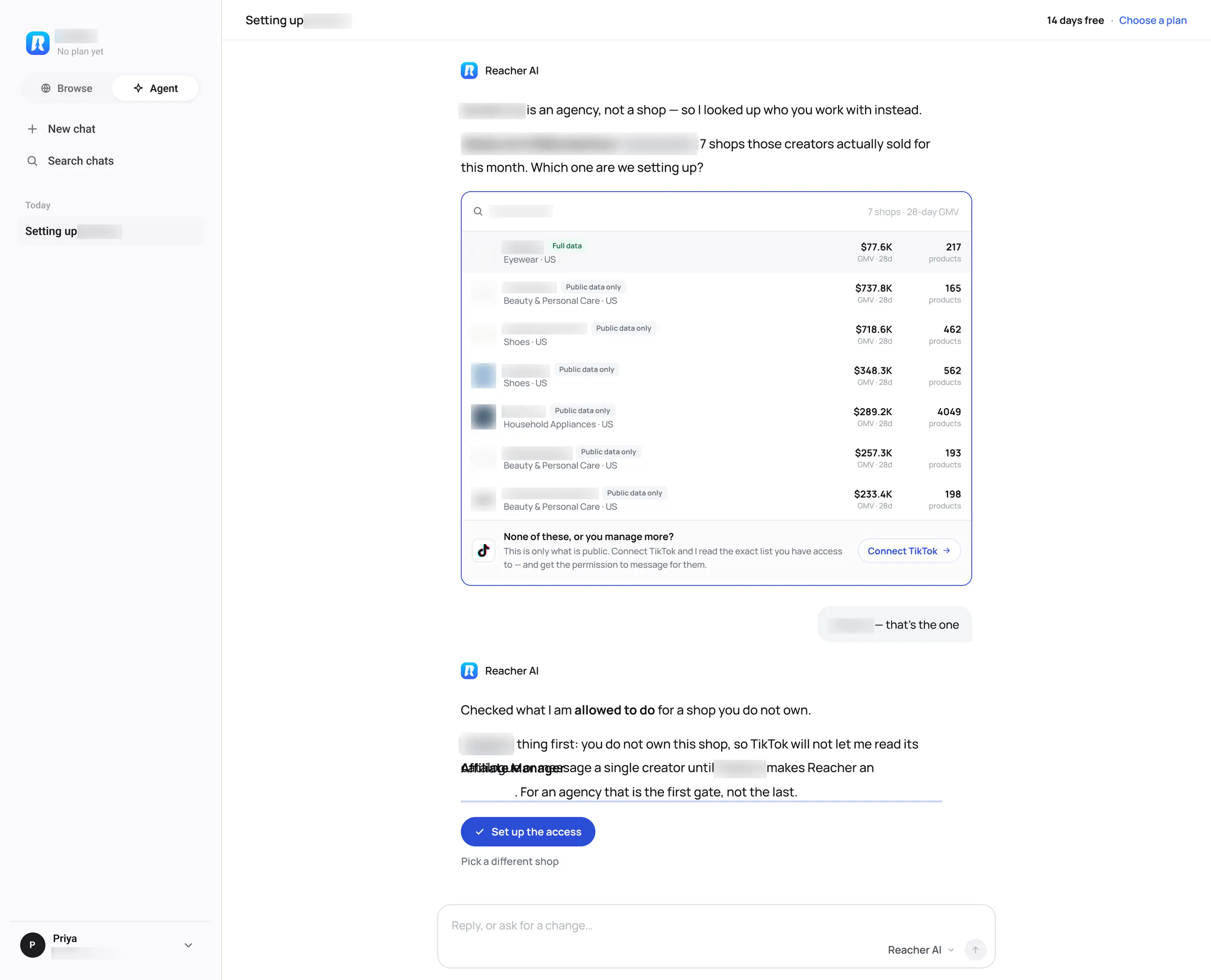
After the agency picks a shop, the agent says it checked what it is allowed to do for a shop the user does not own, and offers Set up the access or Pick a different shop.
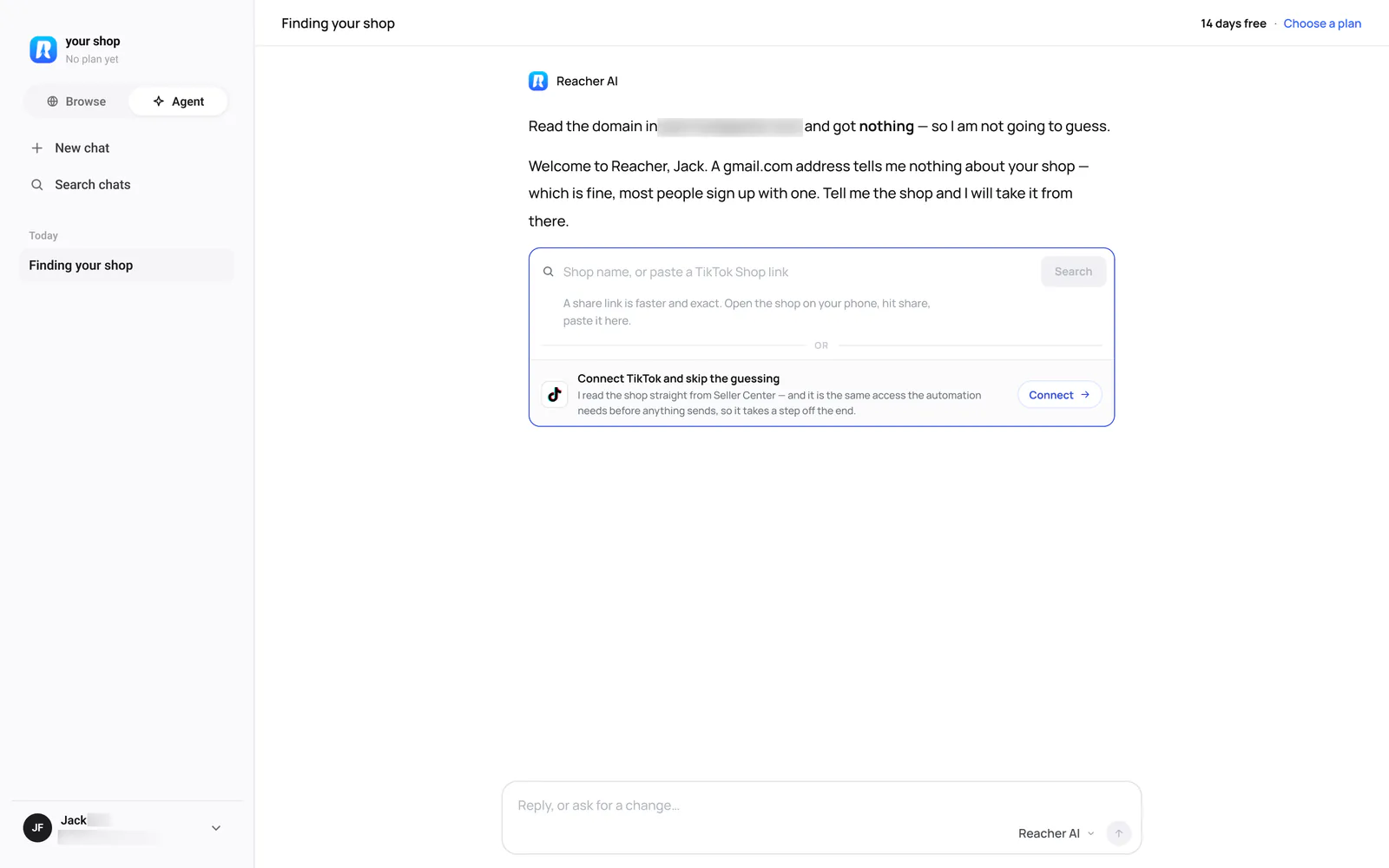
Personal email, no shop signal
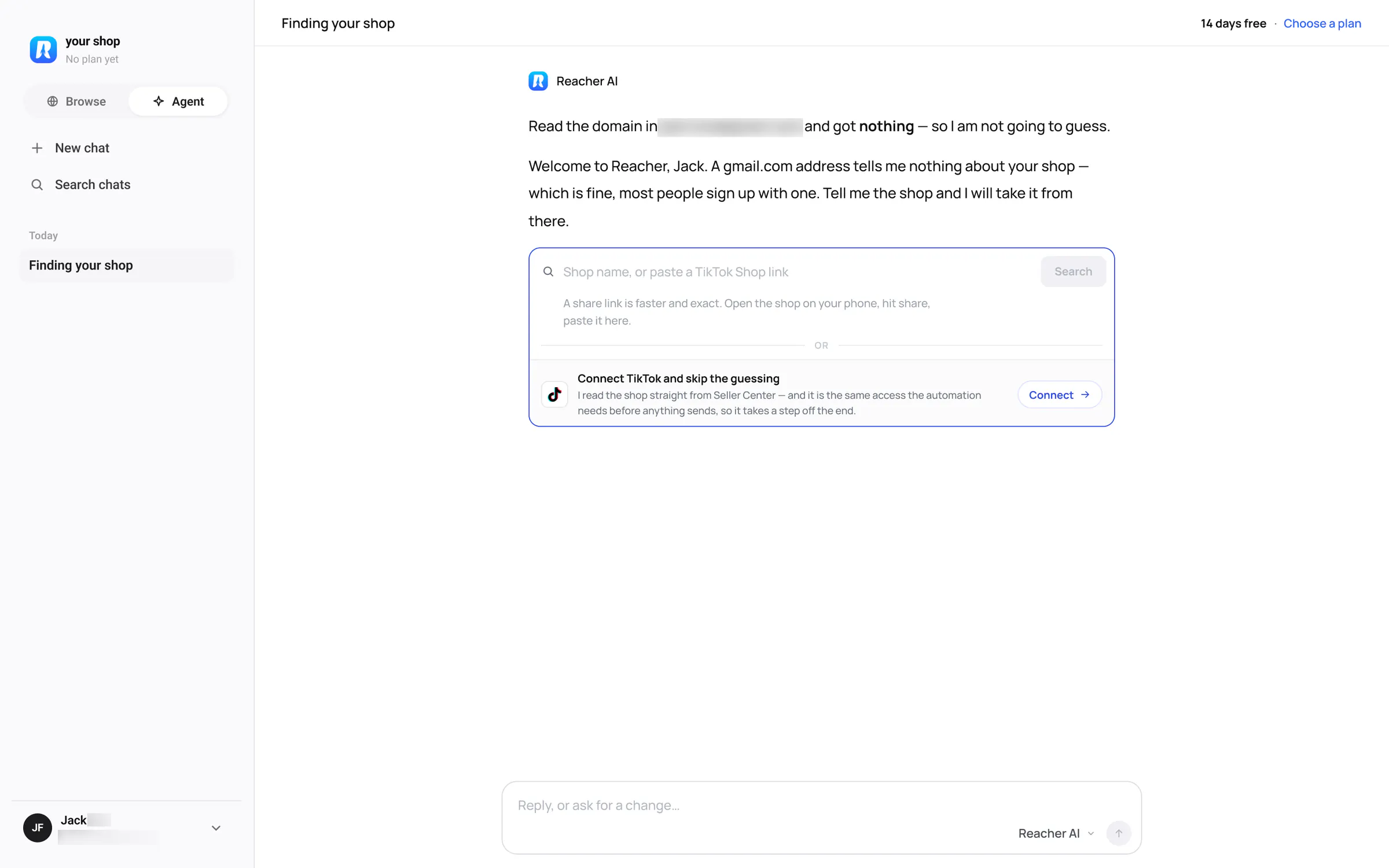
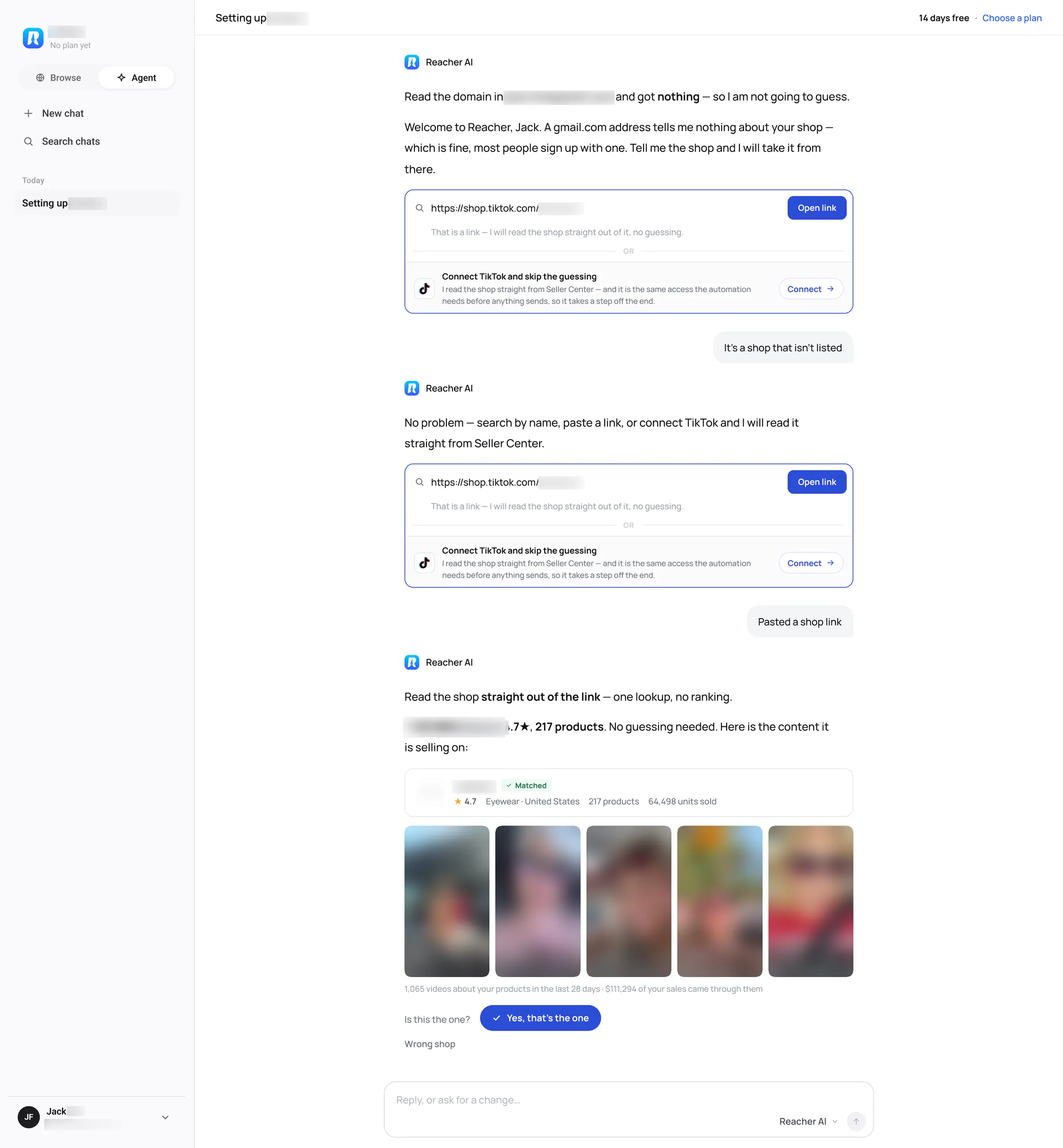
With a gmail address the agent says the domain tells it nothing about the shop and offers a search box for a shop name or TikTok Shop link, or Connect TikTok instead.
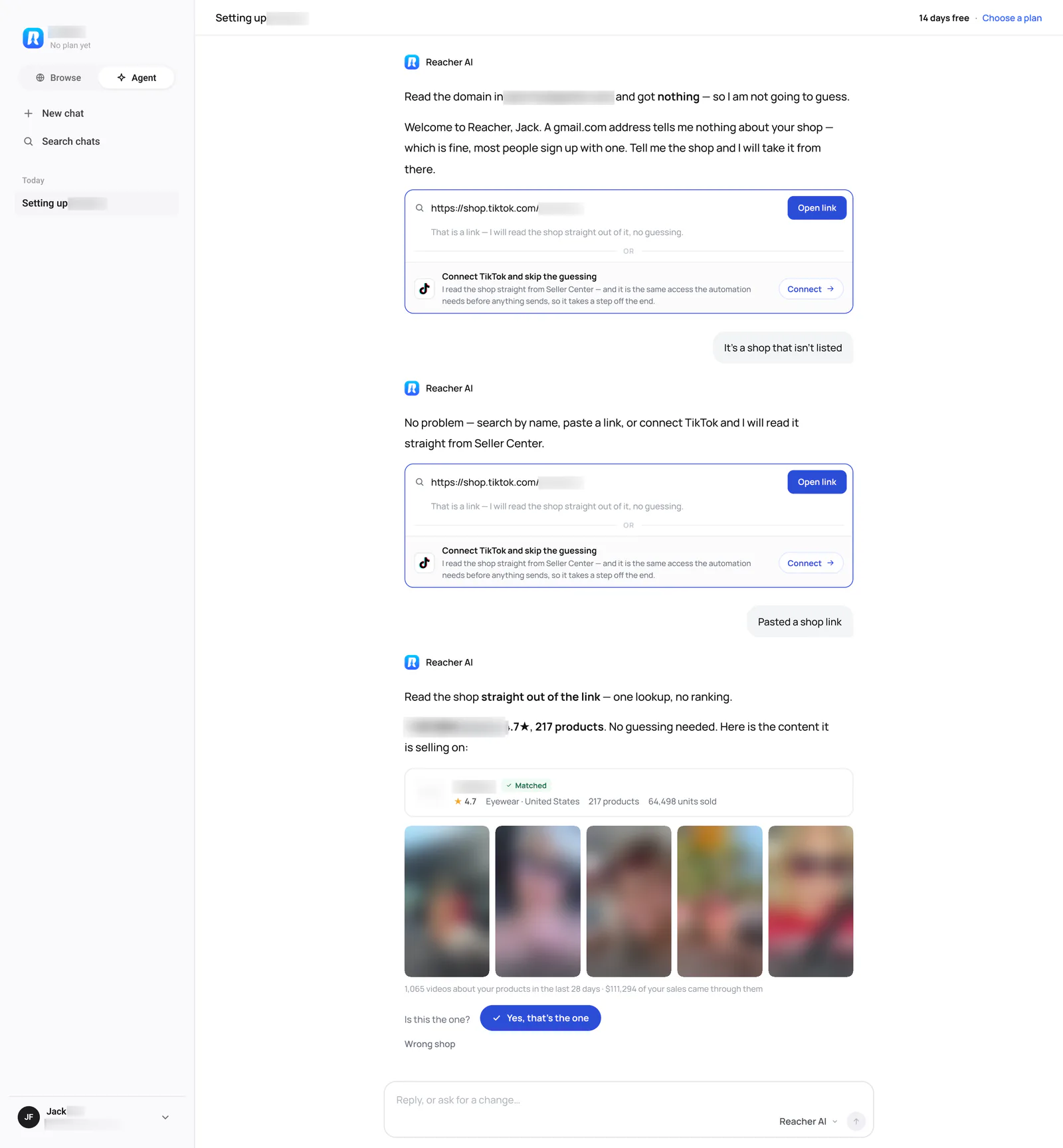
Link resolved to the shop
The agent reads the shop straight out of the link in one lookup and shows the matched shop card and creator videos, asking 'Is this the one?'.
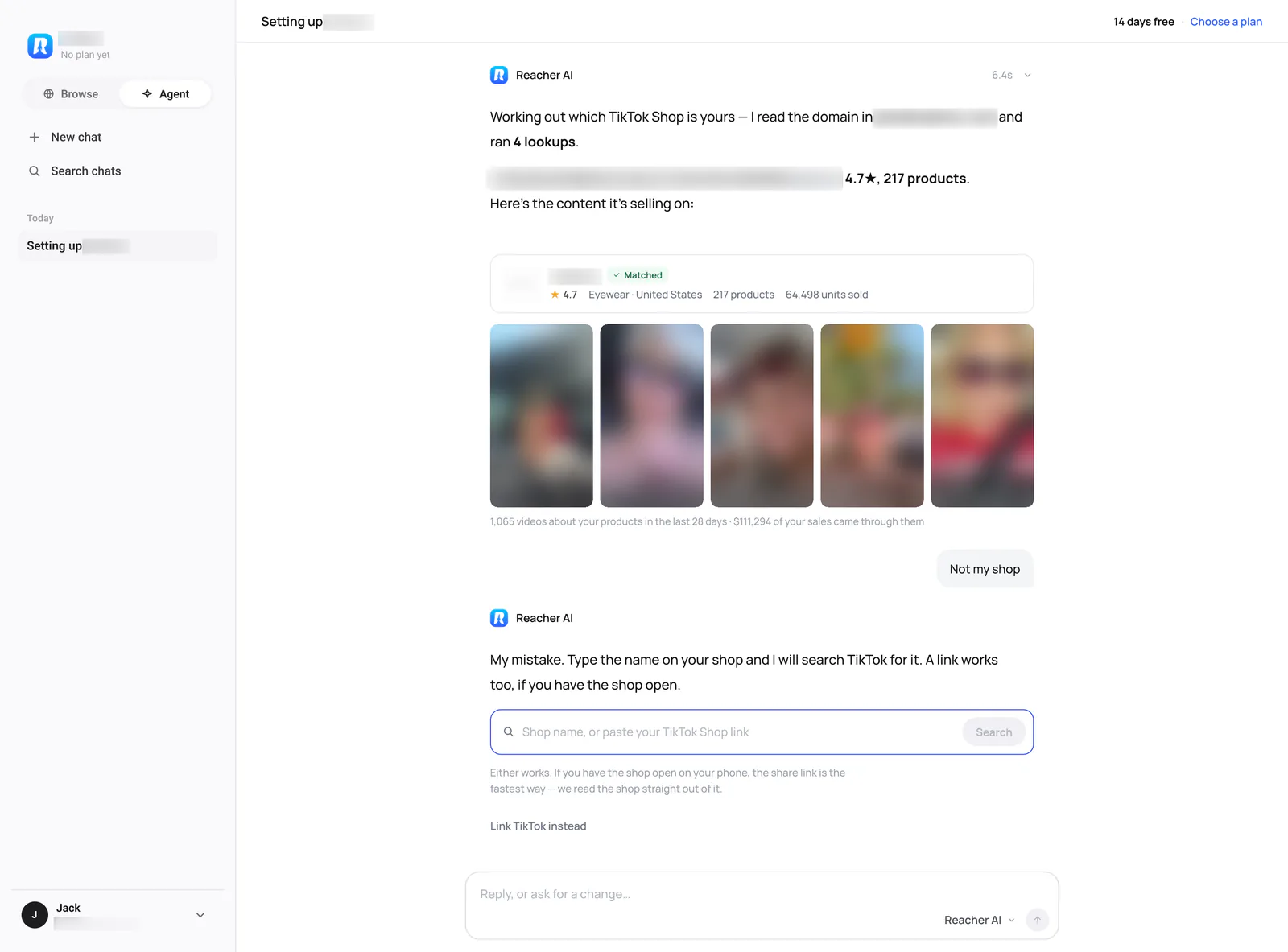
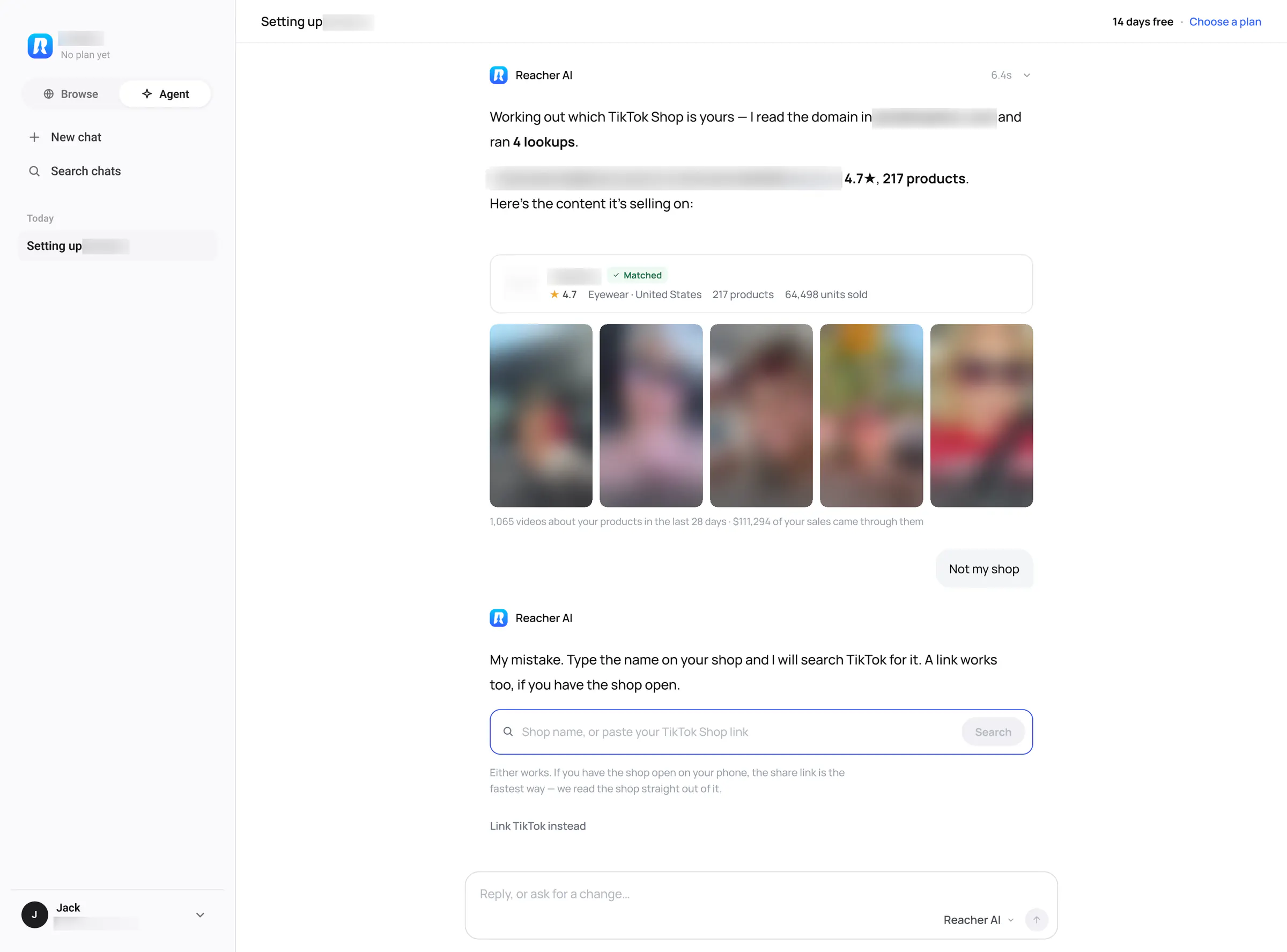
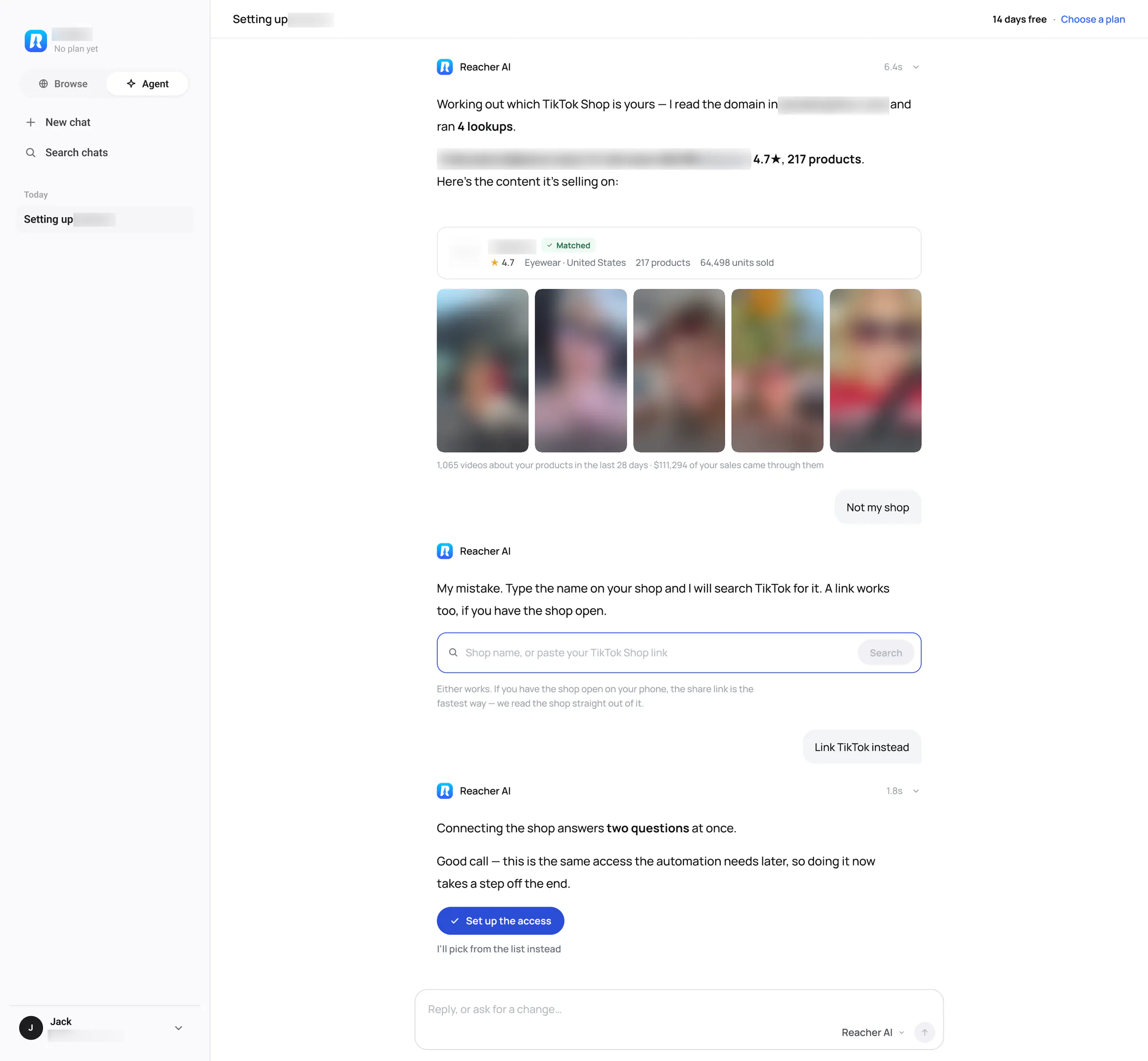
Not my shop: search instead
After 'Not my shop' the agent apologises and shows a single search field for the shop name or link, with a Link TikTok instead option.
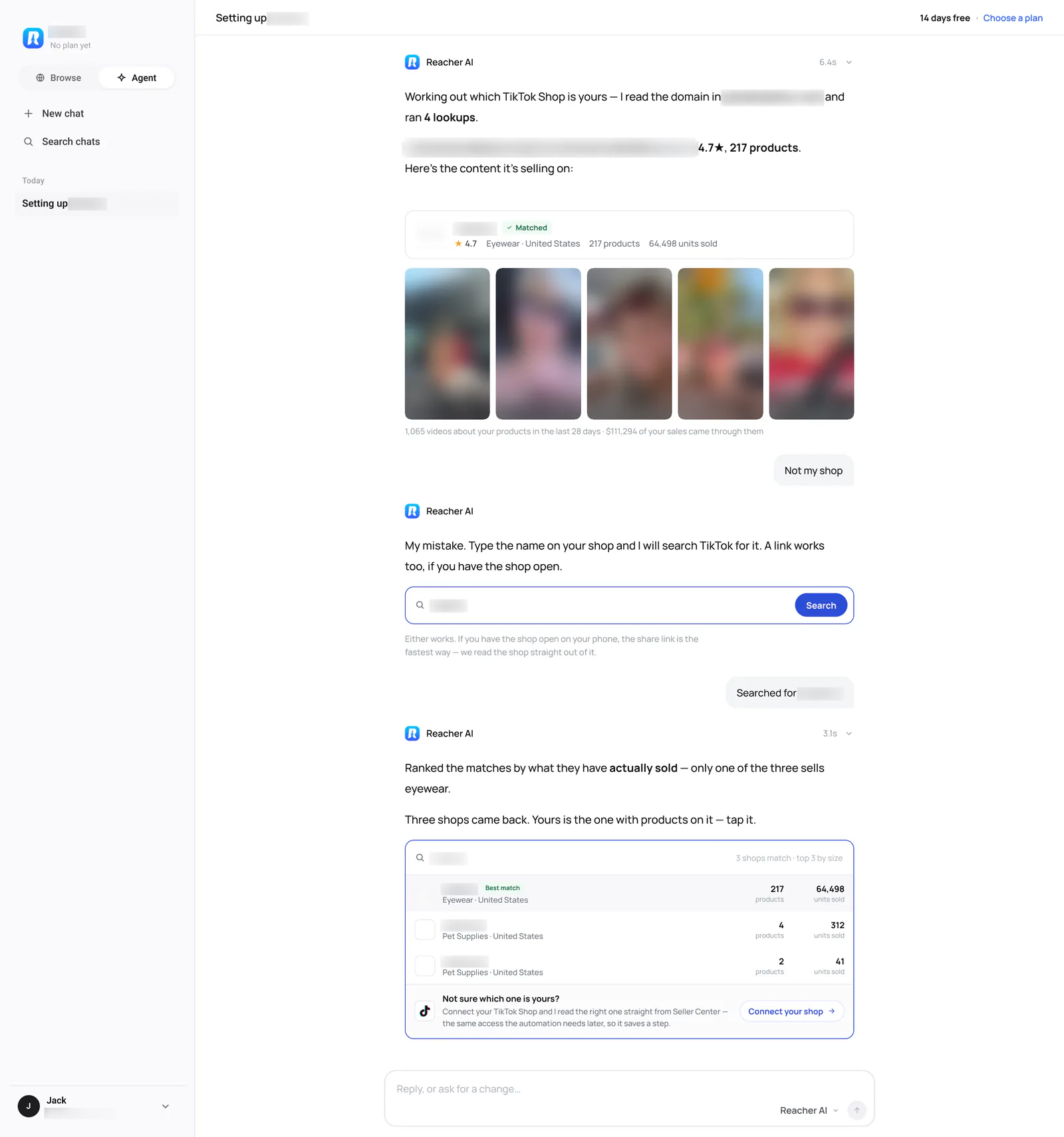
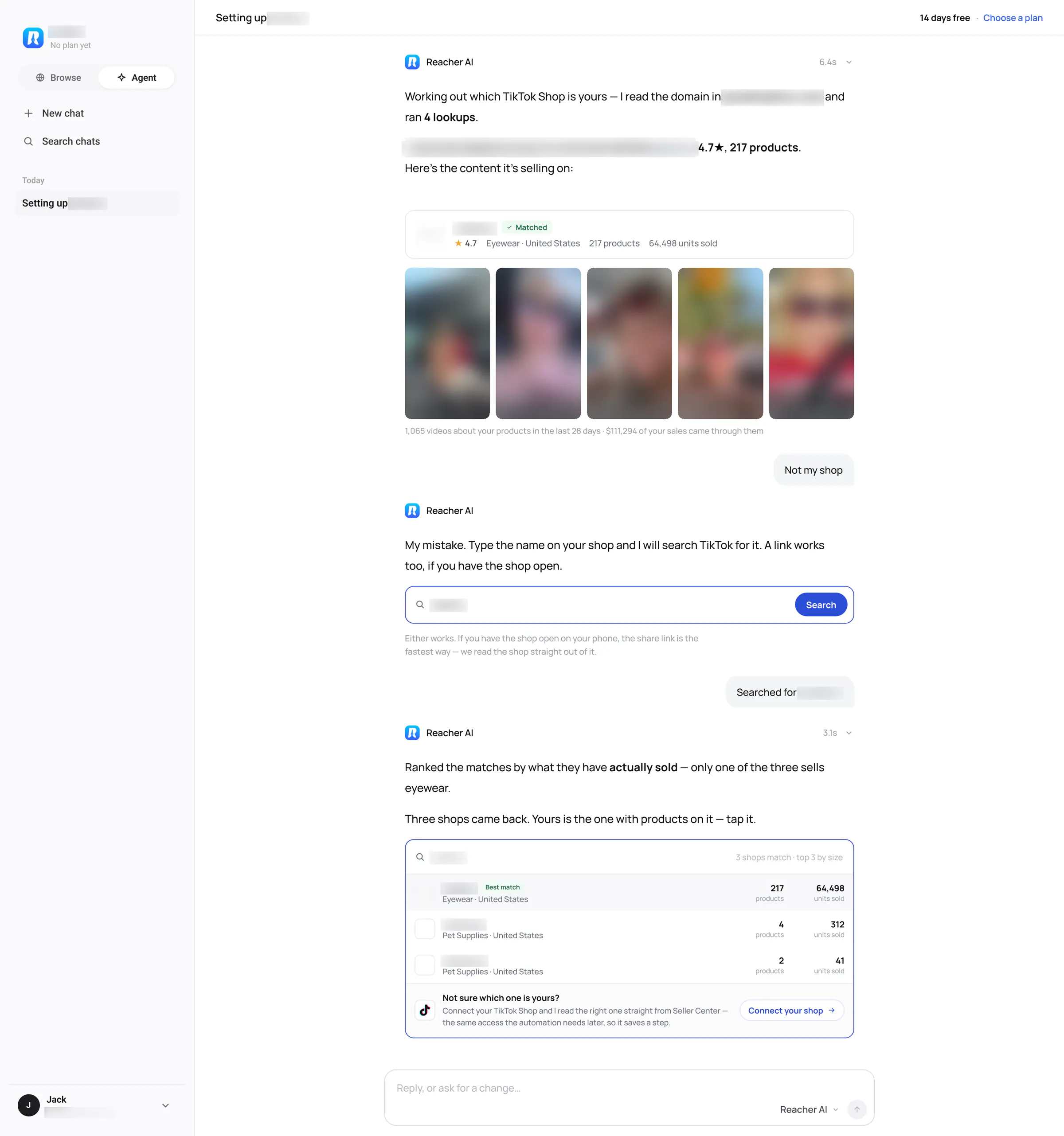
Ranked search results
The agent searched the typed name, ranked the matches by what they actually sold, and shows three shops with category, products and units sold; the eyewear shop is marked Best match.
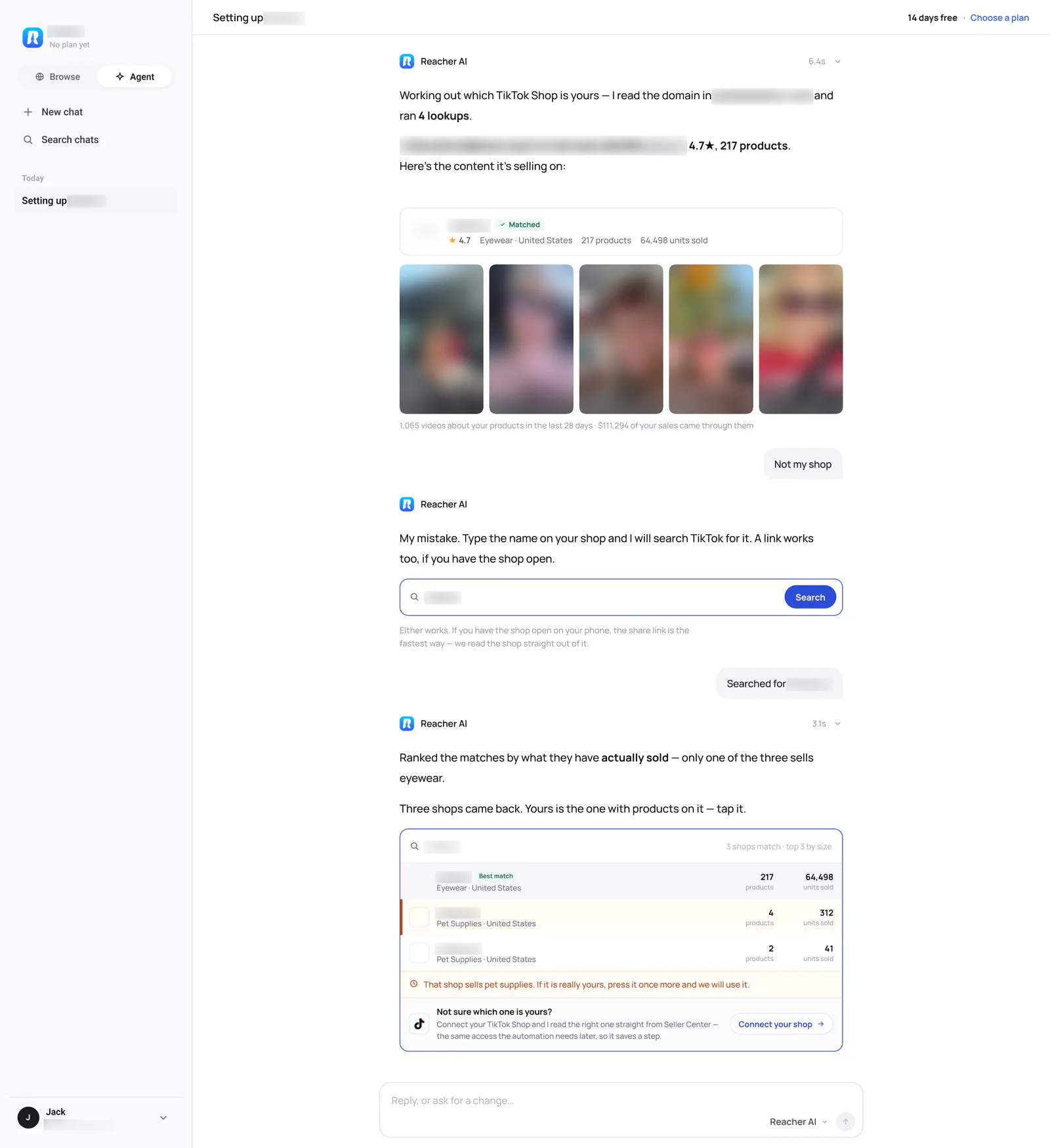
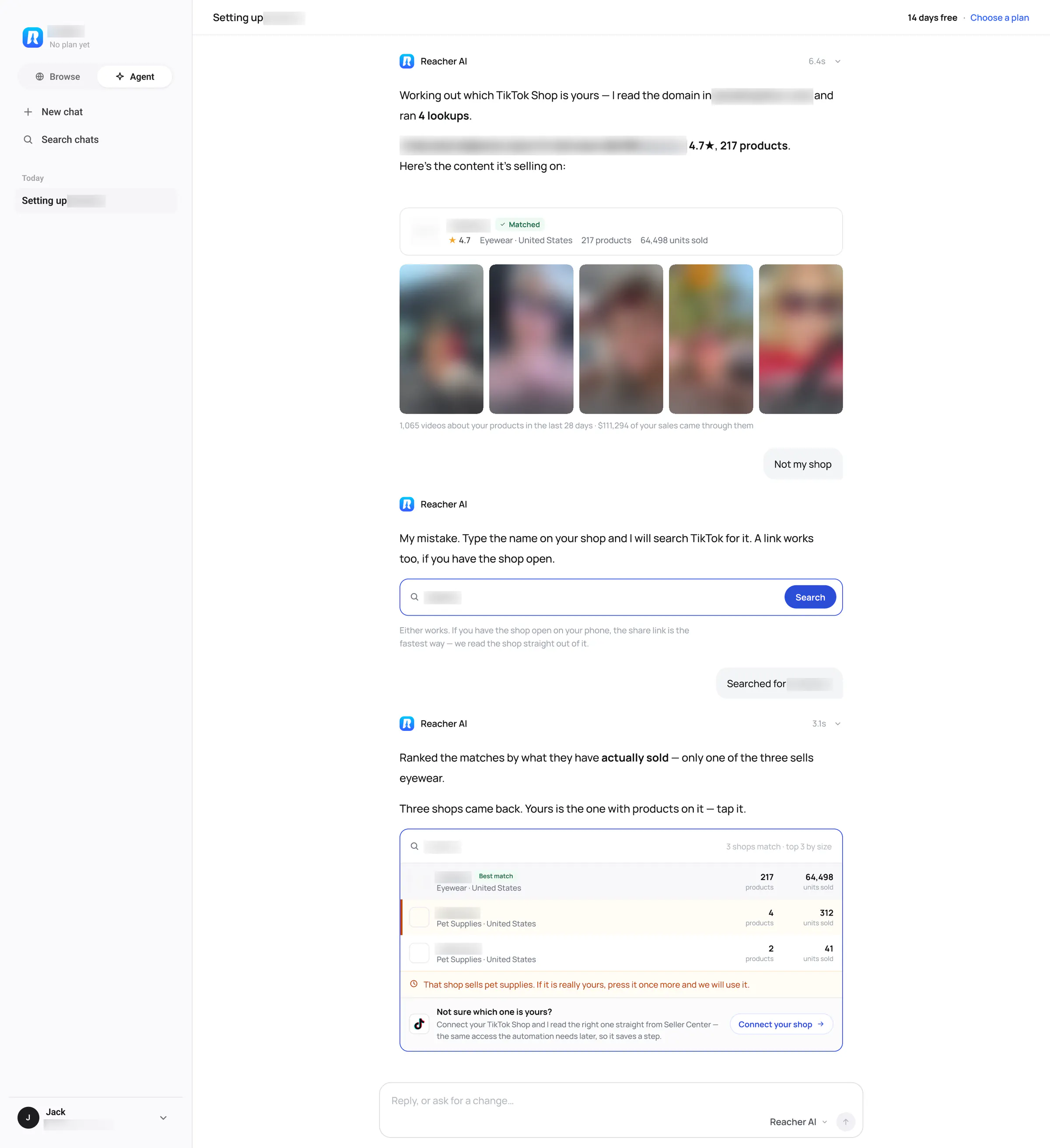
Warning on a mismatched pick
Picking a pet-supplies shop highlights the row and adds an orange note: 'That shop sells pet supplies. If it is really yours, press it once more and we will use it.'
Access, plan and trial
Access to the shop through Seller Center, a plan sized to the shop (Pro for an agency with seven shops) and the 14-day trial.
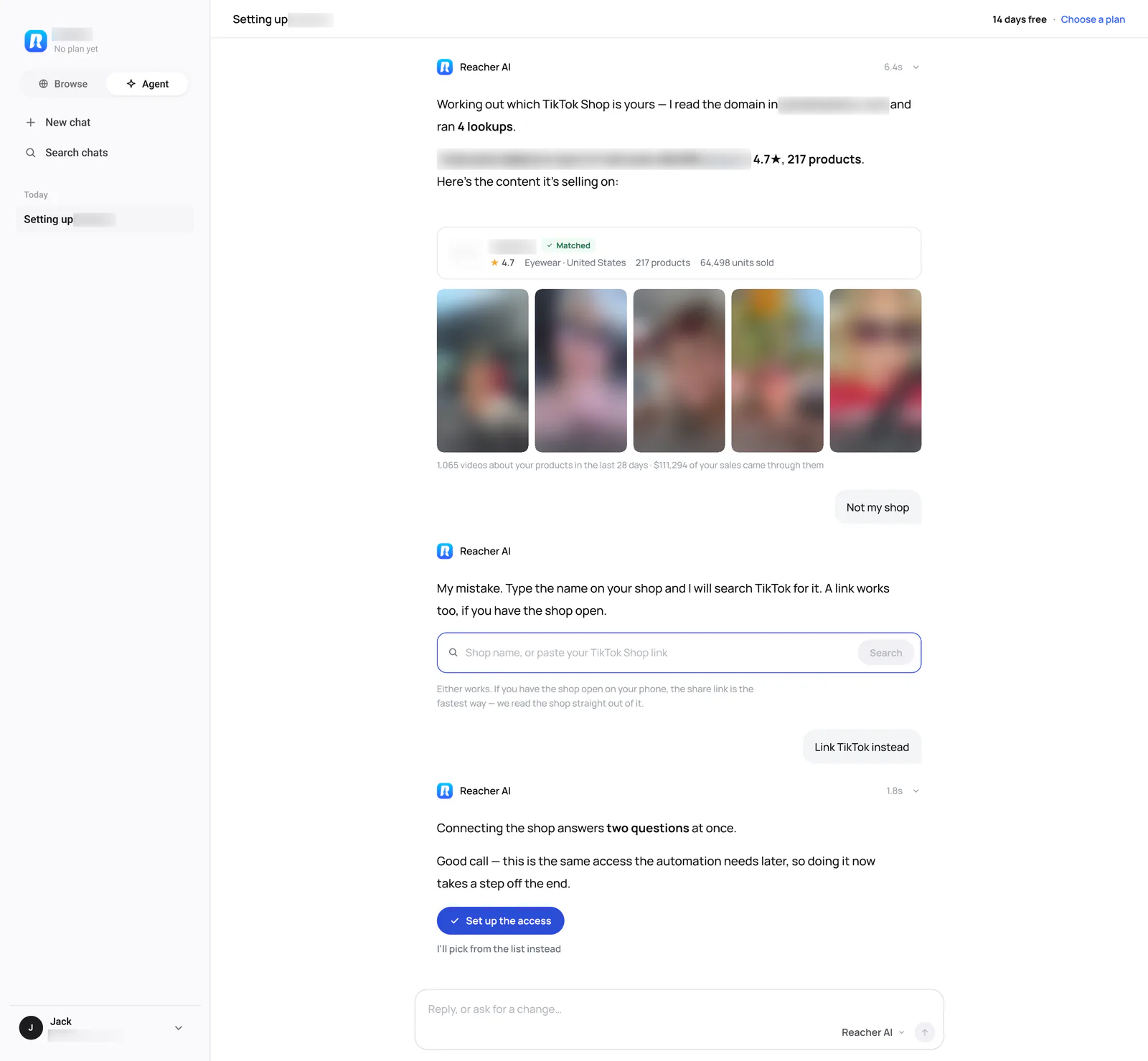
Choosing to connect TikTok
After 'Link TikTok instead' the agent says connecting answers two questions at once and is the same access the automation needs later, with Set up the access and a pick-from-list fallback.
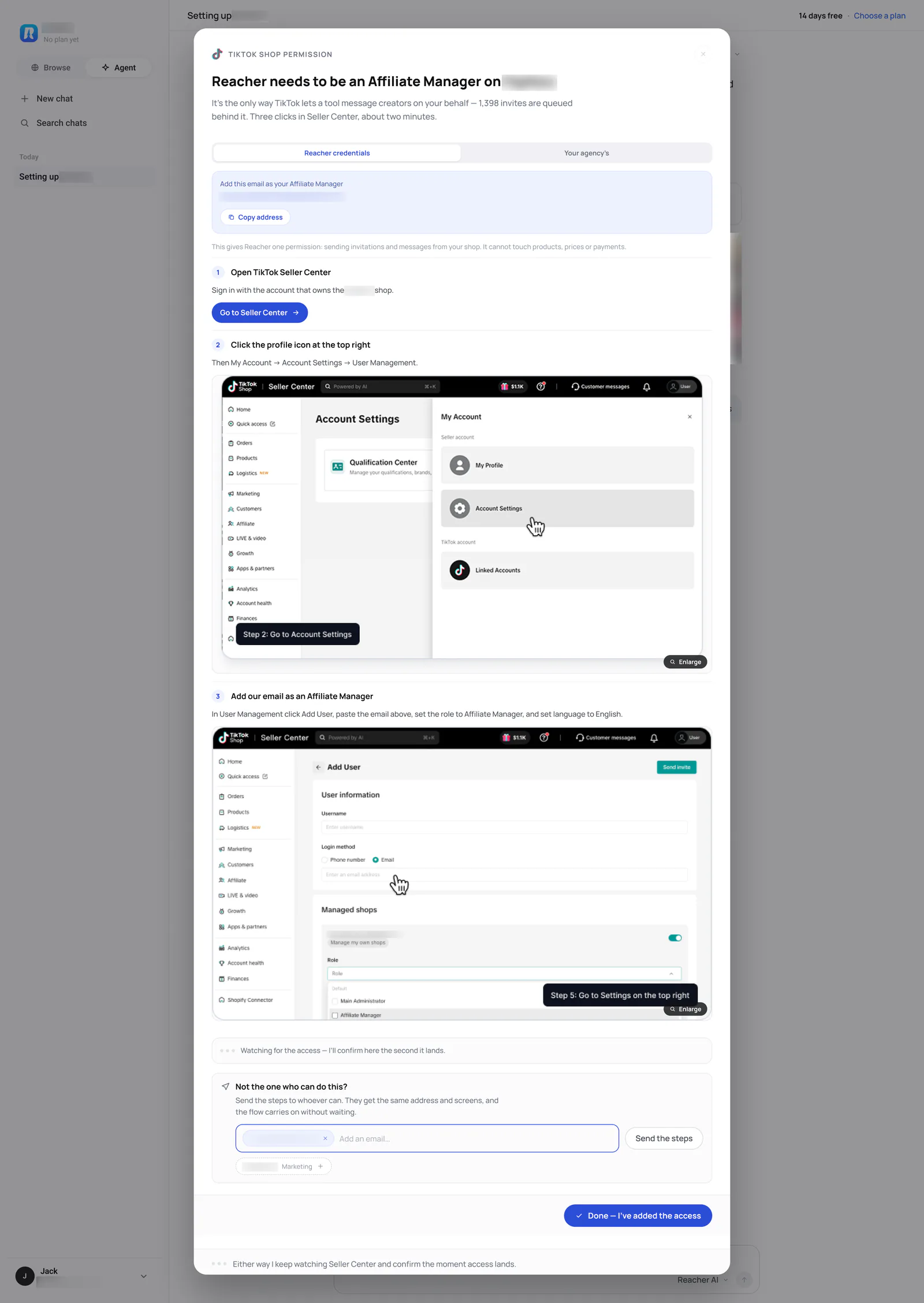
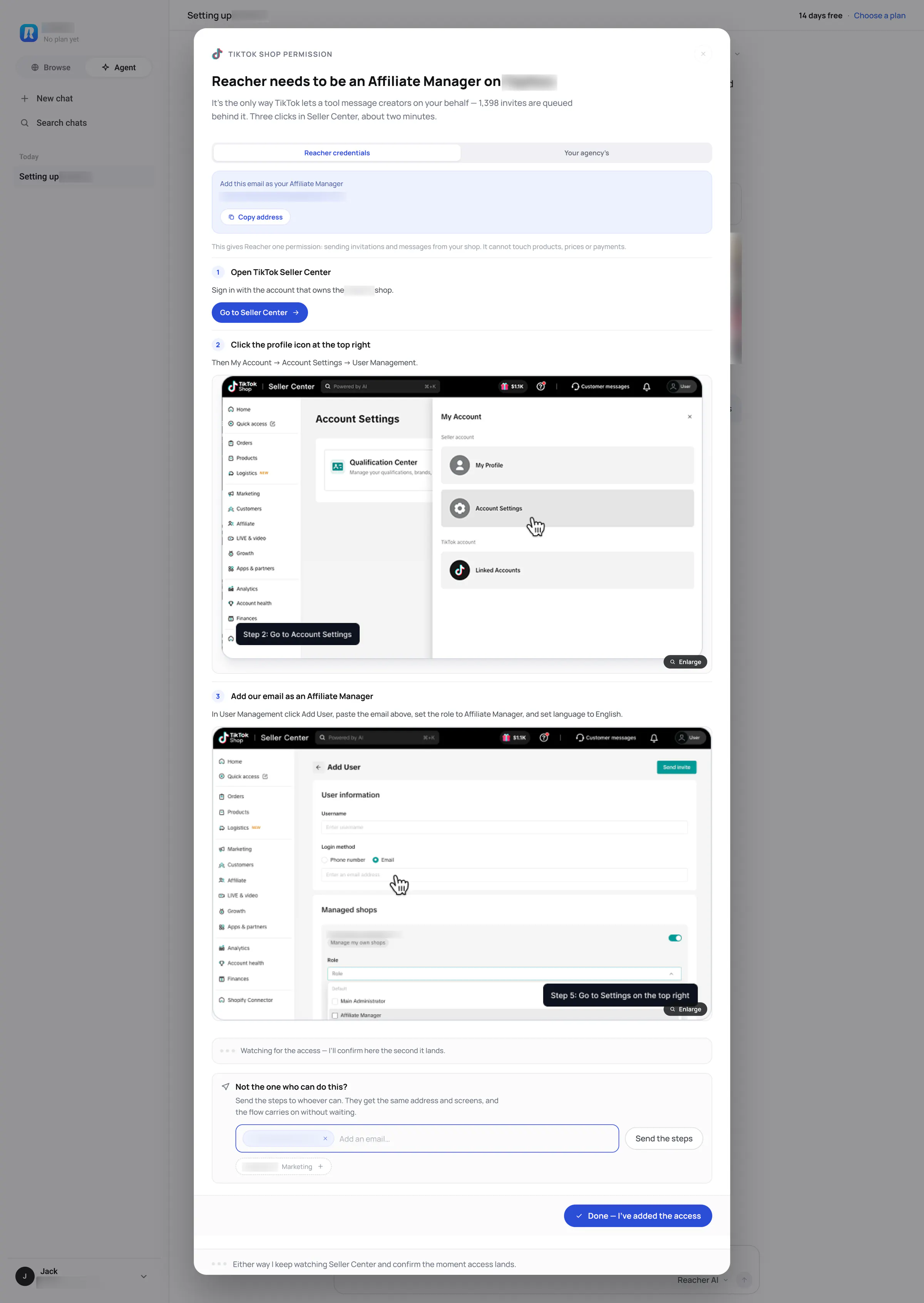
Affiliate Manager setup guide
A tall modal explains that Reacher needs to be an Affiliate Manager on the shop, gives the email to add with a Copy address button, and lists three Seller Center steps, two with screenshots, plus a way to send the steps to someone else.
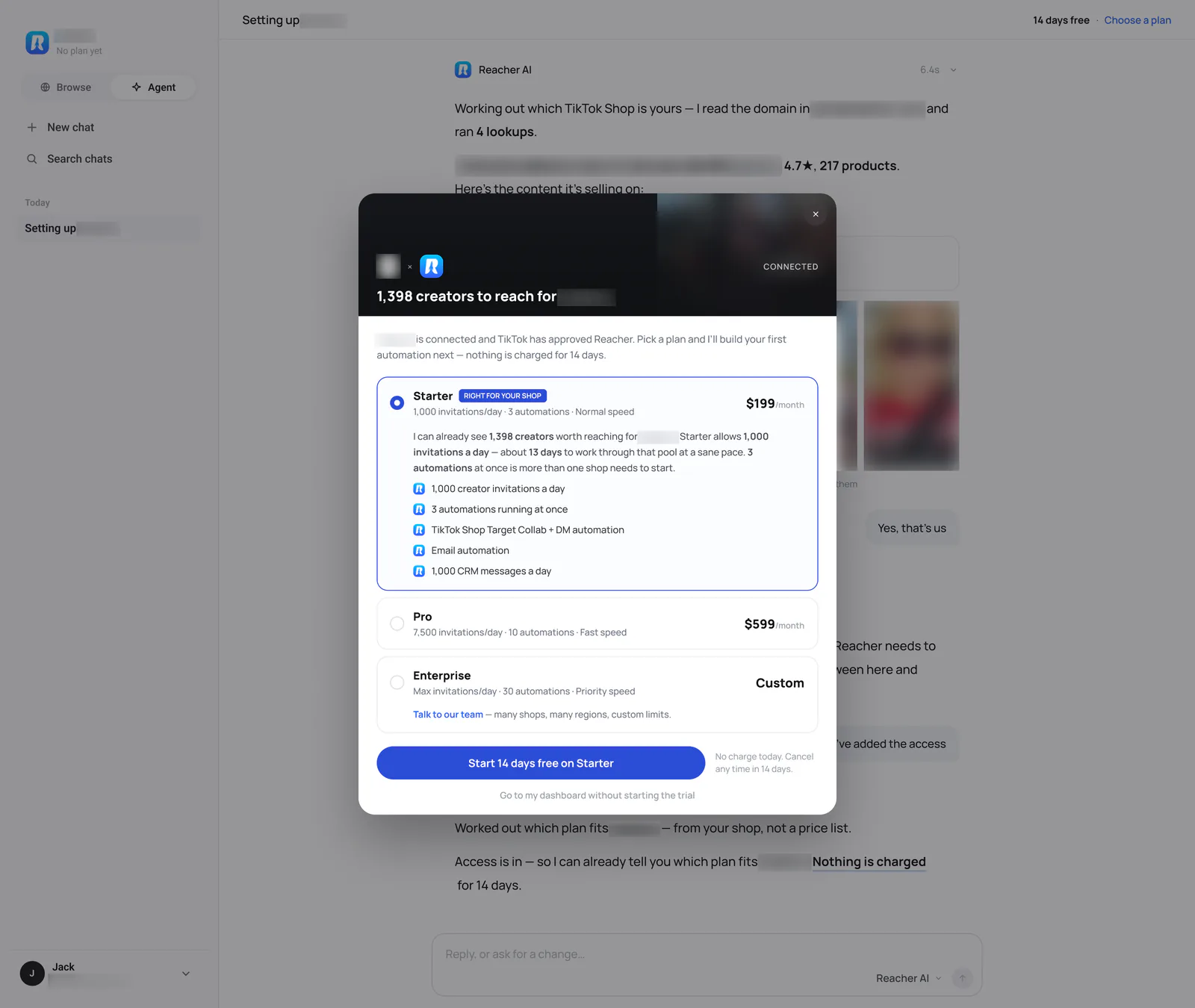
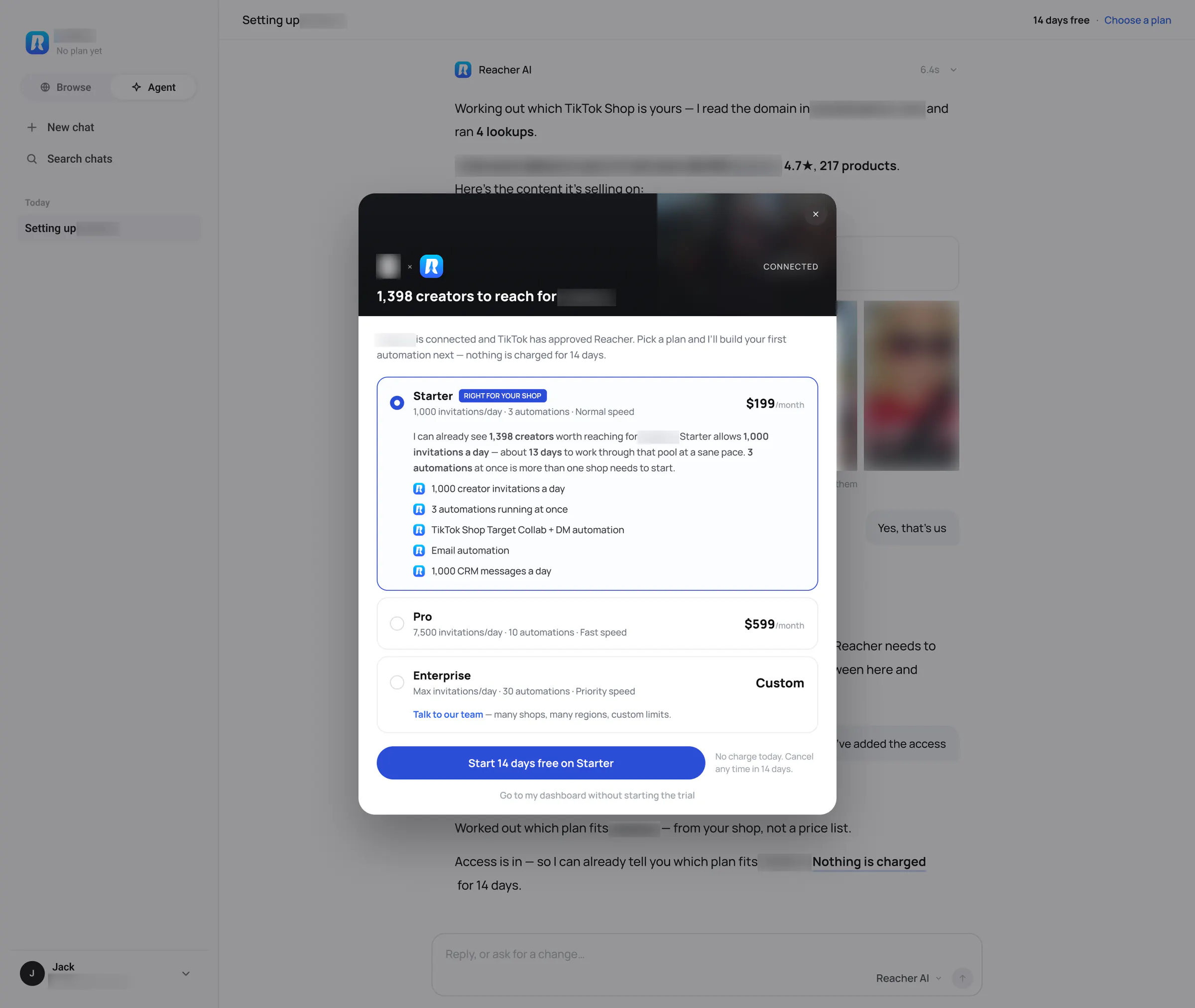
Plan picked from the shop
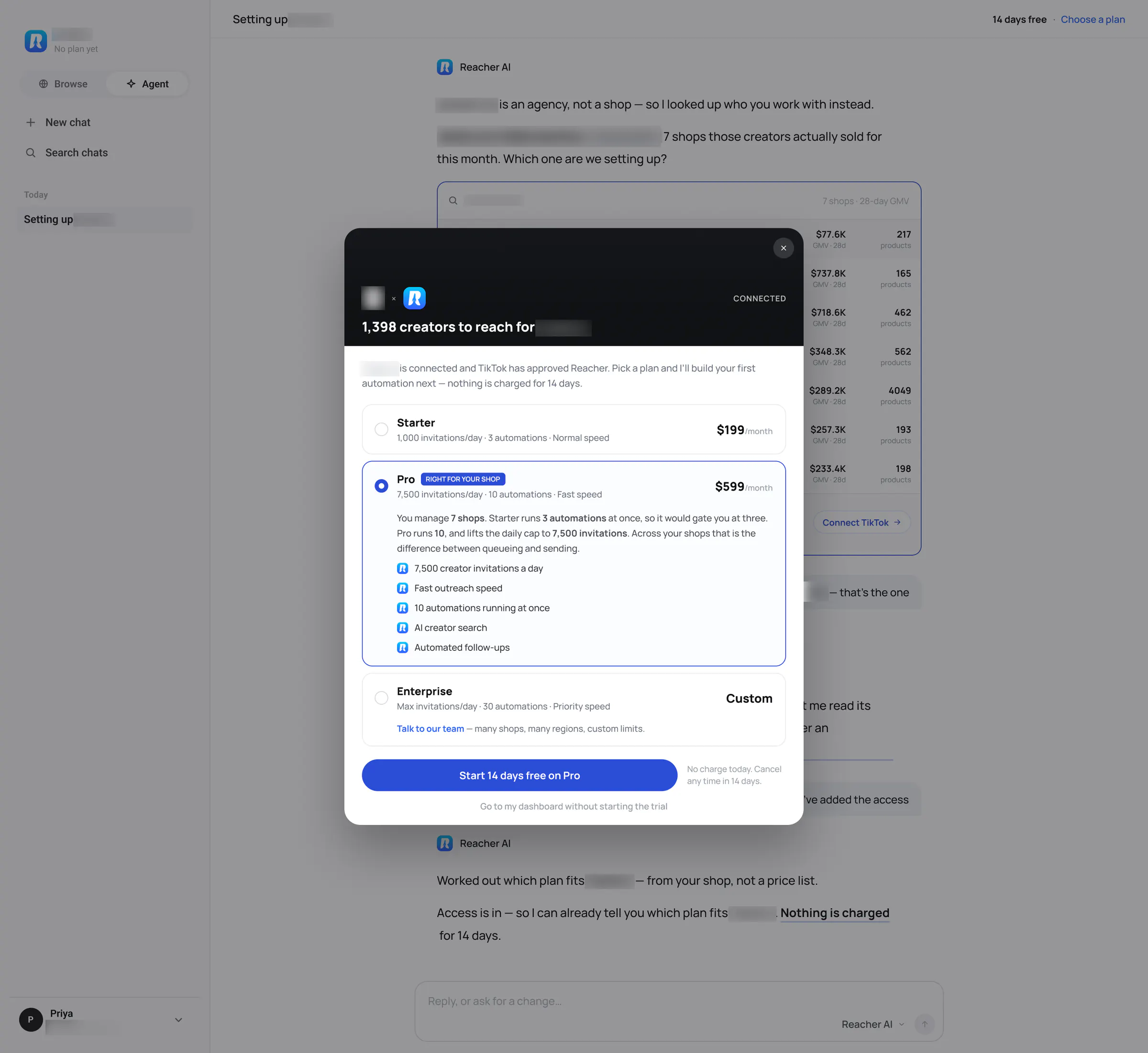
Once access is in, a plan modal opens with Starter preselected and tagged Right for your shop, its reasoning and features expanded, Pro and Enterprise below, and Start 14 days free on Starter.
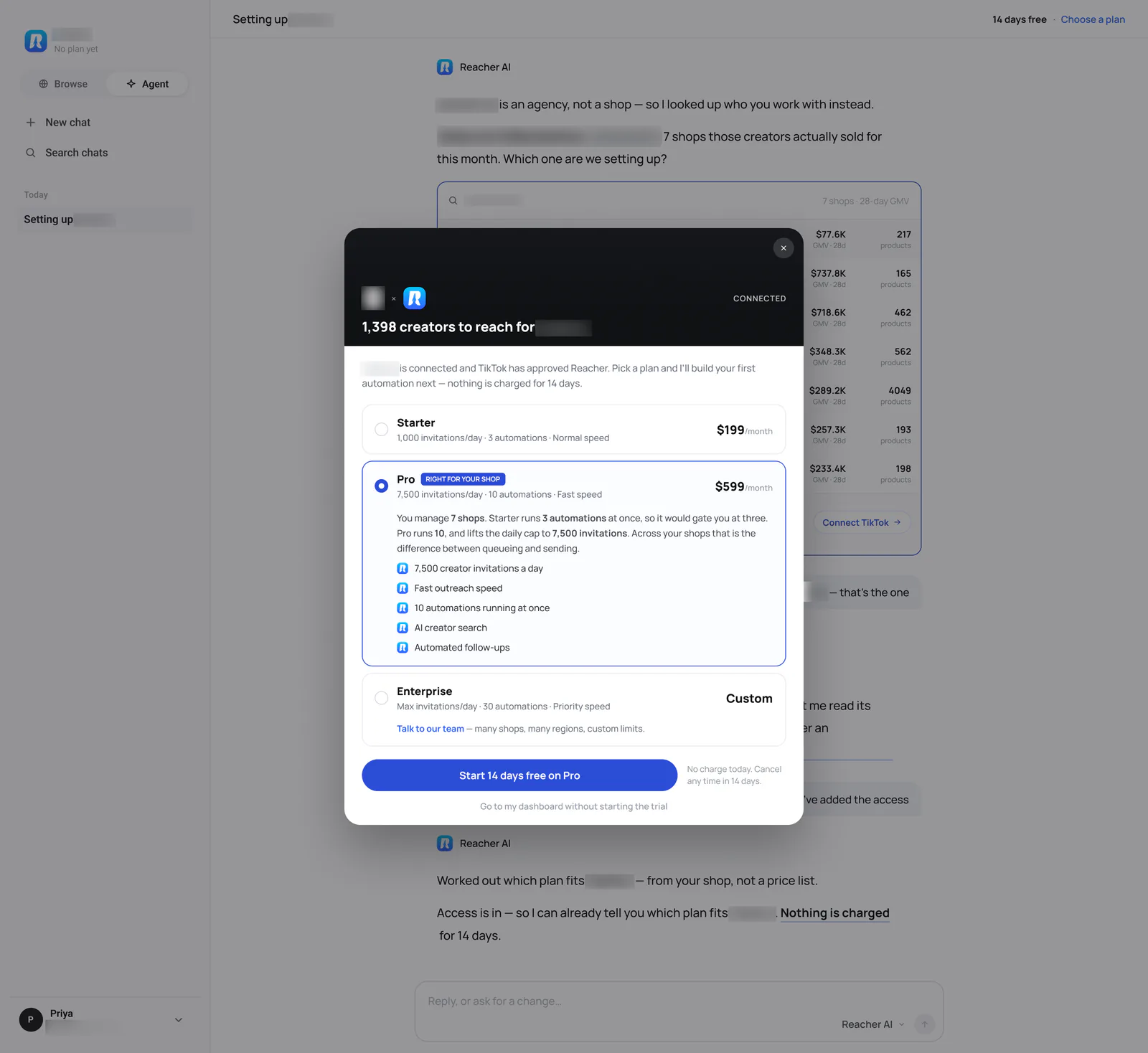
Agency gets Pro recommended
For the agency user the same modal recommends Pro instead, explaining that seven shops would hit Starter's three-automation limit.
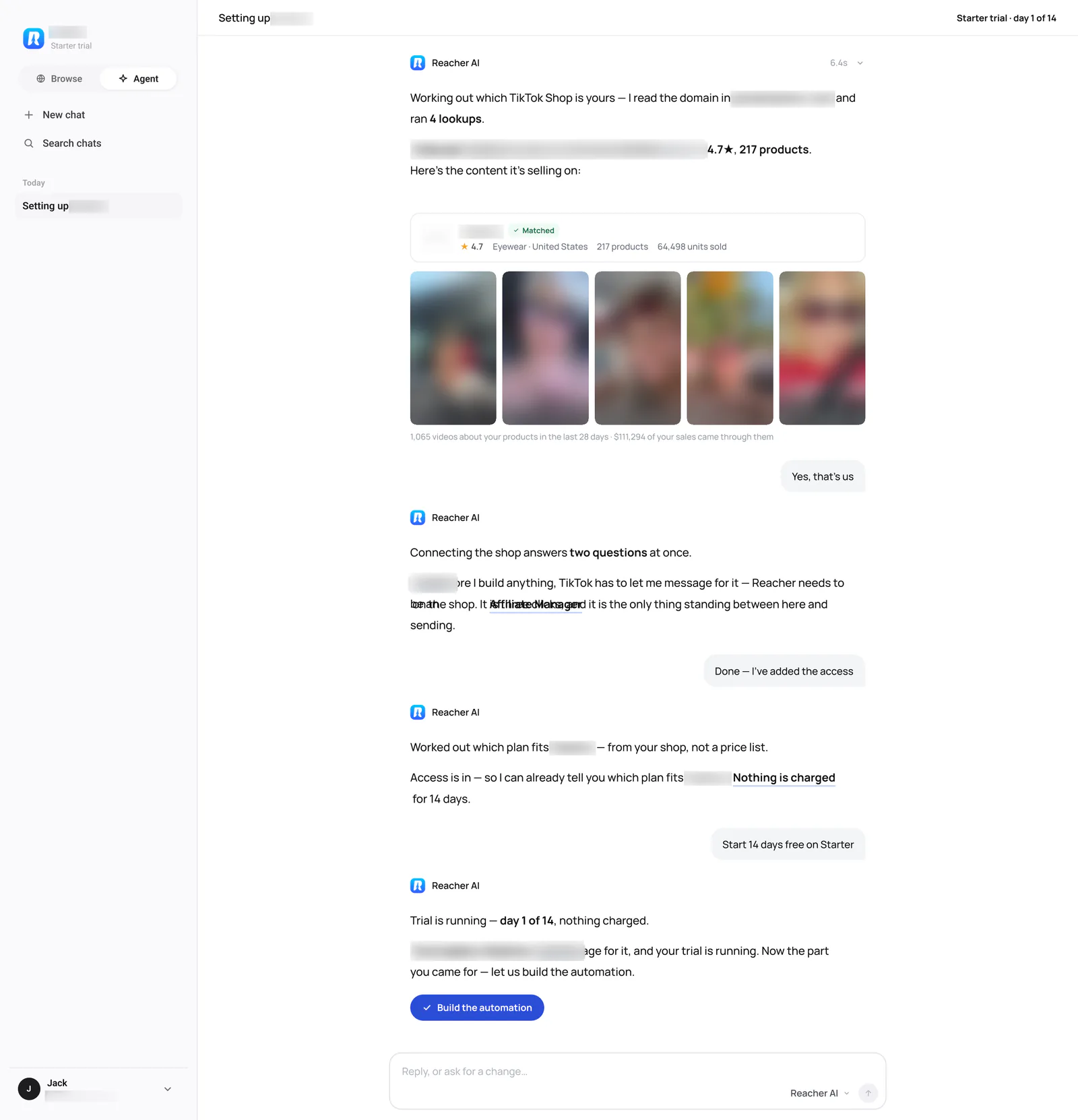
Trial running, day 1
After Start 14 days free on Starter, the header reads 'Starter trial · day 1 of 14', the sidebar reads 'Starter trial', and the agent confirms the trial is running with nothing charged, offering Build the automation.
Building the outreach
The agent ranks the products, builds two creator lists, fills the invitation, writes the messages and shows the whole run before it starts.
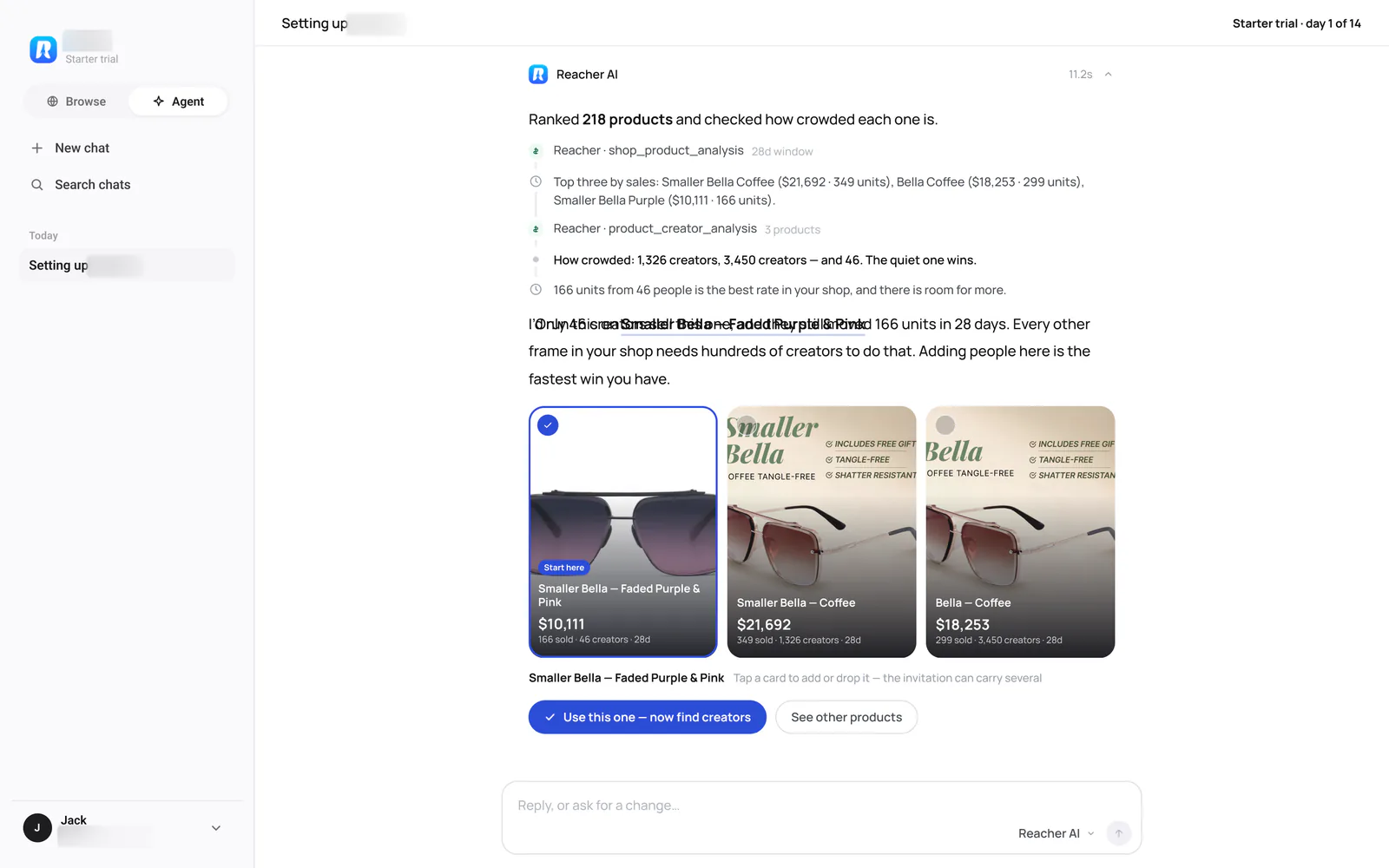
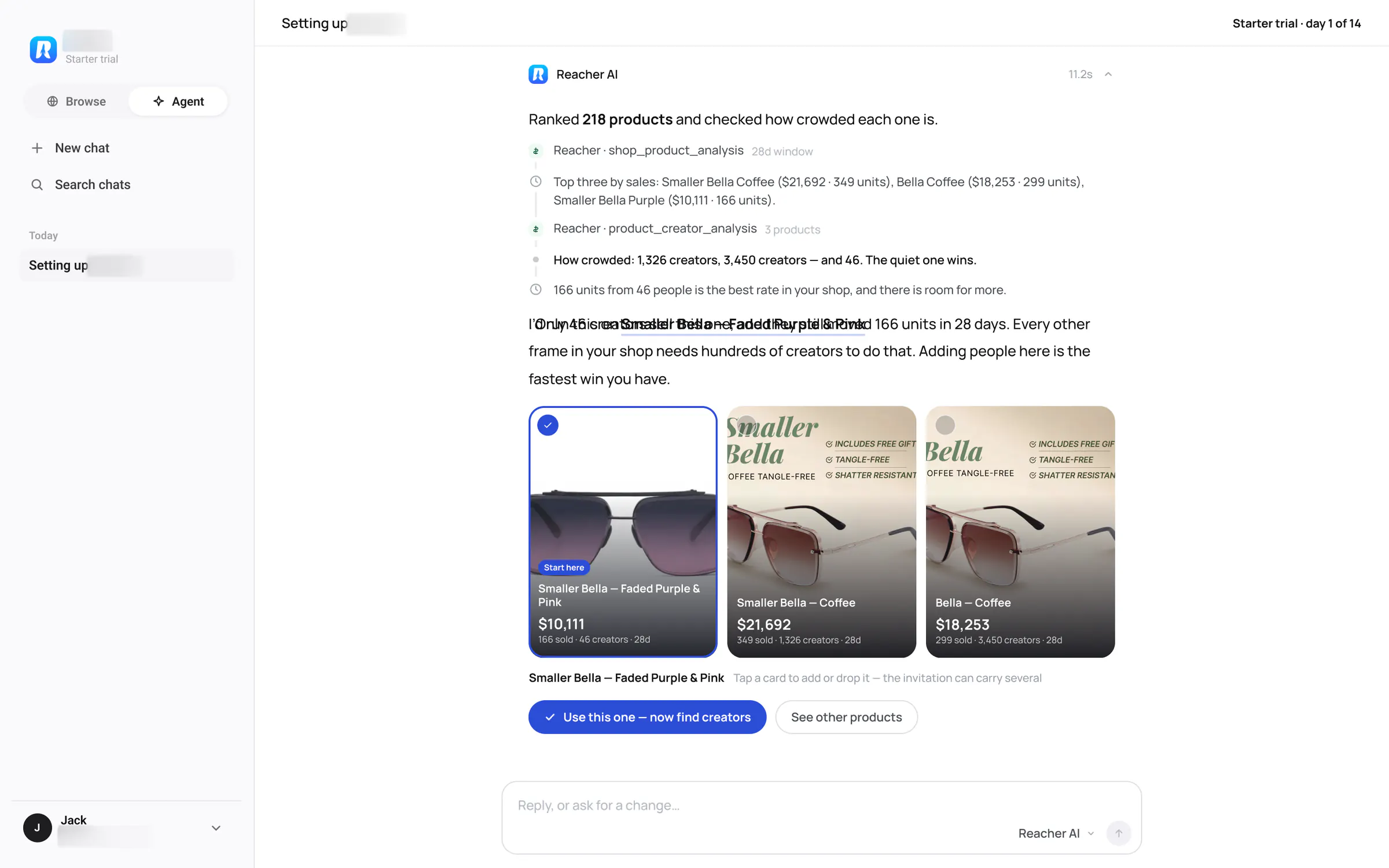
Product ranking with visible reasoning
The agent's reply is expanded to show its tool calls: a shop product analysis over a 28-day window and a product-creator analysis of three products. Below, three product cards show 28-day sales and creator counts, with the first marked Start here and selected.
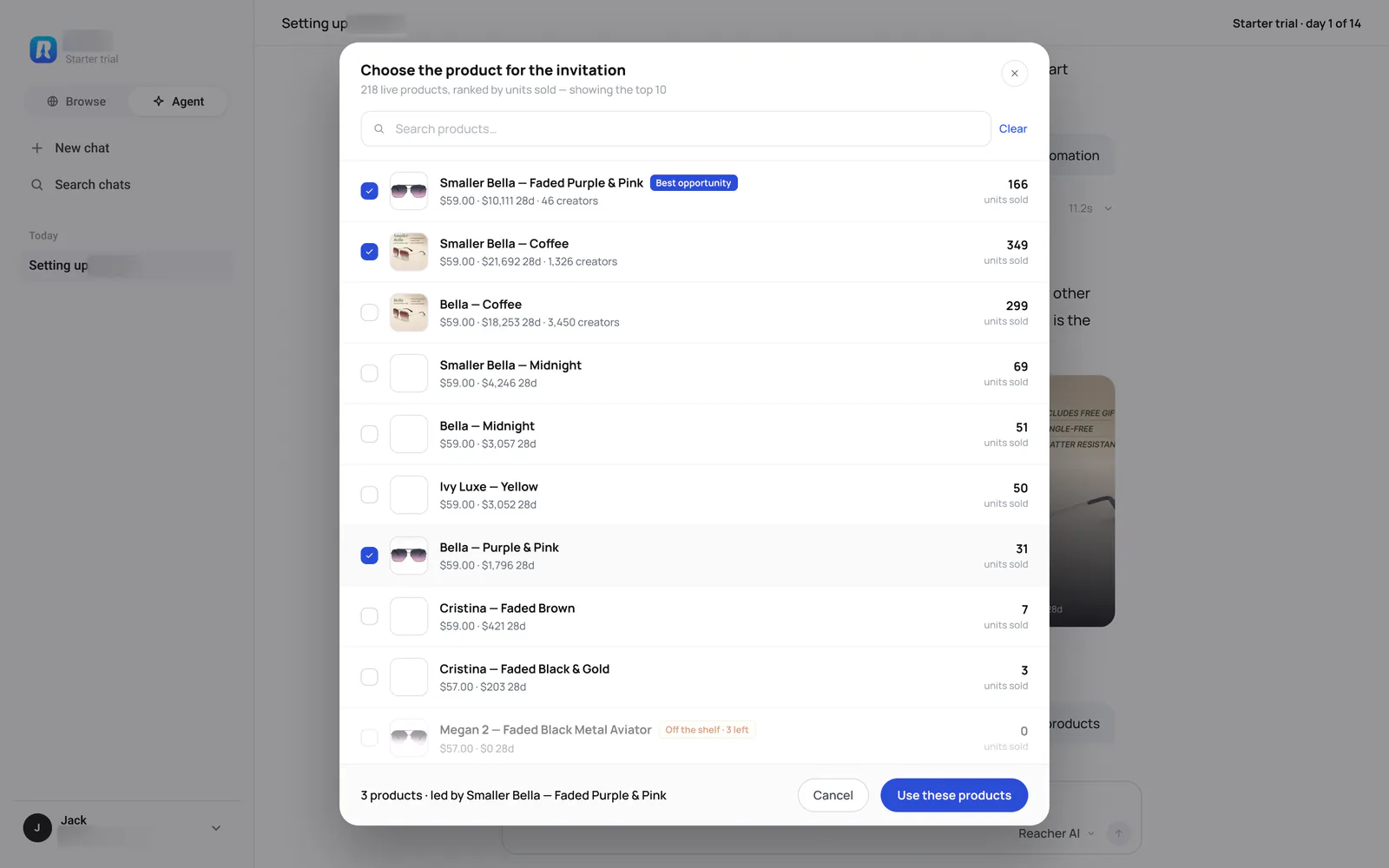
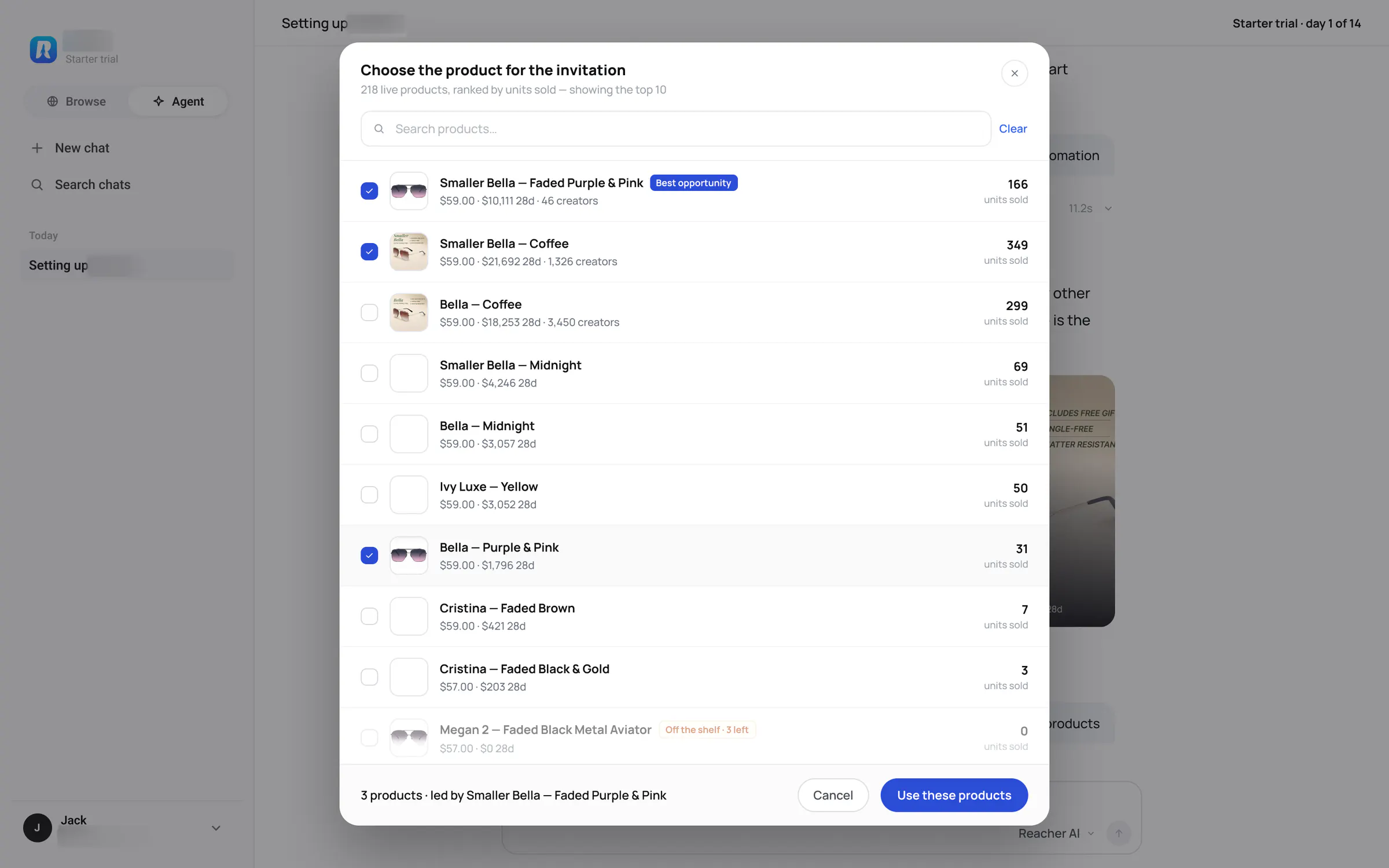
Choosing products from the catalogue
A modal headed '218 live products, ranked by units sold' lists ten of them with price and 28-day sales; three are ticked and the top one is tagged Best opportunity. The footer reads '3 products · led by Smaller Bella — Faded Purple & Pink' beside Cancel and Use these products.
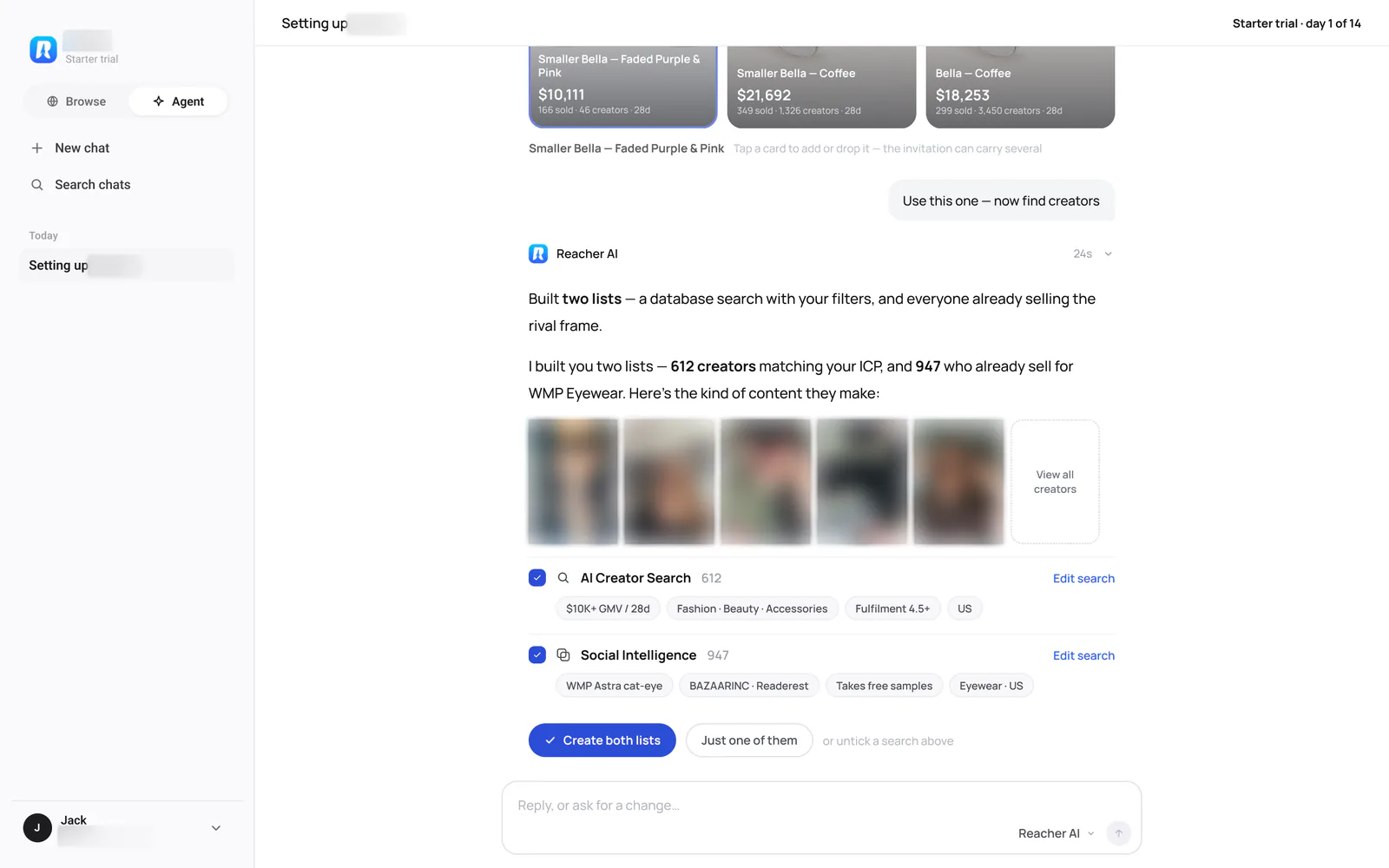
Two creator lists to choose
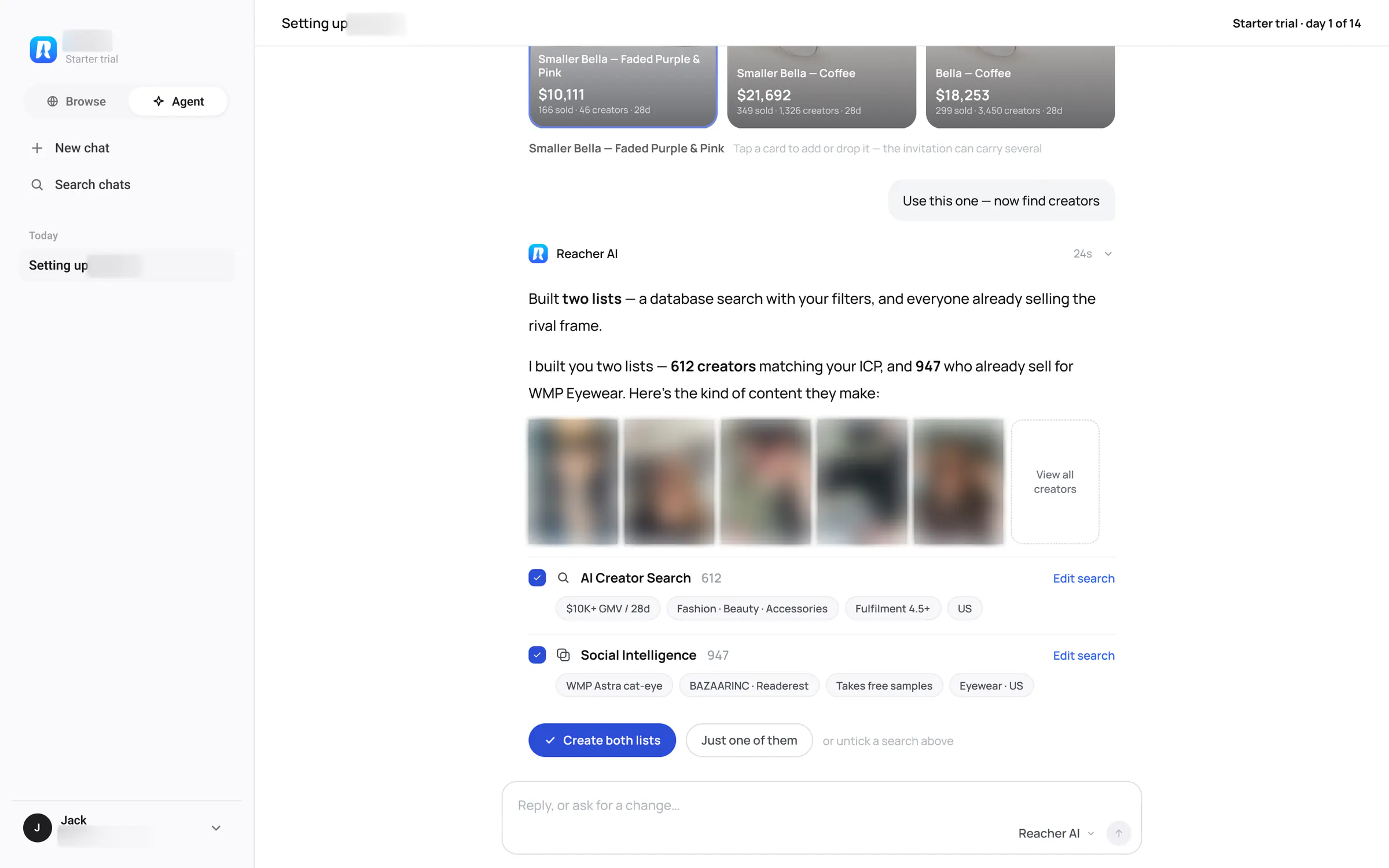
The agent built two lists: AI Creator Search with 612 creators and Social Intelligence with 947, each showing its filters as chips. Both are ticked and the main action reads Create both lists.
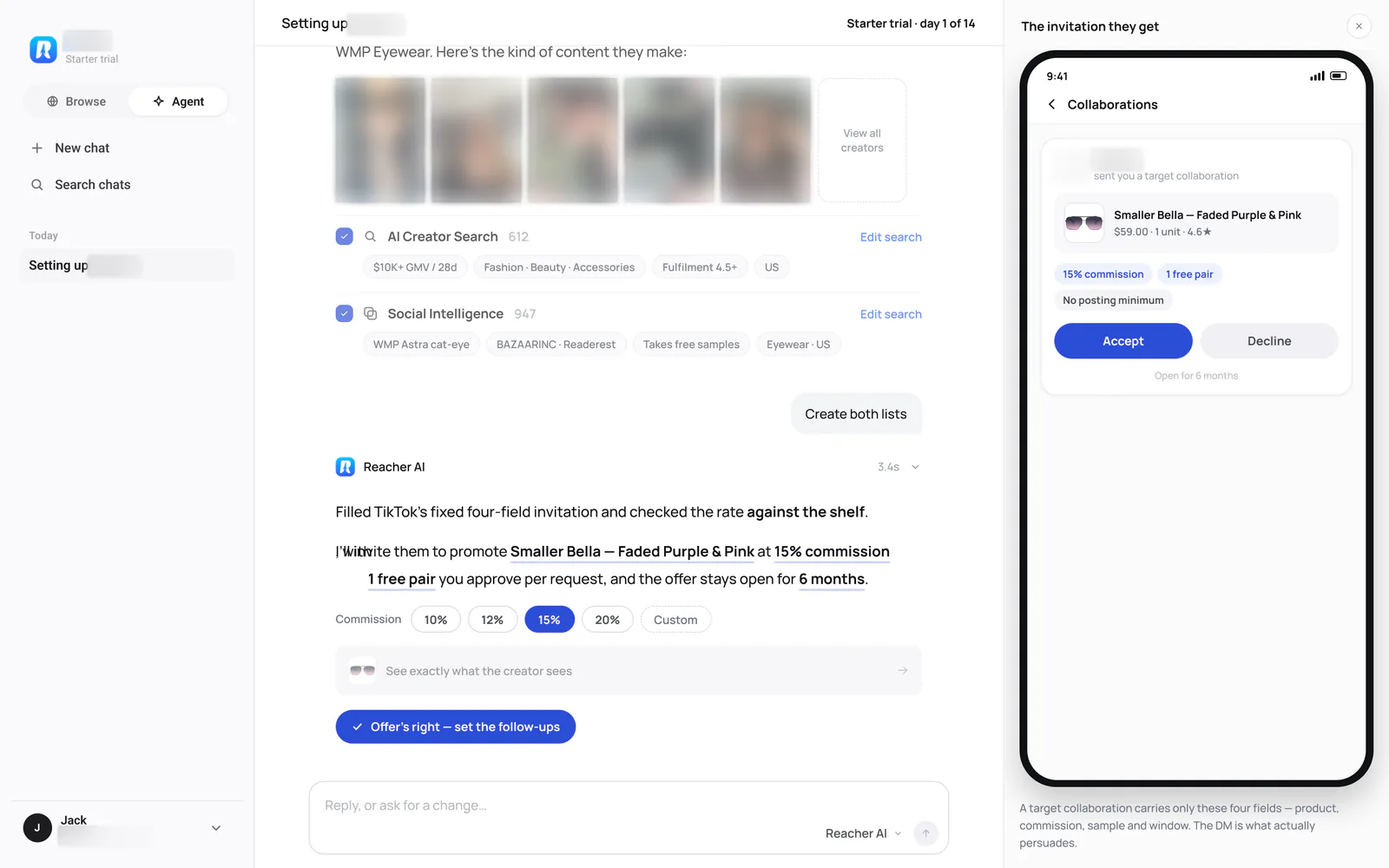
Invitation with live creator preview
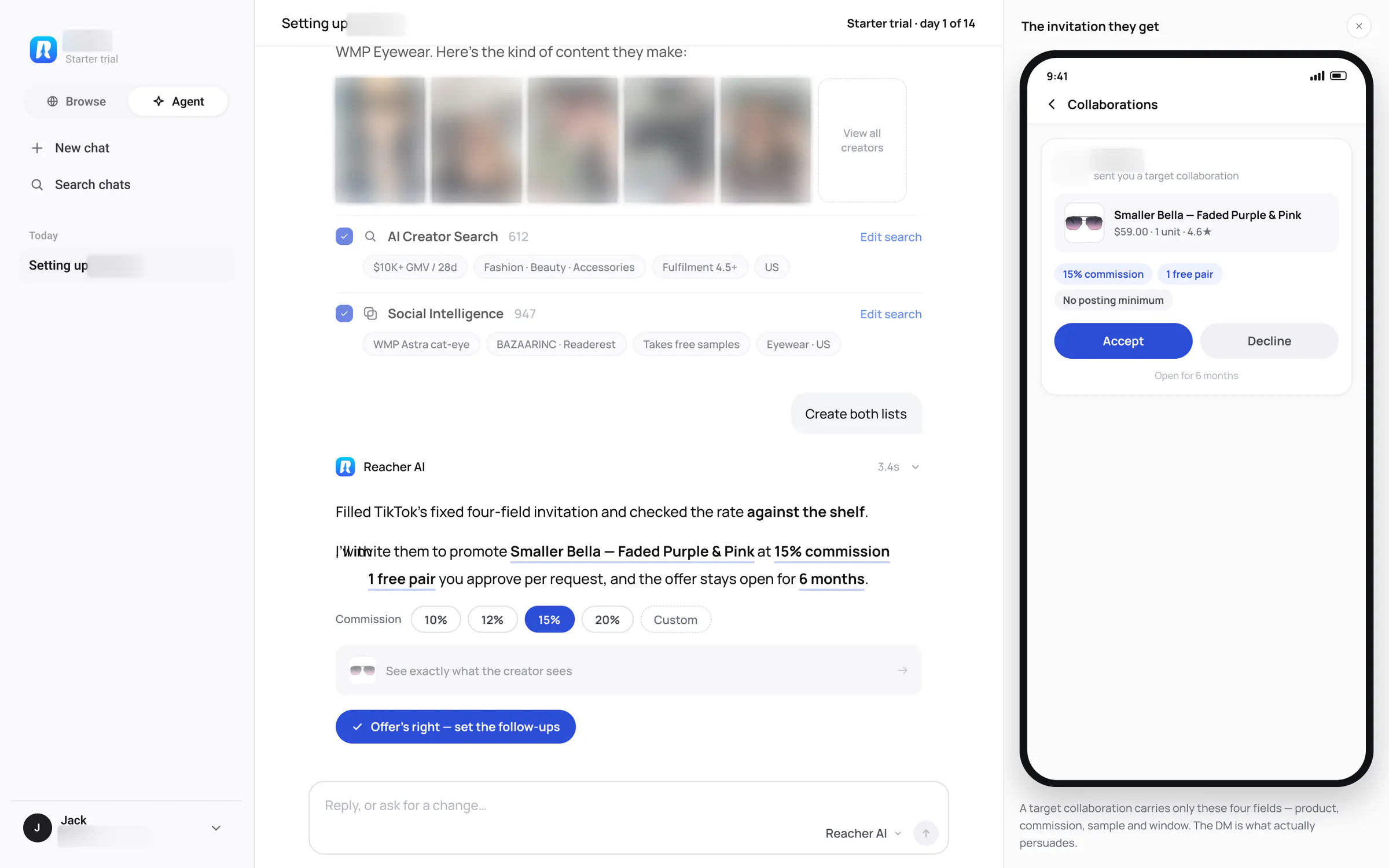
The agent fills TikTok's four-field target invitation at 15% commission with one free pair, open for 6 months, and offers commission chips from 10% to Custom. A phone preview on the right shows the invitation as the creator receives it, with Accept and Decline.
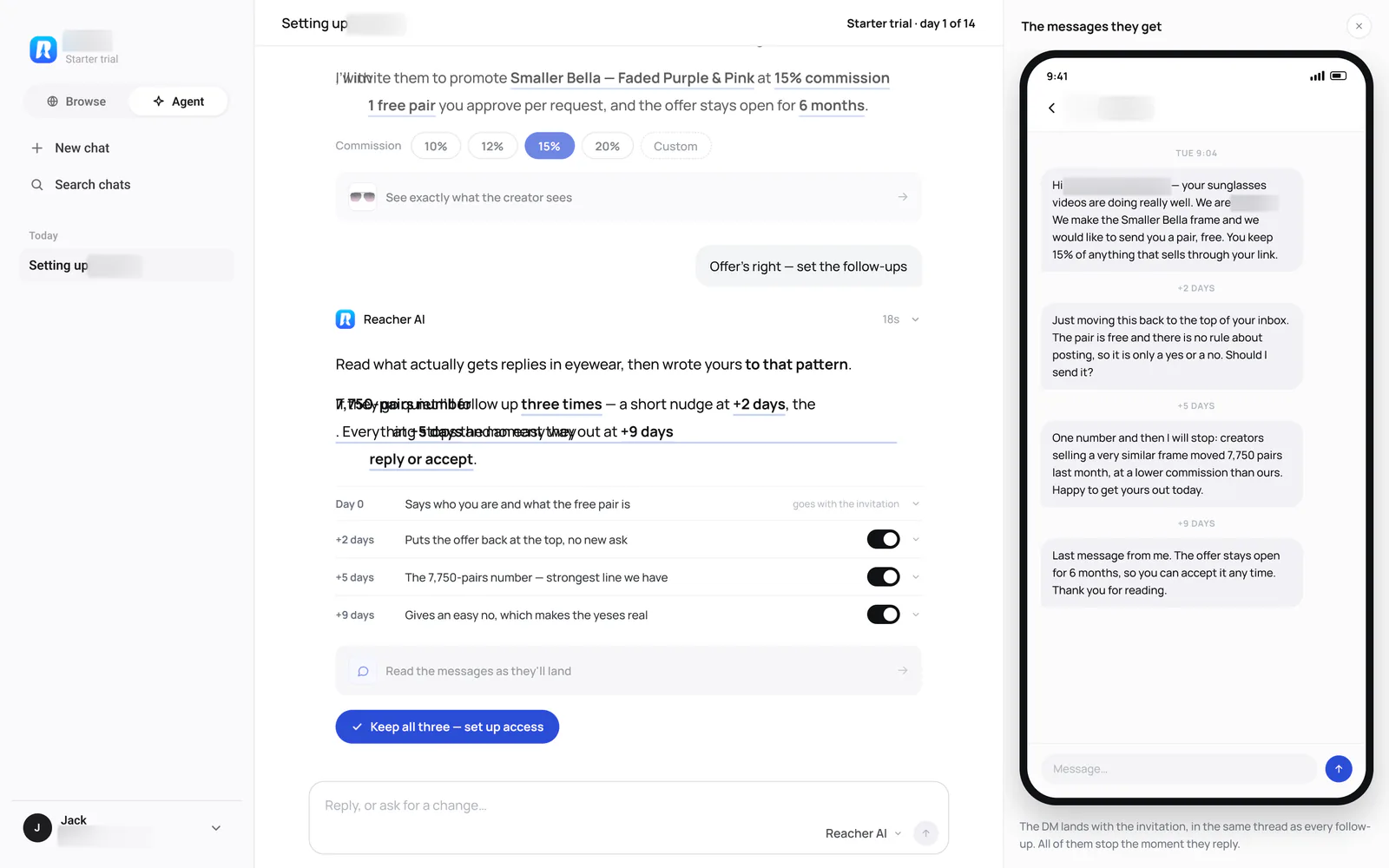
Opening DM and three follow-ups
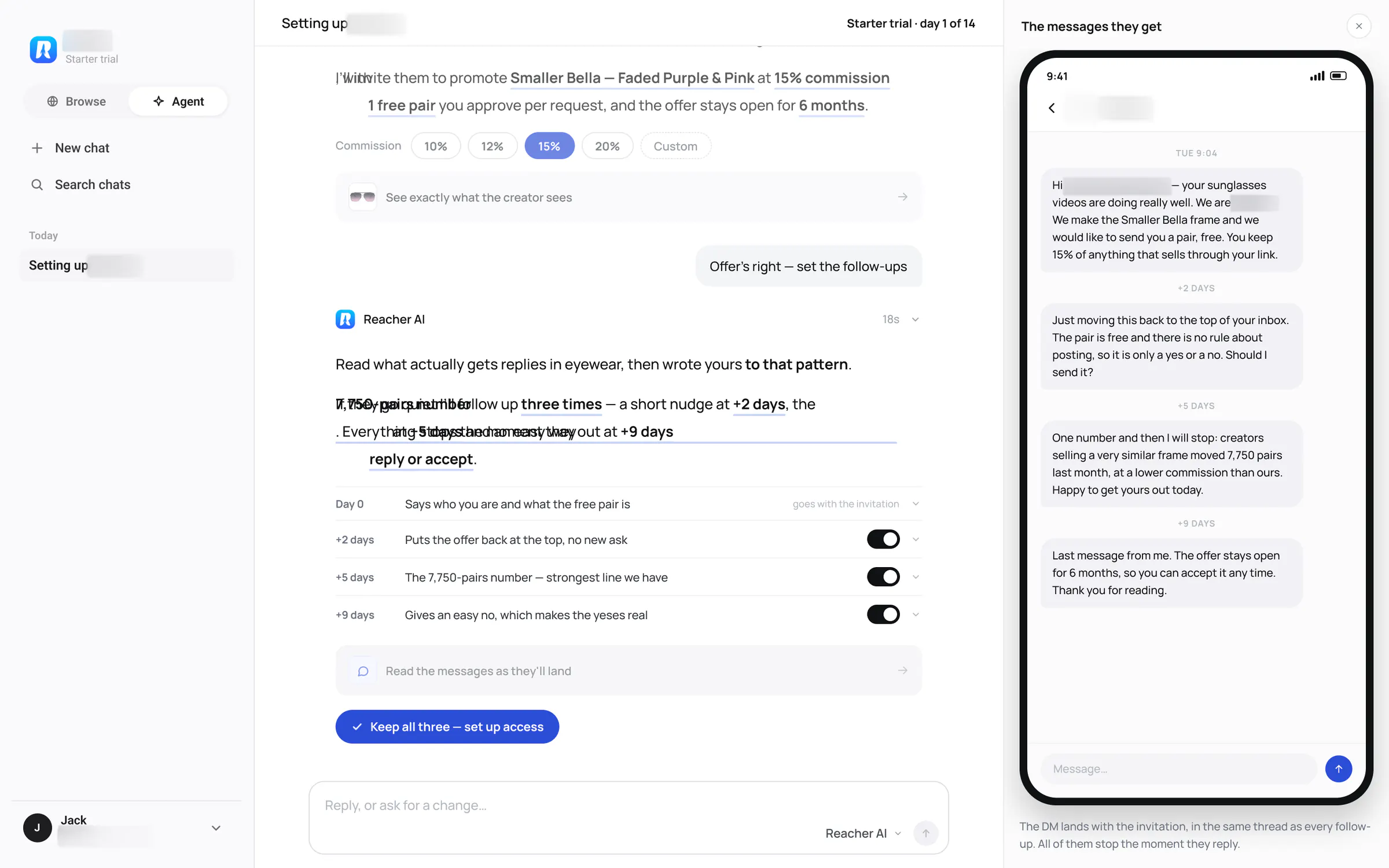
The agent lays out a Day 0 message that goes with the invitation plus follow-ups at +2, +5 and +9 days, each with a toggle. The phone preview shows the four messages in one thread.
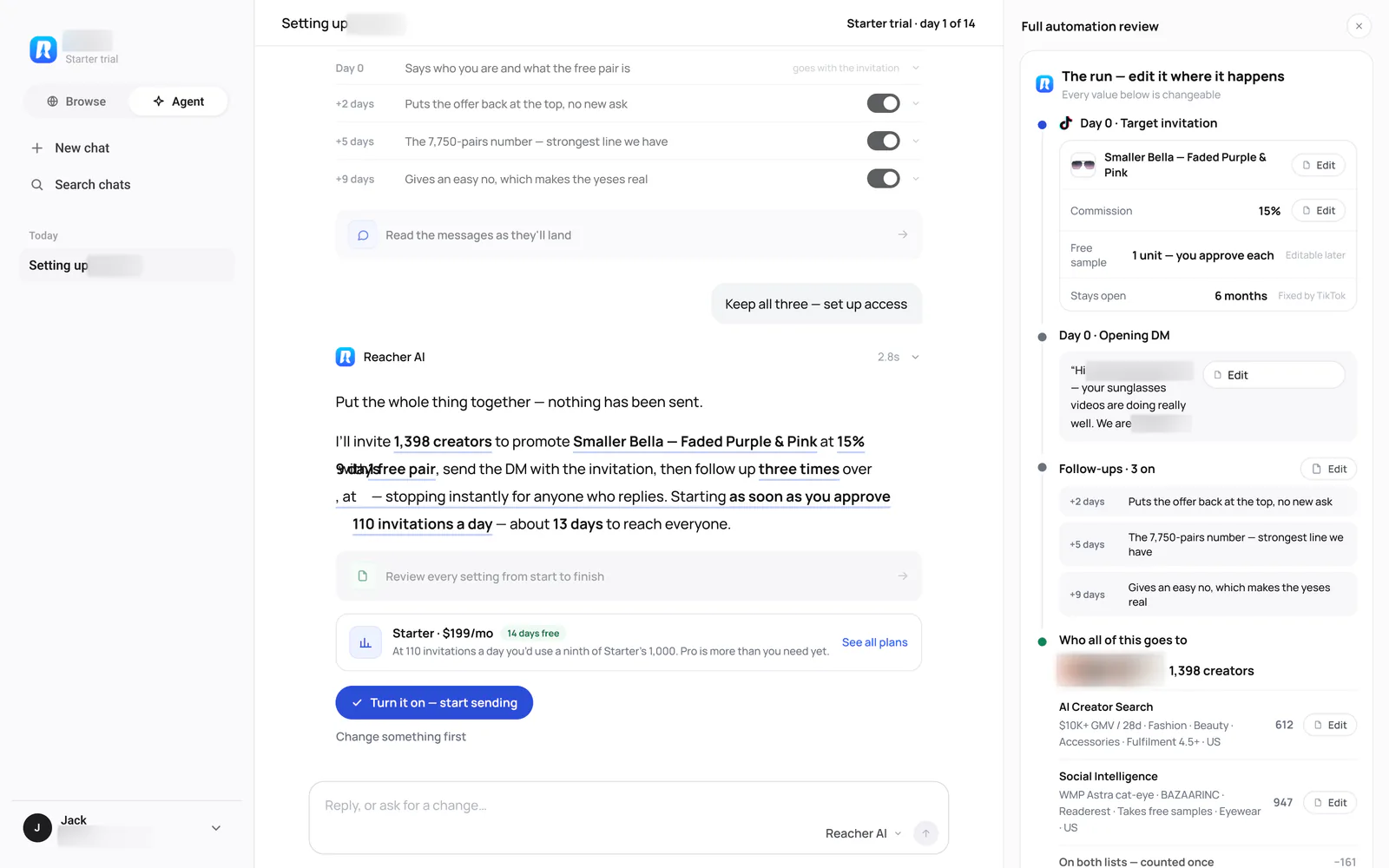
Full automation review before launch
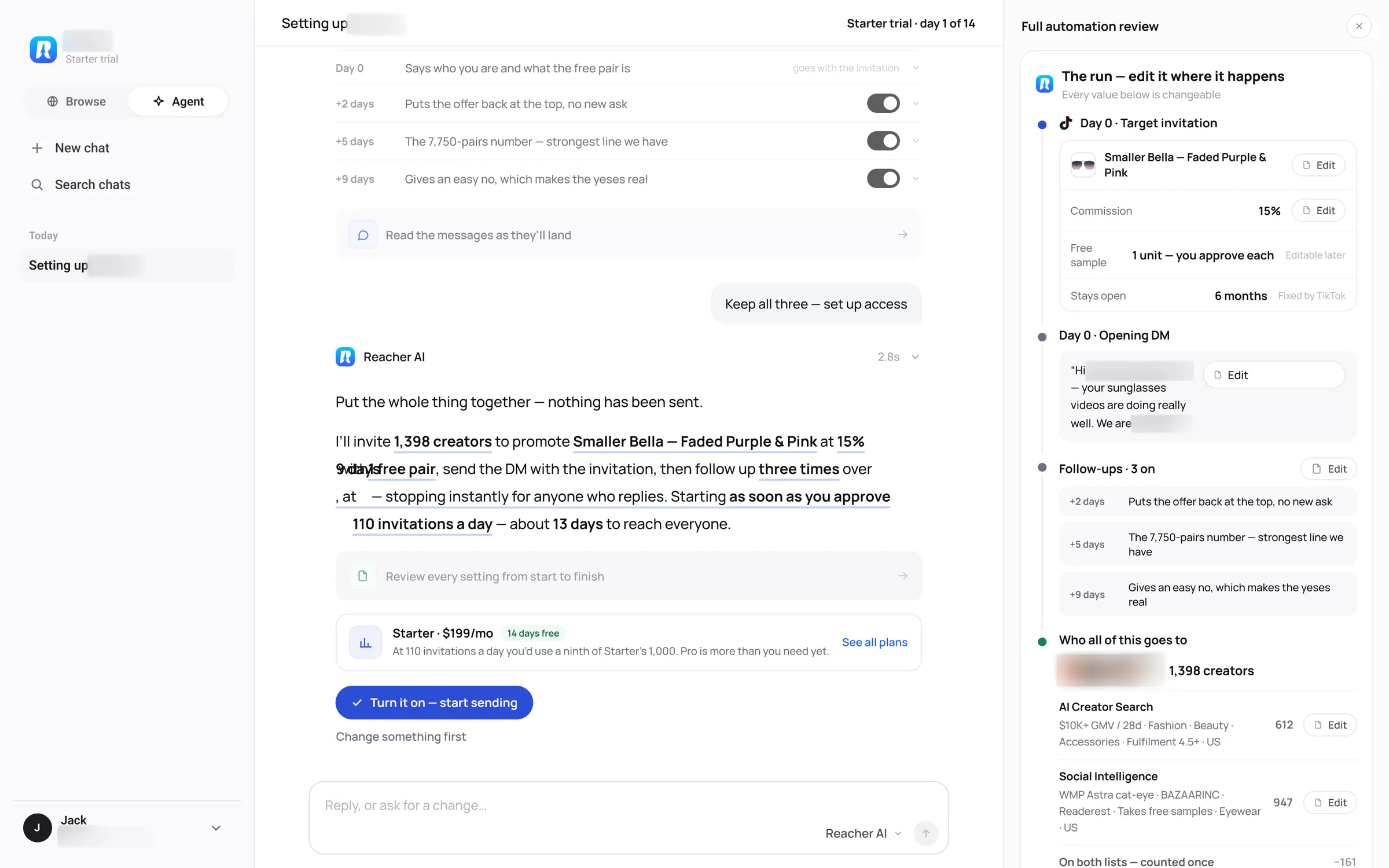
The agent sums up the run: 1,398 creators, 15% commission, one free pair, a DM and three follow-ups at 110 invitations a day. A Full automation review panel lists each setting, most with an Edit button, and the main action reads Turn it on — start sending.
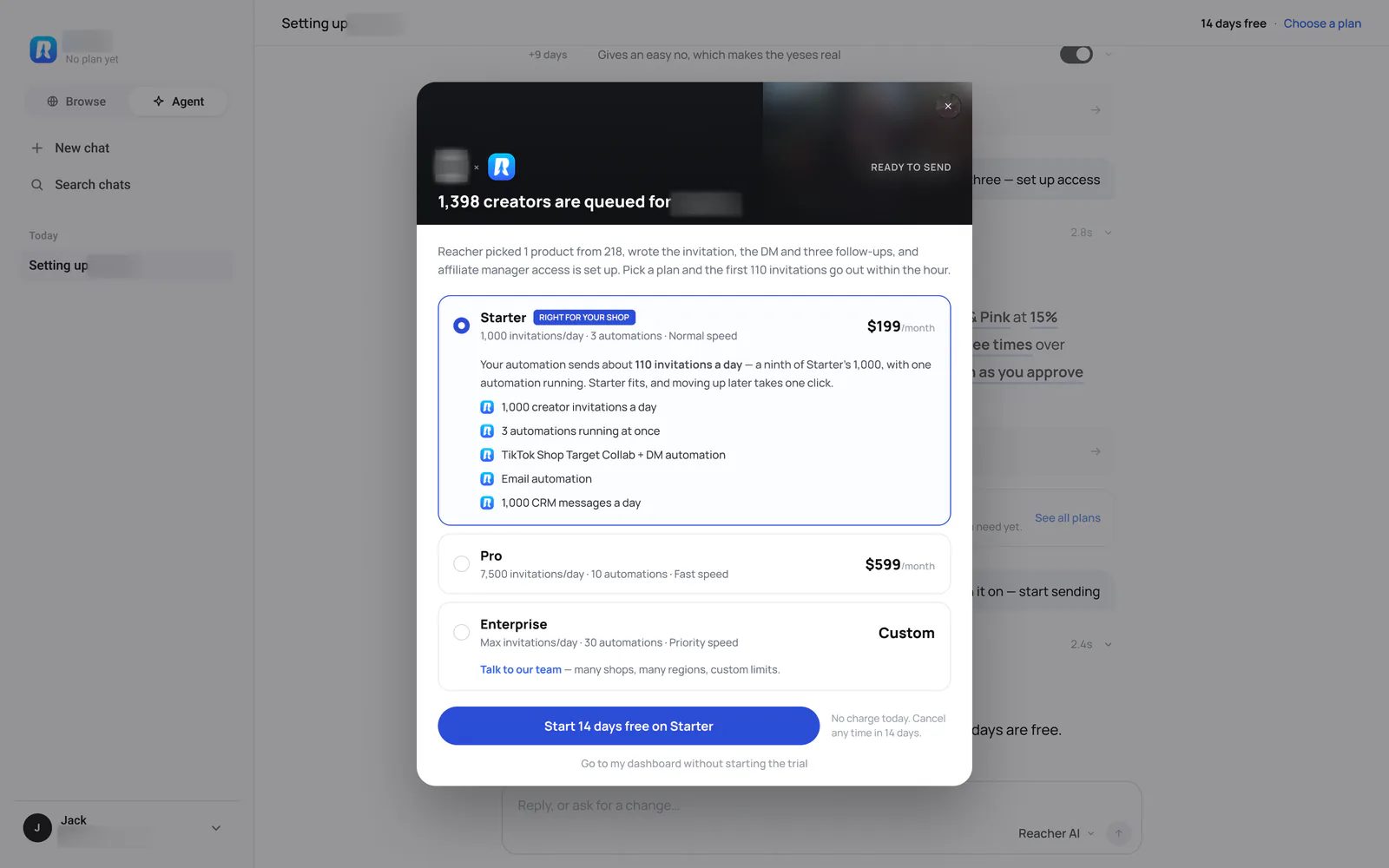
Plan picker sized to the automation
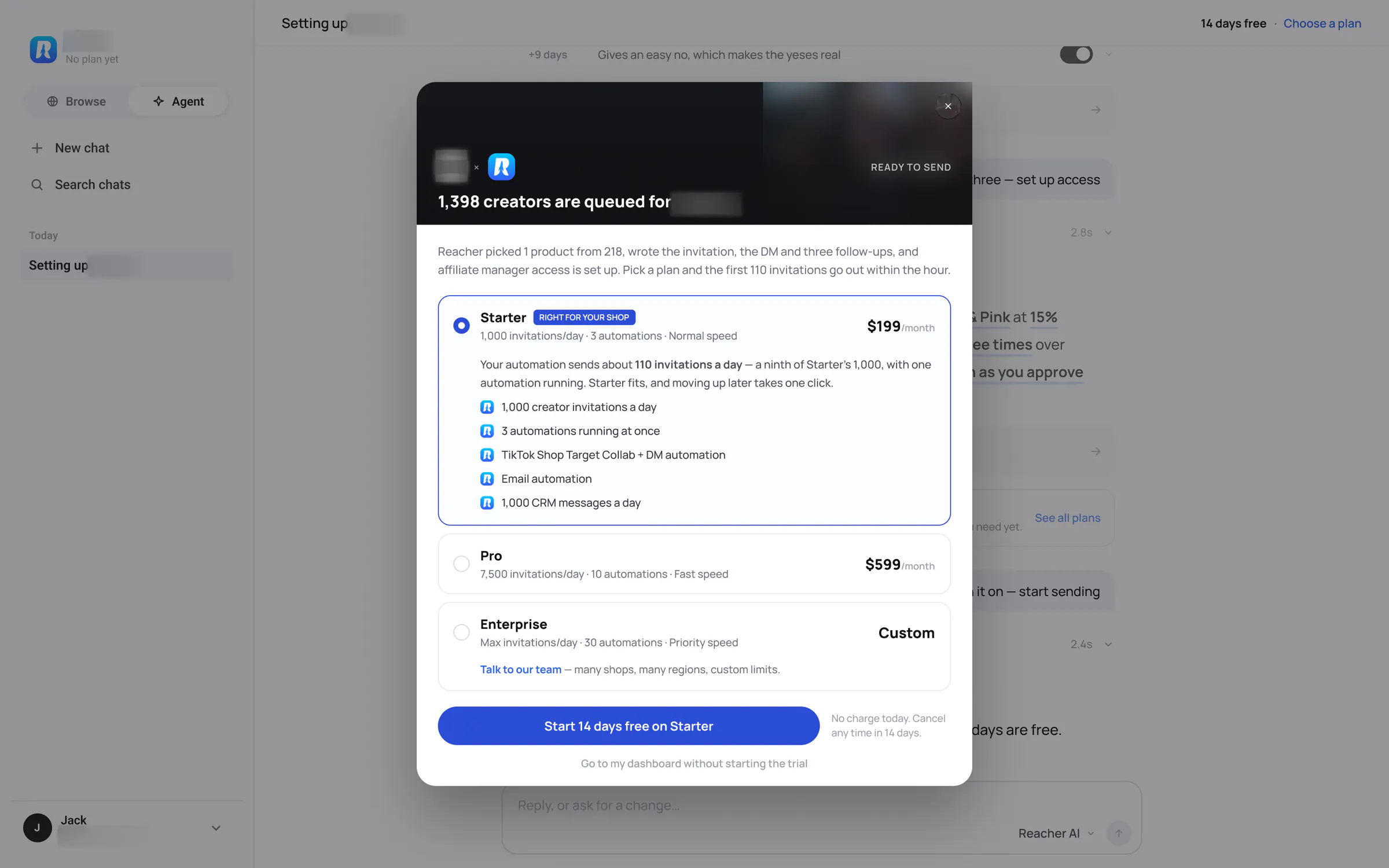
On a run where no plan was picked earlier (the sidebar reads No plan yet), turning the automation on opens a plan modal: 1,398 creators are queued, and Starter is selected and tagged Right for your shop, noting the automation sends about 110 invitations a day, a ninth of Starter's 1,000.
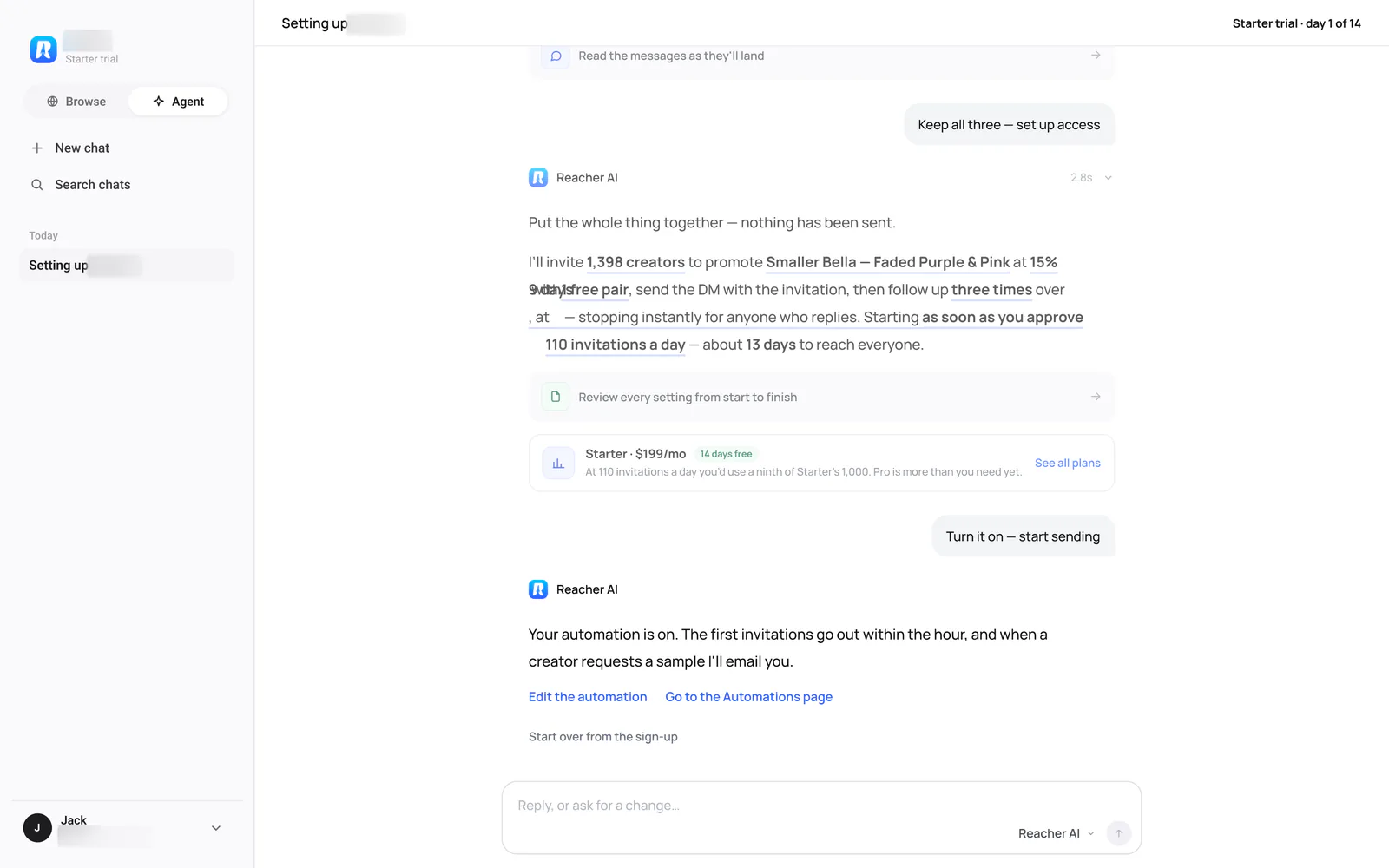
Automation on, next steps offered
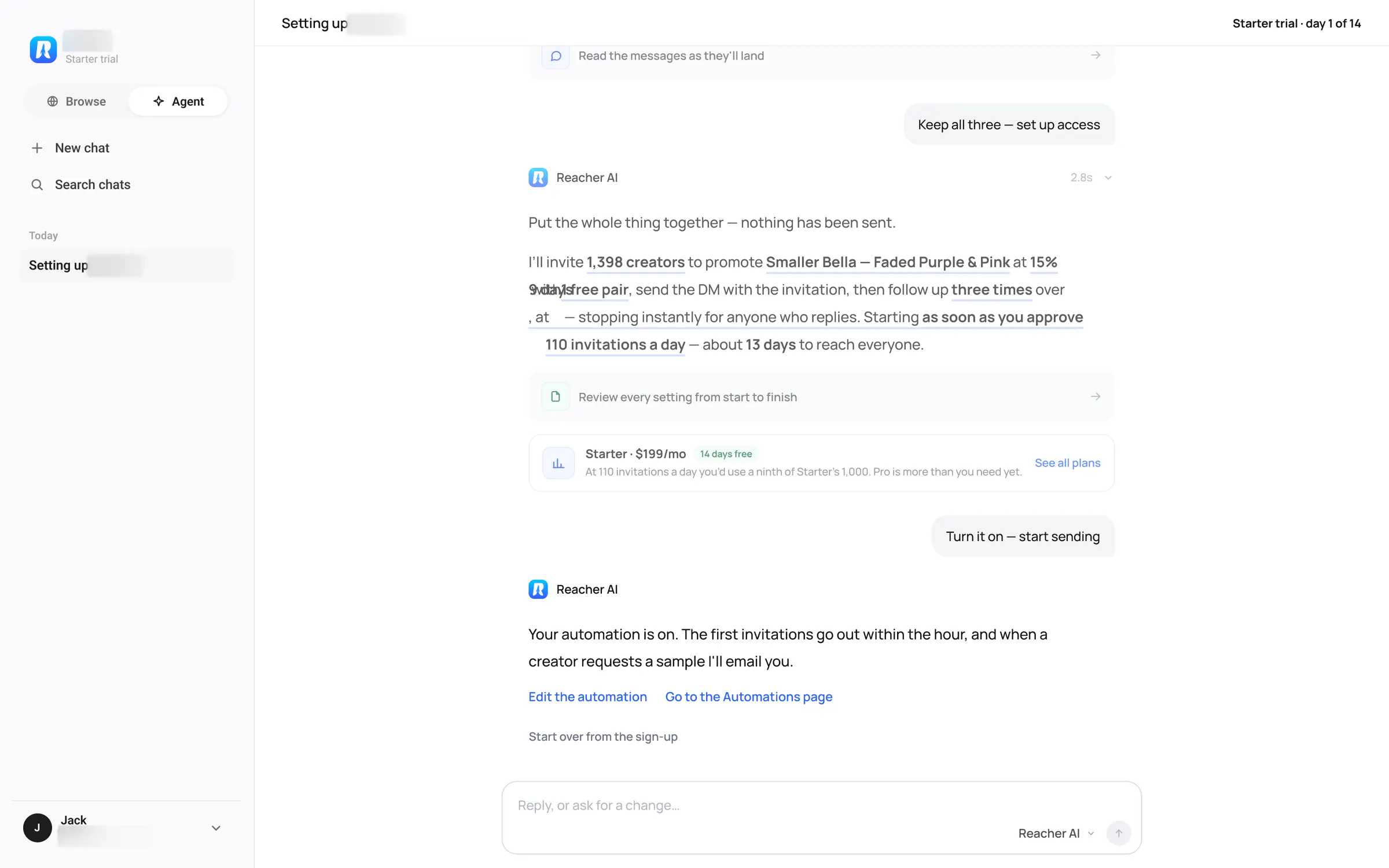
After Turn it on — start sending, the agent confirms the automation is on and that the first invitations go out within the hour. Links lead to Edit the automation and Go to the Automations page.
The Automations page
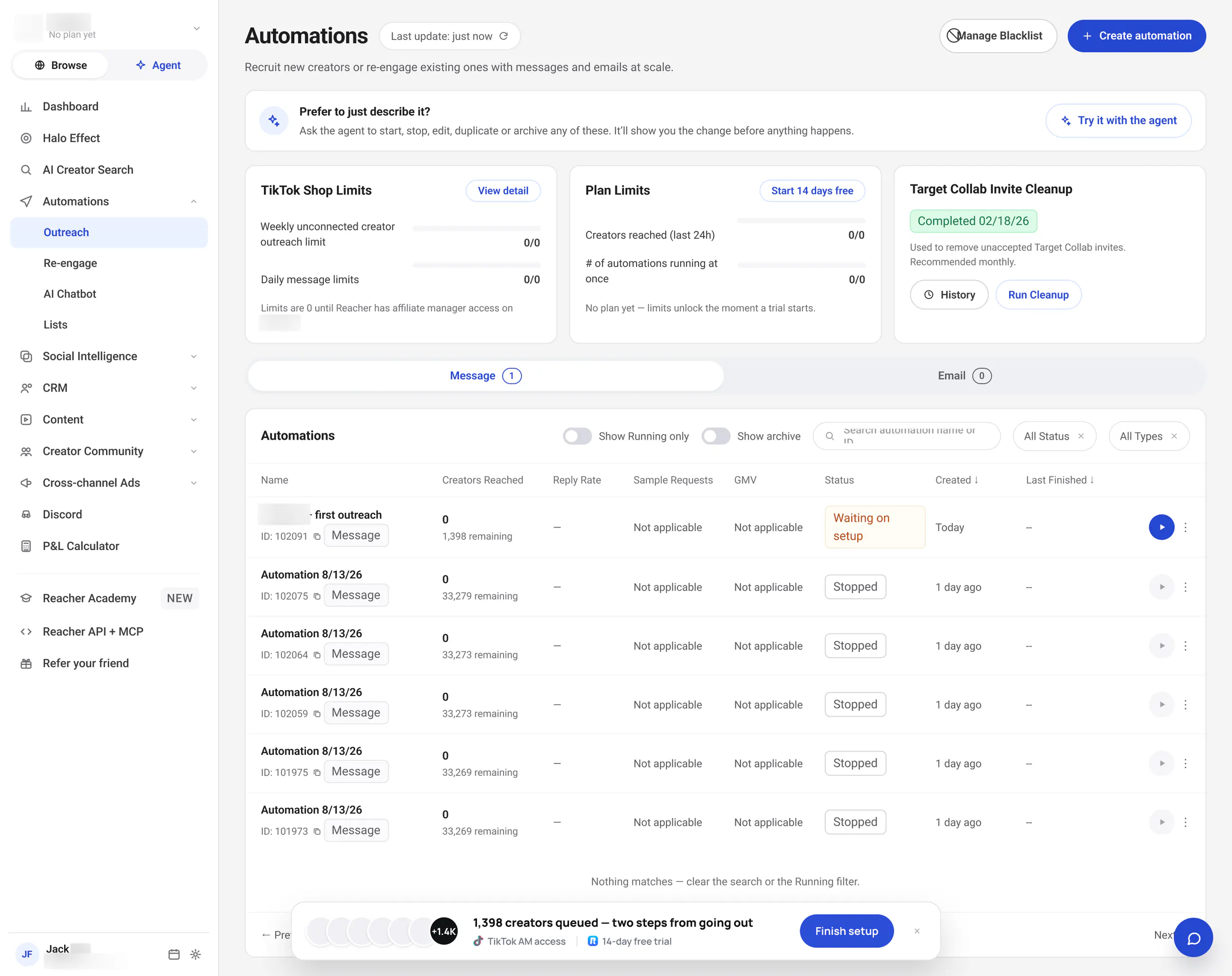
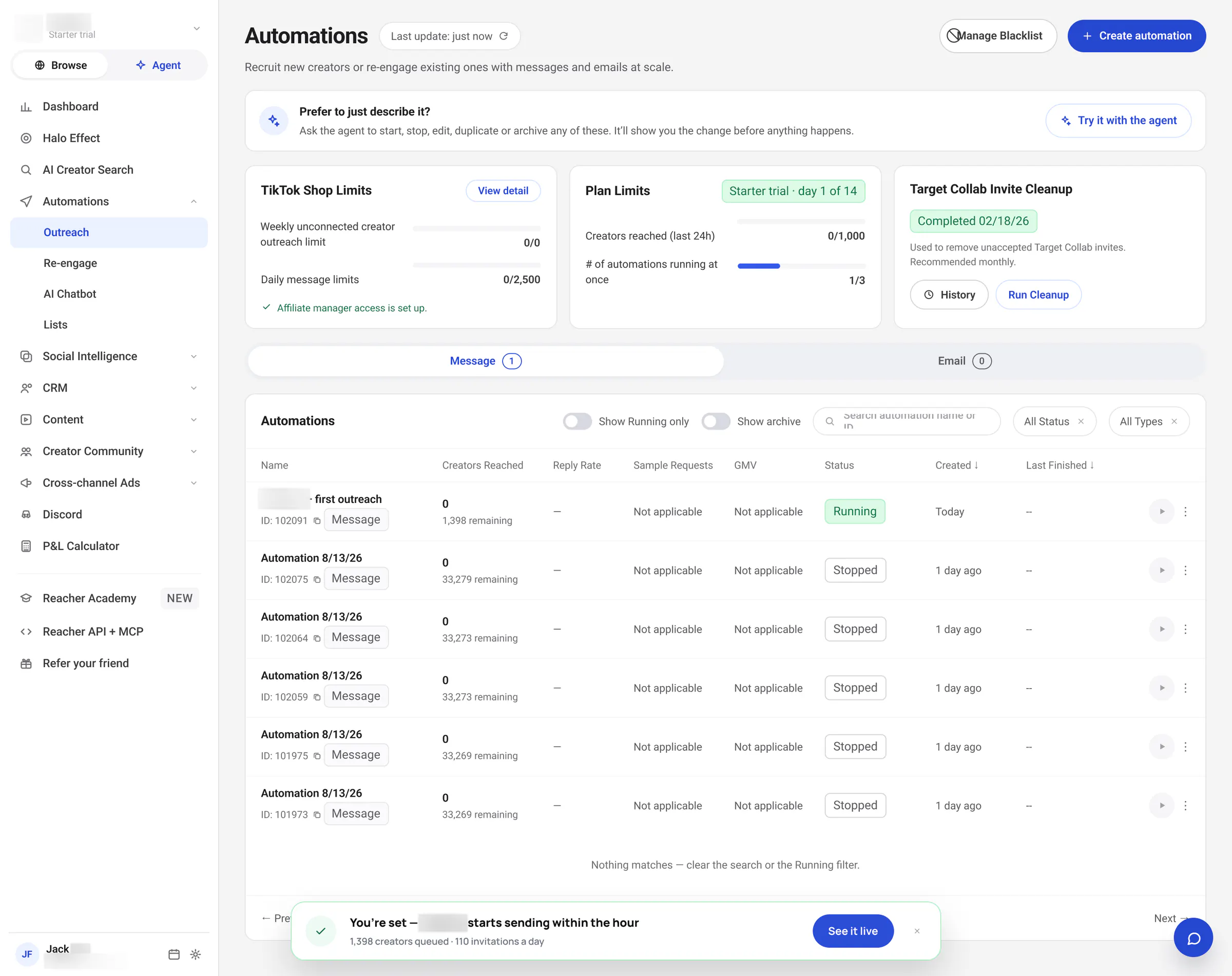
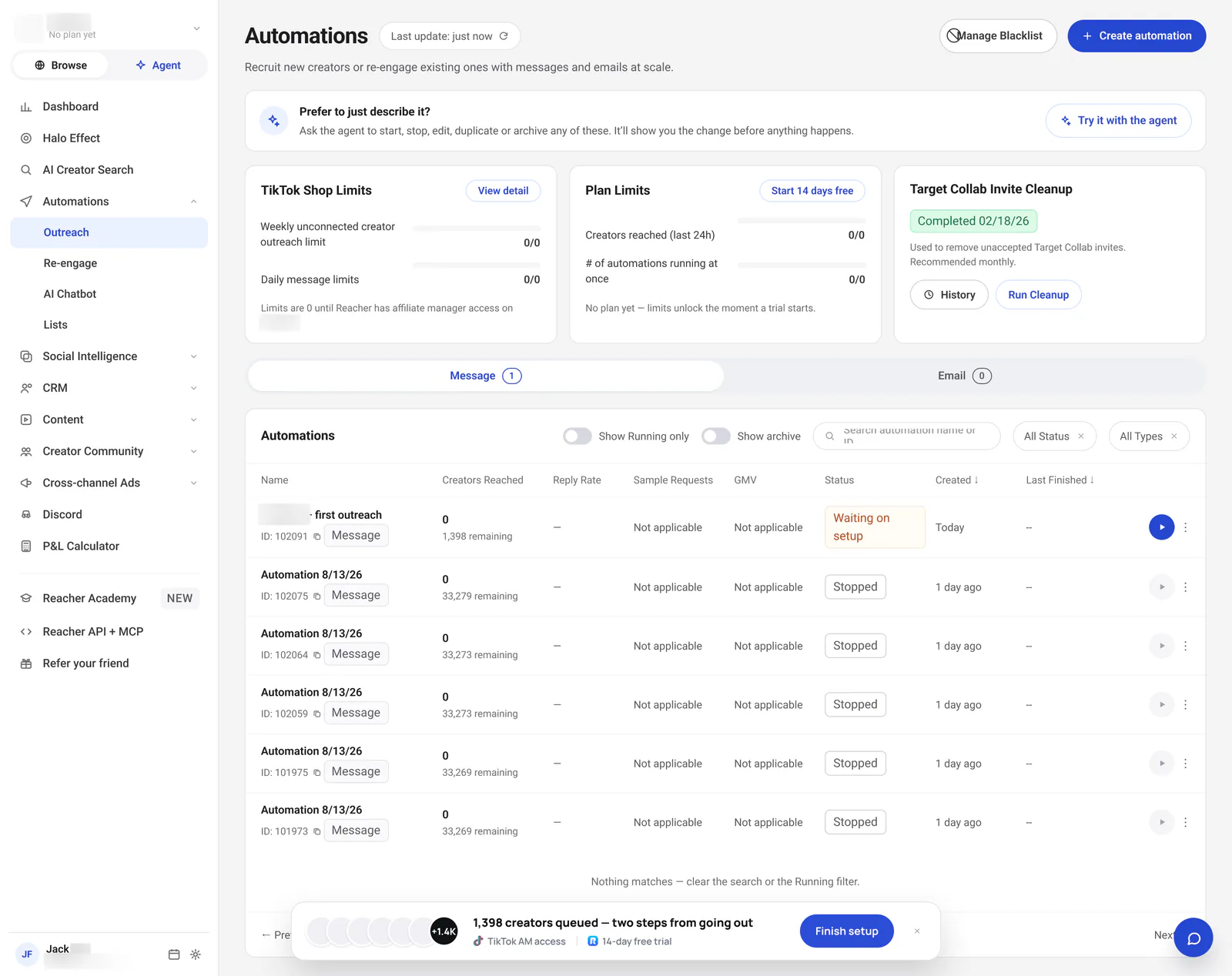
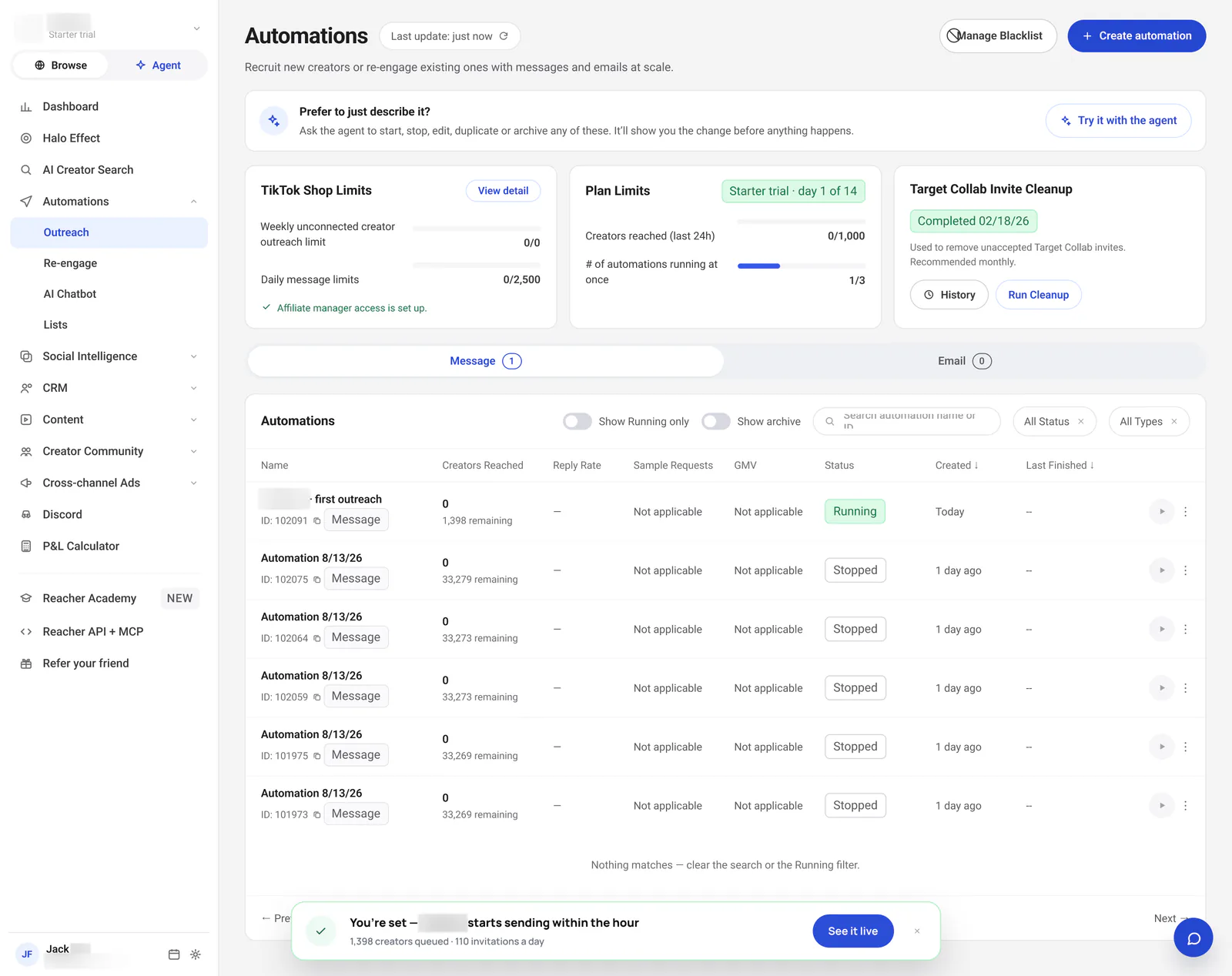
The portal's Automations page, before setup finishes and once the automation is running.
Automations page before setup finishes
The portal's Automations page lists the new outreach automation as Waiting on setup above older stopped ones. The limits cards read 0/0 until access and a plan are in place, and a bottom bar says 1,398 creators are queued, two steps from going out.
Setup complete, automation running
With access and the trial in place, the automation shows Running, the plan limits read Starter trial · day 1 of 14 with 1/3 automations, and a banner says the shop starts sending within the hour.