Reacher workflows
A visual canvas for chaining creator outreach steps (invites, waits, rules and DMs) into one automation.
- Builder UI
- Automation
Workflows lay out an outreach sequence on a canvas: entry rules, a target invite, waits, rules that branch on what a creator does, and DMs or emails. Blocks come from a palette on the right, and a workflow can be started from a template.
The file is built on captures of the live app. It runs from the landing page and the template picker to an empty canvas, the settings of the entry rules, the target invite, the DM and the email, and a running workflow.
The numbers on the running workflow are sample data. Creators’ names and email addresses are blurred.
 View full size (opens in a new tab)
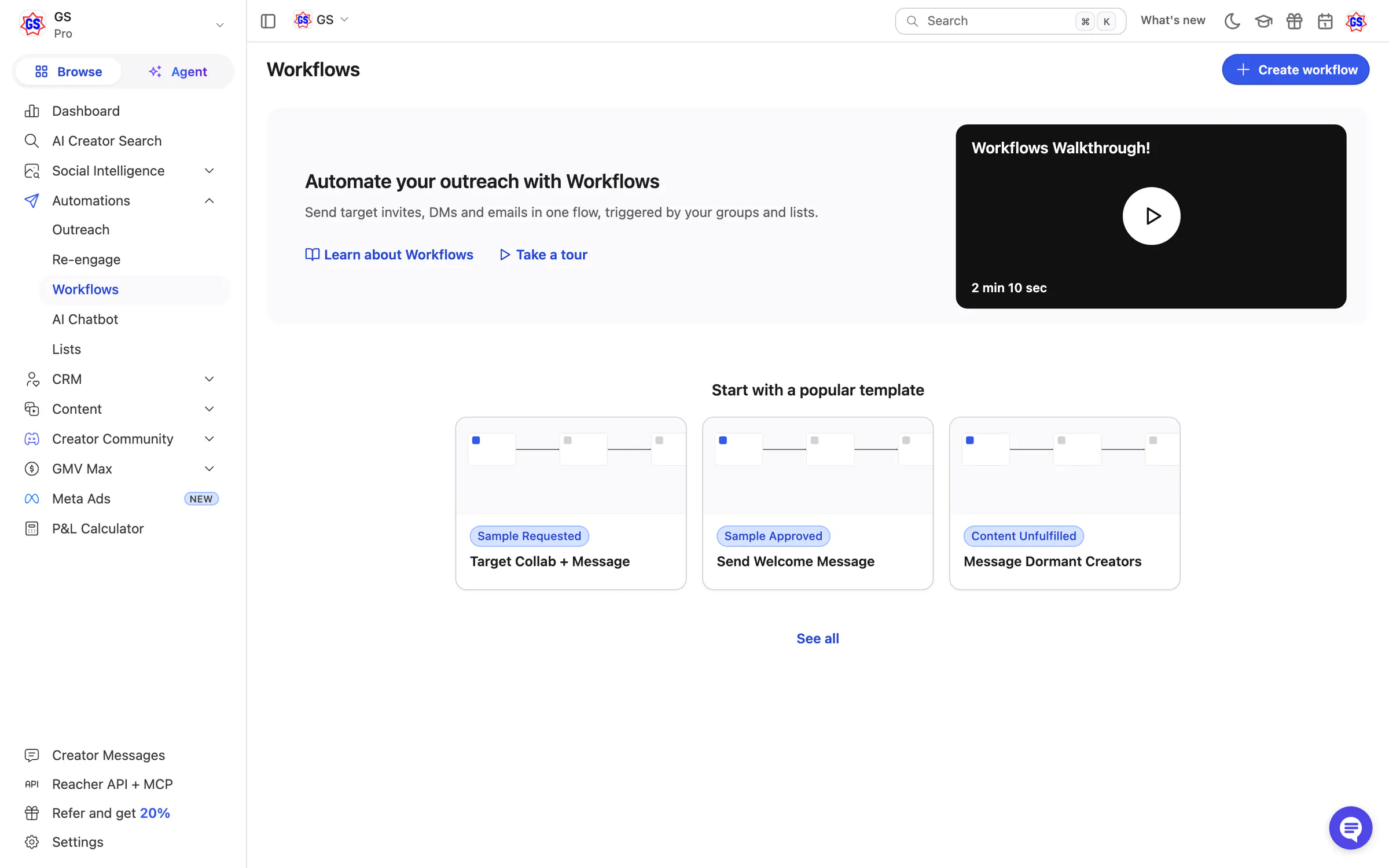
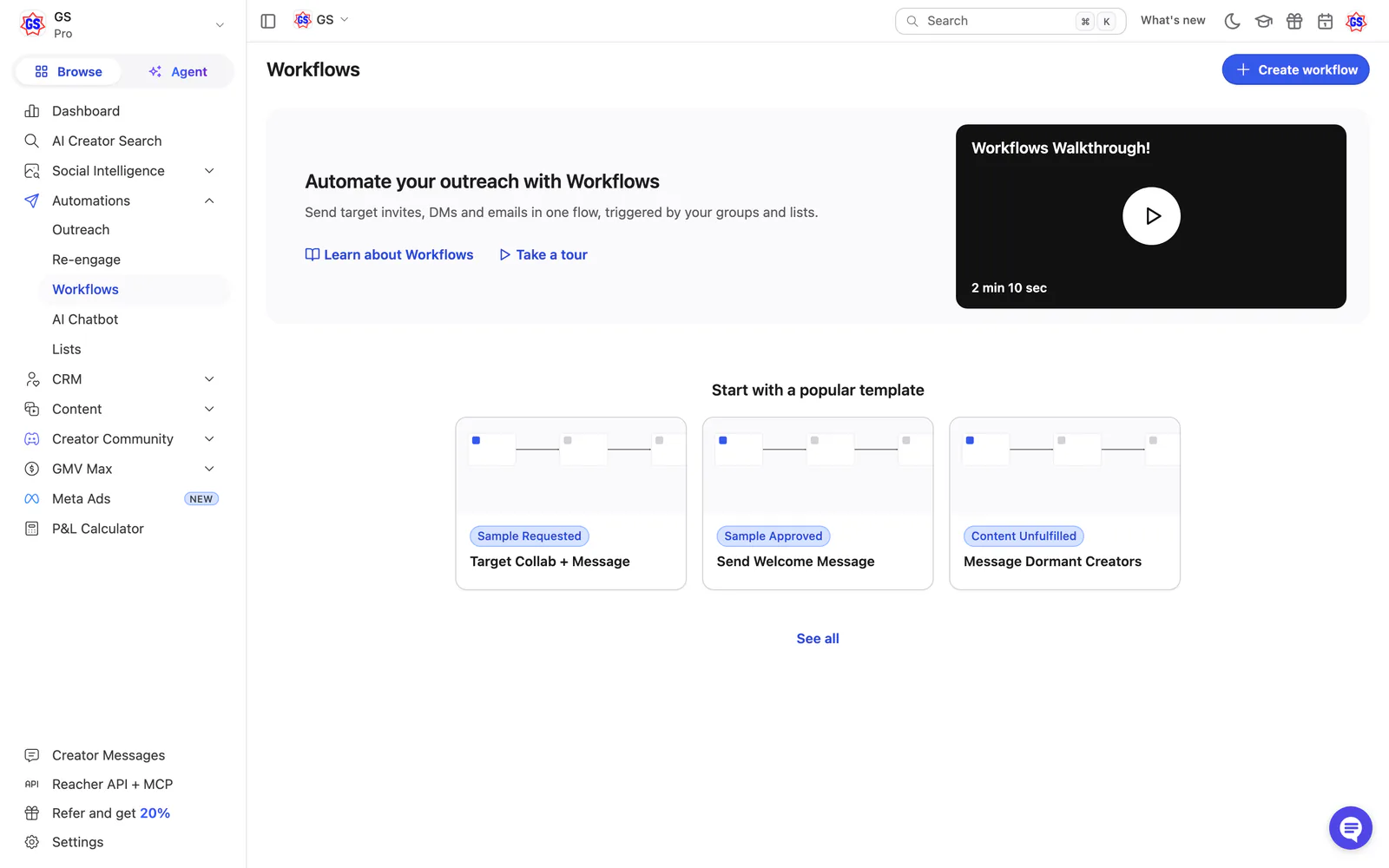
Landing page
A walkthrough video and three popular templates to start from.
 View full size (opens in a new tab)
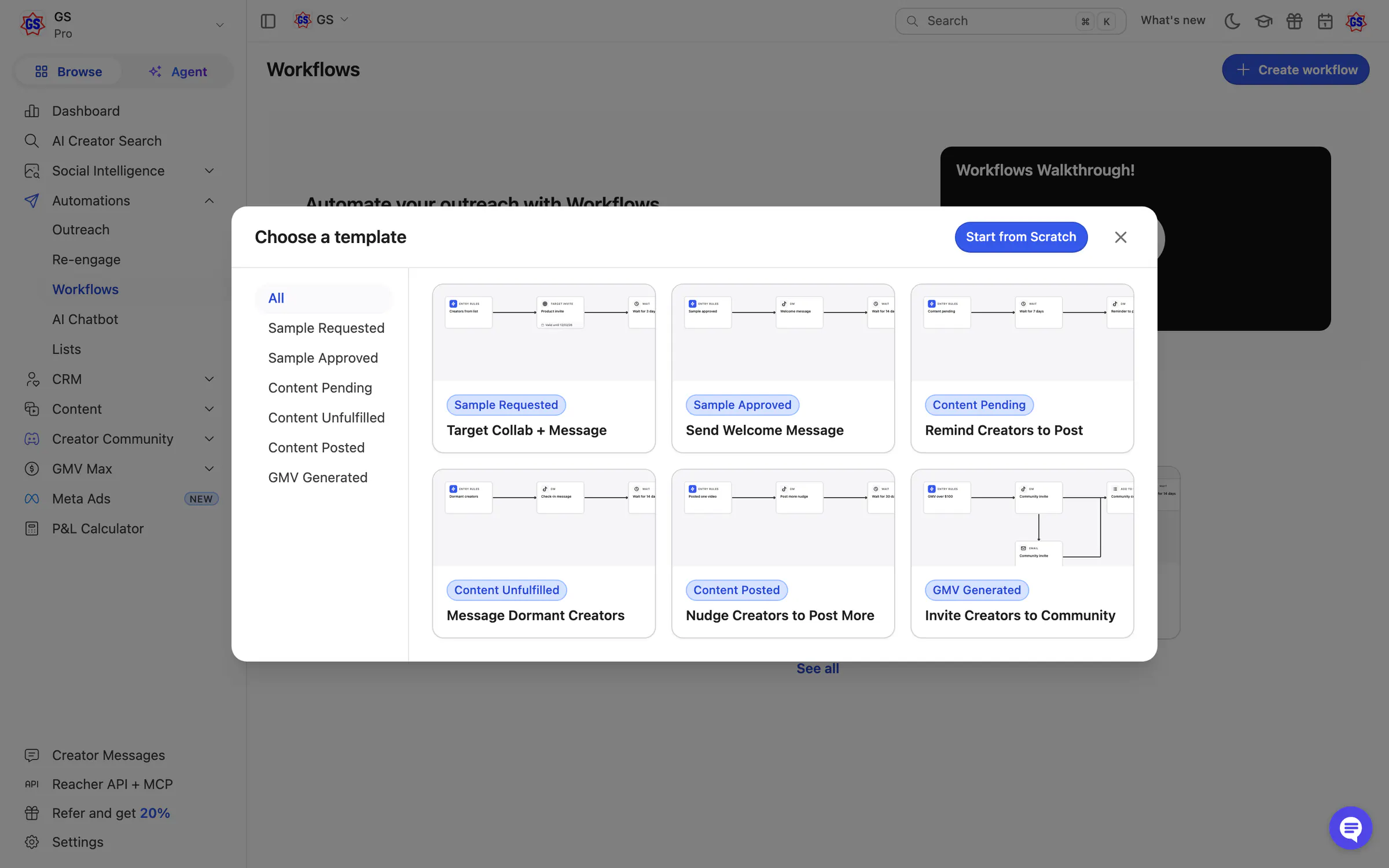
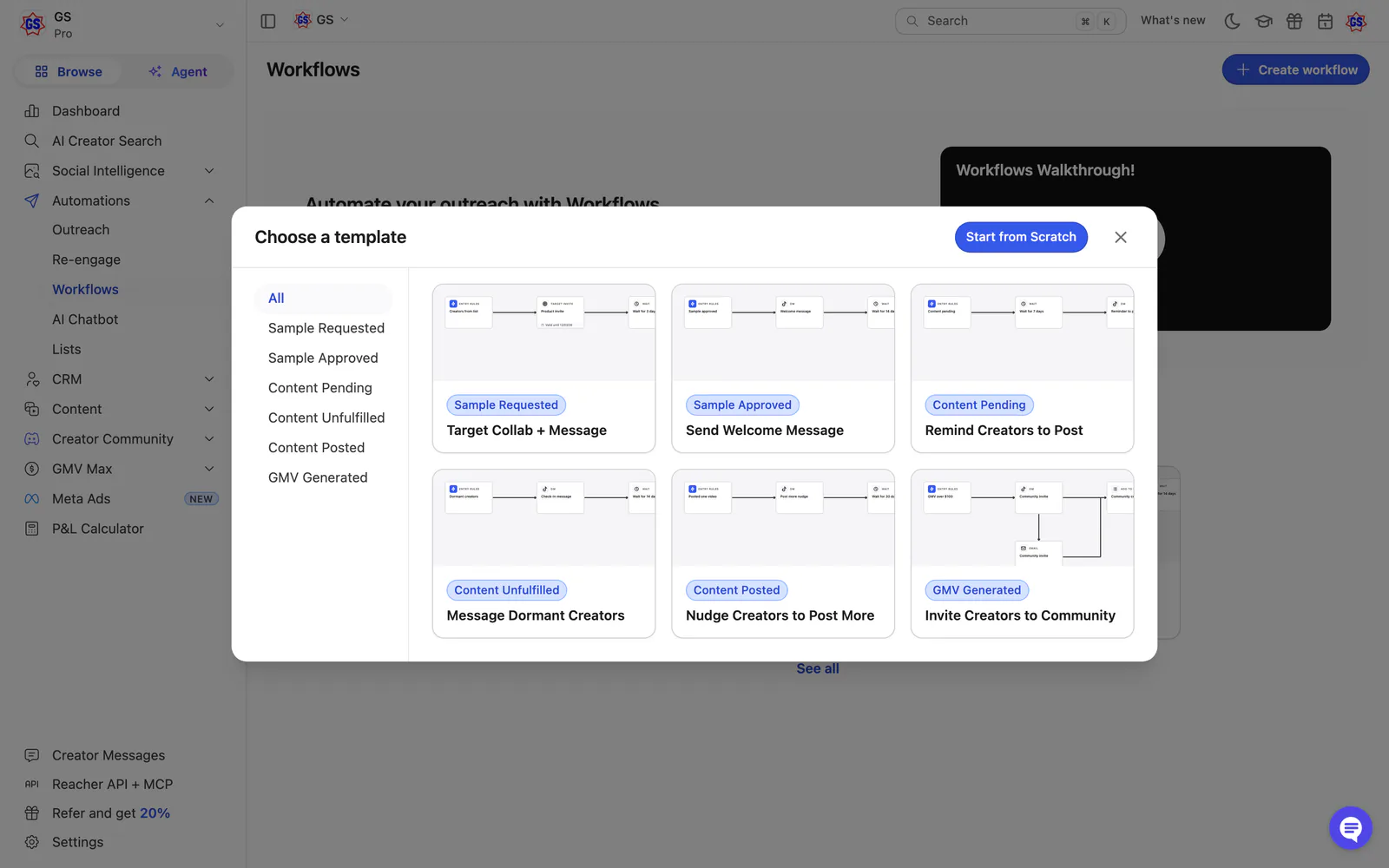
Choose a template
Filters on the left and six templates on the right, or start from scratch.
 View full size (opens in a new tab)
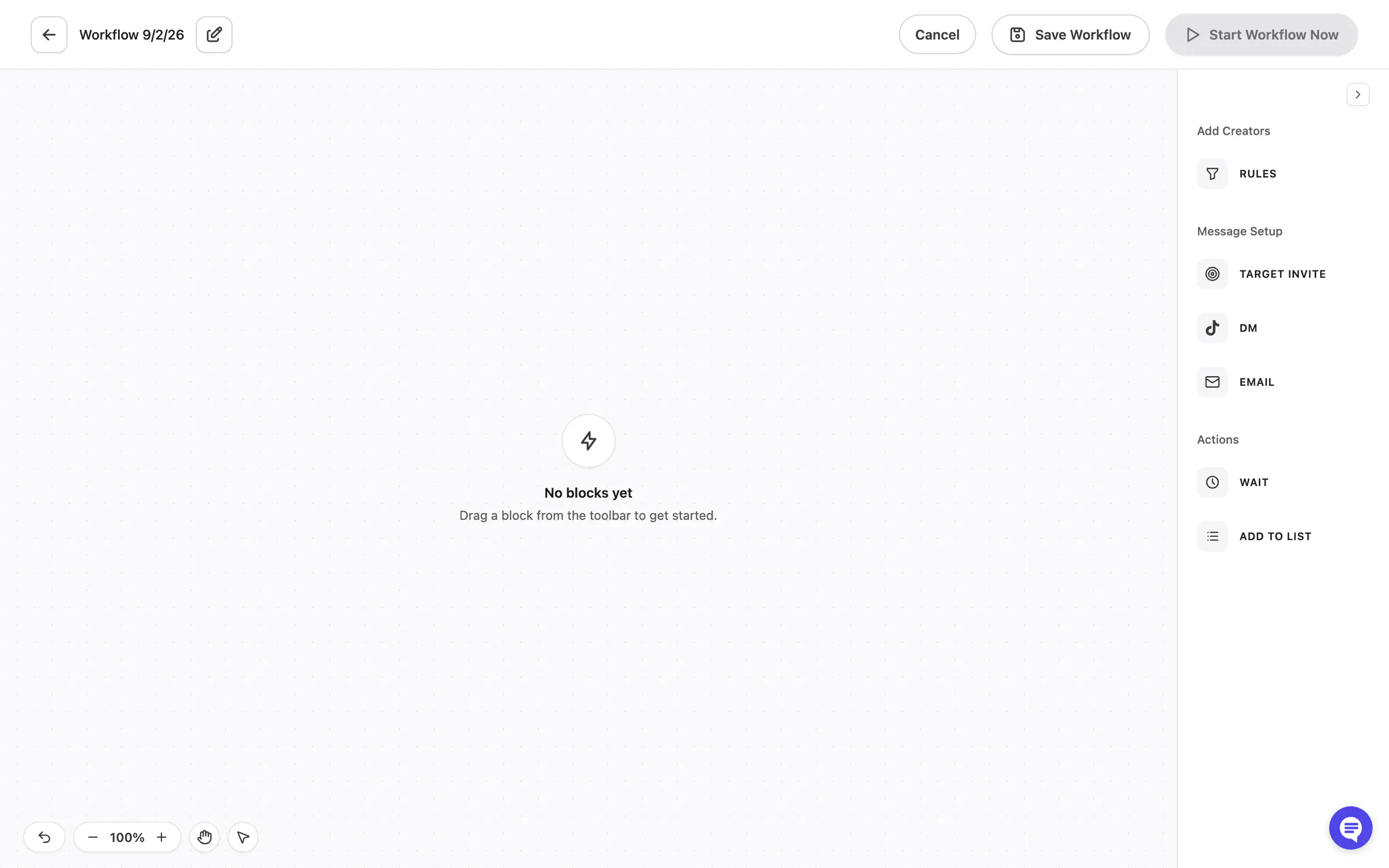
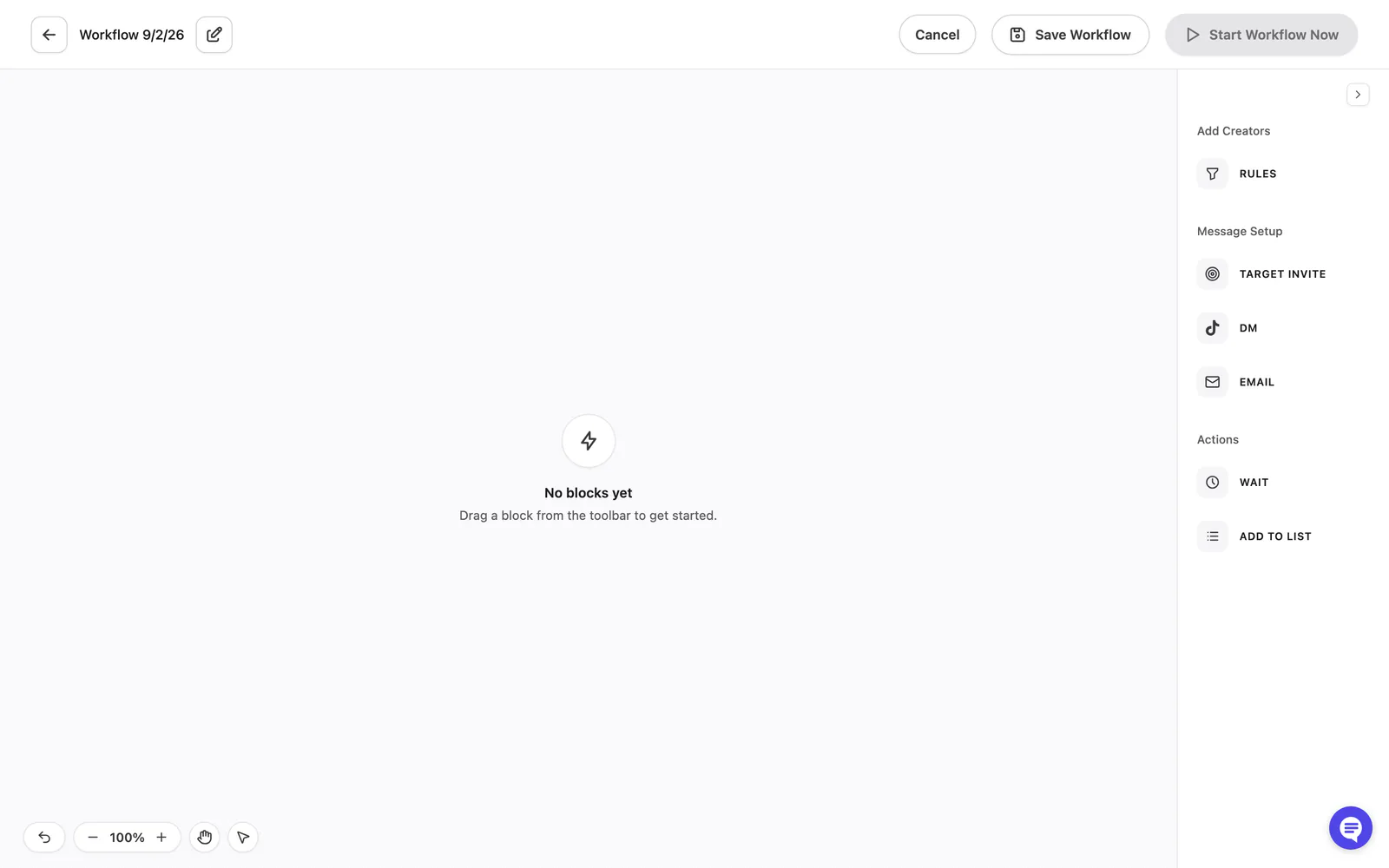
Empty canvas
A blank canvas with a palette of blocks on the right: rules, target invite, DM, email, wait and add to list.
 View full size (opens in a new tab)
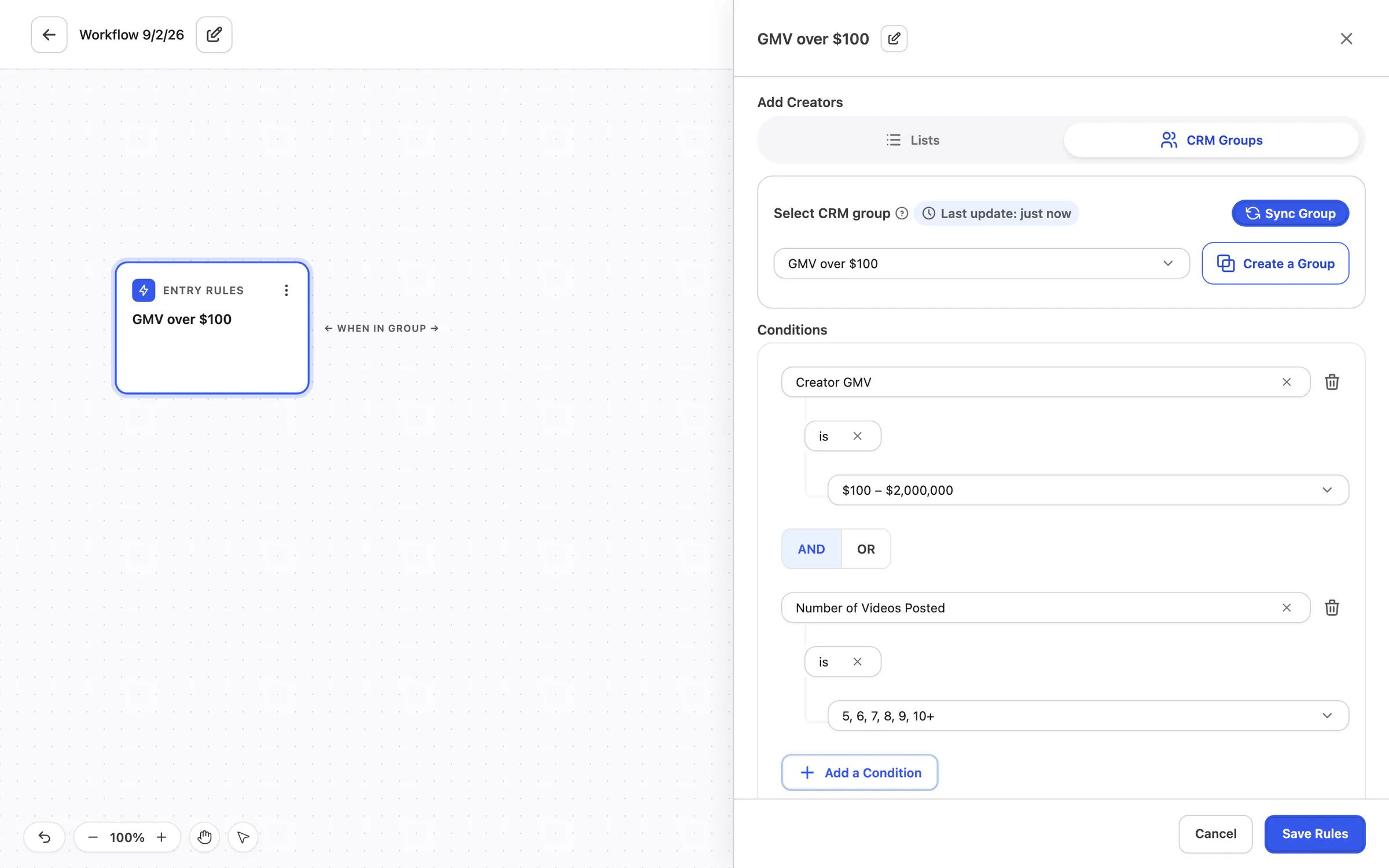
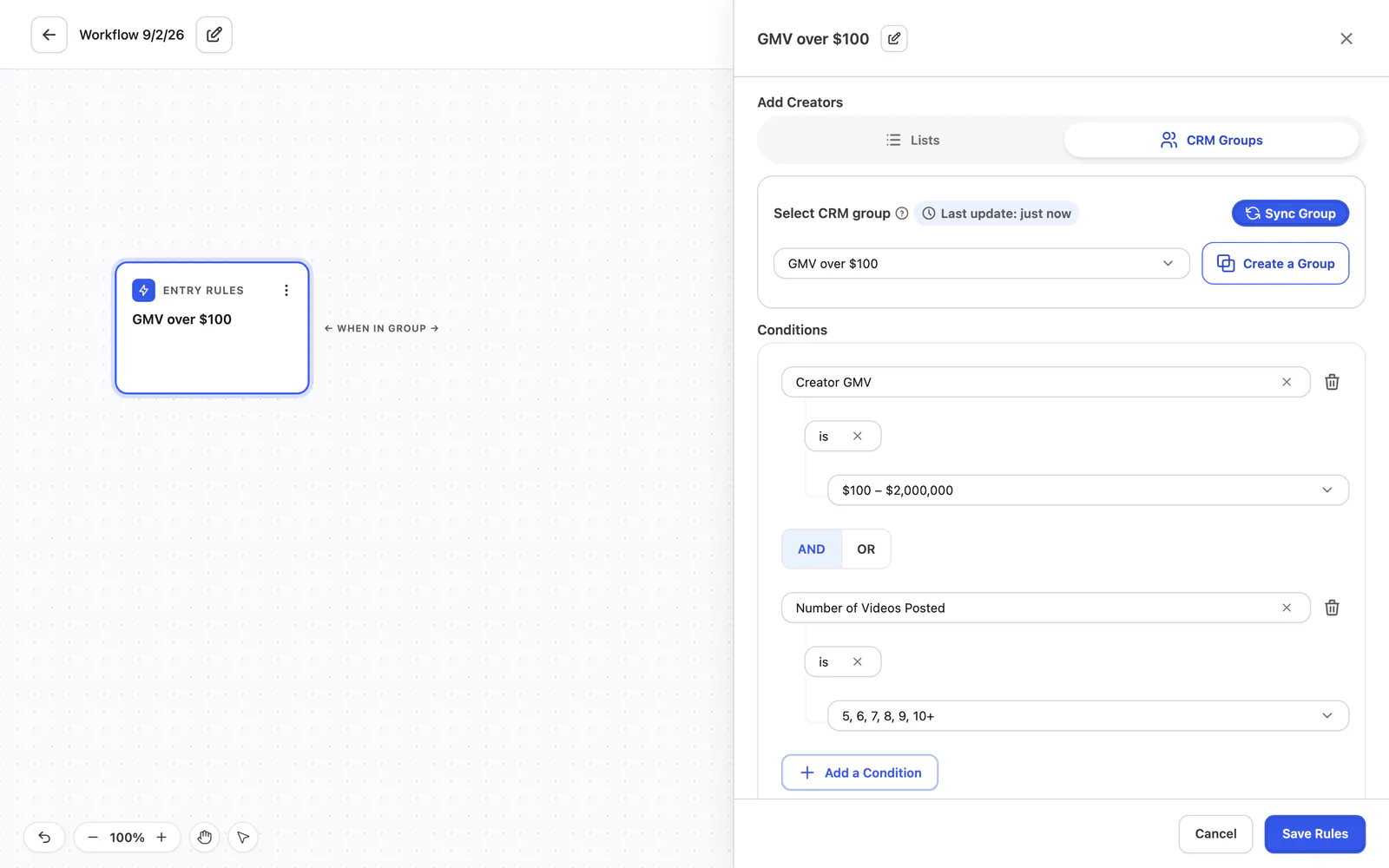
Entry rules: a CRM group
Choose who enters the workflow from a CRM group, with conditions on creator GMV and the number of videos posted.
 View full size (opens in a new tab)
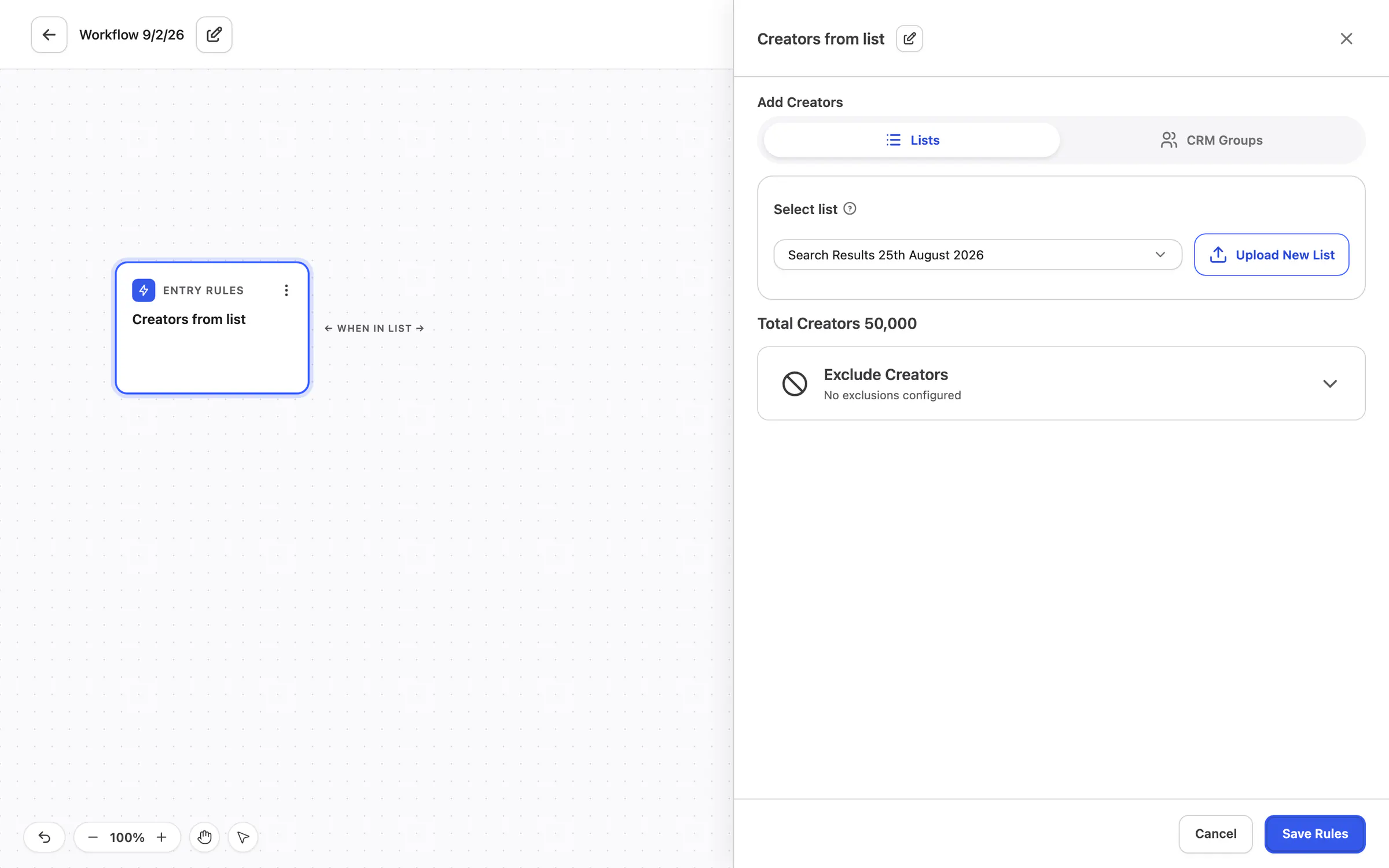
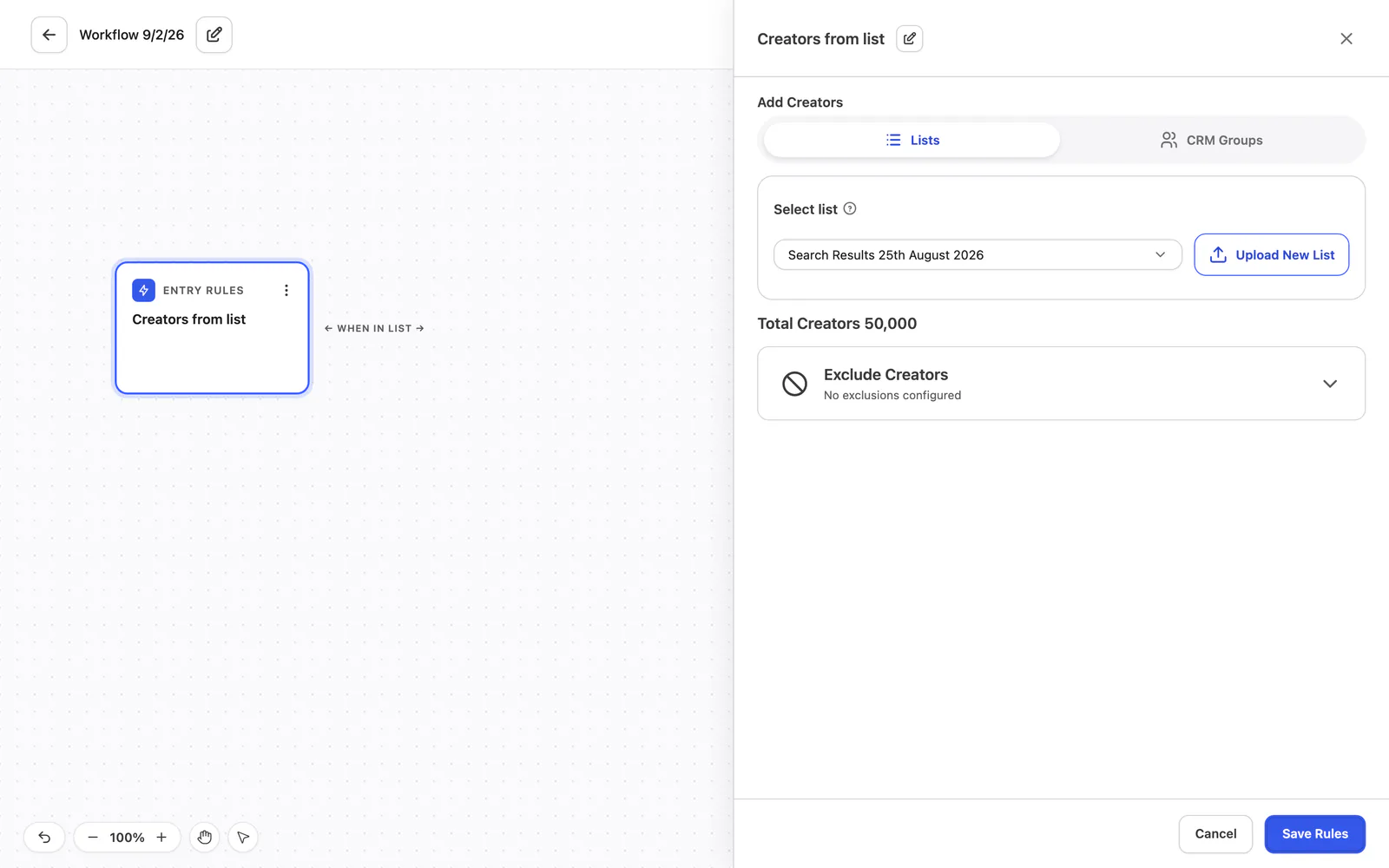
Entry rules: a list (alternative)
The alternative: choose a list instead, with the number of creators in it and an option to exclude creators.
 View full size (opens in a new tab)
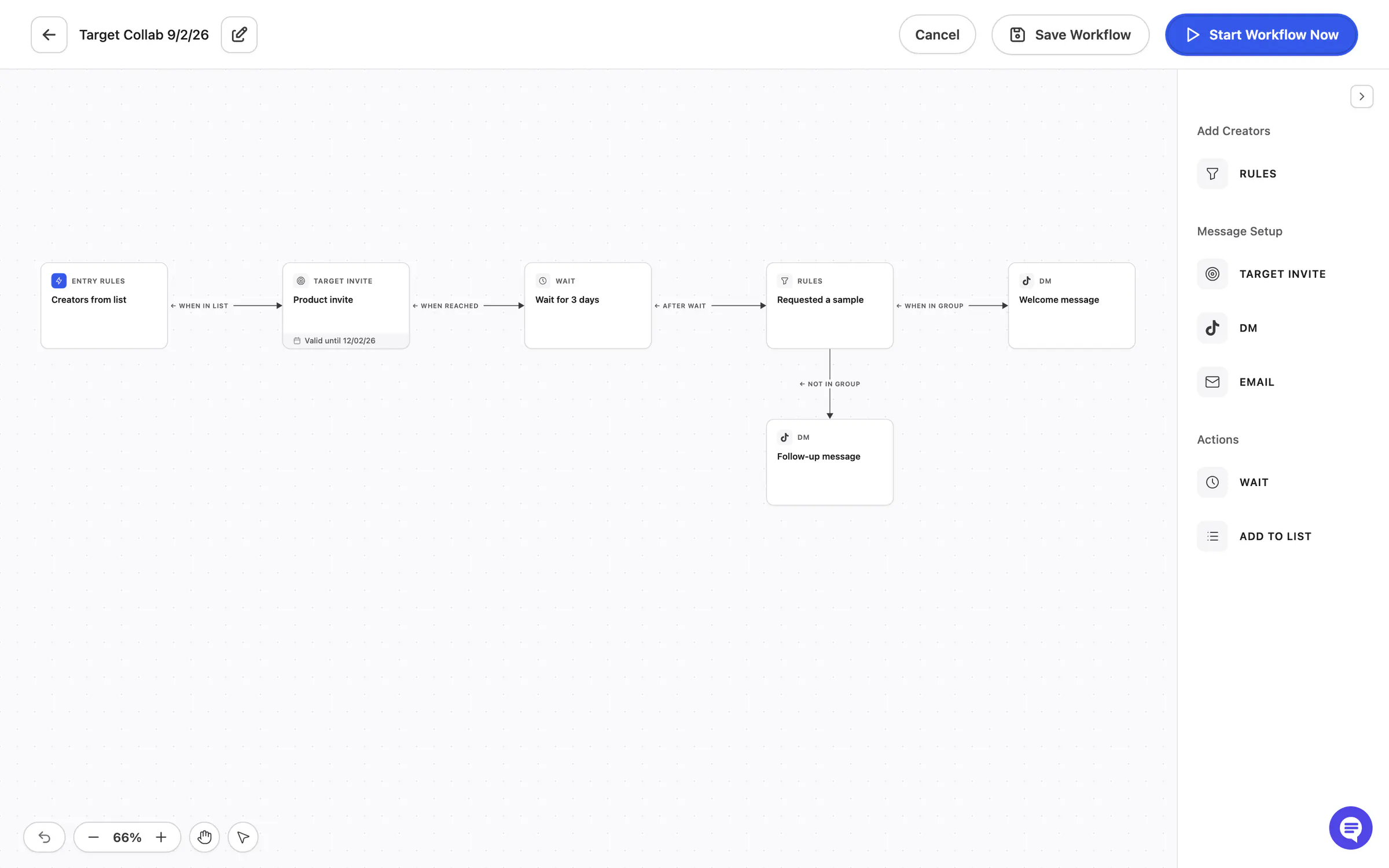
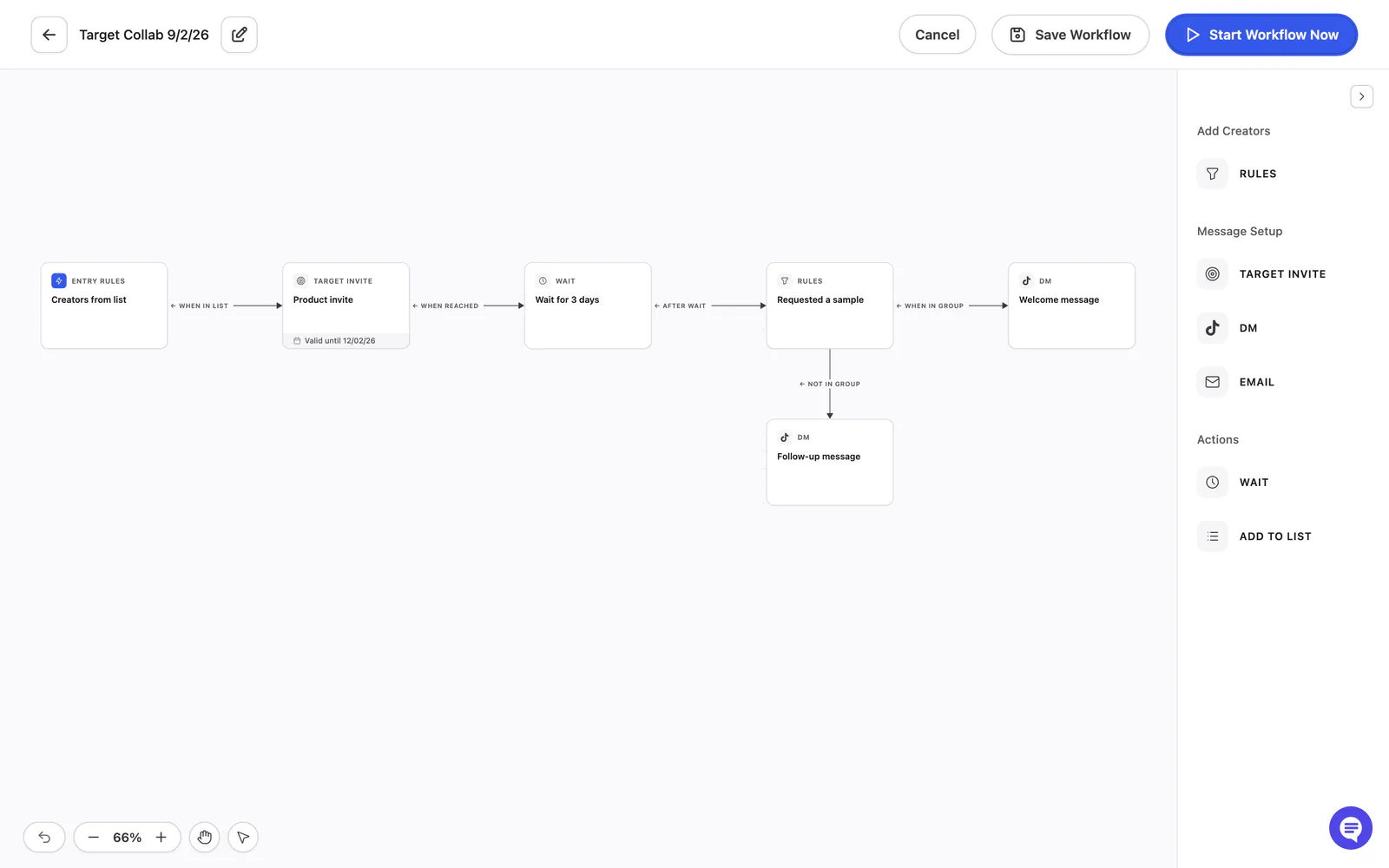
A template loaded
The canvas with a template in place: entry rules, target invite, wait, rules and DMs joined by labelled lines.
 View full size (opens in a new tab)
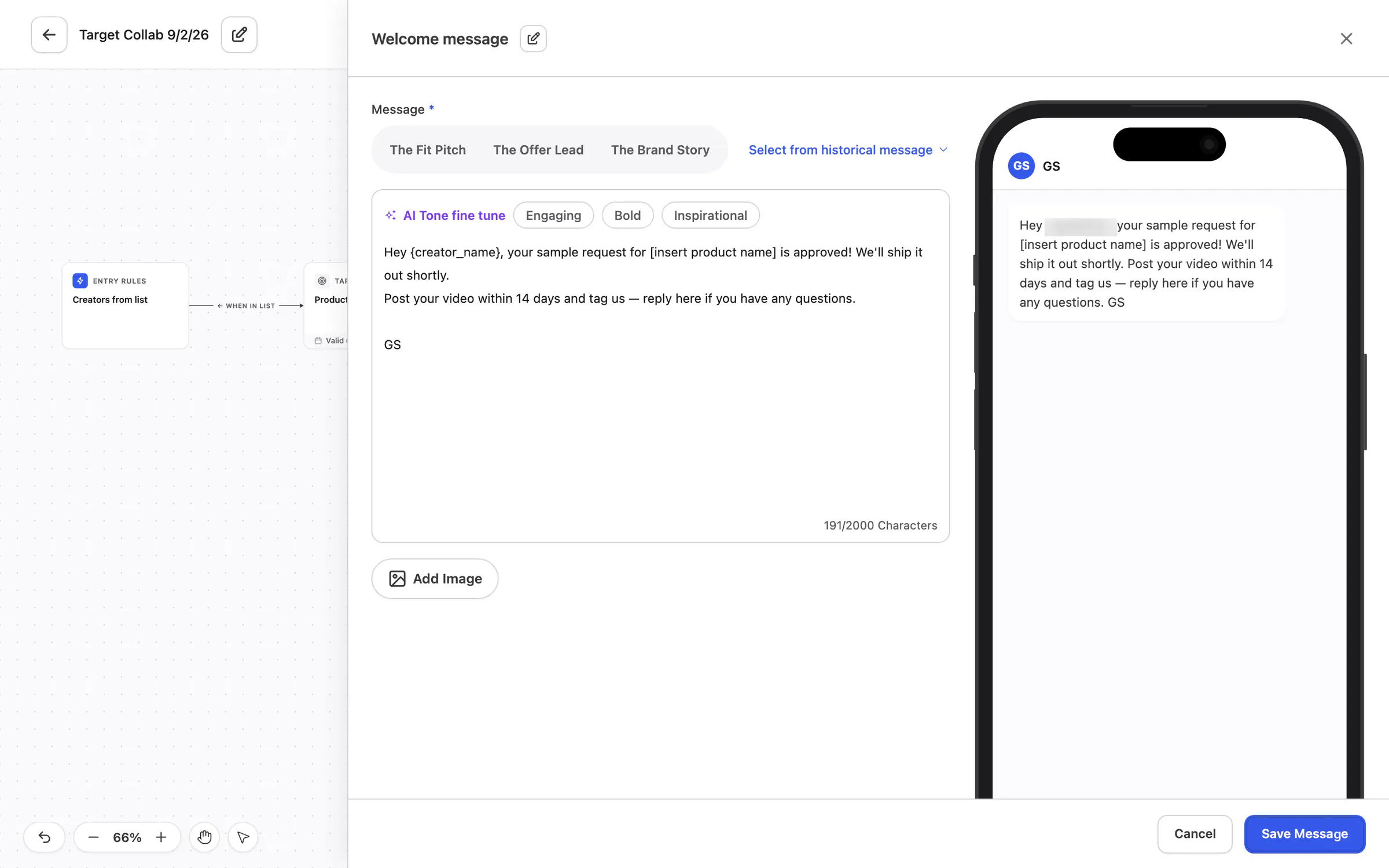
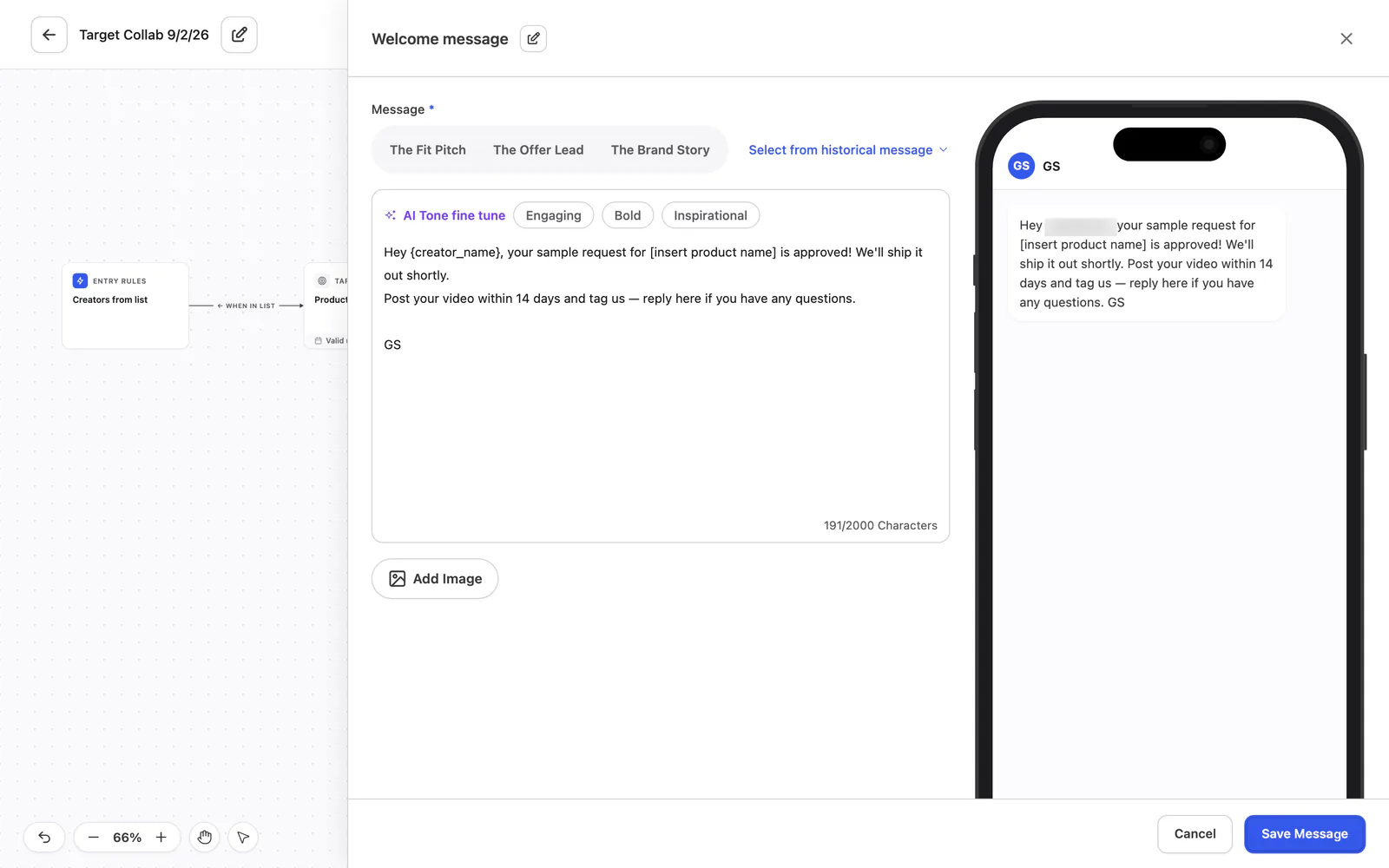
The DM block
Write the message, tune its tone (Engaging, Bold or Inspirational) and see it in a phone preview.
 View full size (opens in a new tab)
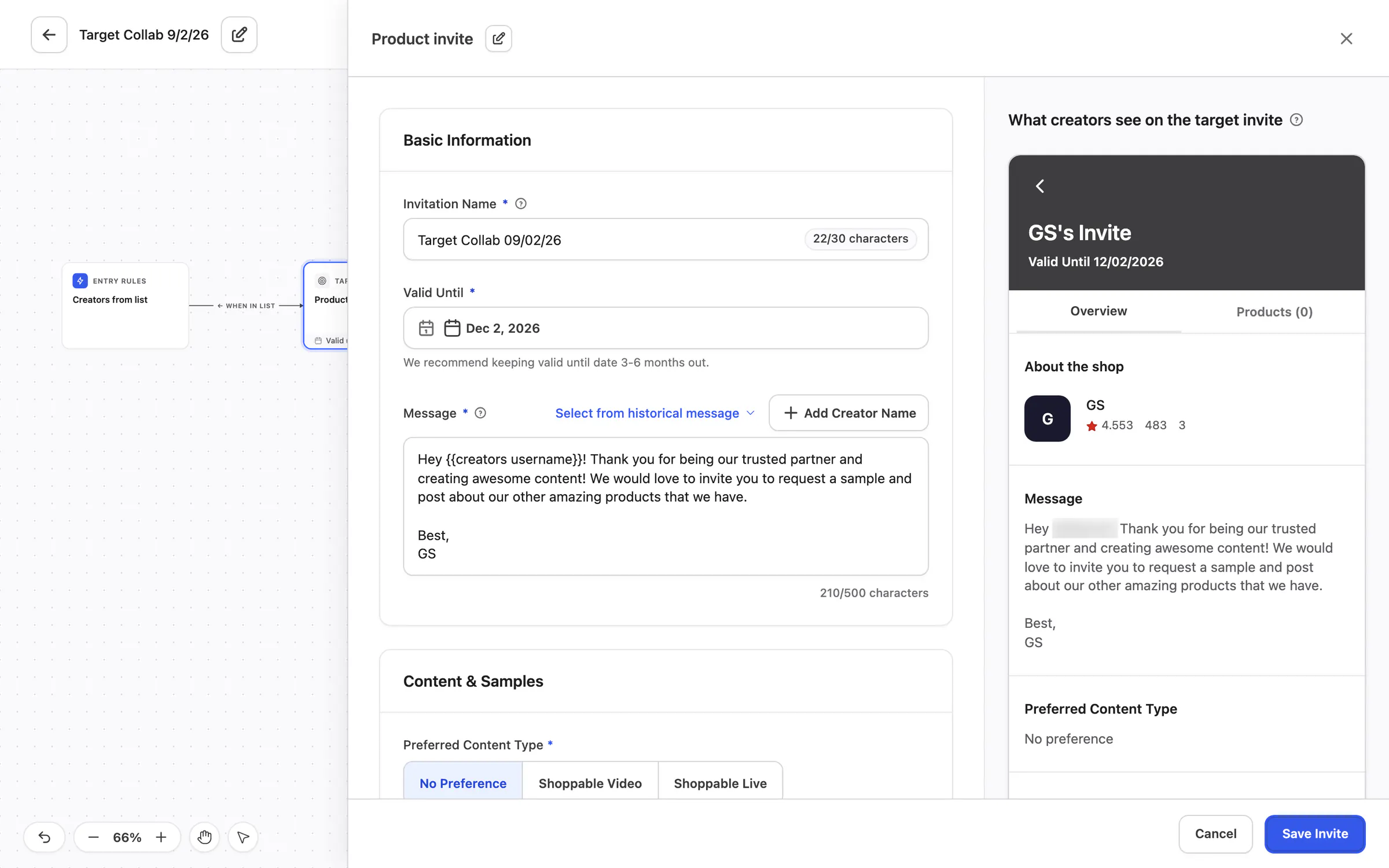
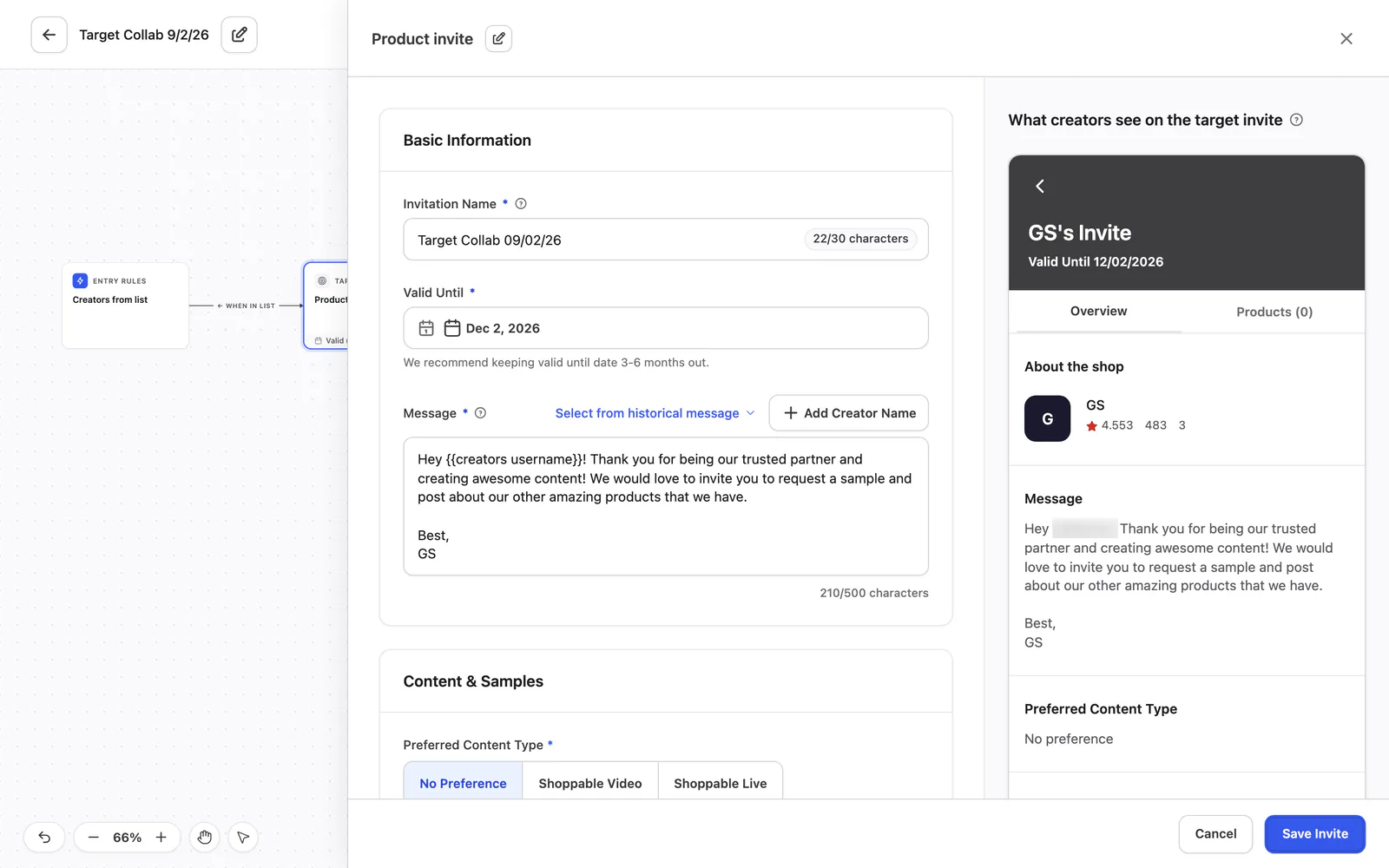
The target invite block
Name the invitation, set a valid-until date, write the message and preview what creators see on the invite.
 View full size (opens in a new tab)
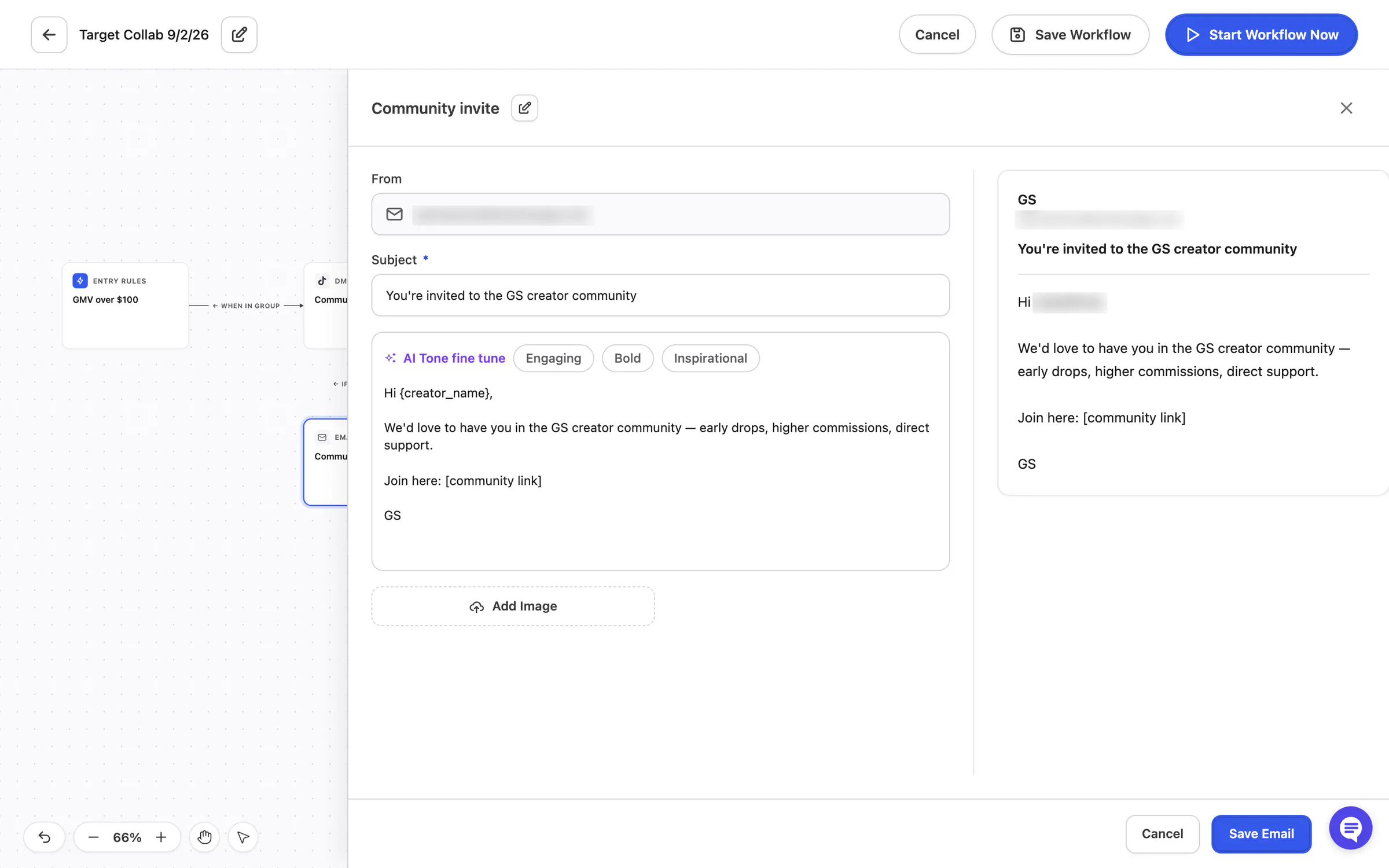
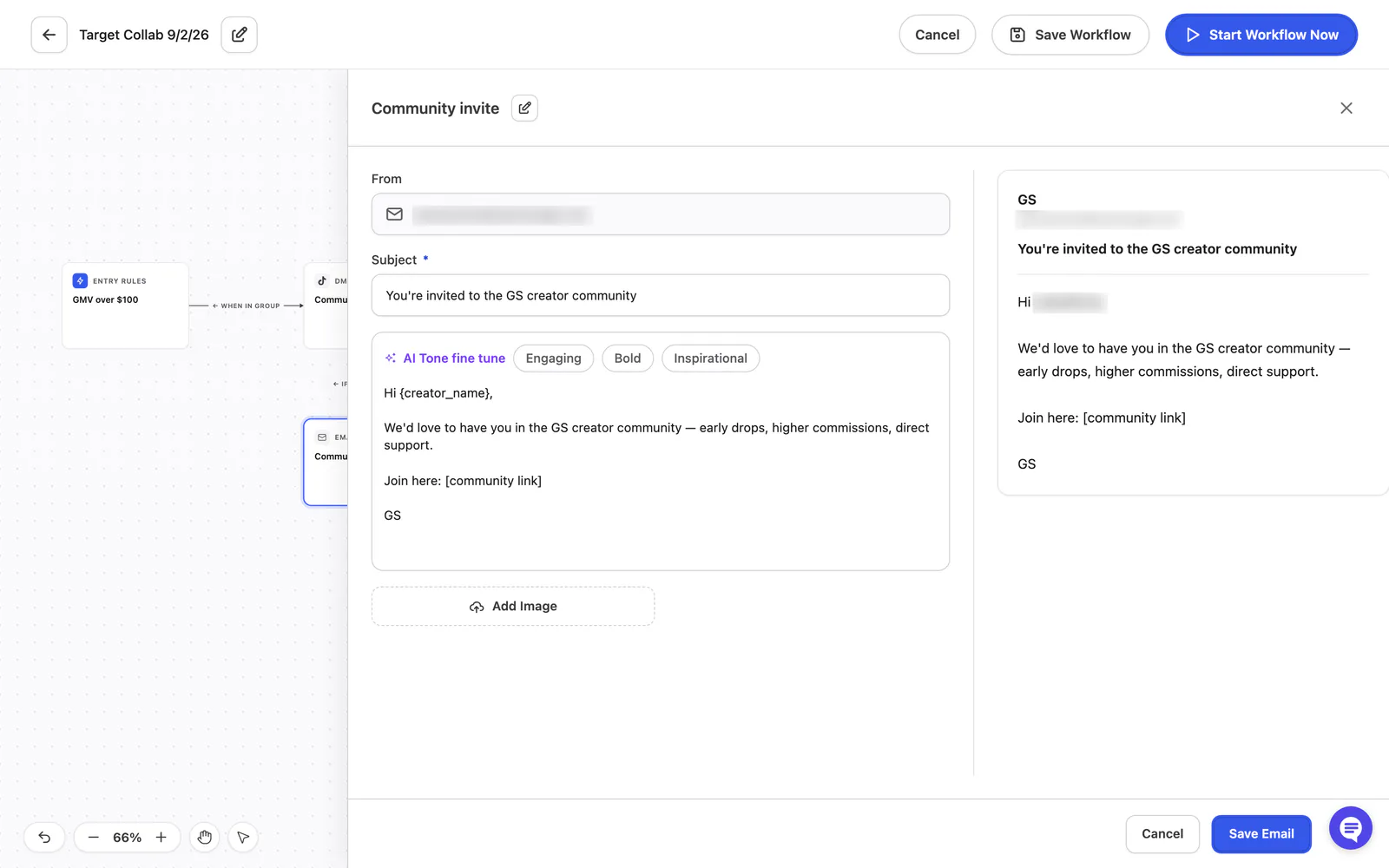
The email block
Write the email’s subject and body with the same tone options, and preview the email.
 View full size (opens in a new tab)
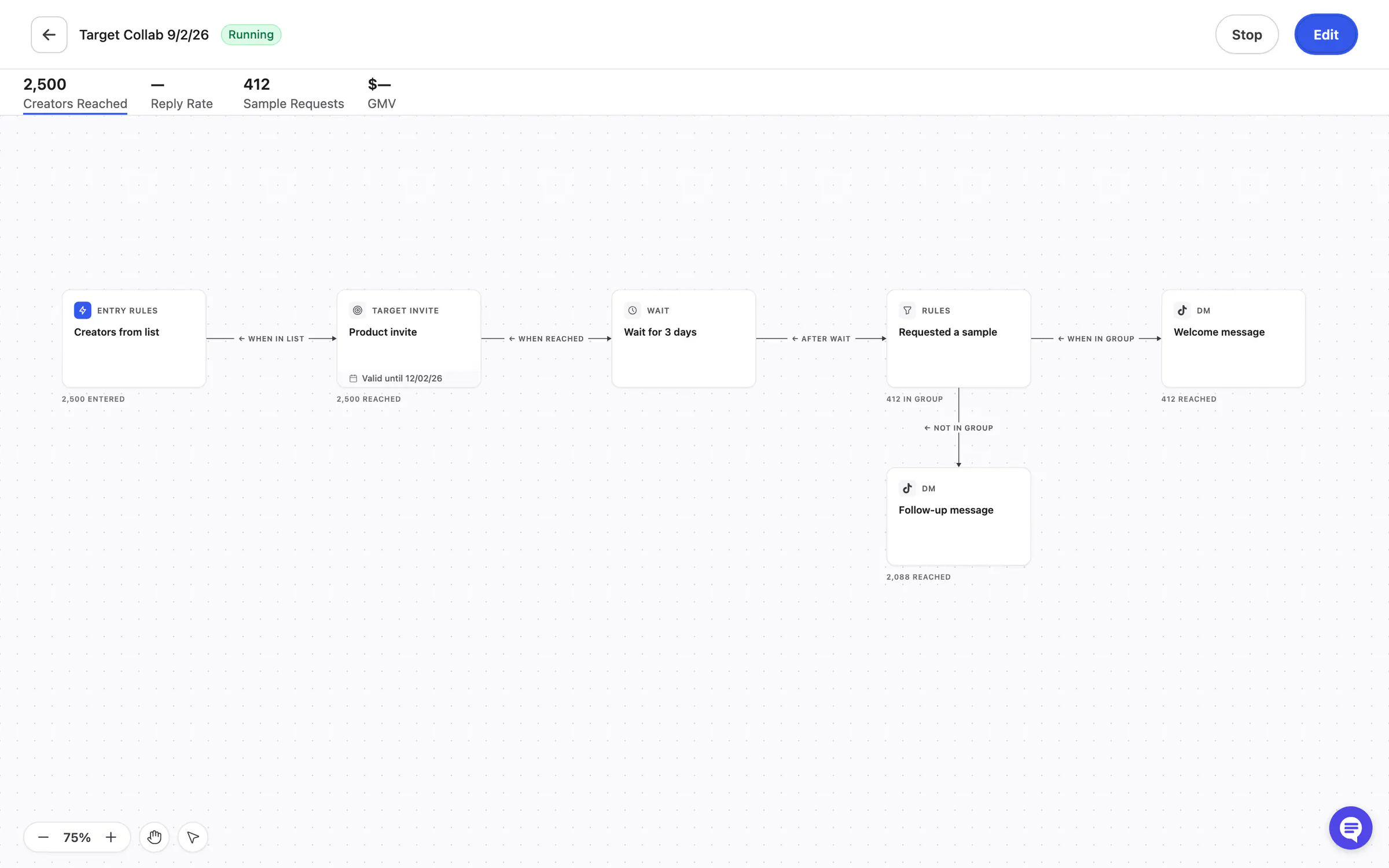
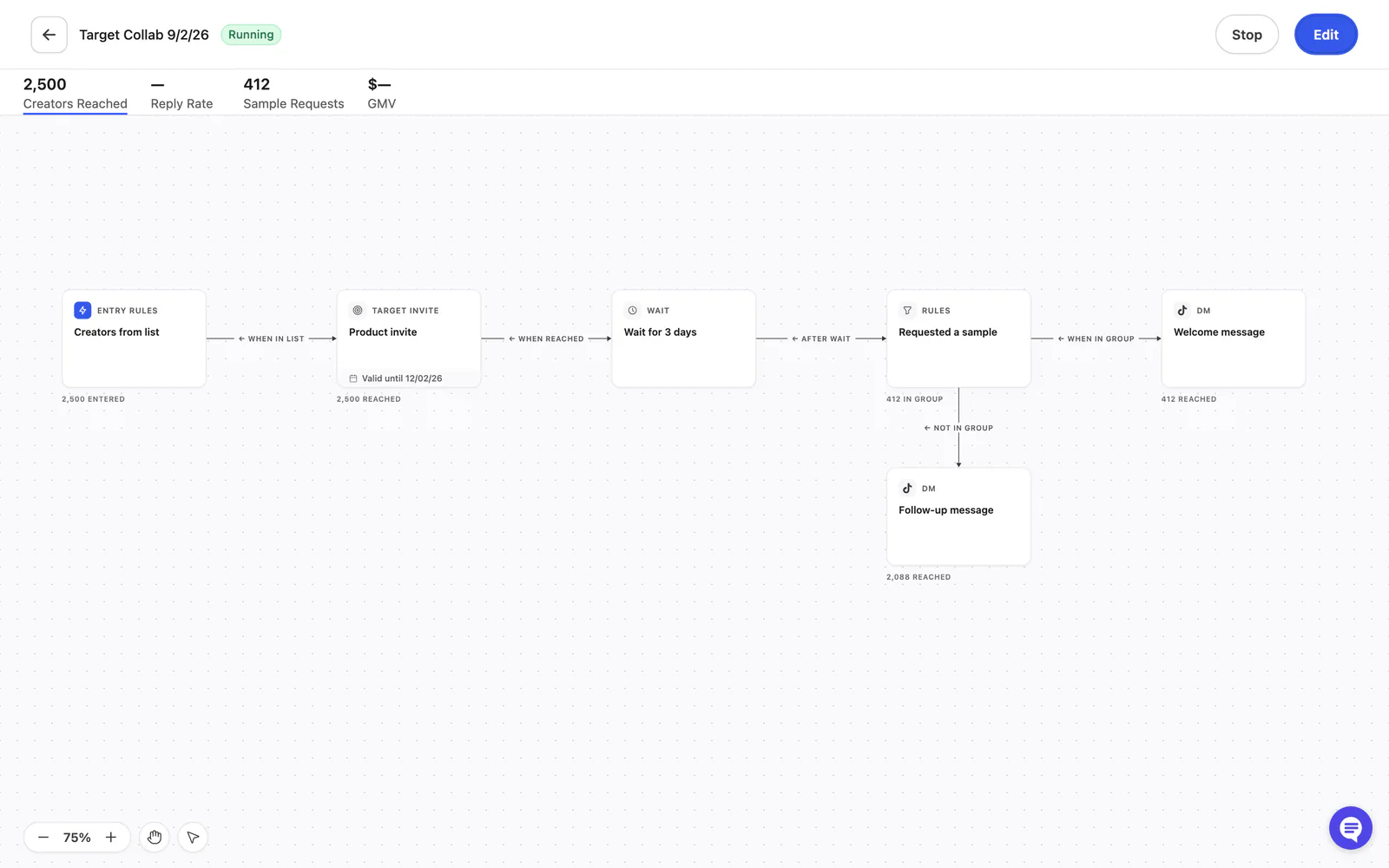
A running workflow
Stats along the top (creators reached, reply rate, sample requests, GMV), and each block counting the creators that reached it.