Guided outreach
- Product design
- Onboarding
- AI agent
A full-screen, ten-step prototype in which Cruva AI recommends the product, the commission and the sample volume, finds the creators and writes the invitation and the messages, and the seller turns the outreach on.
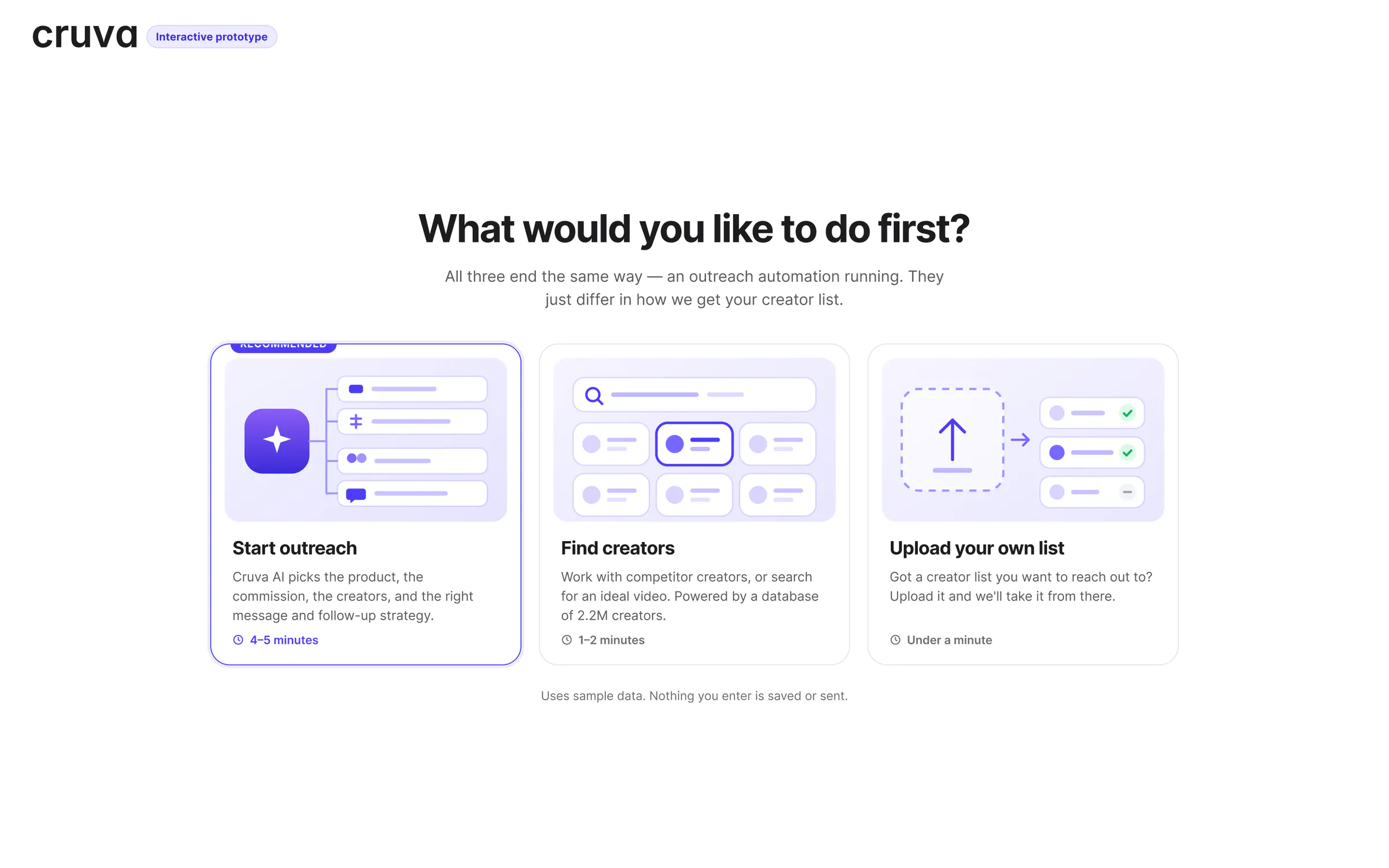
An interactive prototype of Cruva's first run, captured screen by screen into Figma: 18 screens in 90 states. The first screen offers three ways in (let Cruva AI start the outreach, find creators, or upload a list) and says all three end the same way, with an outreach automation running.
The guided path takes ten steps: connect the shop, read it, pick the product, set the creator commission and the shop ads rate, decide how many free samples to send, find creators (by description, by brand, by image, by lookalikes or from a list), shape the invitation and the first message, set the follow-ups and review the whole automation before turning it on.
The prototype uses sample data. A real brand named in it is blurred wherever it sits near sales figures, along with its packaging and the search for it. Some flags and product icons did not survive the capture and show as blank tiles; in the phone previews some placeholders print over the message text, one stat card lost its figure, and the Recommended badge on the first screen is clipped: faults of the capture, not of the design.
Where to start
Three ways in; all three end with an outreach automation running.
The shop
The shop's region, connecting the shop or pasting its link, and six lookups that read it at once.
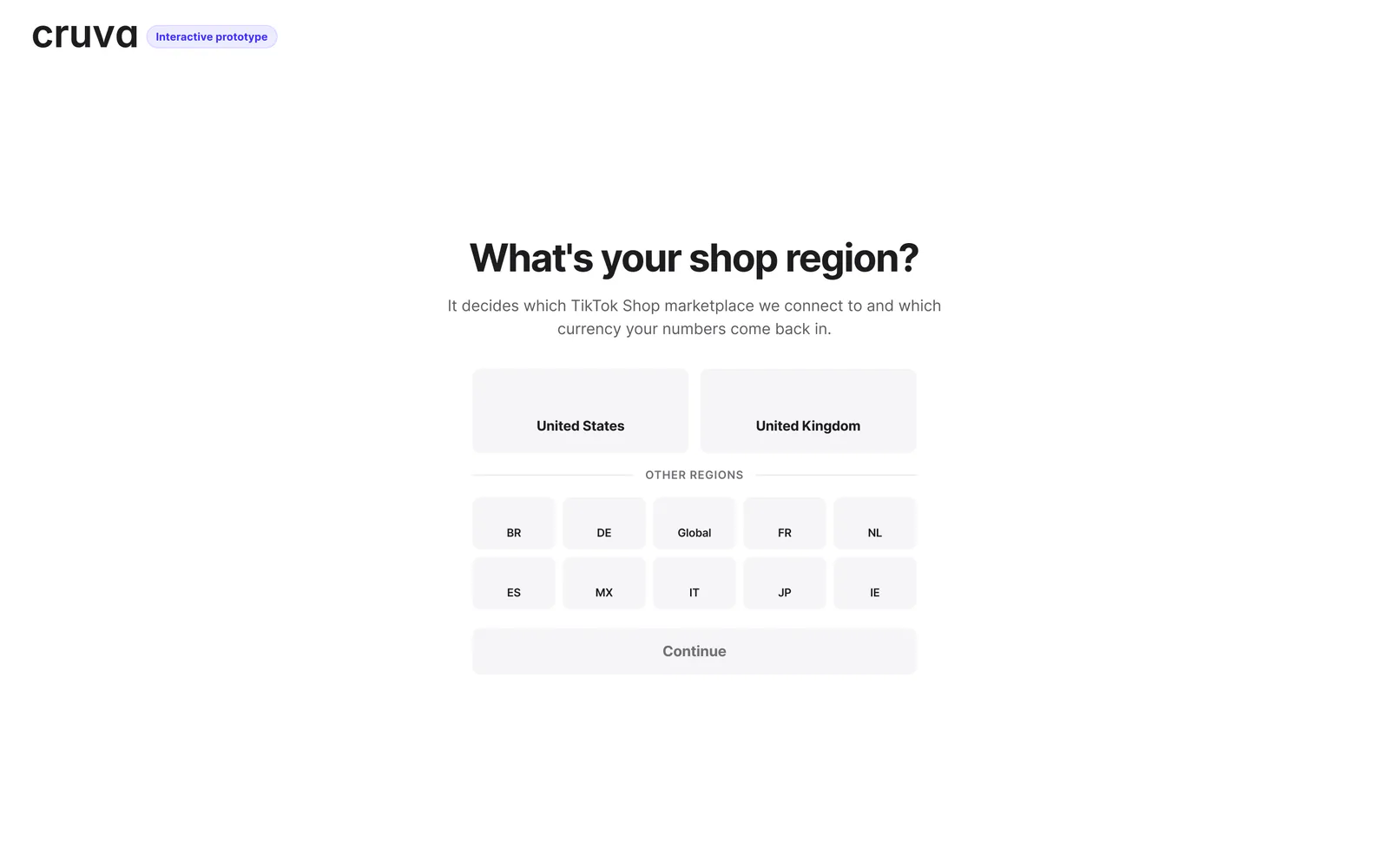
Picking the shop region
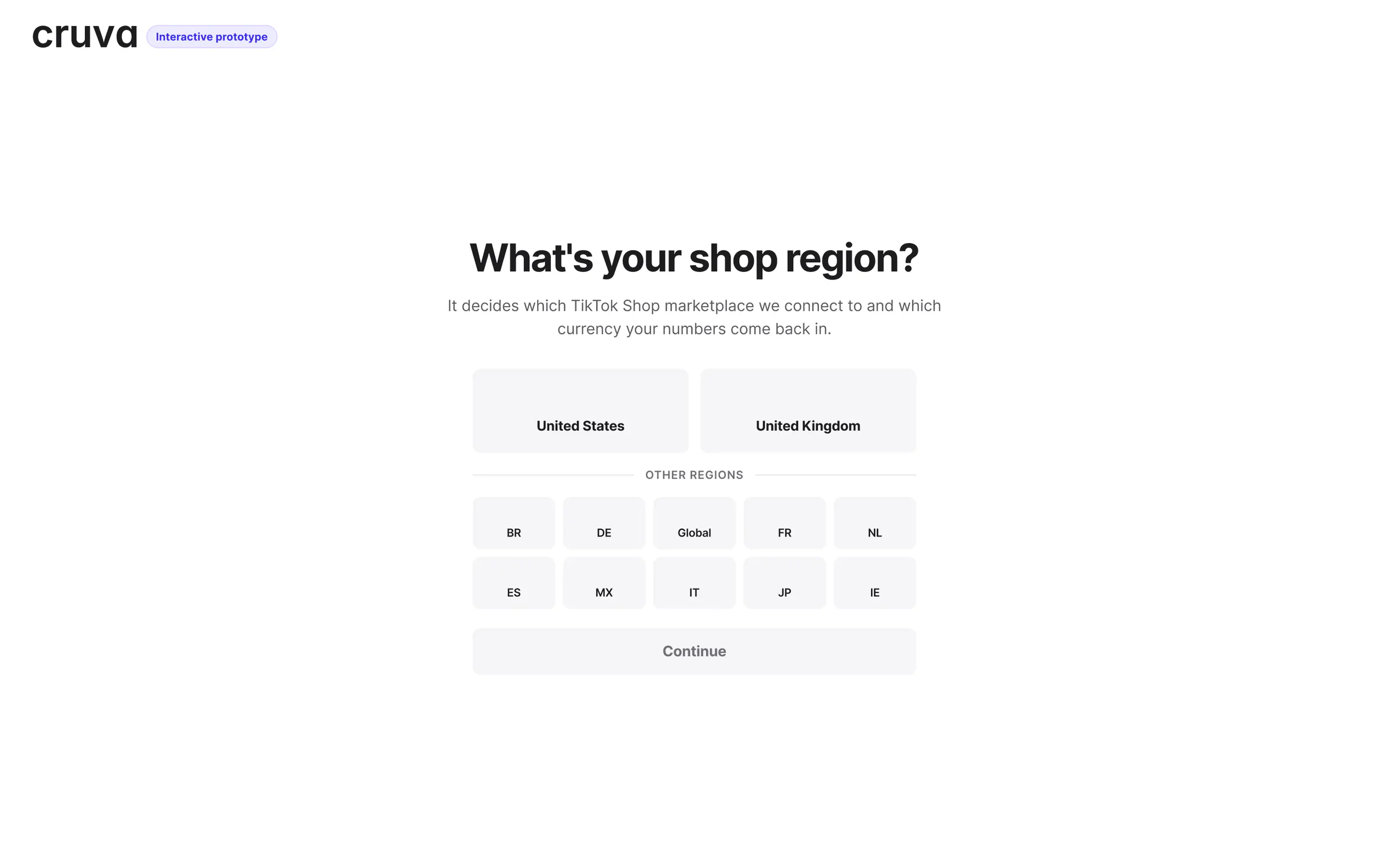
'What's your shop region?' offers United States and United Kingdom as large tiles and ten other regions as small ones. The choice decides the TikTok Shop marketplace and the currency the numbers come back in.
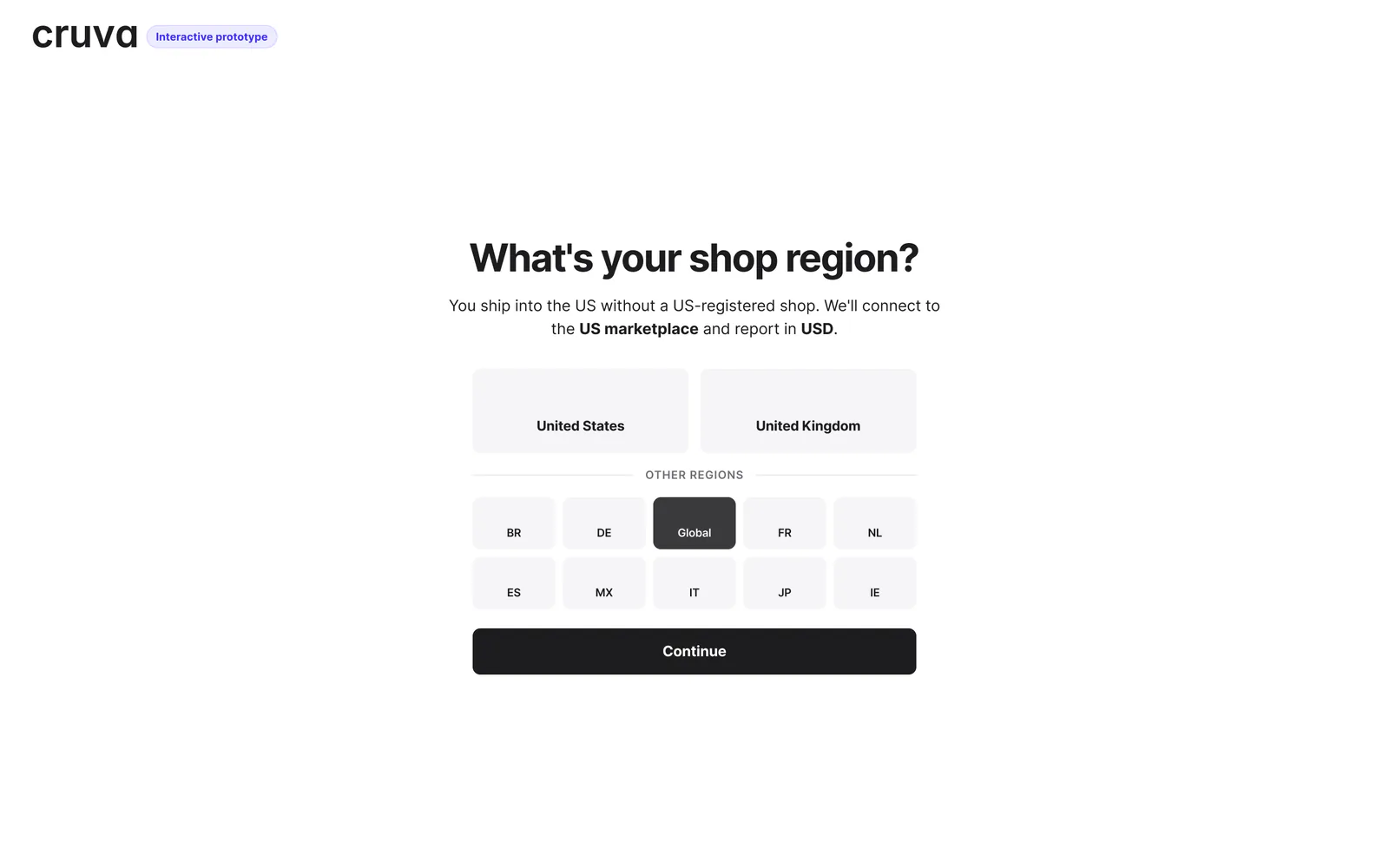
Cross-border seller picks Global
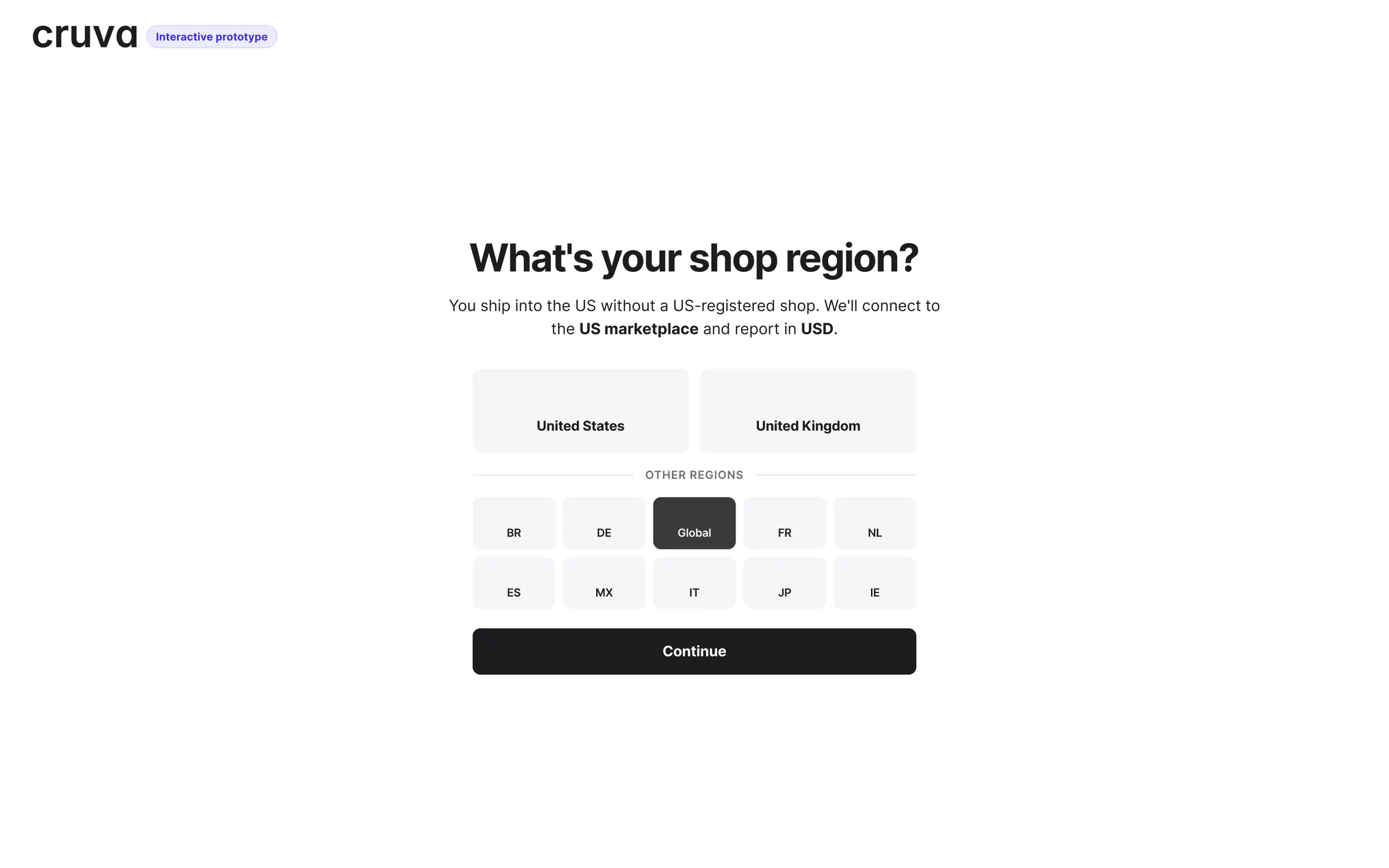
With Global selected, the subtitle changes to 'You ship into the US without a US-registered shop. We'll connect to the US marketplace and report in USD.' and the Continue button turns black.
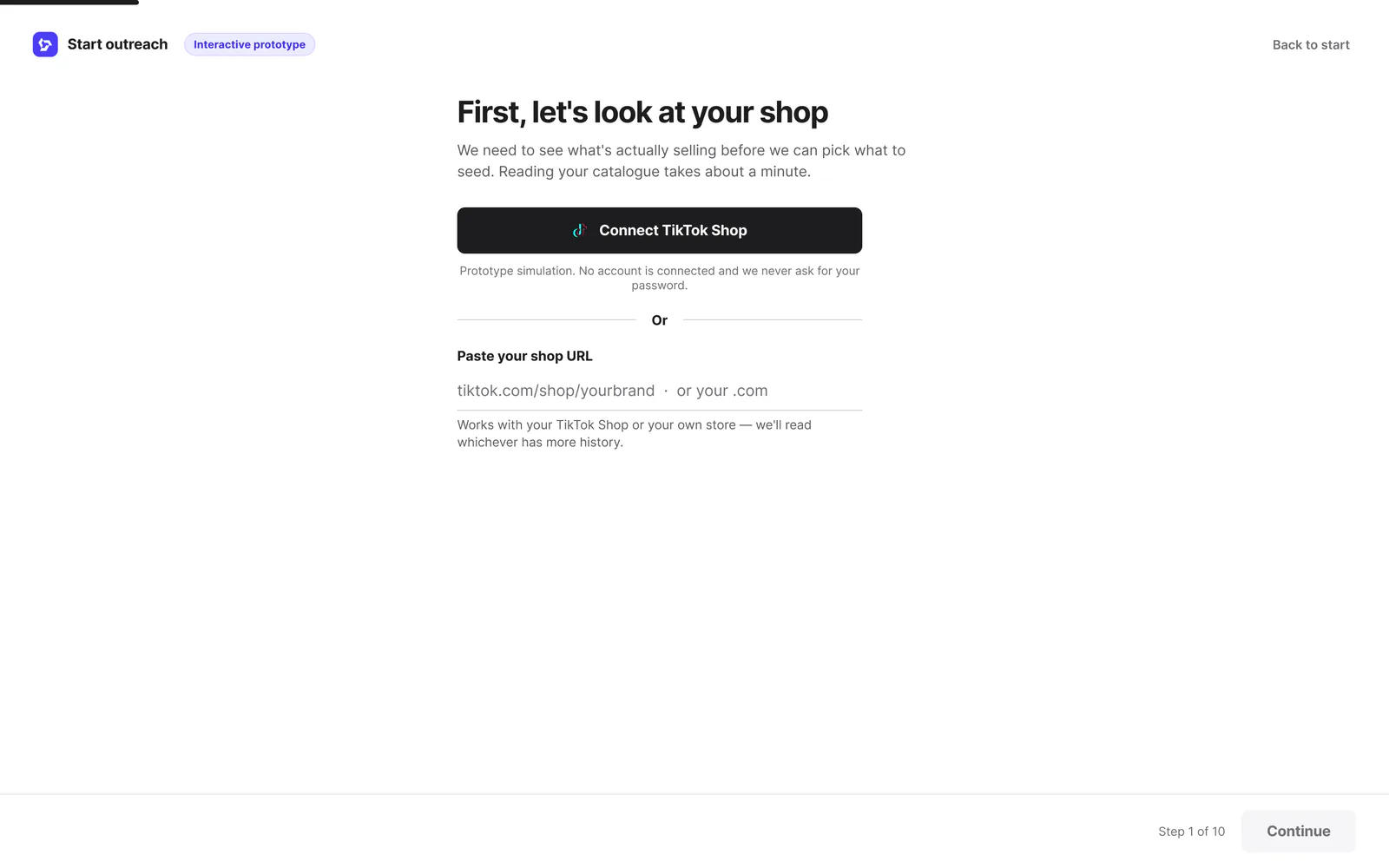
Connect the shop or paste URL
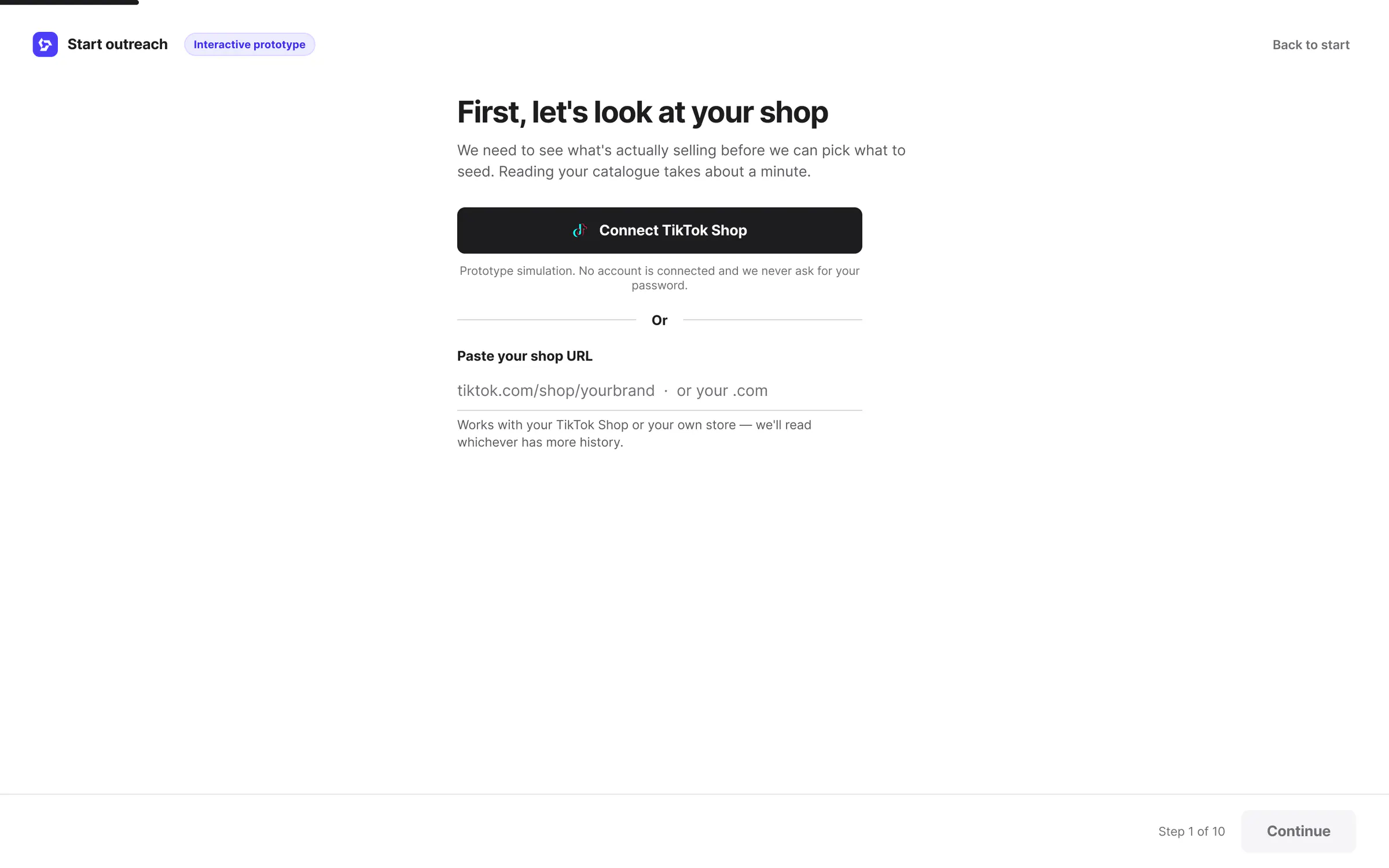
'First, let's look at your shop' offers Connect TikTok Shop (a simulation here) or a field to paste a shop URL, from TikTok Shop or the brand's own store. The footer reads Step 1 of 10.
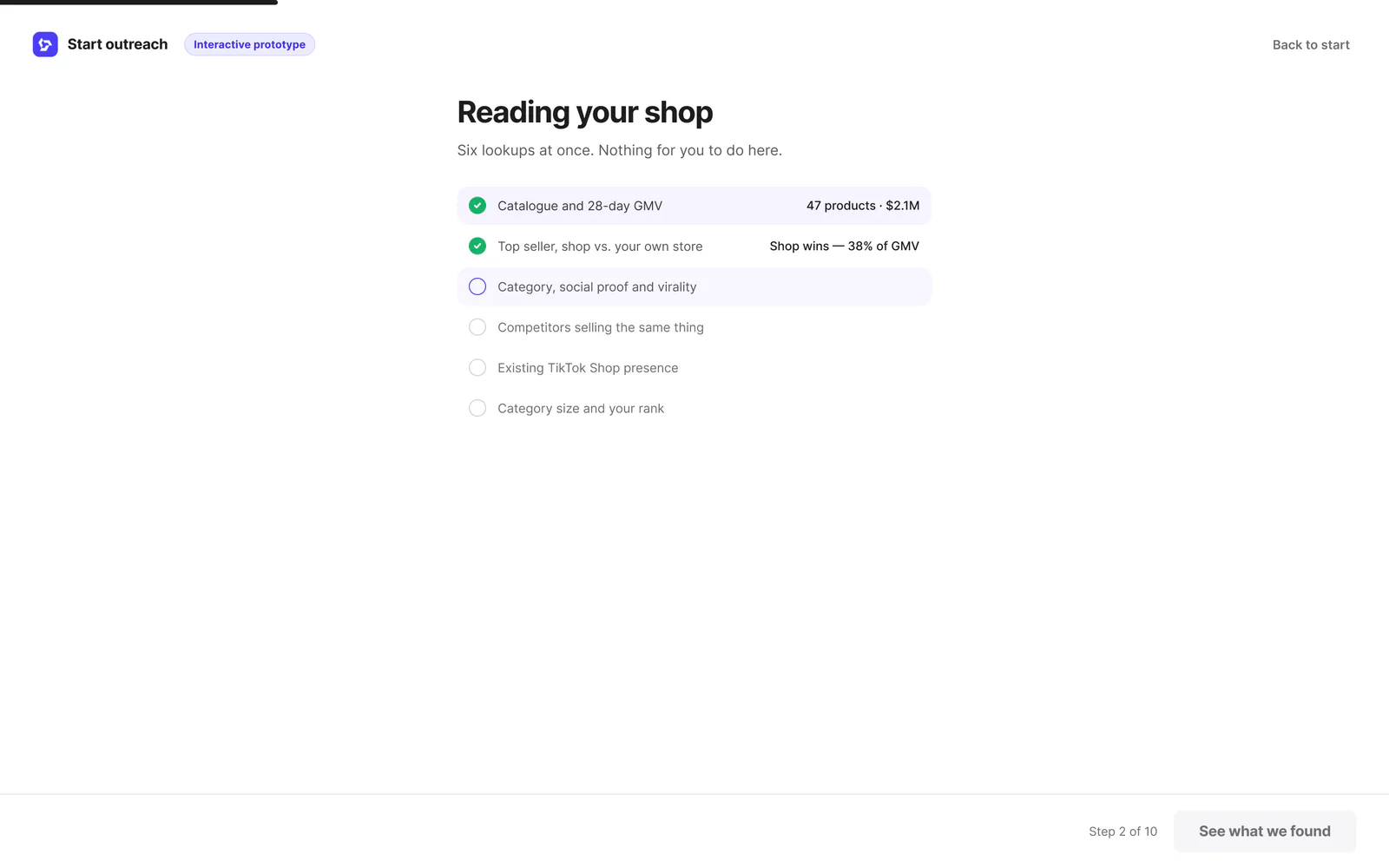
Six lookups running at once
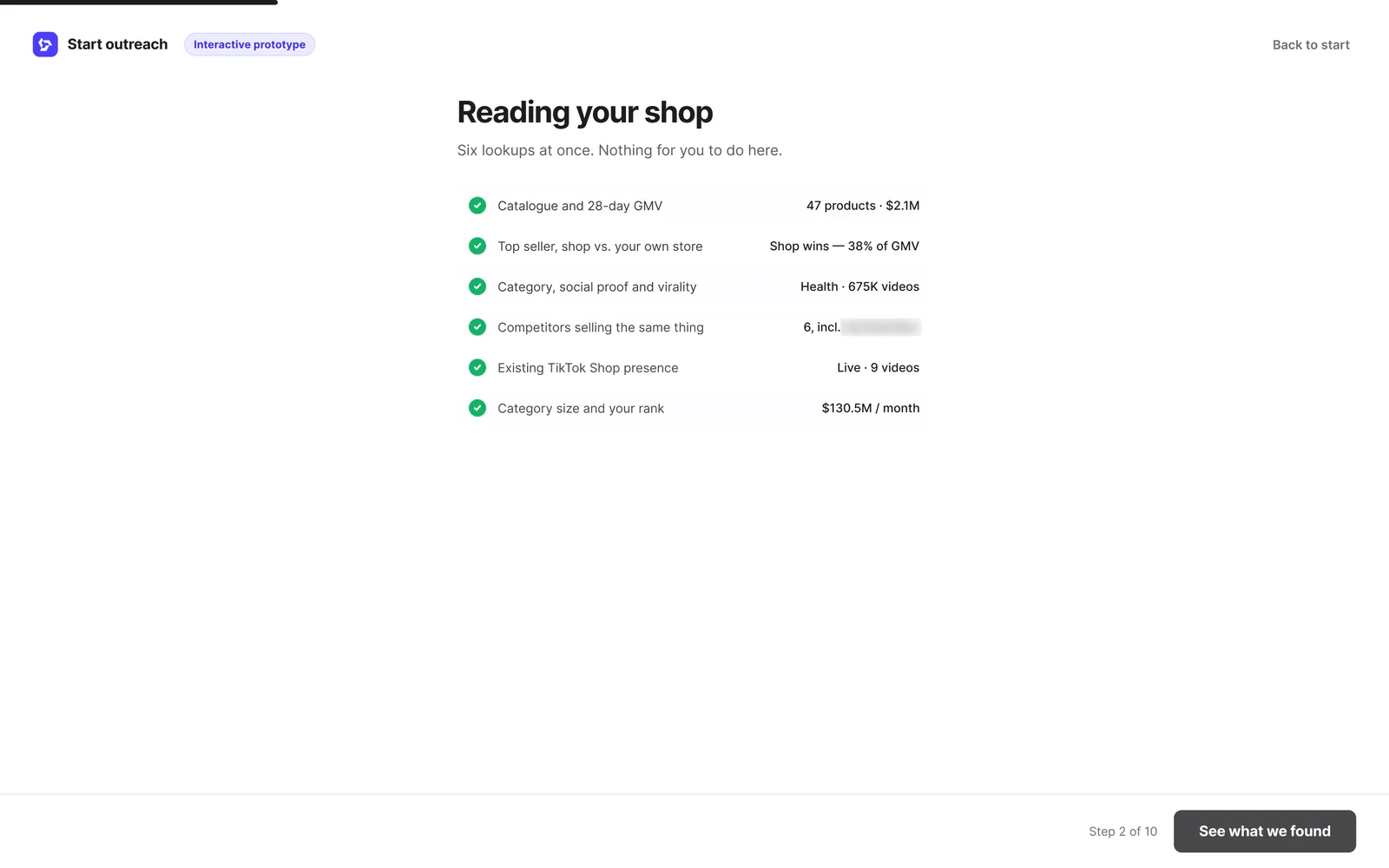
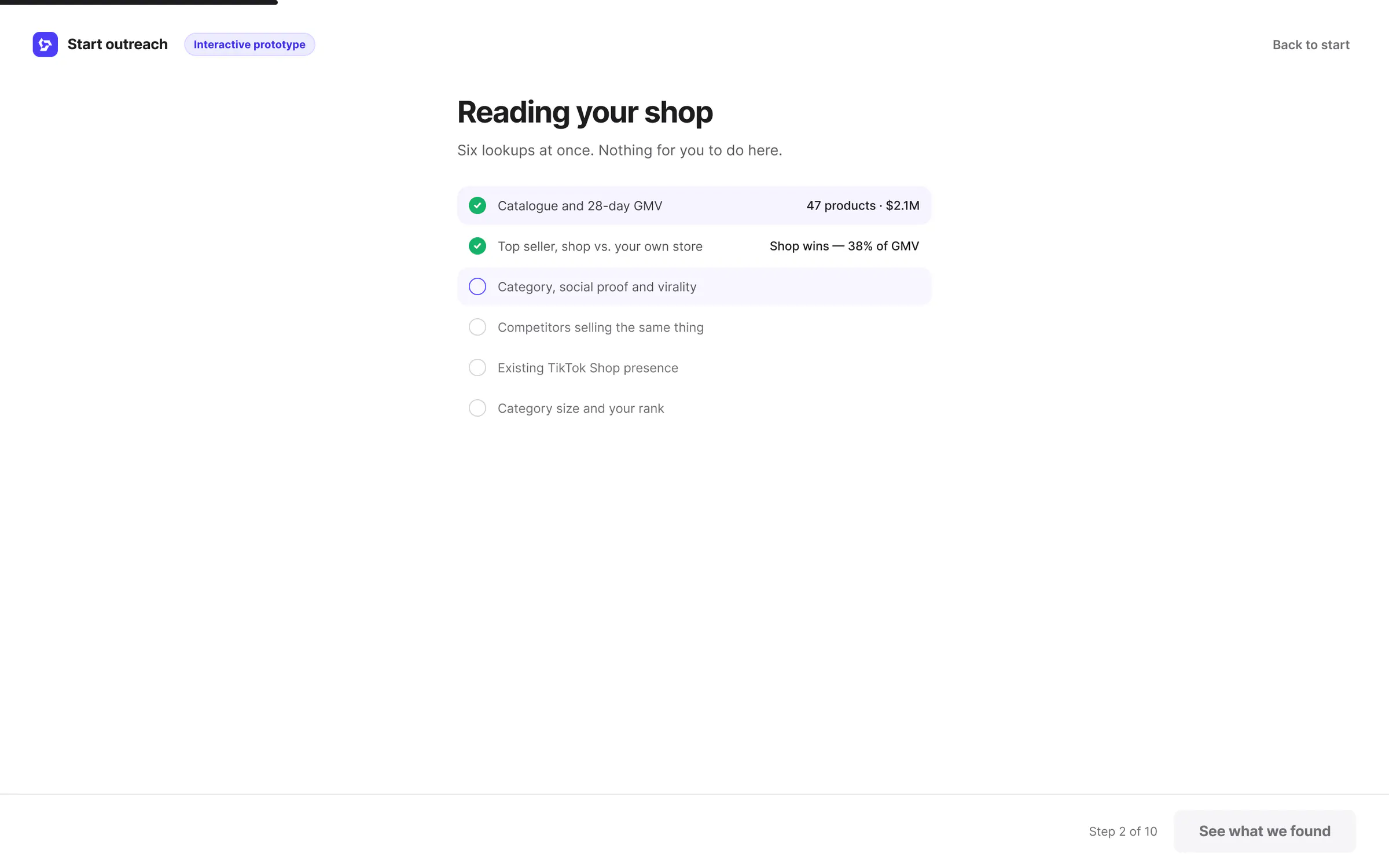
'Reading your shop' lists six lookups. Two are ticked with results (47 products · $2.1M and Shop wins — 38% of GMV), the third is highlighted as in progress and three are still pending; See what we found is greyed out.
All six lookups complete
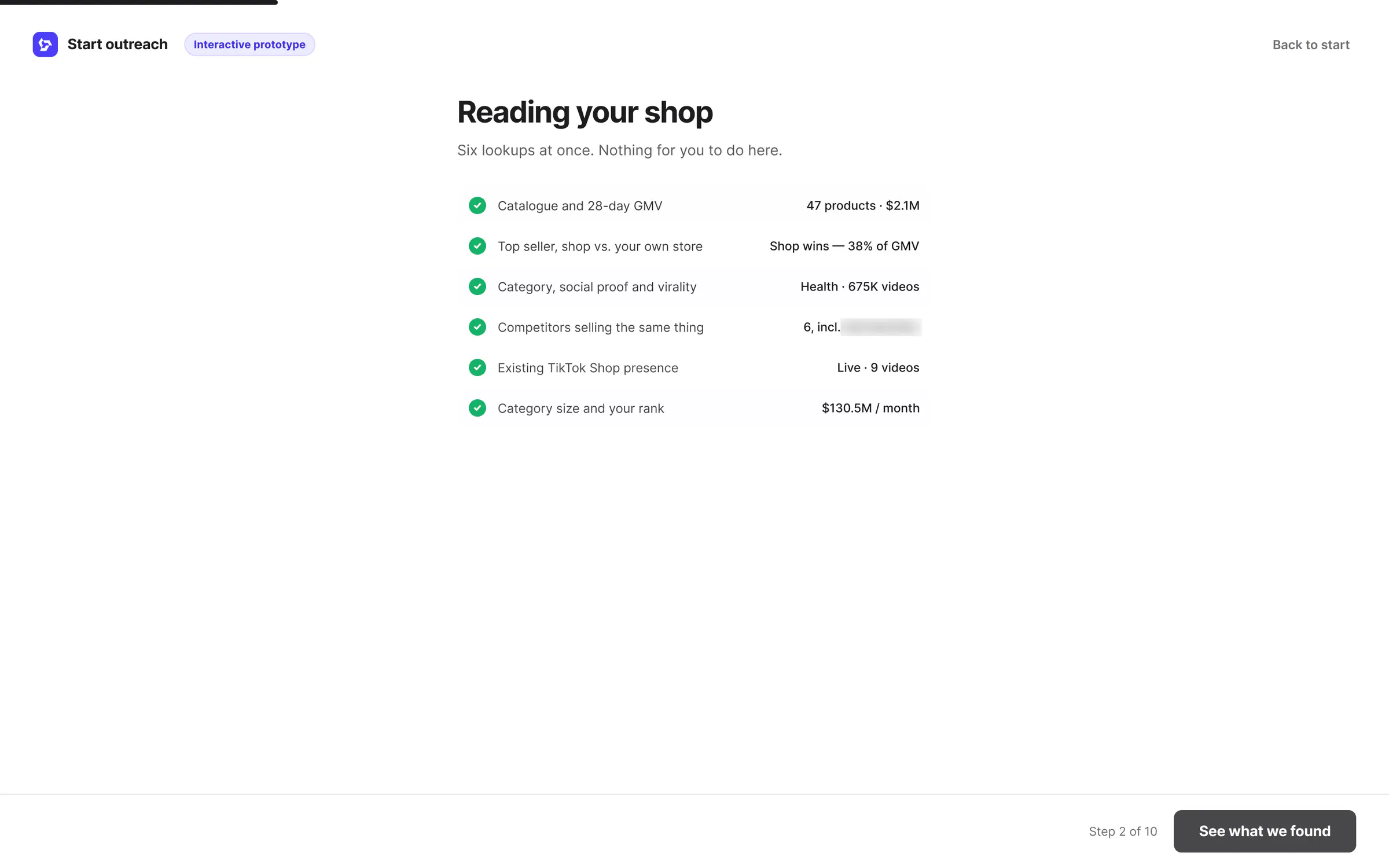
All six lookups are ticked with a result on the right, from the catalogue (47 products · $2.1M) to the category size ($130.5M / month), and the See what we found button turns dark grey.
Product, commission and samples
The product Cruva AI picked and why, the alternatives, the commission and the number of free samples, each with a recommended option.
Why this product was picked
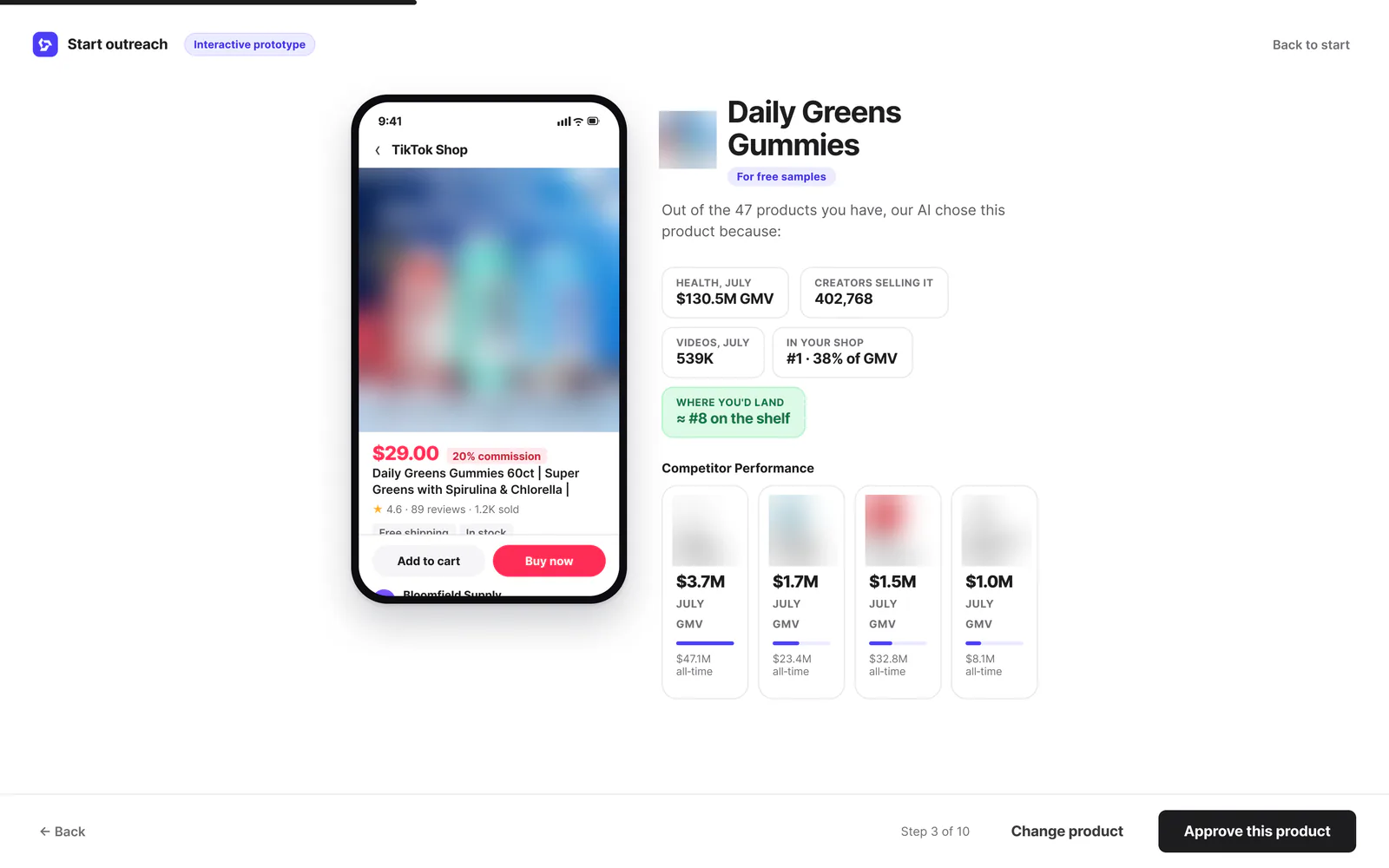
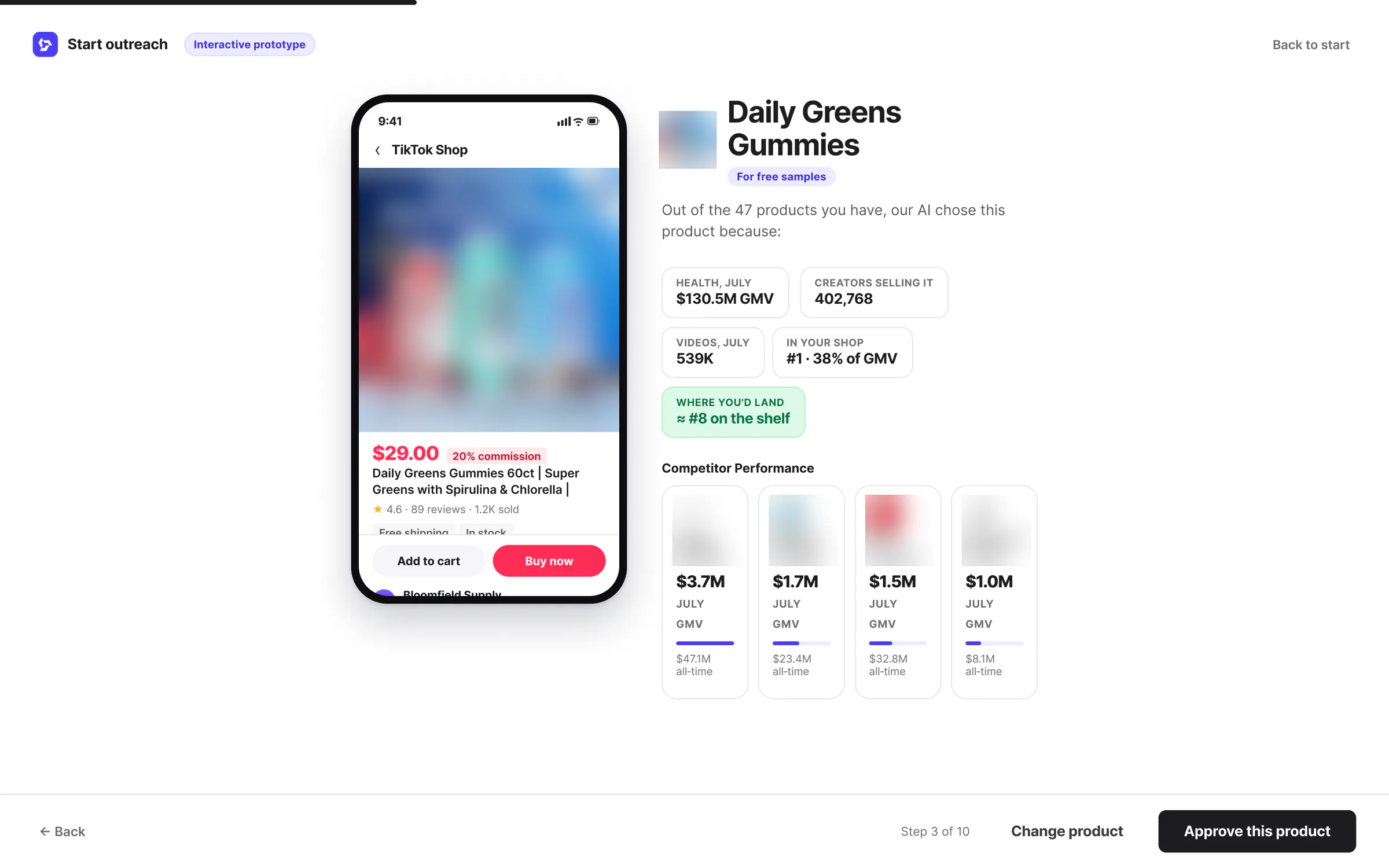
Daily Greens Gummies in a TikTok Shop phone mock-up, beside the case for choosing it out of 47 products: category GMV, creators selling it, videos, its rank in the shop and an estimated spot on the shelf. Four competitor cards show July and all-time GMV.
Ranked alternatives to swap in
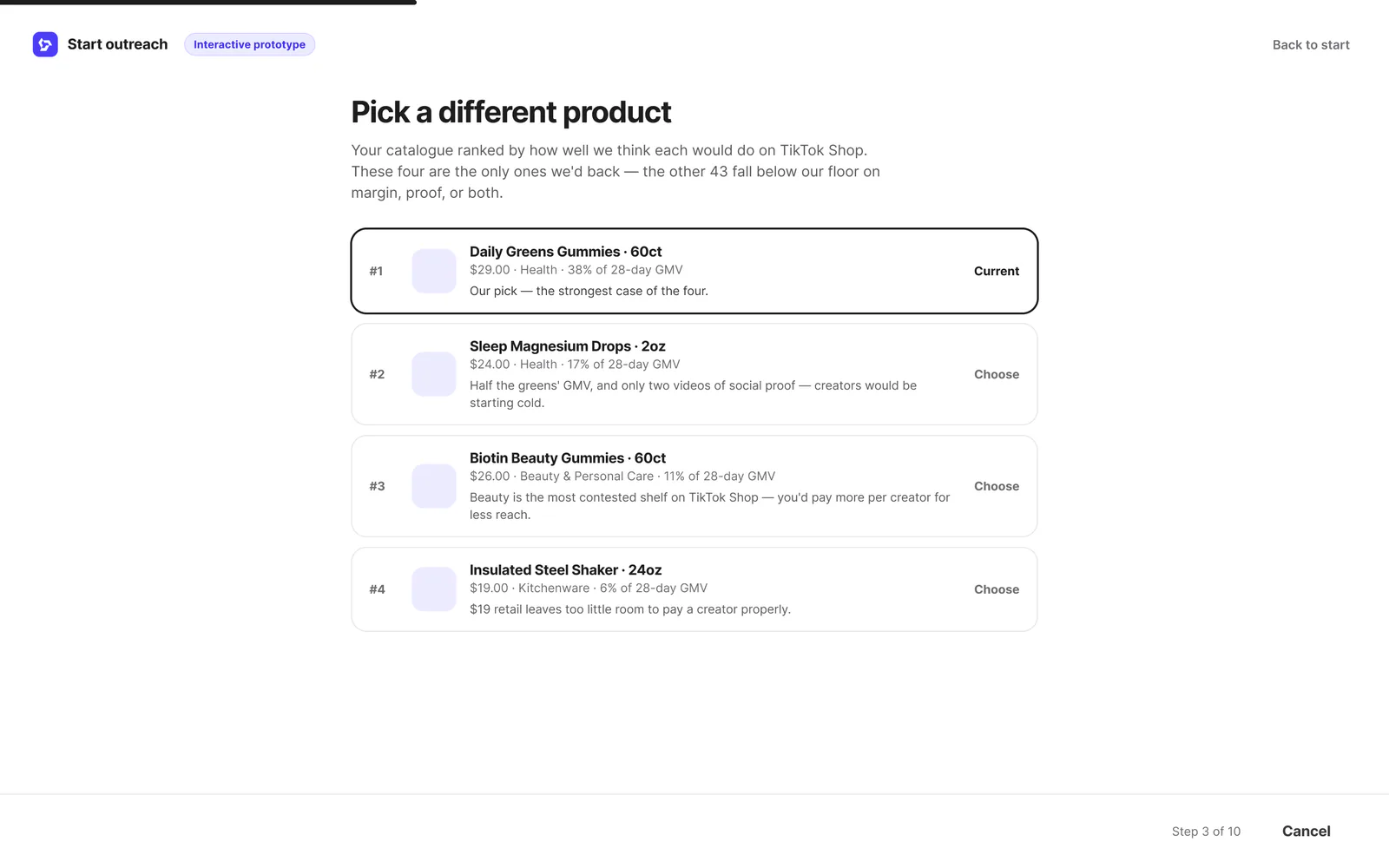
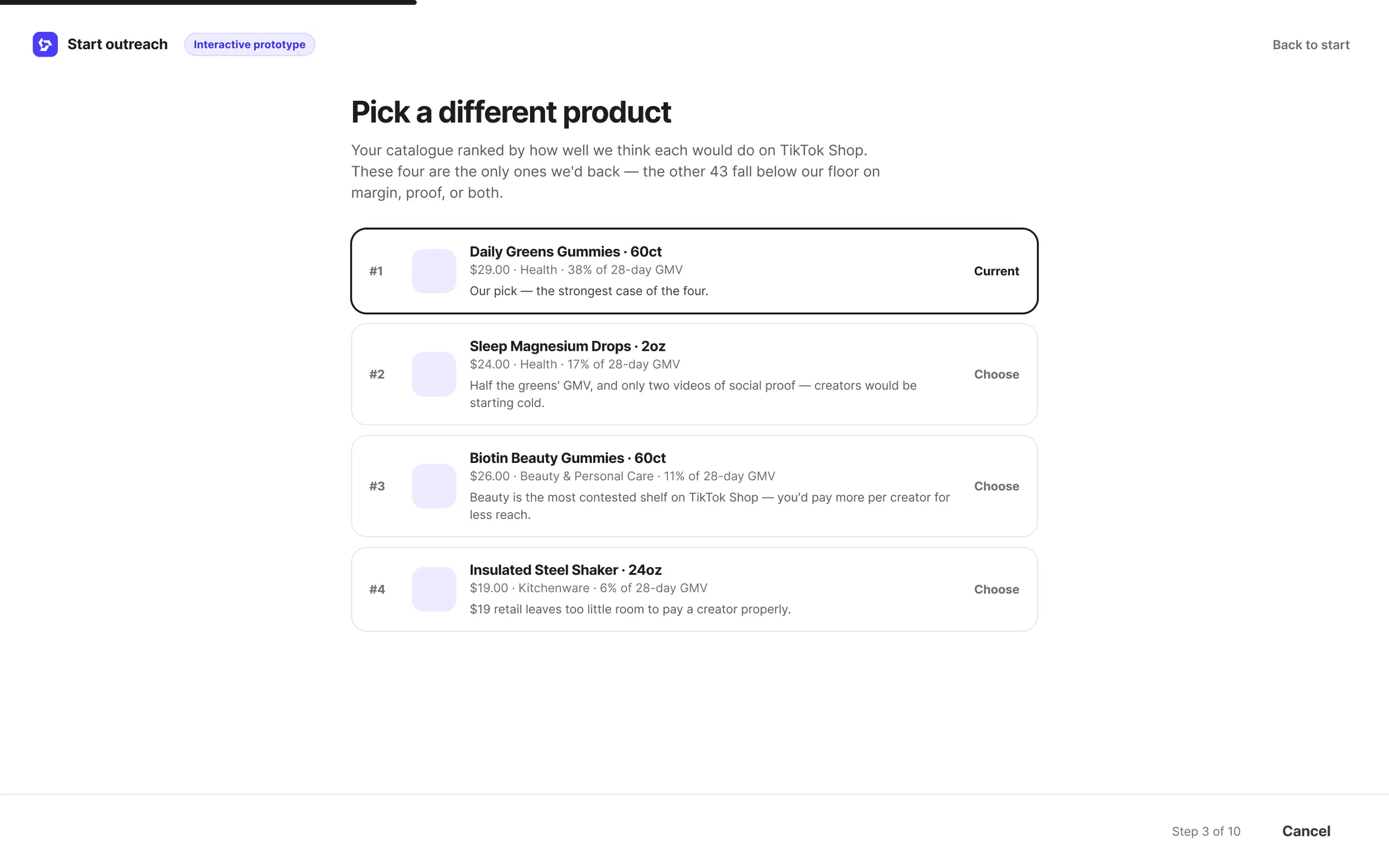
'Pick a different product' ranks four products, the current one first, each with price, category, share of 28-day GMV and a short reason. The other 43 fall below the floor on margin, proof, or both.
Setting the creator commission
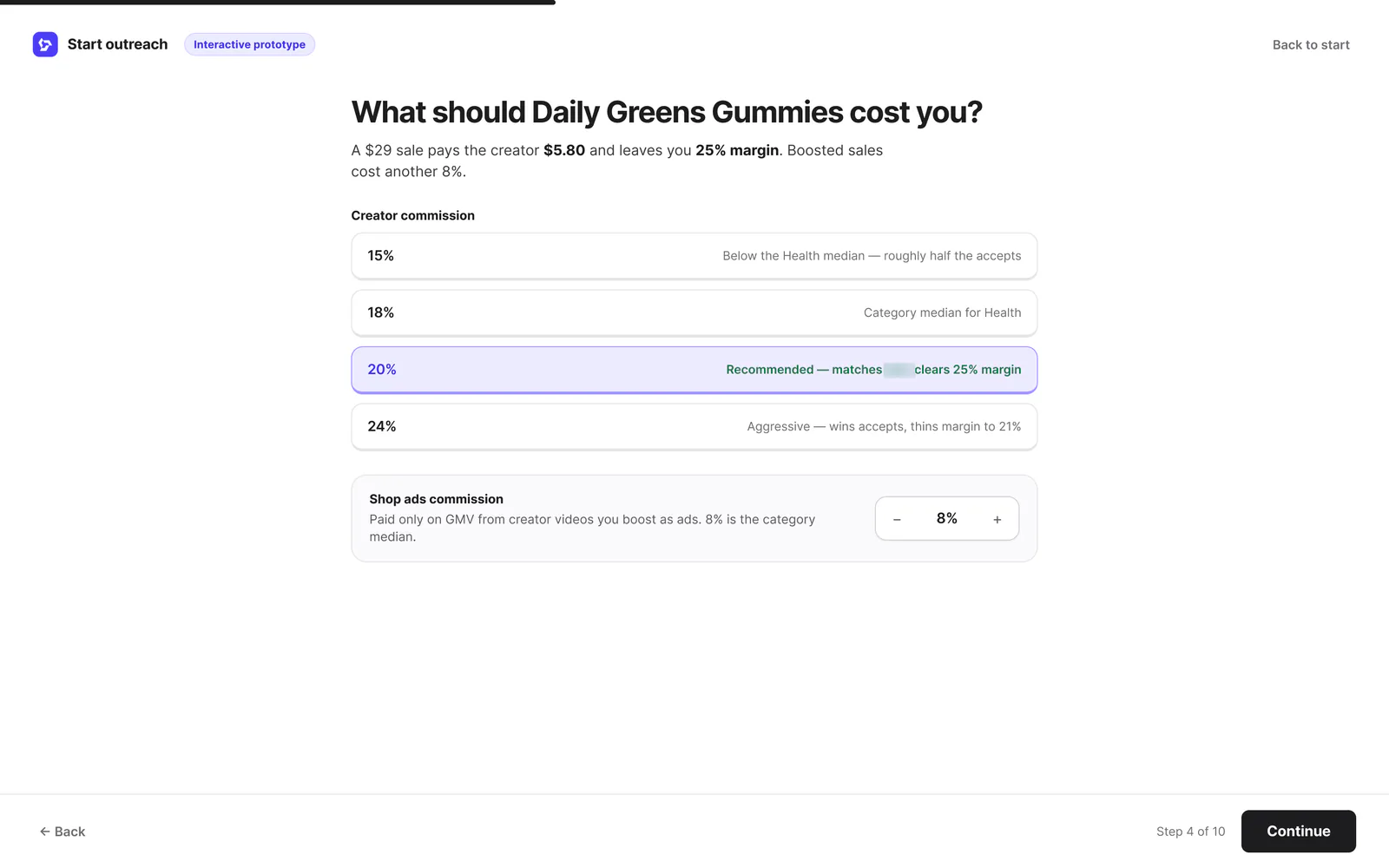
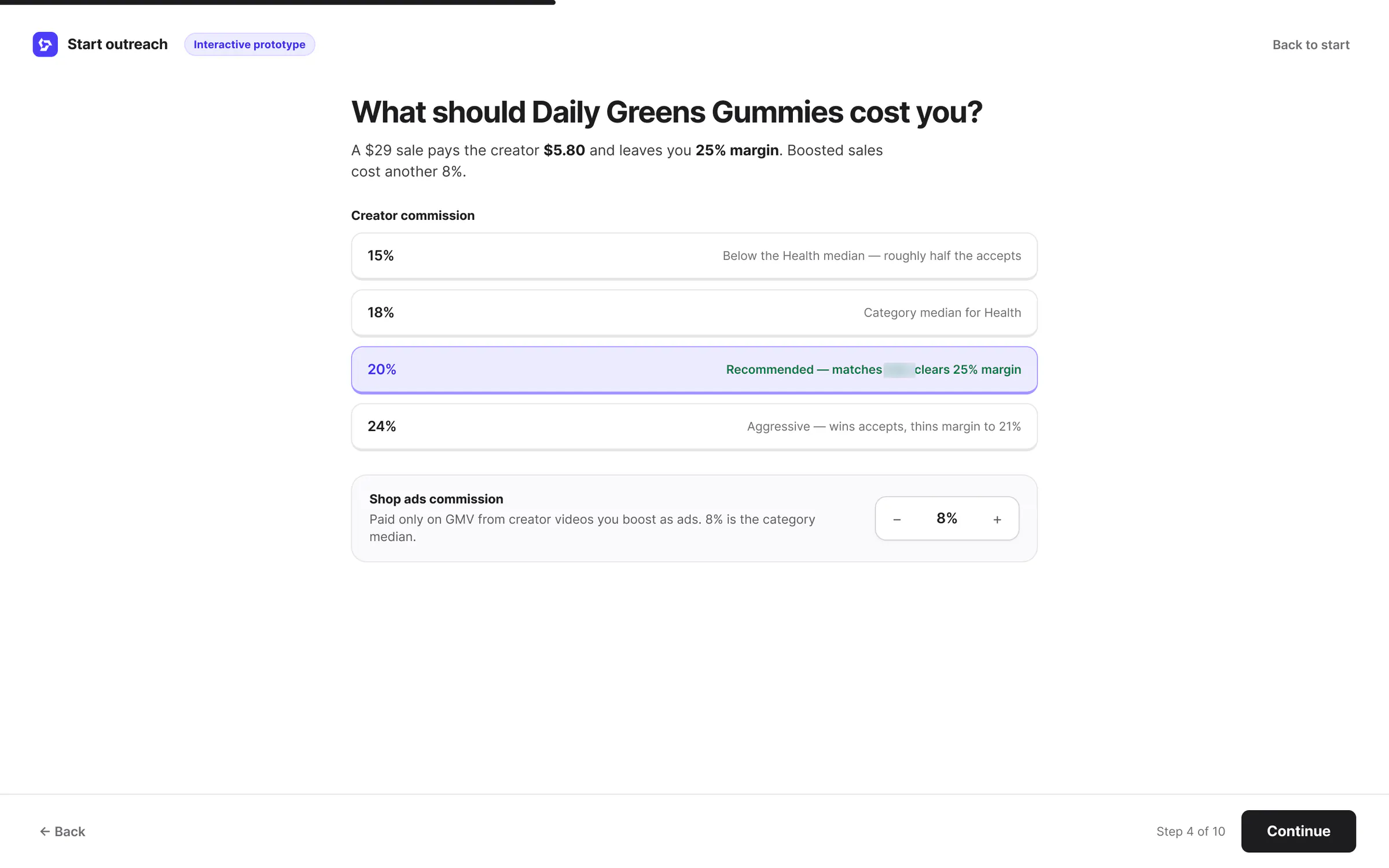
'What should Daily Greens Gummies cost you?' says a $29 sale pays the creator $5.80 and leaves a 25% margin. Four commission options from 15% to 24% each carry a note, 20% is selected as Recommended, and a stepper below sets the shop ads commission at 8%.
How many free samples
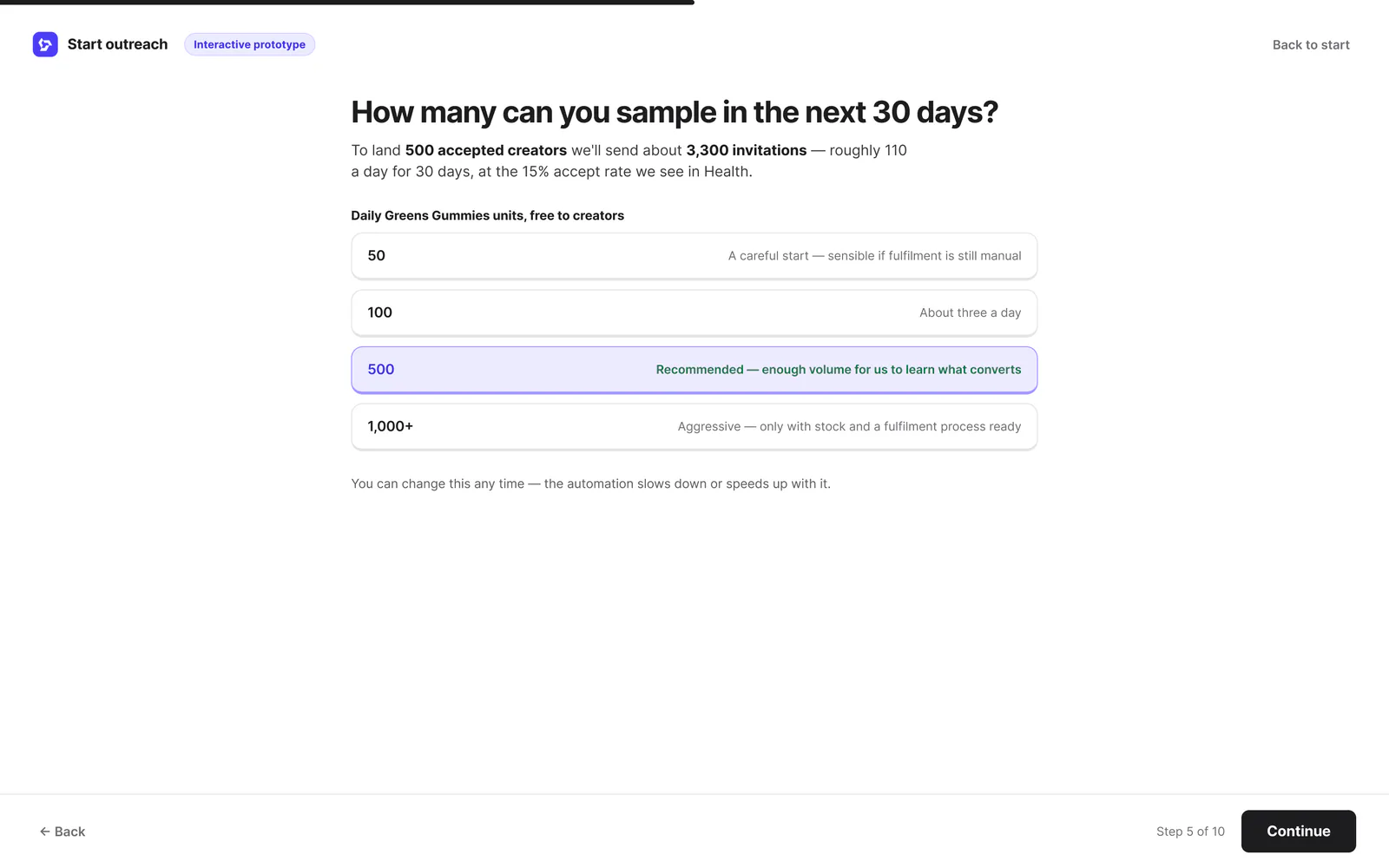
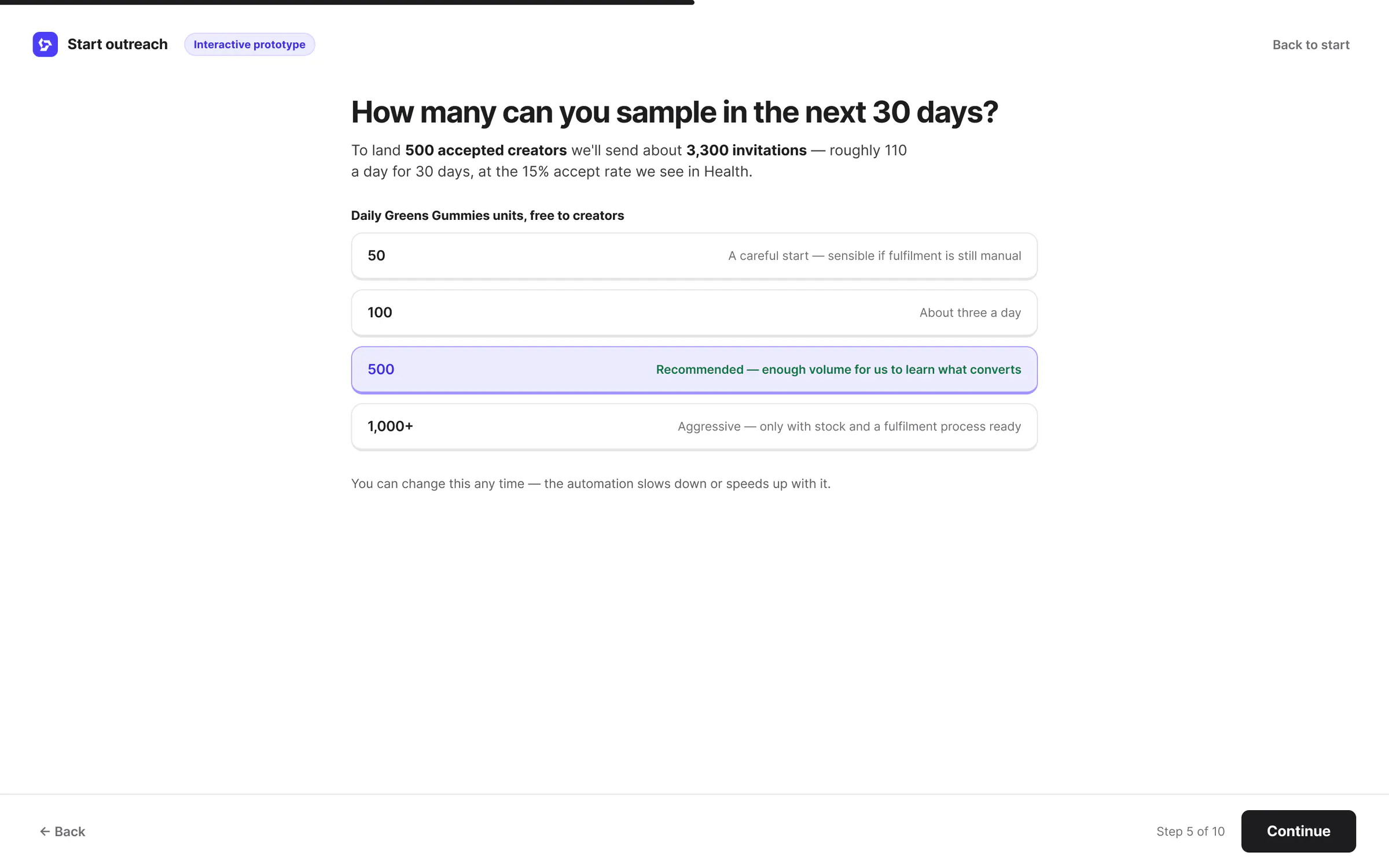
'How many can you sample in the next 30 days?' works out that 500 accepted creators need about 3,300 invitations, roughly 110 a day. Four options from 50 to 1,000+ each carry a note, with 500 recommended.
Finding creators
Cruva AI finds the creators, or the seller searches by description, by brand, by image, by lookalikes or with a list.
Let Cruva find creators, or search
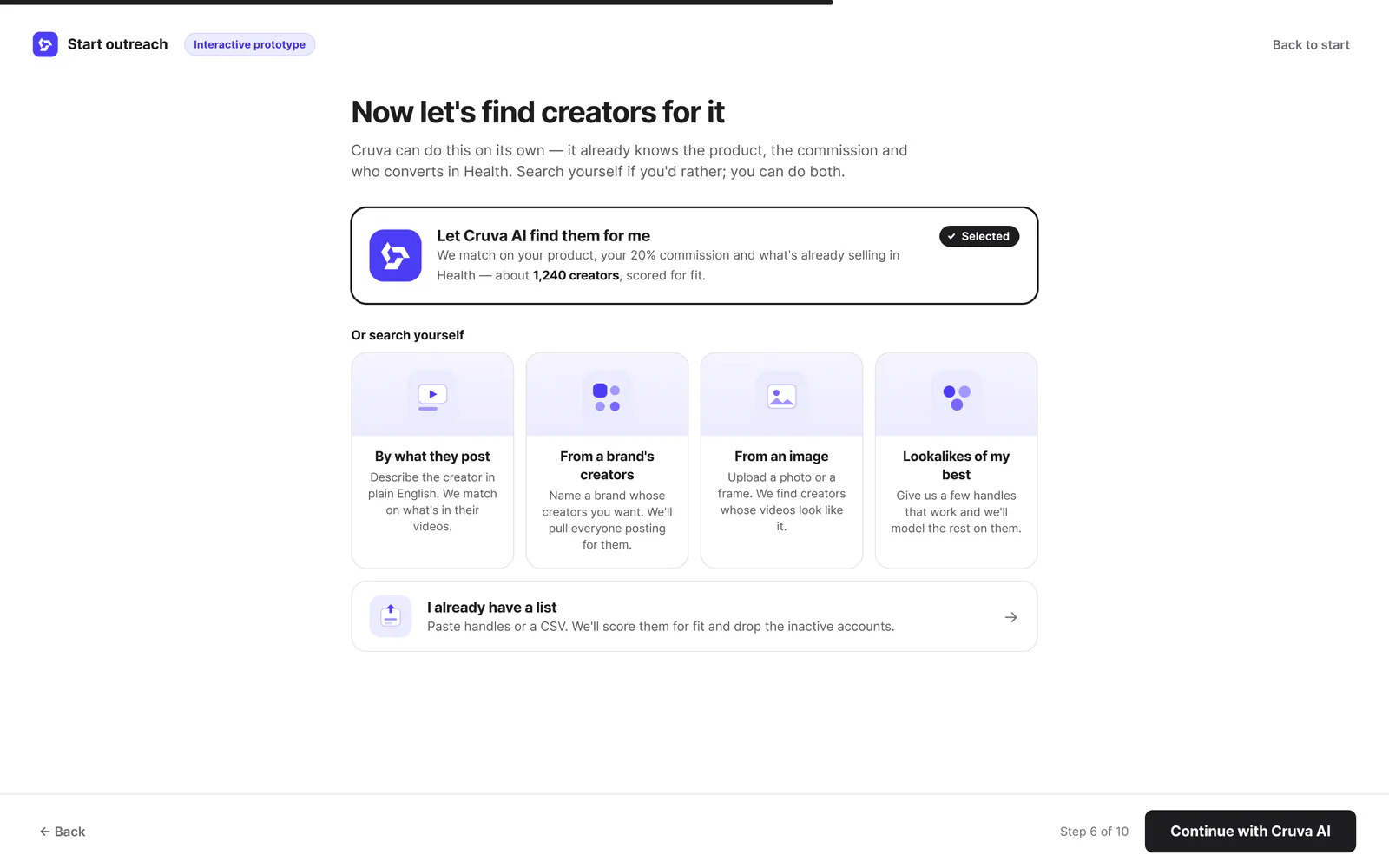
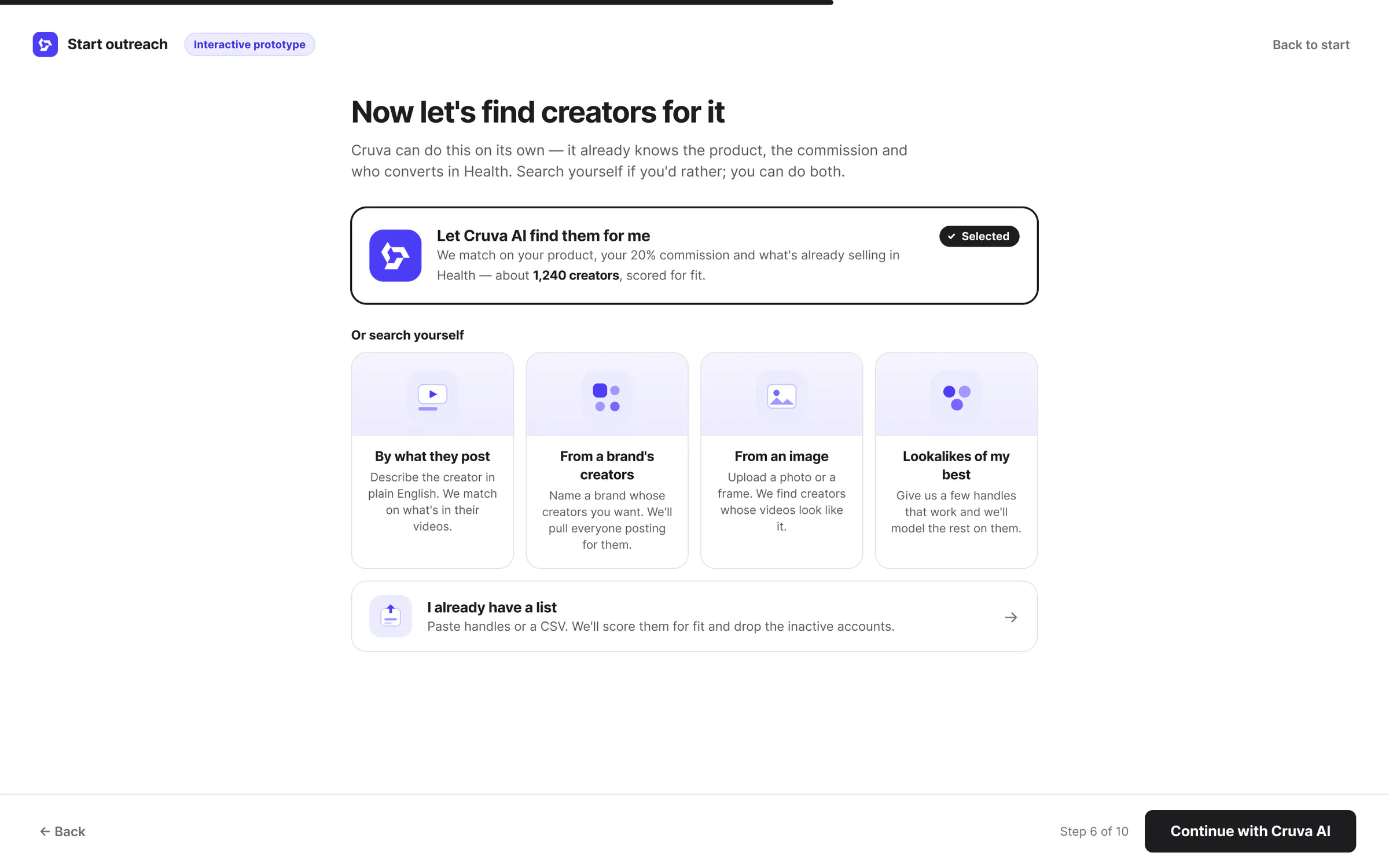
'Let Cruva AI find them for me' is selected, matching on the product, the 20% commission and what sells in Health for about 1,240 creators. Below are four ways to search yourself and an option for an existing list.
Describing creators in plain English
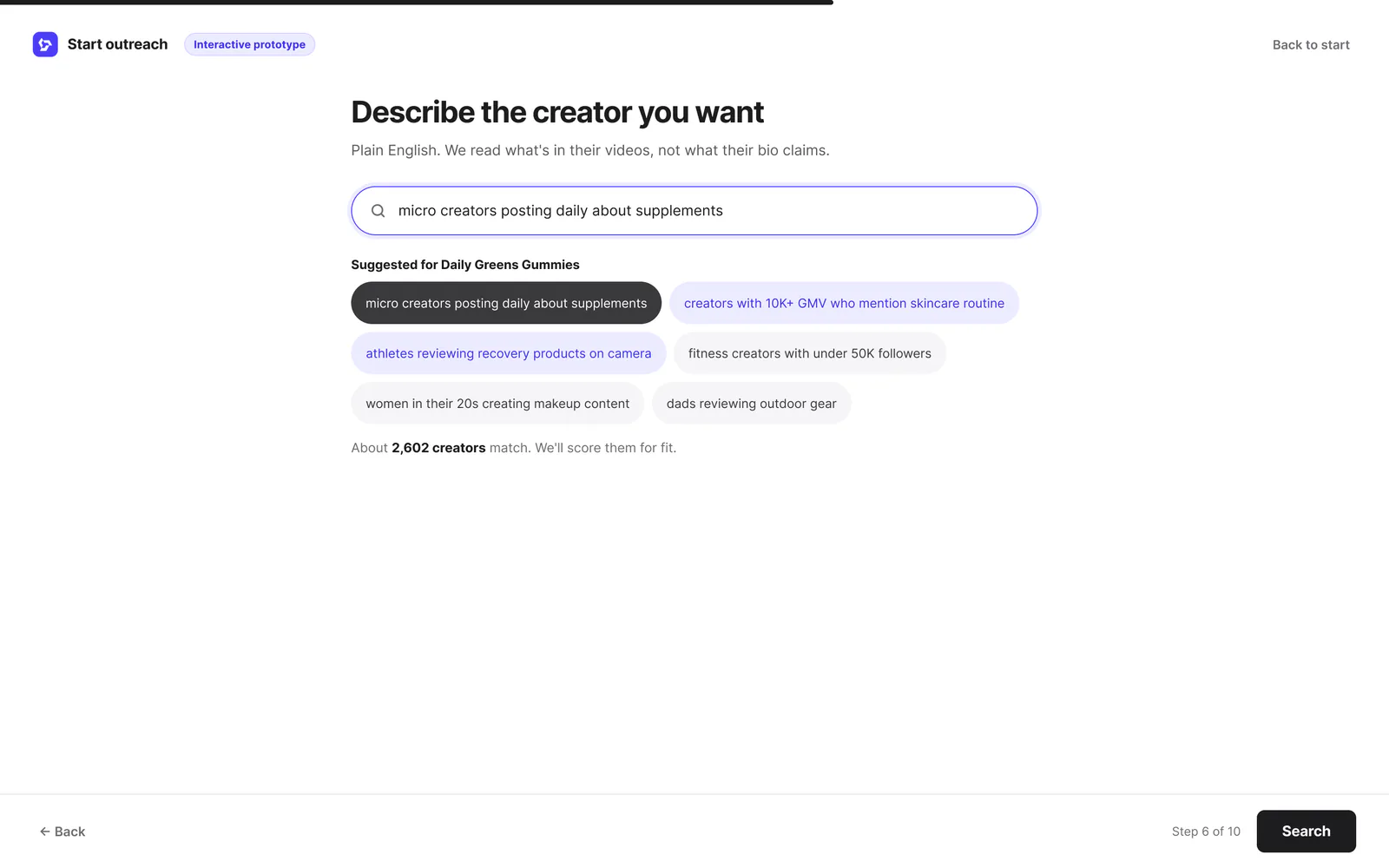
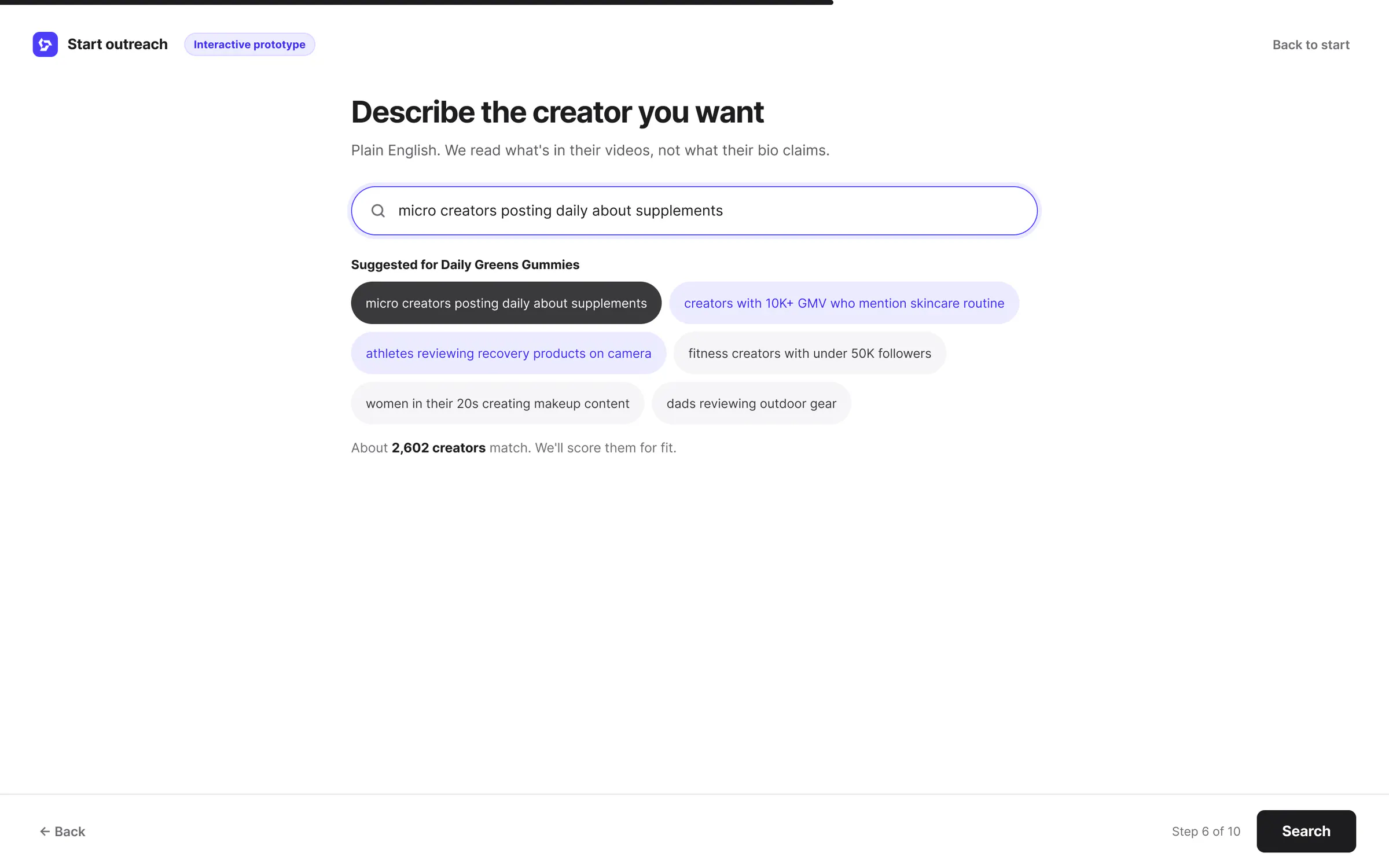
'Describe the creator you want' has the search filled with 'micro creators posting daily about supplements', the matching suggestion chip selected among six for Daily Greens Gummies, and a line reading 'About 2,602 creators match. We'll score them for fit.'
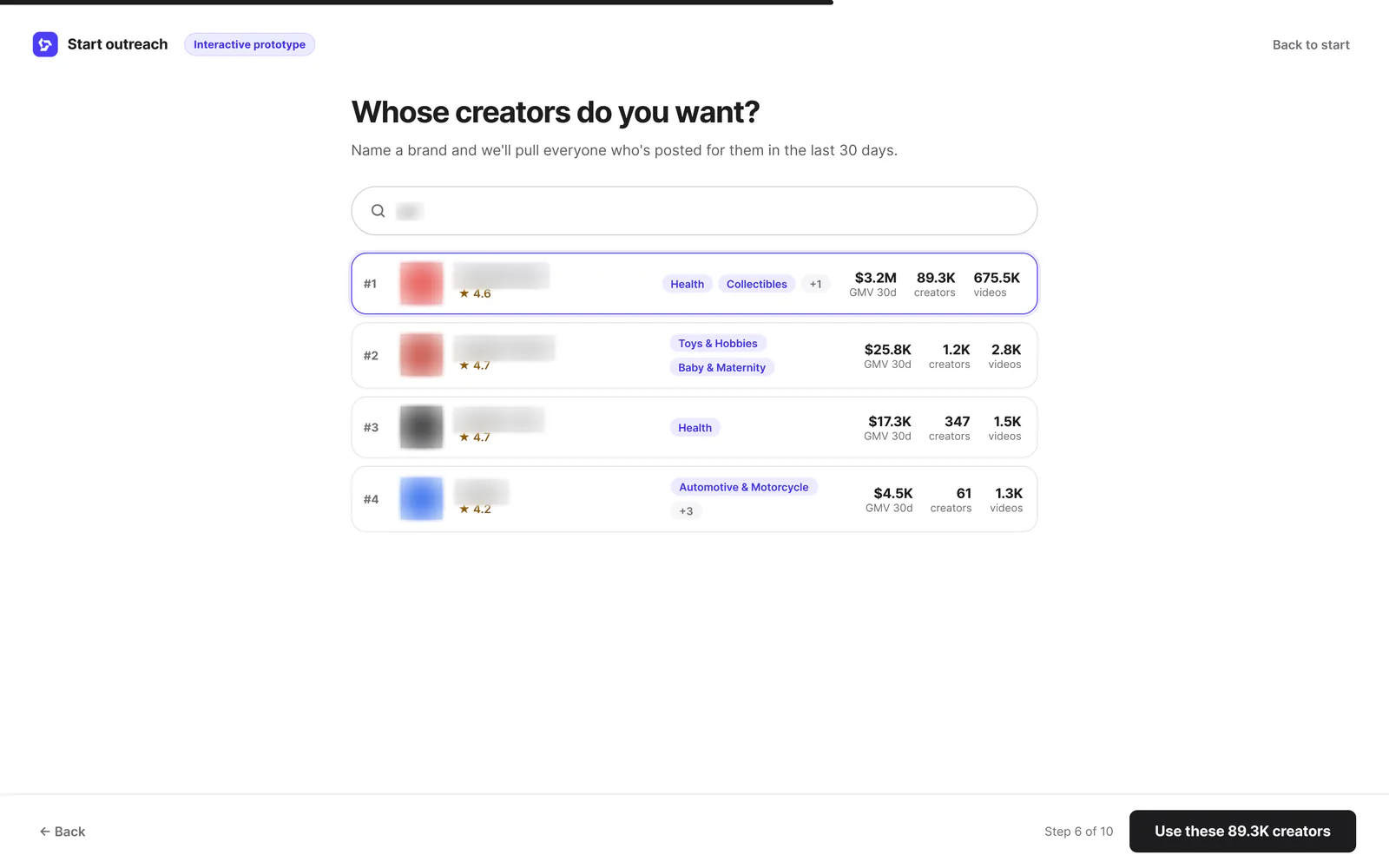
Find creators by brand
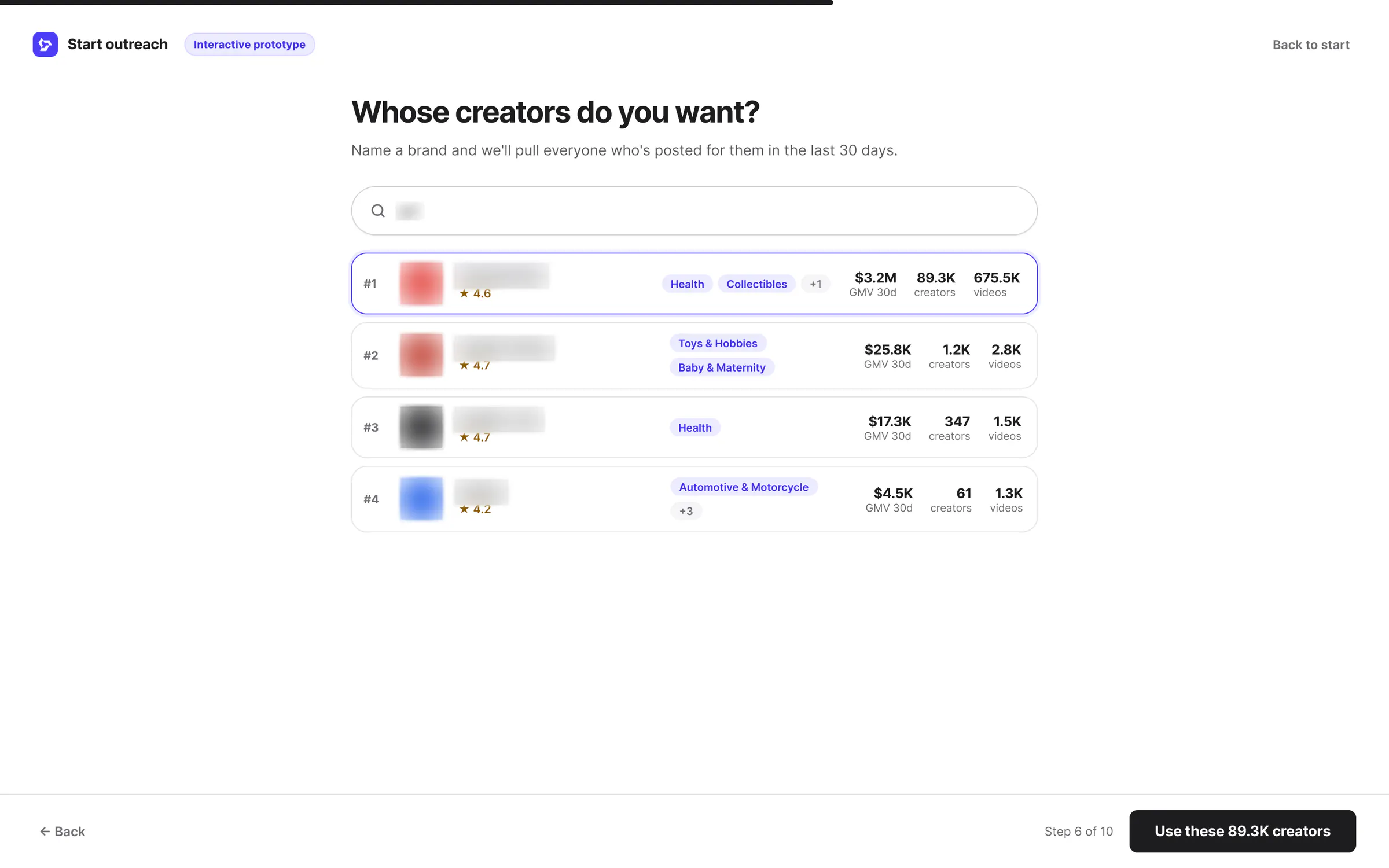
Typing a brand name lists four matching brands ranked with their 30-day GMV, creator and video counts. The first result is selected and the button reads “Use these 89.3K creators”; brand names are blurred.
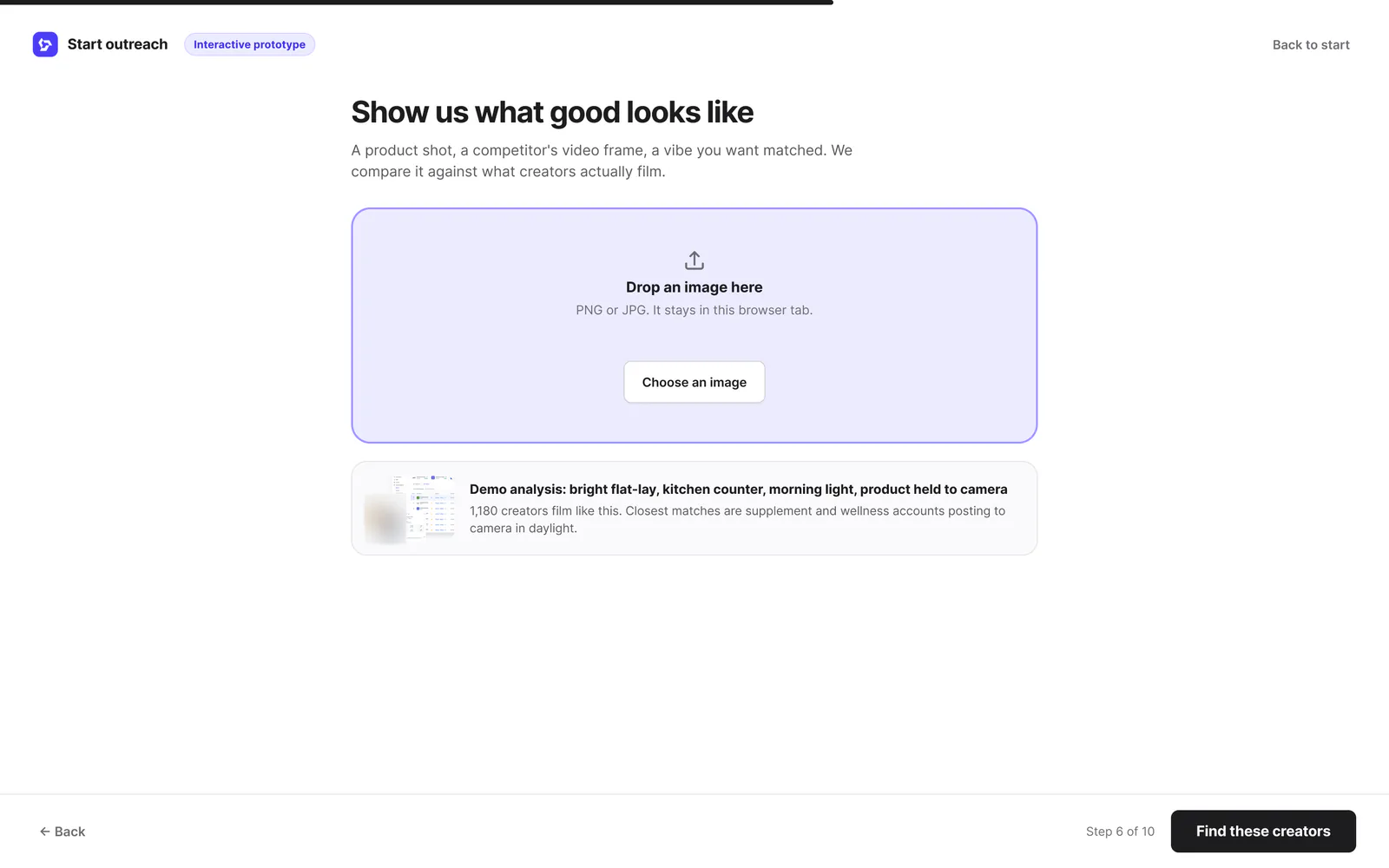
Find creators by image
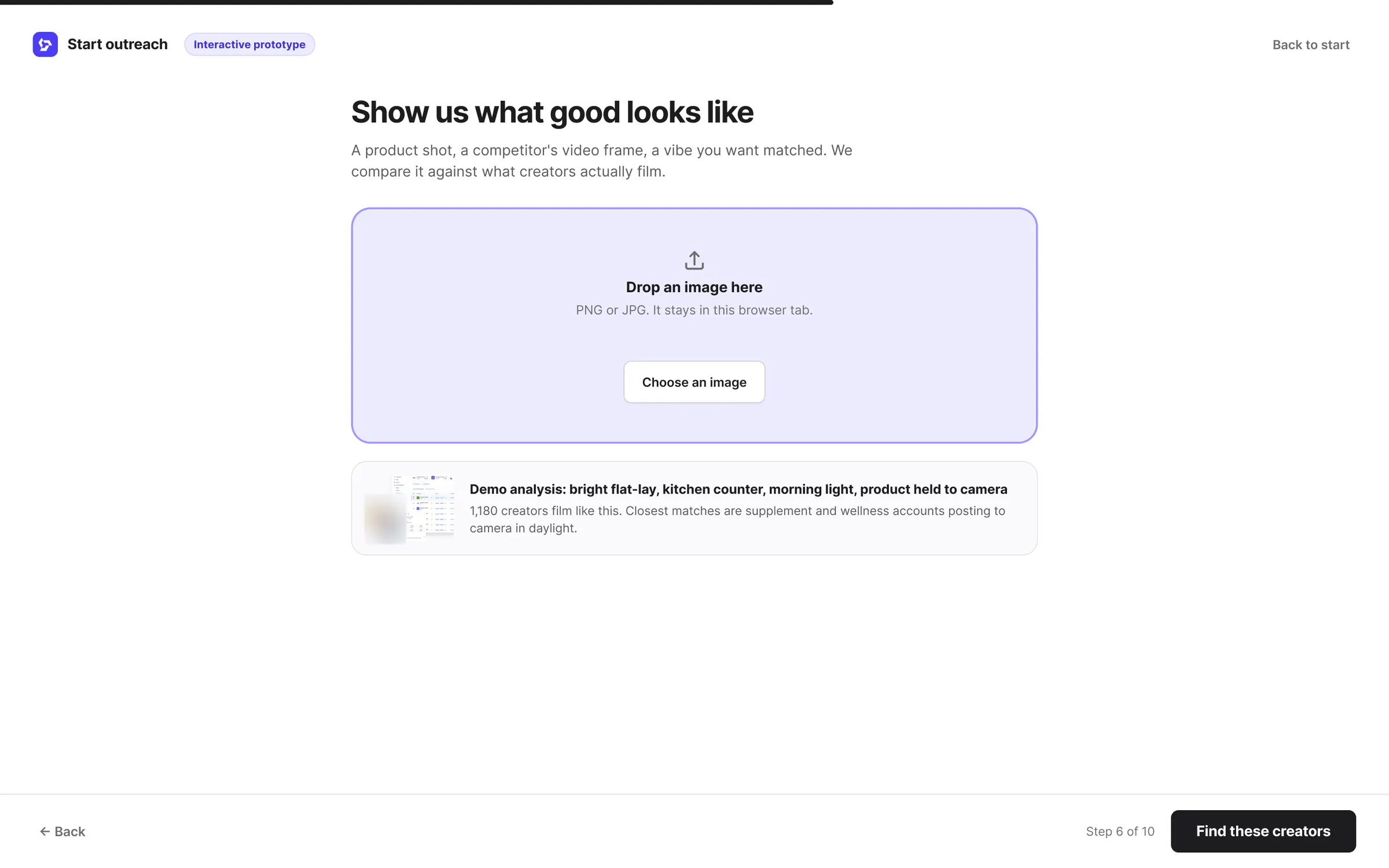
A drop zone asks for a reference image, and a demo analysis card below reads “bright flat-lay, kitchen counter, morning light, product held to camera” with 1,180 creators who film like this.
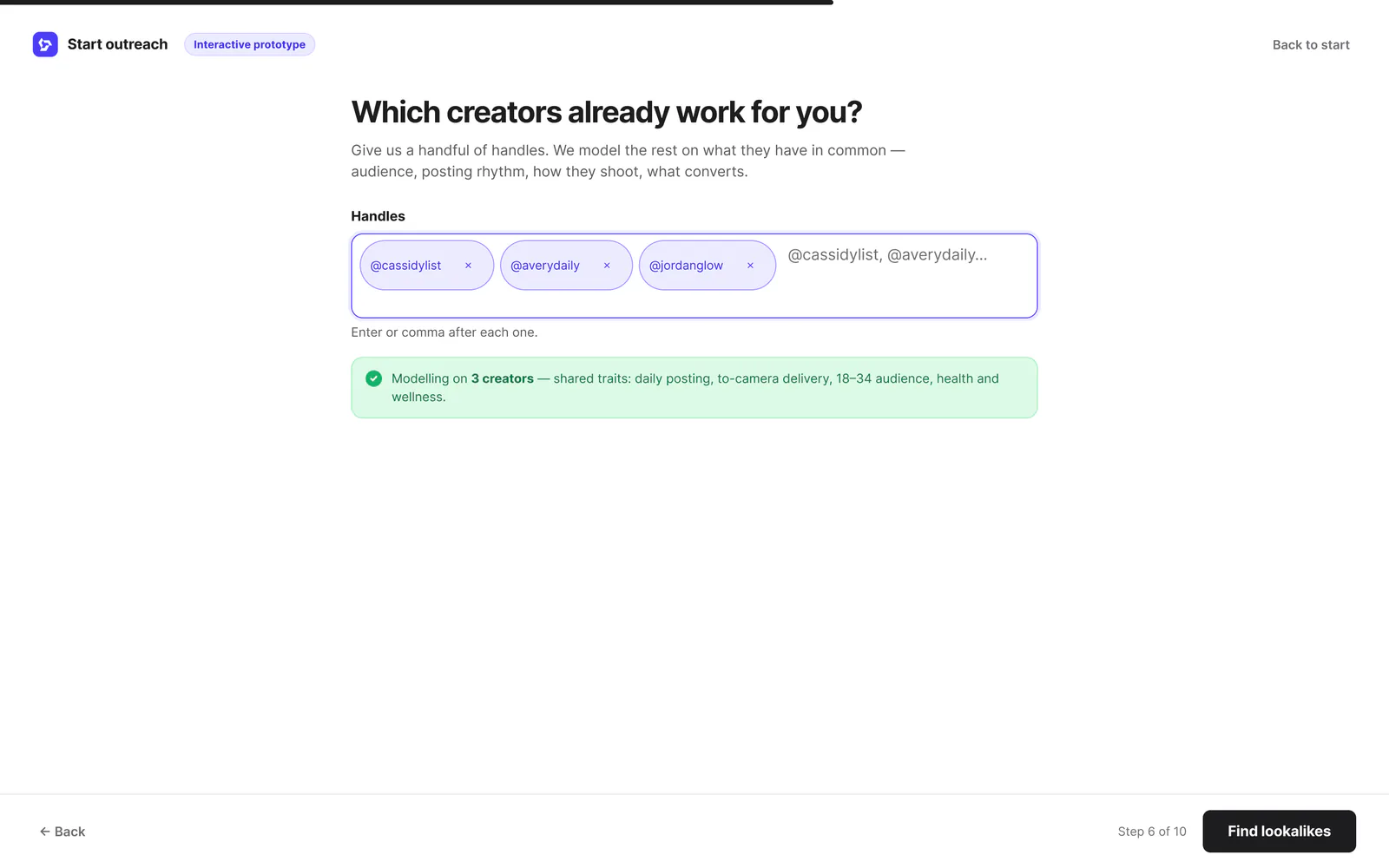
Lookalikes from three creators
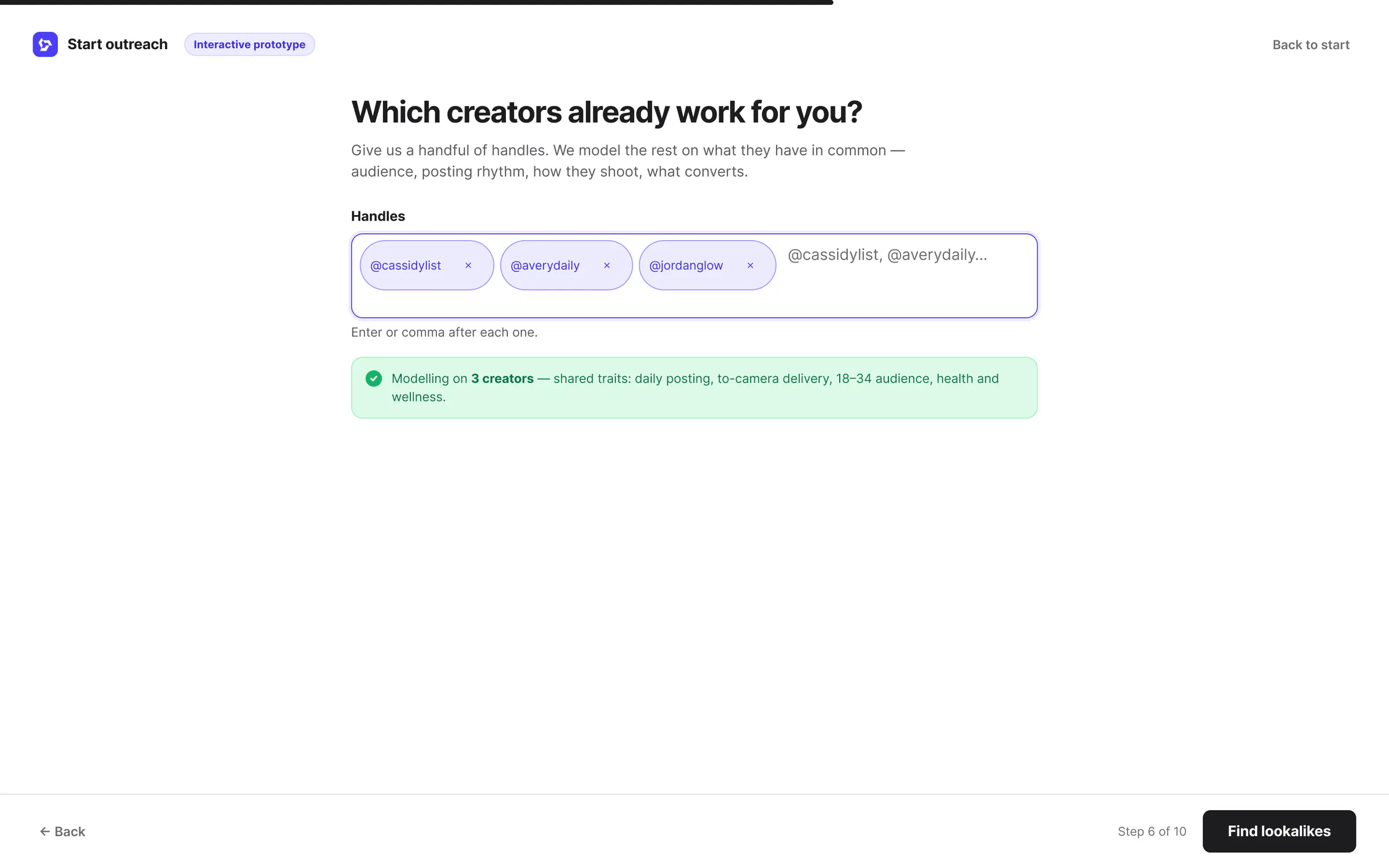
Three sample creator handles sit as chips in the input, and a green note says it is modelling on 3 creators with shared traits: daily posting, to-camera delivery, 18–34 audience, health and wellness.
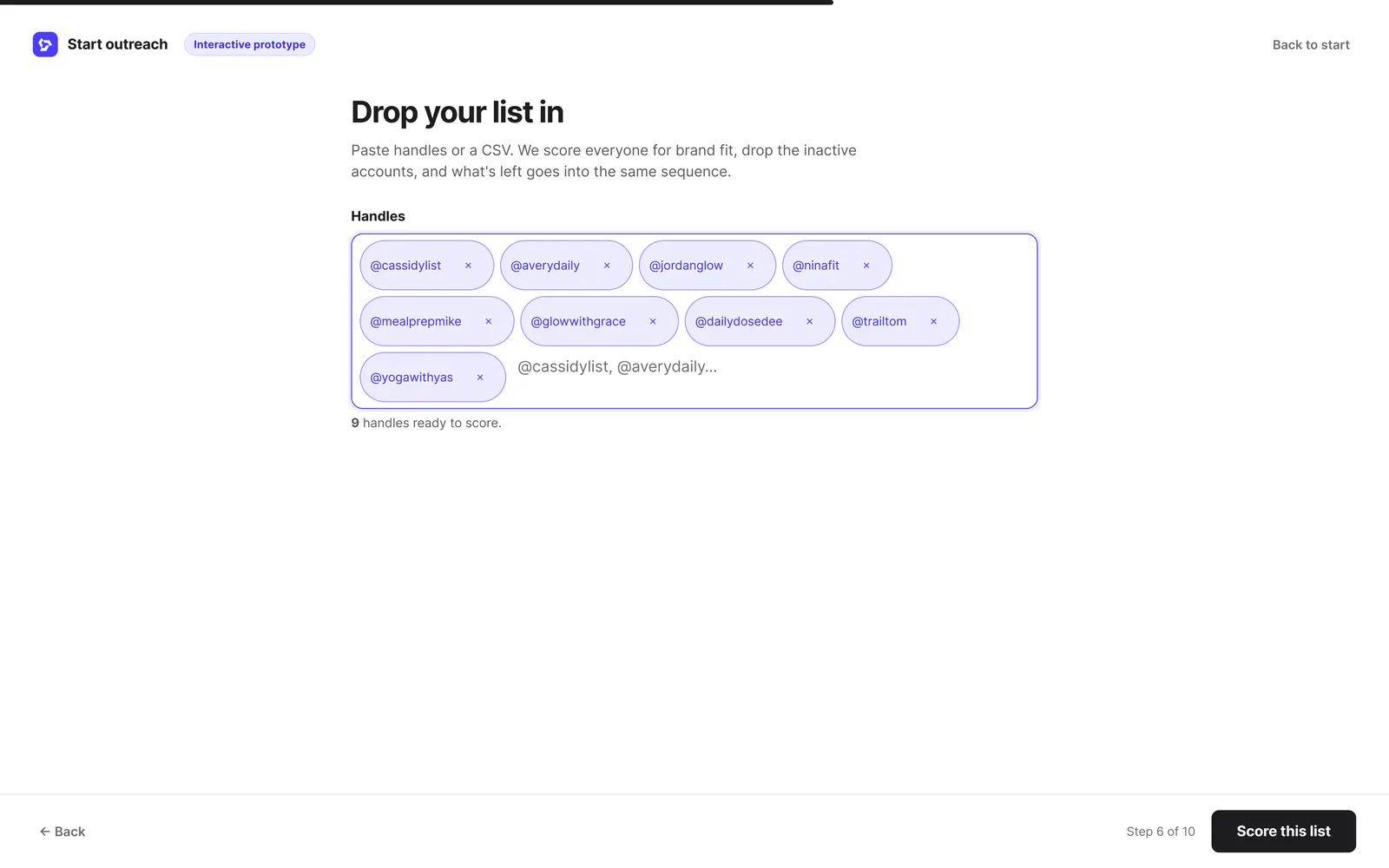
Paste a list of handles
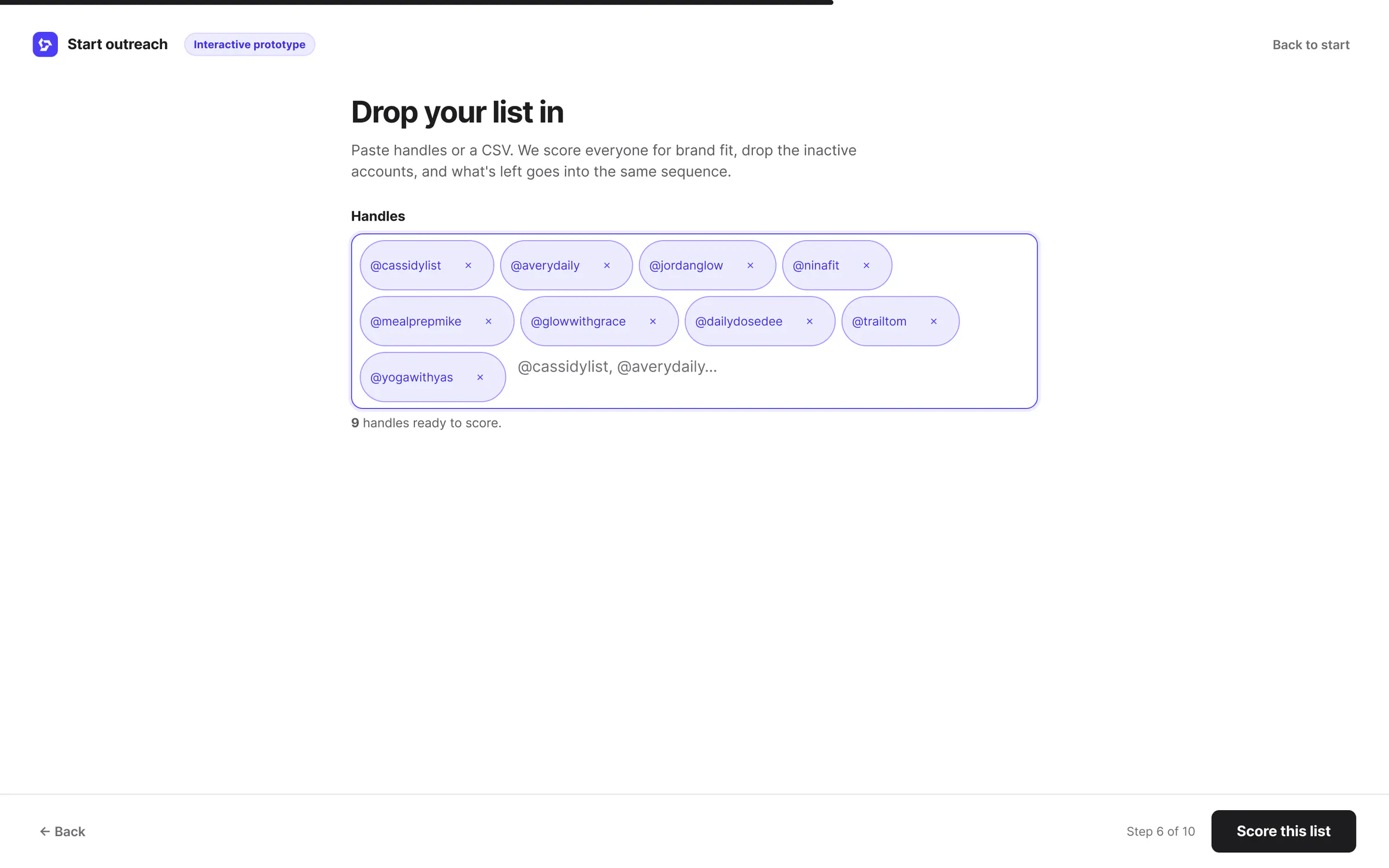
Nine sample handles fill the input as removable chips, with “9 handles ready to score” underneath and a Score this list button.
The invitation and the messages
The invitation creators receive, the first message that lands with it and three follow-ups that stop on a reply.
The invitation creators receive
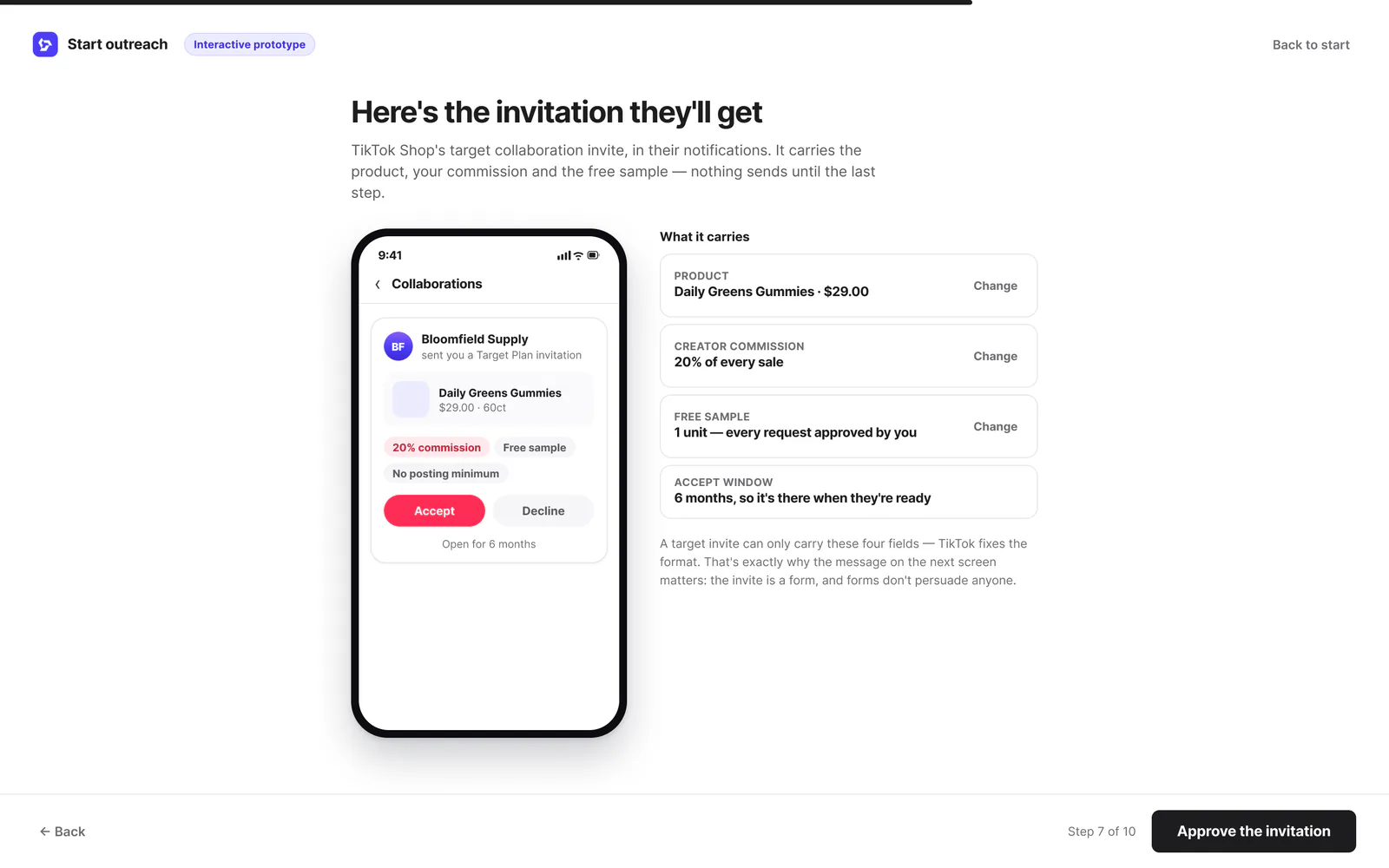
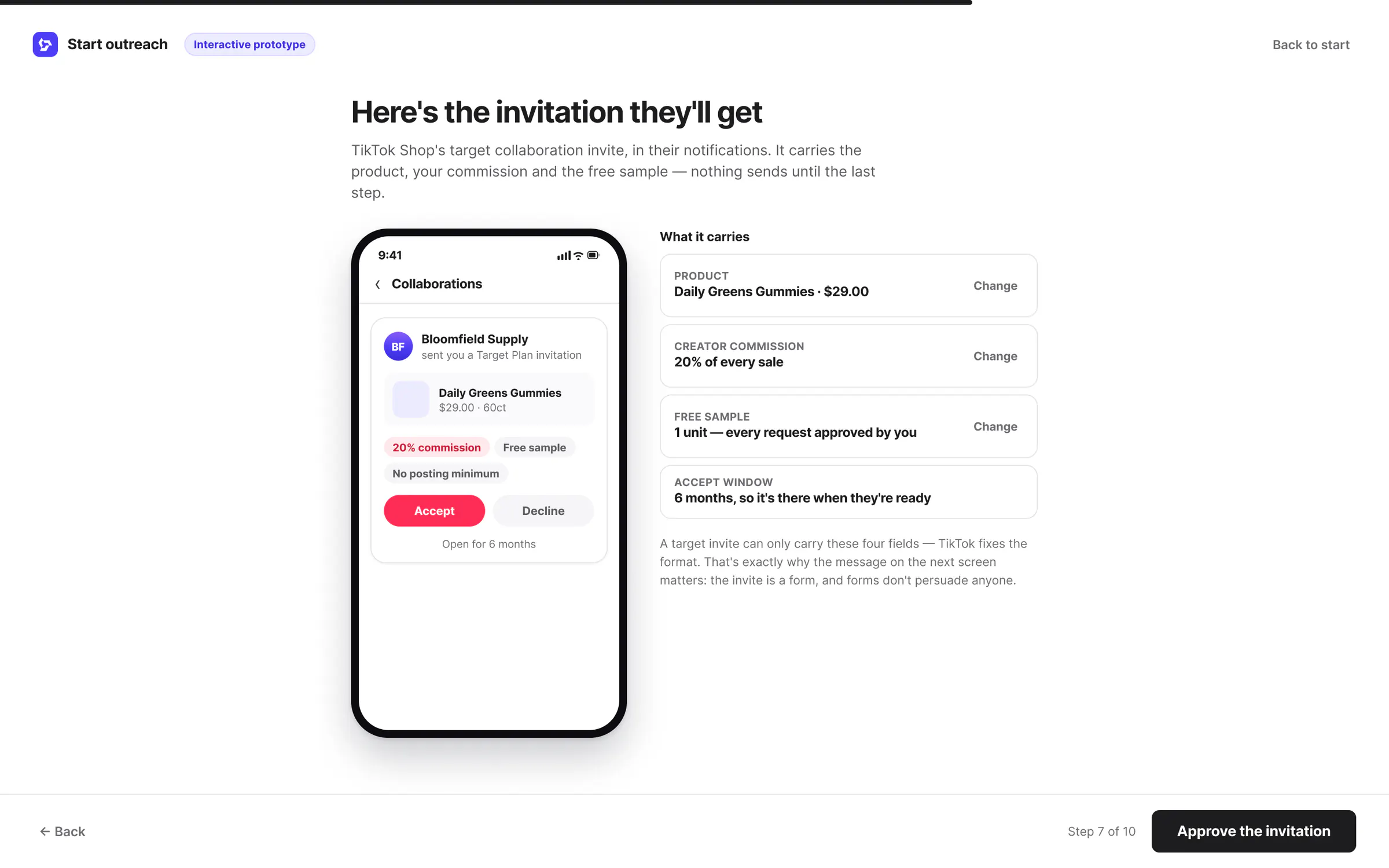
A phone preview shows the Target Plan invitation from Bloomfield Supply with Accept and Decline. Beside it, the four fields the invite carries: product, creator commission, free sample and accept window.
The message that lands with it
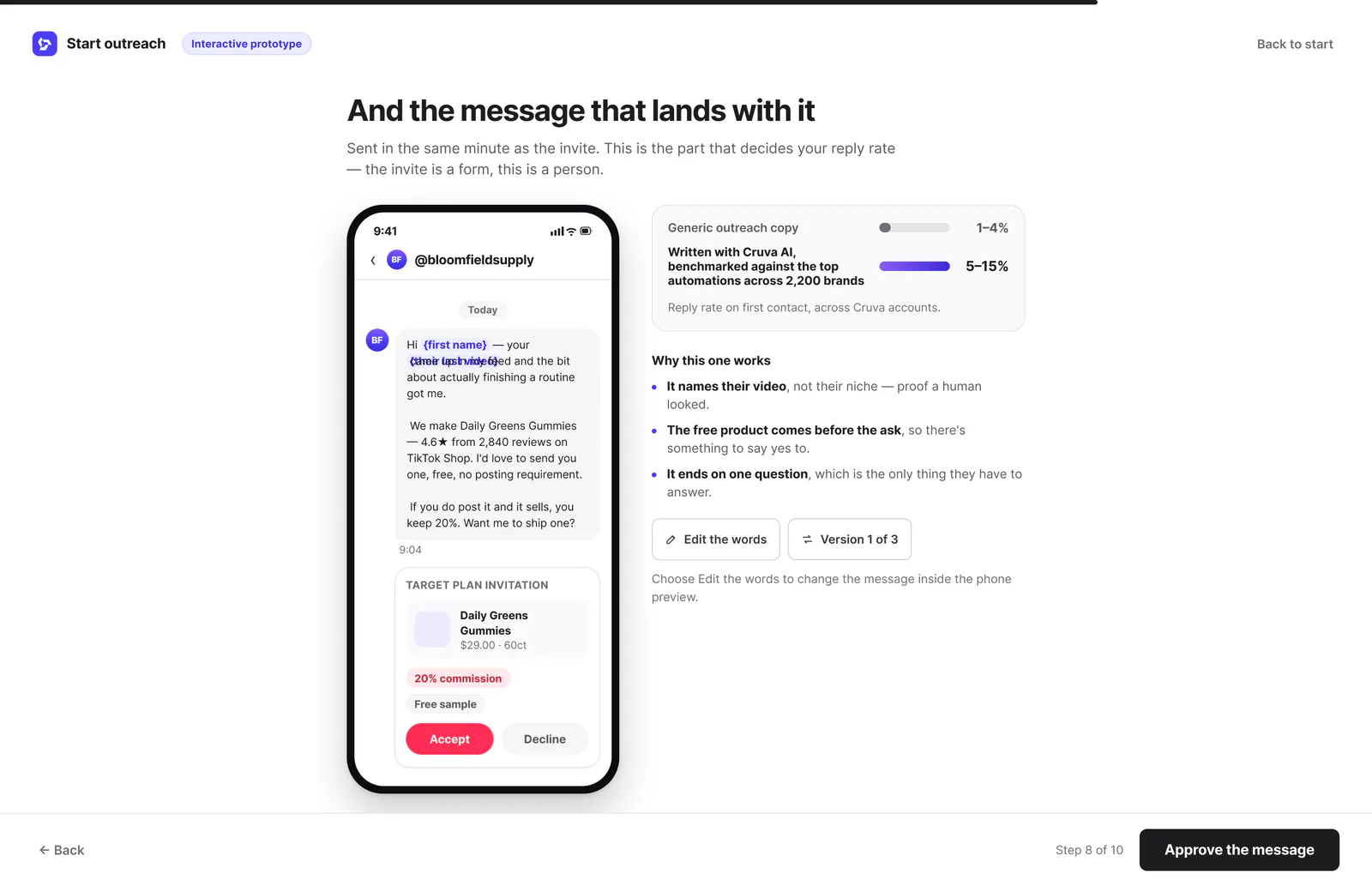
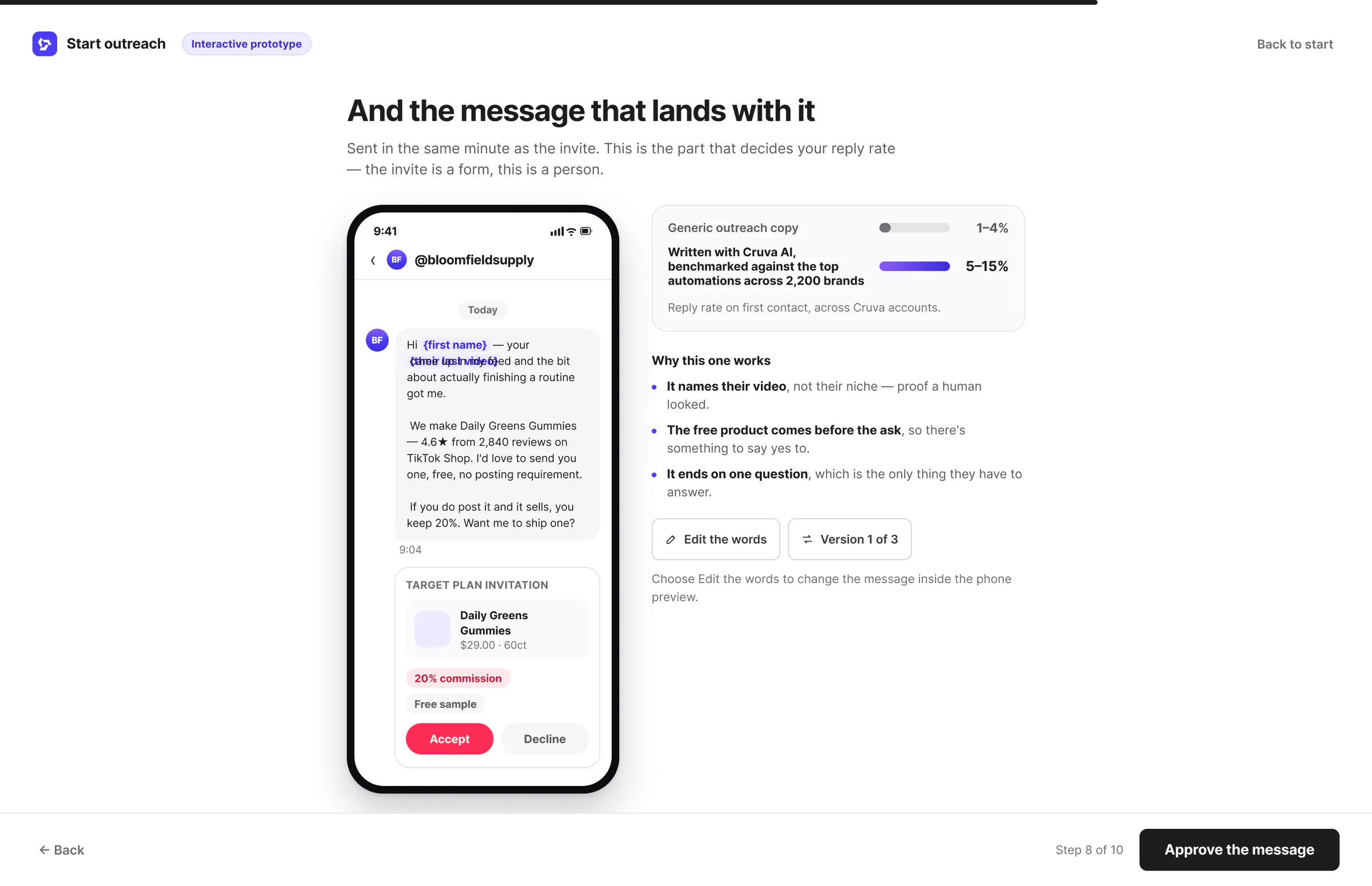
The phone shows the first message, written with {first name} and {their last video} placeholders, above the invitation card. Beside it, reply rates of 1–4% for generic outreach copy and 5–15% for copy written with Cruva AI, then three reasons the message works.
Three follow-ups, then stop
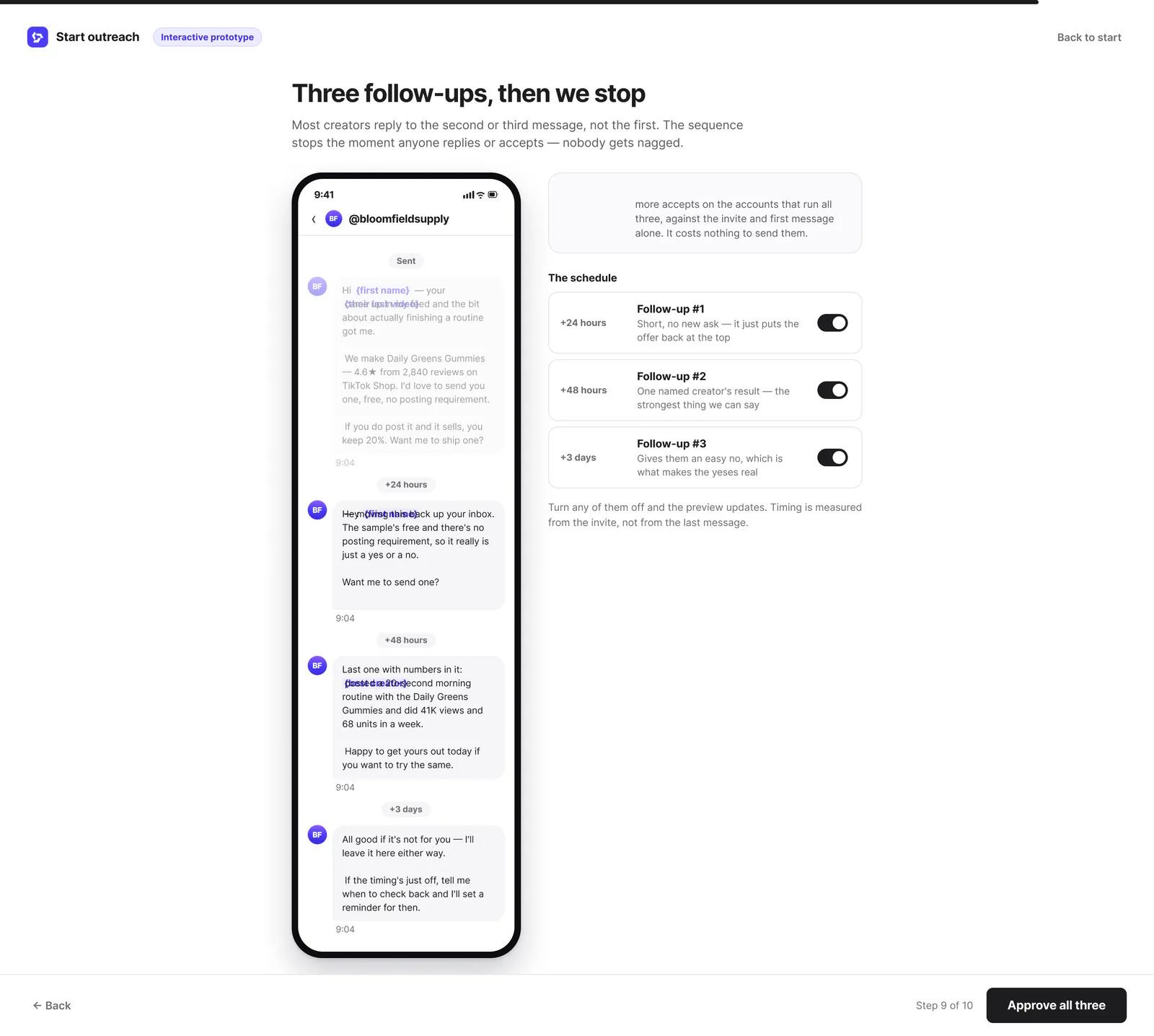
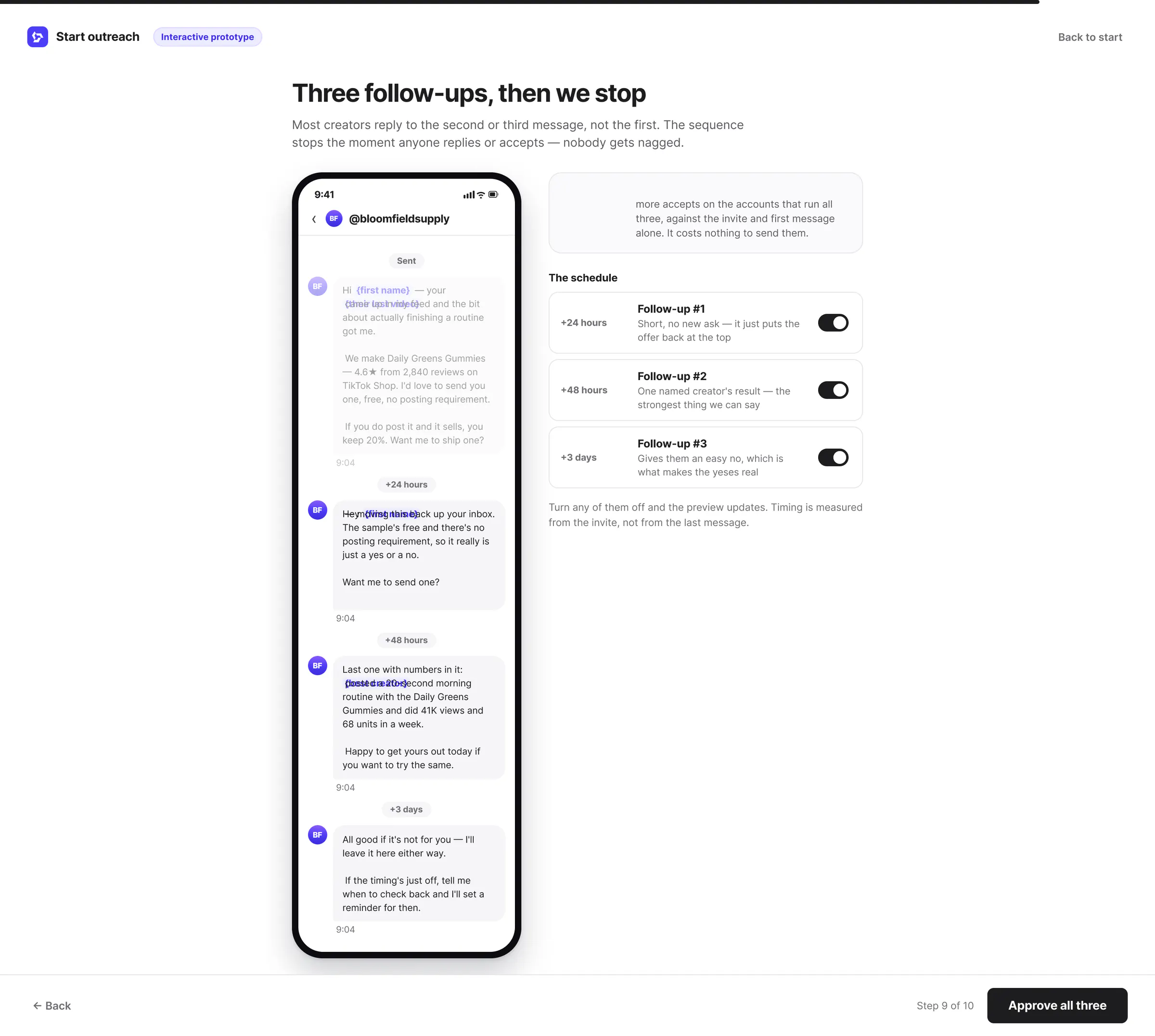
The phone thread shows the first message and follow-ups at +24 hours, +48 hours and +3 days. The schedule on the right lists all three with their toggles on.
Review and go live
The whole automation on one screen, then live, with three automations for after the yes.
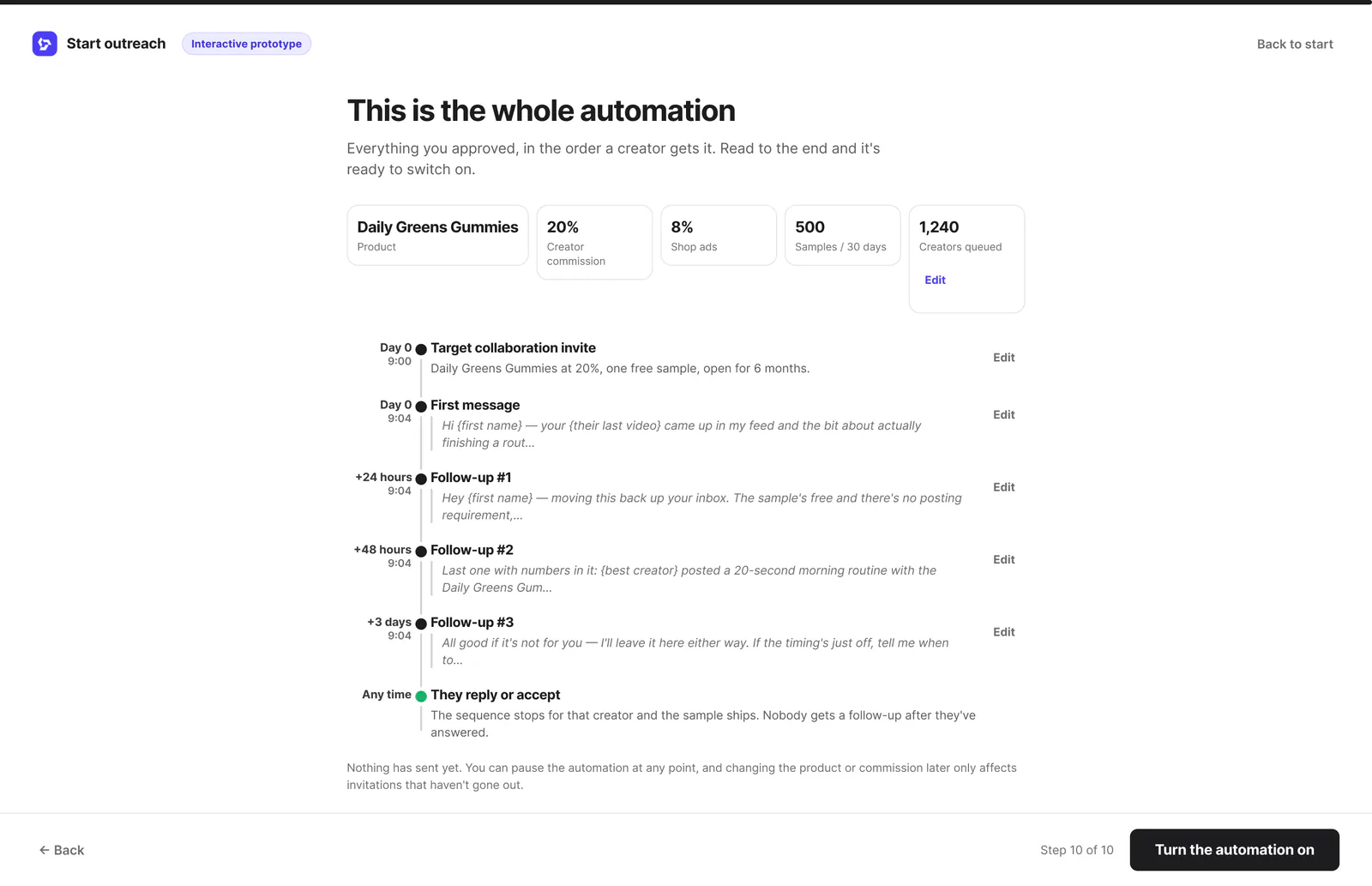
Review the whole automation
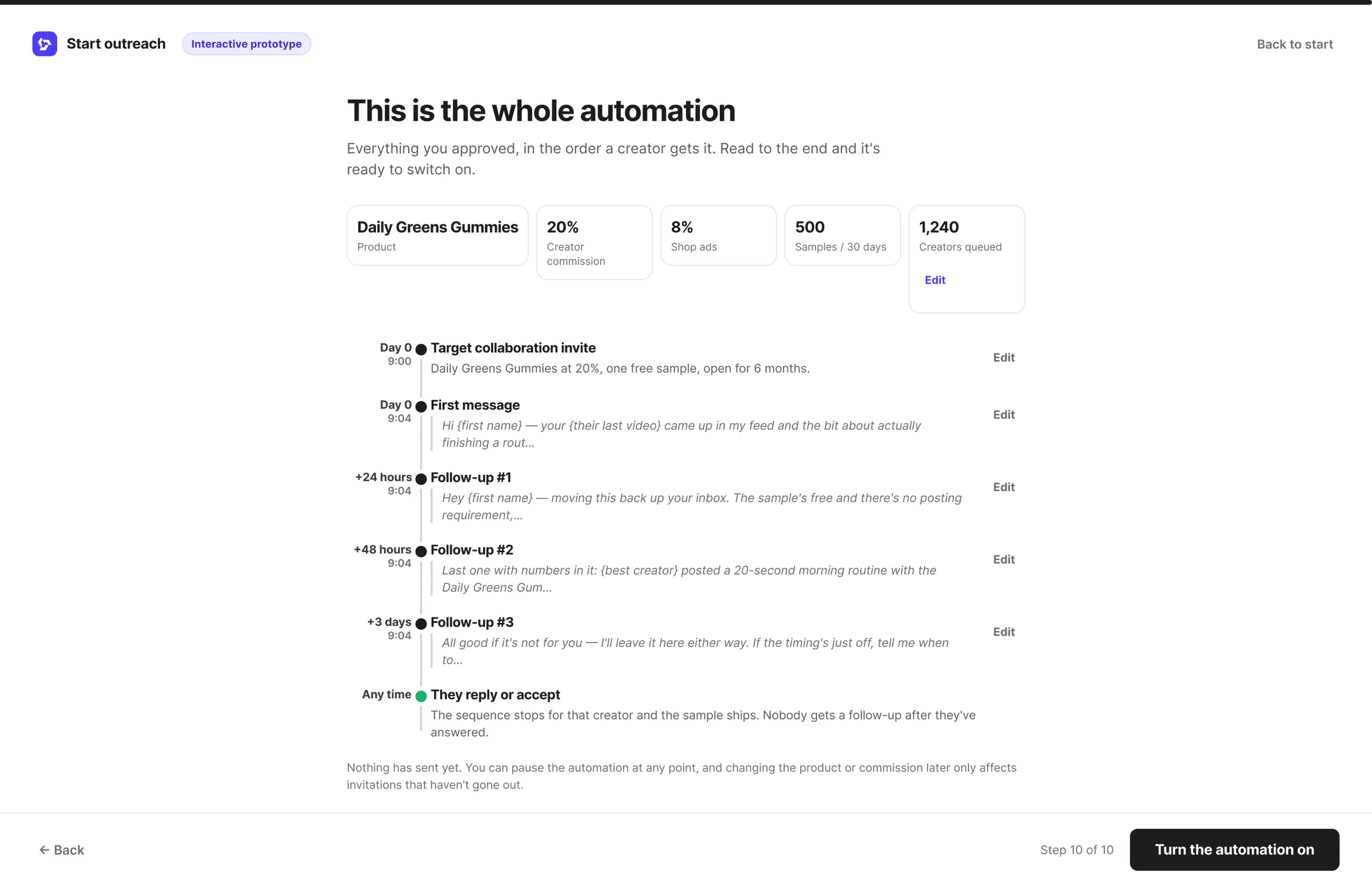
Summary tiles show the product, 20% creator commission, 8% shop ads, 500 samples per 30 days and 1,240 creators queued. Below, a timeline runs from the Day 0 invite through three follow-ups to “They reply or accept”, and the button reads “Turn the automation on”.
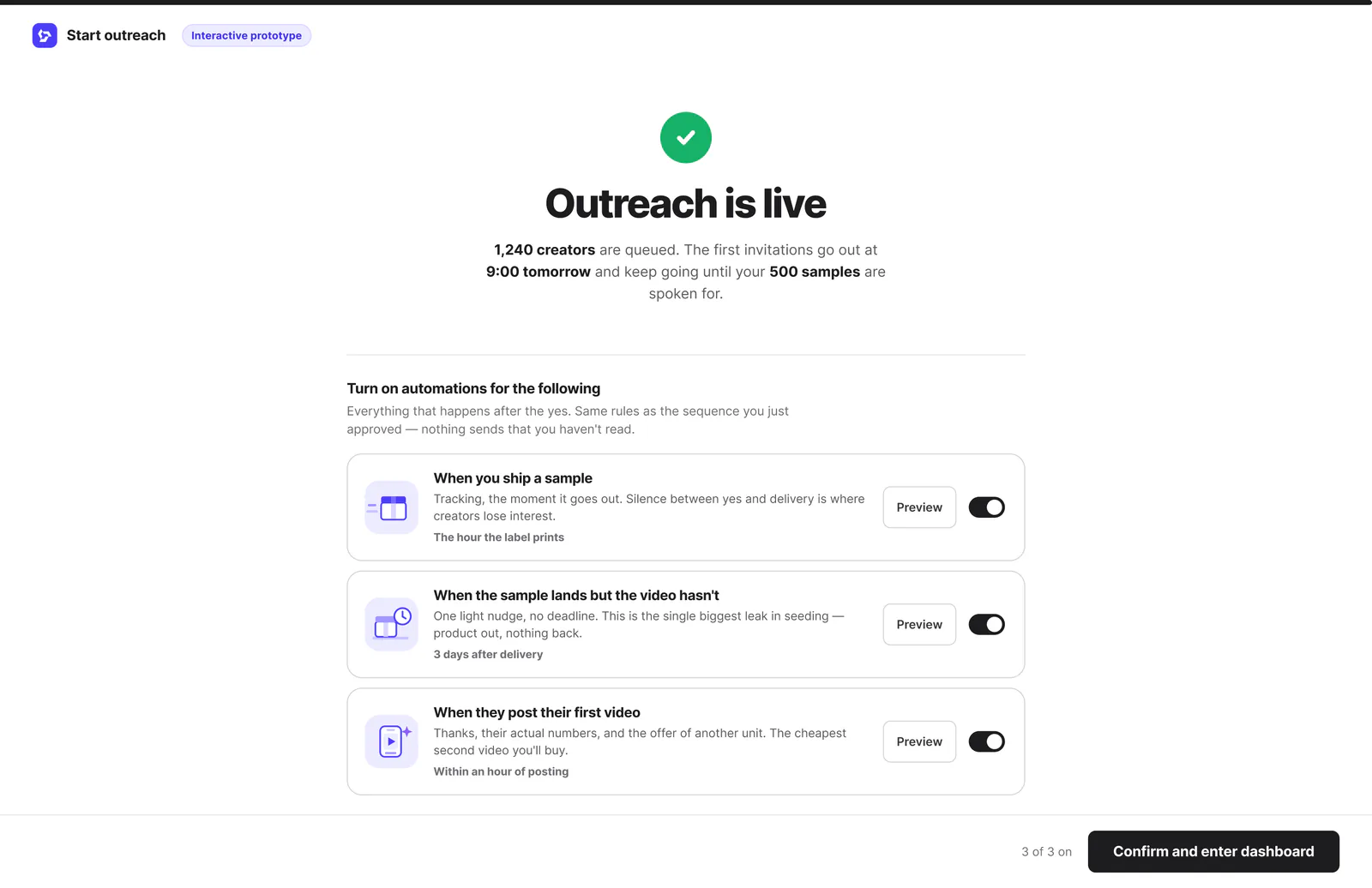
Outreach is live
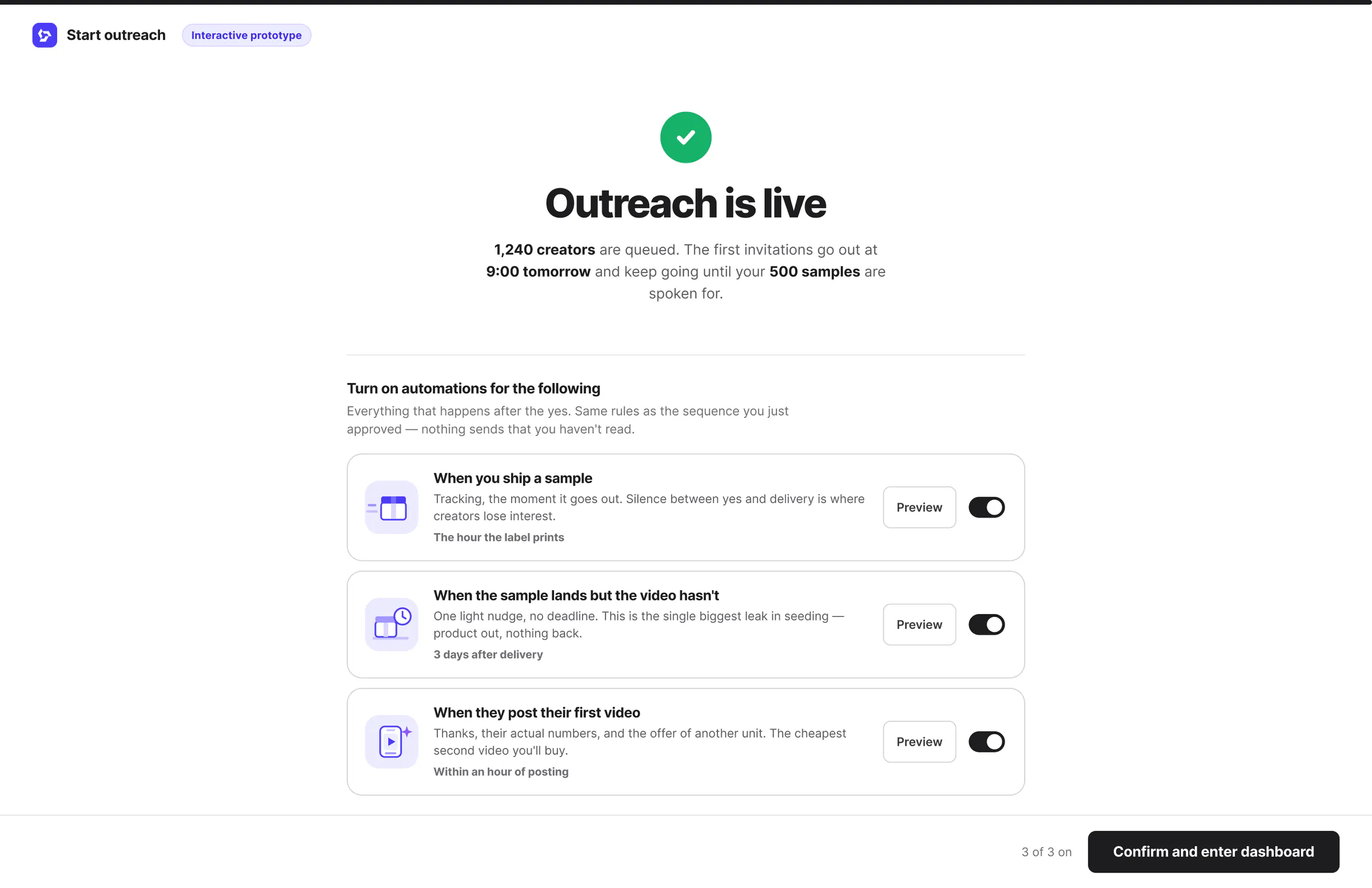
A success screen says 1,240 creators are queued, starting at 9:00 tomorrow until 500 samples are spoken for. Below, three after-the-yes automations are listed, each switched on with a Preview button.
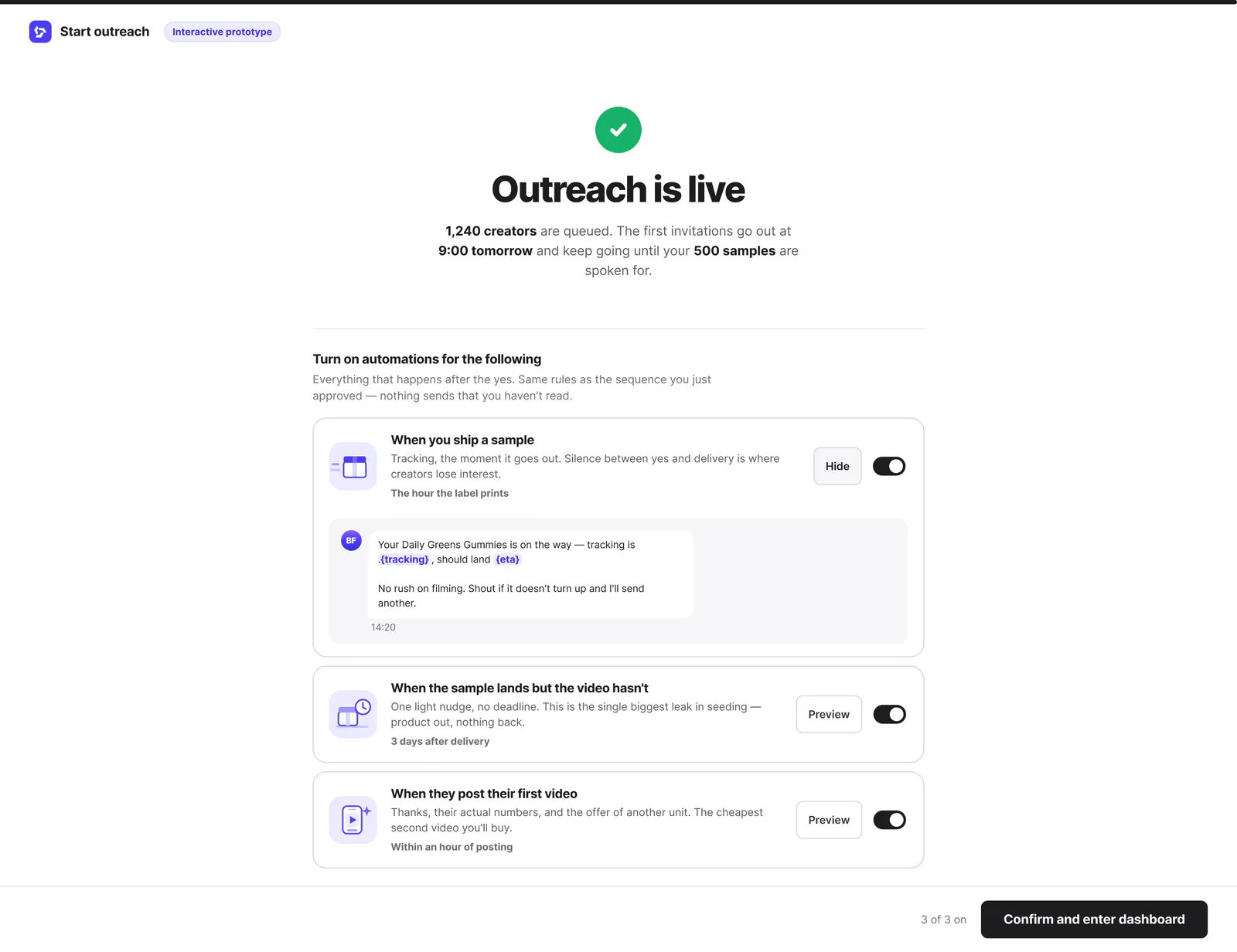
Previewing an automation message
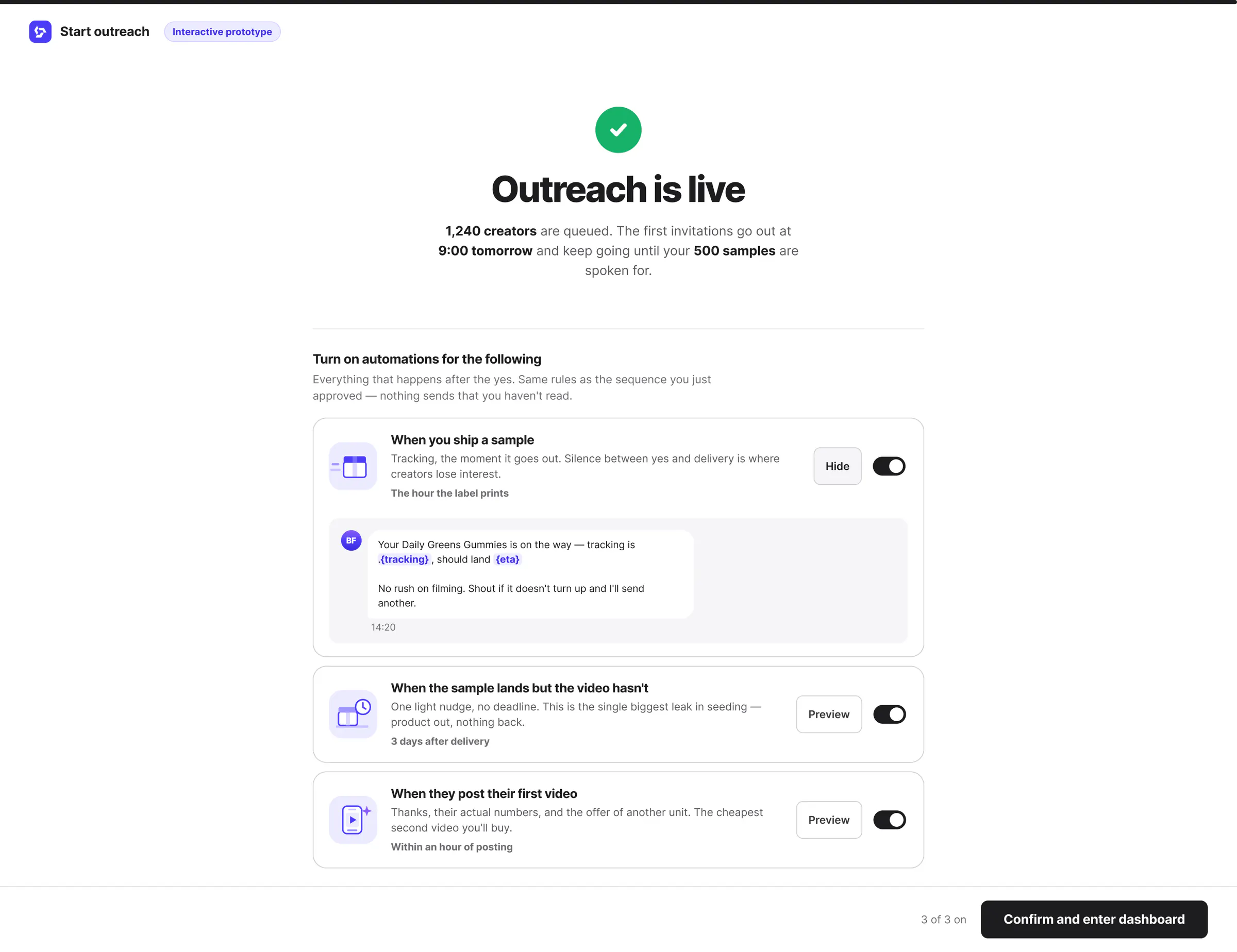
Opening the preview on “When you ship a sample” shows the shipping message, with {tracking} and {eta} placeholders, inside the card.